
Purchase vs GSTR-2A
Multi-month, invoice-level matching between your purchase register and supplier-filed data.


Use AI-powered matching to reconcile GST data, identify invoice-level differences and review ITC across one GSTIN or multiple GSTINs under the same PAN
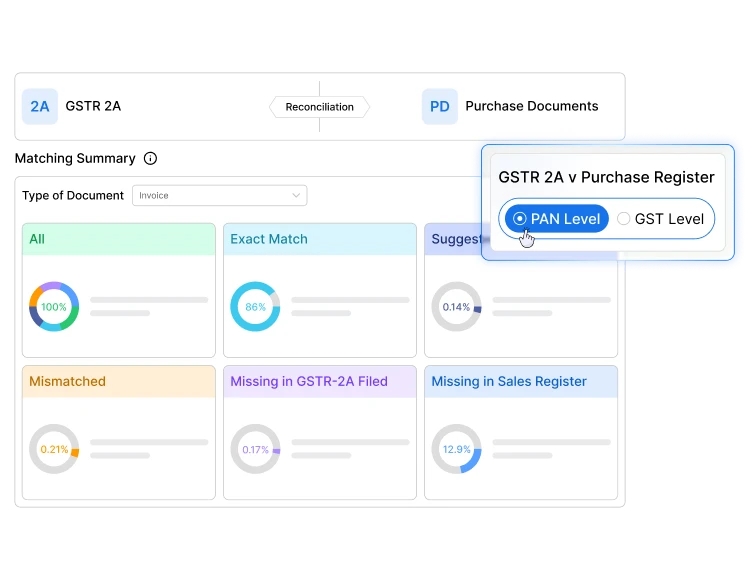
Good reconciliation starts with the right data. Munim GST pulls multi-month GST reports straight
from the government portal.

Download period-wise inward-supply details available in GSTR-2A for reconciliation with your purchase records.

Download month-wise GSTR-2B ITC statements and prepare them for reconciliation with your books.

Download document-level details used for Table 8A of GSTR-9 for annual-return review.

View filed GSTR-1 and applicable GSTR-1A outward-supply details for selected return periods.

View filed GSTR-3B data across selected tax periods in one place.

Import your purchase register from Excel and prepare it for invoice-level reconciliation.
Reconcile one GST registration at a time or review multiple GSTINs registered under the same PAN.
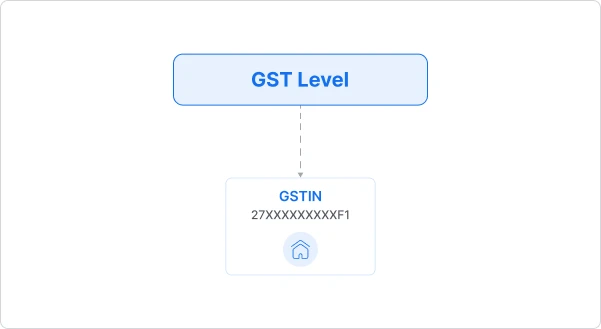
 GSTIN Level
Reconcile purchase data, GST statements and filed returns for one GST registration at a time.
 PAN Level
Review multiple GSTINs under the same PAN in one consolidated file while retaining GSTIN-wise visibility.
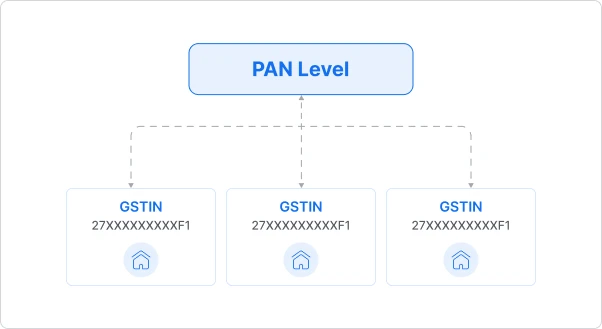
Compare purchase records across GSTINs and identify mismatches within one consolidated PAN-level file.

Compare purchase records with GSTR-2A data across multiple GSTINs and identify cross-GSTIN invoice differences.

Compare purchase records with IMS data across GSTINs before reviewing the appropriate portal action.

Compare purchase records with IMS data across GSTINs before reviewing the appropriate portal action.
Reconcile purchase, sales and ITC data through invoice-level matching, return comparisons, and clear mismatch reporting.
Multi-month, invoice-level matching between your purchase register and supplier-filed data.
Compare your purchase register with GSTR-2B to identify missing, mismatched or review-required records before ITC reporting.
Compare purchase records with GSTR-9 Table 8A to identify differences requiring review before filing annual returns.
Compare ITC reported in GSTR-3B with supplier-declared records reflected in GSTR-2A.
Identify month-wise differences between ITC reported in GSTR-3B and records available in GSTR-2B.
Compare outward tax liability reported in GSTR-3B with outward supplies declared in GSTR-1 and GSTR-1A.
Compare your purchase register with invoices available in IMS before deciding whether to accept, reject or keep them pending.


New Feature Launched
Send Reports in One Click
Connect your email once, assign it to a client, and send reconciliation reports directly to the client’s authorised contact. Share the full report or only the filtered data without leaving Munim.

Missing a month’s data? Munim flags it and lets you download it before you reconcile.
Go to My Clients > Reports > Purchase (or Sales), and choose the reconciliation you need.
›Download GSTR-2A, GSTR-2B, or GSTR-8A data from the GST portal, and import your purchase register from Excel.
›Toggle between GST level or PAN level, set the period, and let Munim auto-match every invoice.
›Accept values, keep items pending, and download GST reports for your records.
GST ITC reconciliation involves comparing your purchase register with information available in GST statements and filed returns. It helps identify missing invoices, value differences, duplicate entries and records requiring follow-up. Reconciliation supports ITC review, but final ITC eligibility depends on GST law and the facts of each transaction.
Join thousands of satisfied users and experience the difference.
Talk To Sales or Support