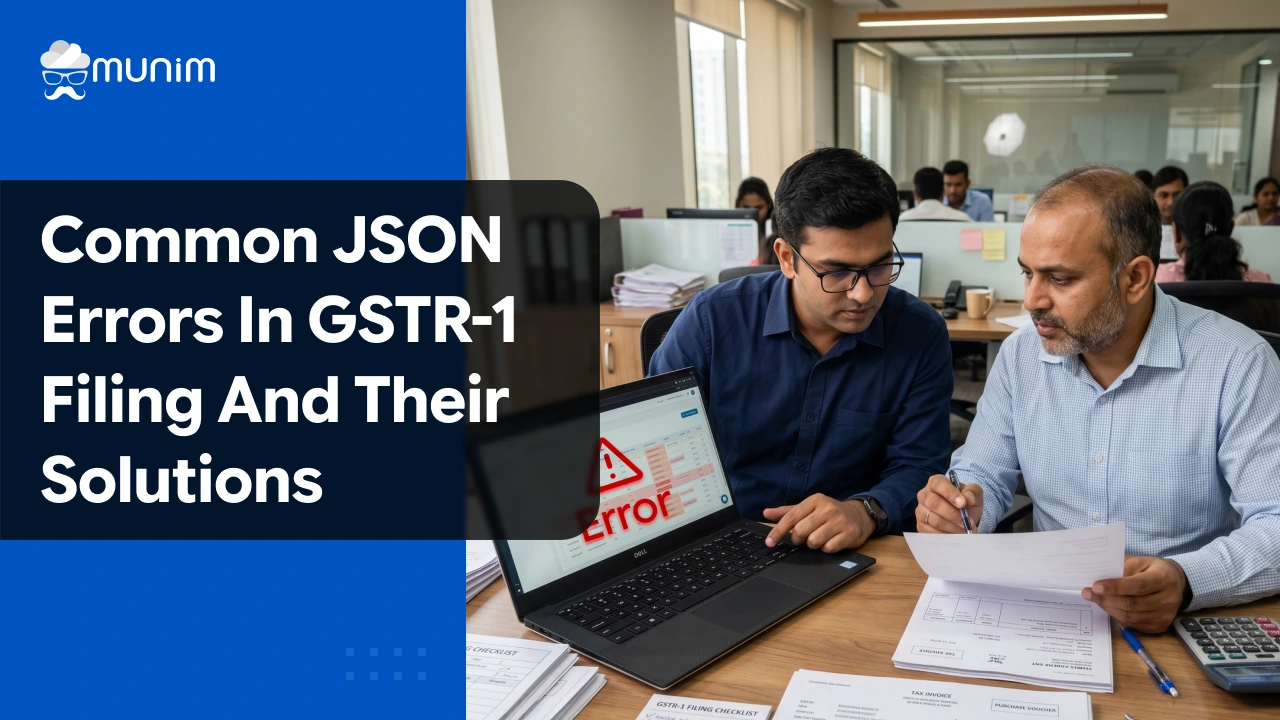
Common JSON Errors in GSTR-1 Filing and Their Solutions
 AuthorMehul Jagwani
 Reviewed ByCA Madhav Bhayani



Summary:
JSON errors in GSTR-1 filing occur when the GST portal fails to process the uploaded JSON file due to issues like invalid GSTIN, incorrect invoice dates, duplicate invoice numbers, or wrong tax types. Each error comes with a specific error code prefixed with RET19, and each has a clear fix. This guide covers the most common JSON error codes in GSTR-1, explains what triggers them, and provides practical solutions to resolve them quickly.
Every month, thousands of businesses, accountants, and CAs across India face the same frustrating screen: a JSON error in GSTR-1 after uploading invoice data to the GST portal. The return does not get processed. The status reads “Processed with Error.” And the filing deadline is ticking. Understanding what these errors mean and how to resolve them can save hours of back-and-forth.
Common JSON Errors in GSTR-1 and How to Resolve Them
Error RET191106: JSON Structure Validation Failed
What it means: The GSTN system cannot recognise the uploaded JSON file. This typically happens when the file structure does not match the expected GSTN schema, or the GSTIN is either missing or incorrectly specified inside the file.
How to fix it:
- Confirm the GSTIN entered in the JSON file matches the registered GSTIN on the portal exactly
- Ensure the JSON file has been generated using the latest version of the GST Offline Tool or a GSTN-compliant software
- Regenerate the JSON file after corrections and re-upload
This is one of the first errors a user encounters when there is a fundamental mismatch between the software and the portal’s current schema version.
Error RET191113: Invalid GSTIN
What it means: The GSTIN mentioned in the JSON file for a buyer or supplier is either incorrect, inactive, or does not exist in the GSTN system.
How to fix it:
- Cross-check each buyer’s GSTIN in the JSON error report
- Verify the GSTIN on the official GSTN GSTIN search tool before uploading
- Correct the GSTIN in the source data, regenerate the JSON, and upload again
A small typo in a 15-character GSTIN is all it takes to trigger this error across an entire invoice.
Designed for Modern Tax Professionals
A premium filing solution for CAs and tax consultants who need speed, scale, and operational clarity.
 Handle multiple clients with ease
- Reconcile and validate with confidence
- Overcome the limitations of the GST portal
 Handle multiple clients with ease
Error RET191114: Invalid Invoice Date
What it means: The invoice date in the JSON file precedes the buyer’s GST registration date. Since a buyer can only claim Input Tax Credit (ITC) from the date of their GST registration, the portal flags any invoice dated before that point.
How to fix it:
- Verify the GST registration date of the buyer
- If the invoice was genuinely issued before their registration date, reclassify the invoice from B2B to B2C
- If the date is a data entry mistake, correct it and regenerate the JSON
This error is especially common when businesses onboard new clients who recently registered for GST.
Error RET191115: Invalid Invoice Number
What it means: The invoice number format is not acceptable by the GST portal. Invoice numbers in GSTR-1 cannot exceed 16 characters and must follow the prescribed format that includes alphanumeric characters, slashes, or hyphens, and must be unique within a financial year.
How to fix it:
- Shorten the invoice number to within 16 characters
- Ensure the invoice number does not contain any special characters other than ‘/’ and ‘-‘
- If no invoice number exists, assign one in accordance with GST invoice rules, regenerate the JSON, and re-upload
This error frequently surfaces when businesses use long, system-generated invoice numbers from their ERP or accounting tools.
Error RET191124: Original Invoice Details Are Incorrect
What it means: This error appears when a Credit Note or Debit Note (CDN) references an original invoice that either has not been uploaded to the portal yet or has been entered incorrectly.
How to fix it:
- Confirm that the original invoice referenced in the CDN has already been uploaded in a prior GSTR-1 period
- If the original invoice has not been uploaded, upload it first
- Double-check the invoice number and date in the CDN section against the original invoice details
Credit and debit notes are only accepted by the portal when the underlying invoice can be traced in the system.
Error RET191133: Duplicate Invoice
What it means: The invoice number being uploaded already exists on the GST portal for the same GSTIN and financial year, either with the same or a different CTIN (Customer Tax Identification Number). The portal treats this as a duplicate submission.
How to fix it:
- Check the portal to confirm whether the invoice has already been successfully uploaded in an earlier filing
- If it has been uploaded correctly, do not re-upload. Simply exclude it from the new JSON
- If the previously uploaded version has incorrect data, first delete the old invoice from the portal, then upload the corrected version
This error is quite common when taxpayers re-process JSON files from prior months without cleaning out already-uploaded records.
Error RET191148: No Section Data or Gross Turnover Available
What it means: The system could not find any invoice data or gross turnover information in the uploaded file. This usually happens when a taxpayer attempts to upload an empty or near-empty JSON file, or when a NIL return is being filed through the offline upload route.
How to fix it:
- If the return has invoices, ensure all details are complete before generating the JSON
- If it is a NIL return (no supplies during the period), use the online NIL filing option on the GST portal directly instead of the JSON upload method
- Do not leave mandatory sections blank in the JSON
Error RET191150: IGST Mandatory for Interstate Supply
What it means: The JSON file has applied CGST and SGST to an interstate supply where IGST should have been applied instead, or vice versa. This is a tax type mismatch between the place of supply and the applicable GST component.
How to fix it:
- Review the Place of Supply (POS) in each flagged invoice
- For any supply where the supplier’s state and the buyer’s state differ, apply IGST instead of CGST and SGST
- For intra-state supplies, ensure CGST and SGST are applied and IGST is not present
- Correct the tax values in the source data, regenerate the JSON, and upload
This error is particularly relevant for businesses operating across state borders and for cases where the place of supply has been incorrectly determined.
Error RET191175: Invalid GST Rate
What it means: The GST rate used in the invoice does not fall under any of the prescribed GST rate slabs. The approved IGST rate slabs are 0%, 0.25%, 5%, 12%, 18%, and 28%. For CGST and SGST, the slabs are half of these values: 0%, 0.125%, 2.5%, 6%, 9%, and 14%.
How to fix it:
- Verify the correct GST rate applicable to the goods or service using the GSTN’s HSN/SAC lookup
- Make sure GST rates are entered as numeric values only, without the % symbol, in the JSON file
- Correct the rate in the source data, regenerate the JSON, and re-upload
With frequent GST Council decisions revising rates across product categories, it is important to keep rate masters updated in the billing or accounting software.
Error RET191166: Decryption / Decoding Failed
What it means: The portal could not decode or decrypt the uploaded JSON file. This is typically a technical error originating from how the file was generated or compressed.
How to fix it:
- Do not attempt manual fixes on the JSON file structure
- Regenerate the JSON using the GST Offline Tool or compliant software
- If the error persists, contact the GSTN helpdesk or the software vendor’s support team
Error RET191356: Rate Cannot Be Empty in HSN Table
What it means: An entry in the HSN summary table (Table 12) is missing the GST rate. As of the GSTN advisory in January 2025, HSN data must include both the valid HSN code (from the dropdown) and the applicable rate for both B2B and B2C sections.
How to fix it:
- Open the HSN summary in the source data
- Ensure every HSN entry has an applicable rate filled in
- Select the correct HSN from the dropdown rather than typing it manually
- Correct and regenerate the JSON file
This error has become increasingly frequent since the February 2025 update that restructured Table 12 into separate B2B and B2C tabs with mandatory validations.
How to Download the GSTR-1 Error Report from the GST Portal
Before attempting any fixes, the taxpayer or accountant must first retrieve the exact error report. Here is the standard process:
- Log in to the GST portal (gst.gov.in)
- Navigate to Returns Dashboard > GSTR-1 > Prepare Offline
- Upload the JSON file
- If the upload fails or shows “Processed with Error,” click on Download Error Report
- Save the ZIP file and extract it
- Open the error report, typically available in JSON or Excel format
- Each error entry will show the invoice number, the error code (beginning with RET19), and a brief description
Once the specific error codes are identified, the taxpayer can apply the relevant fixes, regenerate the JSON file, and re-upload.
Conclusion
JSON errors in GSTR-1 can be unsettling, especially under filing deadline pressure. But almost every error code has a specific, fixable cause. Whether it is an invalid GSTIN, an invoice date mismatch, a wrong tax type, or a structural issue in the file itself, the fix is almost always traceable once the error report is read correctly.
With GSTN making validation rules stricter in FY 2026-27, staying current with platform updates is just as important as getting the invoice data right. Using reliable, updated GST return filing software reduces the chance of JSON errors at the source, before the file ever reaches the portal.
Disclaimer: "This blog post is for informational purposes only. For specific tax advice related to your business, please consult a qualified Chartered Accountant or GST practitioner."
About the author

Mehul is a seasoned content writer with a passion for simplifying complex accounting and GST topics. With a keen interest in entrepreneurship and business management, he specializes in creating informative and engaging content for themunim.com. His goal is to help businesses understand and implement accounting and GST software solutions effectively. When he's not crafting content, Mehul enjoys exploring new places and spending time with his Golden Retriever.
Related Articles
Explore the latest market news, useful resources for business, and Munim updates.