Manage Stock method
Choose Normal, Batch Wise, Lot Wise or Serial Wise tracking for each item.

 WAREHOUSE MANAGEMENT SOFTWARE
Create warehouses, transfer stock between locations, and select the right warehouse while creating sales invoices,
all within the same accounting app.
THE BASICS
Warehouse management software helps businesses organise inventory by location, record stock transfers between warehouses, and link transactions to the correct
warehouse. Munim keeps warehouse records and stock movements separated by location, helping reduce inventory mix-ups between godowns.
What Munim Helps You Manage

Name, address, GSTIN and contact details for every godown, branch store or warehouse.

A dated document for goods moved from one warehouse to another, with the items and quantities on it.

The warehouse records against entries such as sales, so a document shows where the goods came from.

Batch, lot or serial numbers carried through each movement of the item.

Control over who can create, edit, view or delete warehouse records and transfers.

Stock-related reports that include the warehouse recorded against each entry.
ONE CLICK TO START
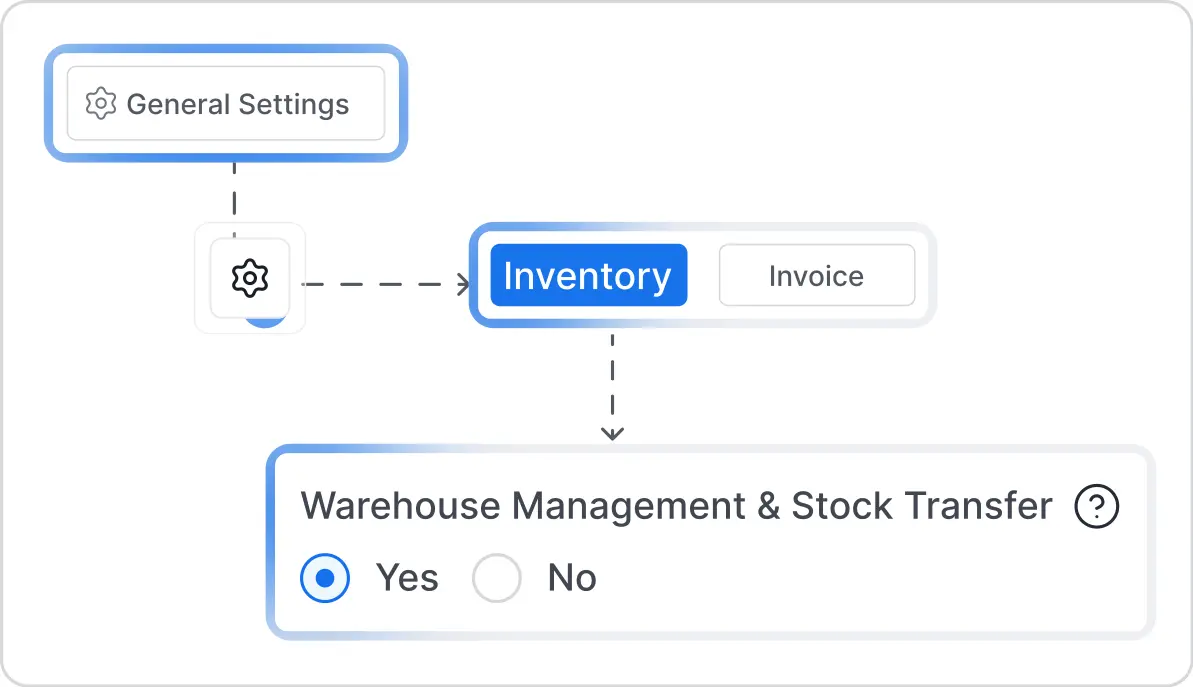
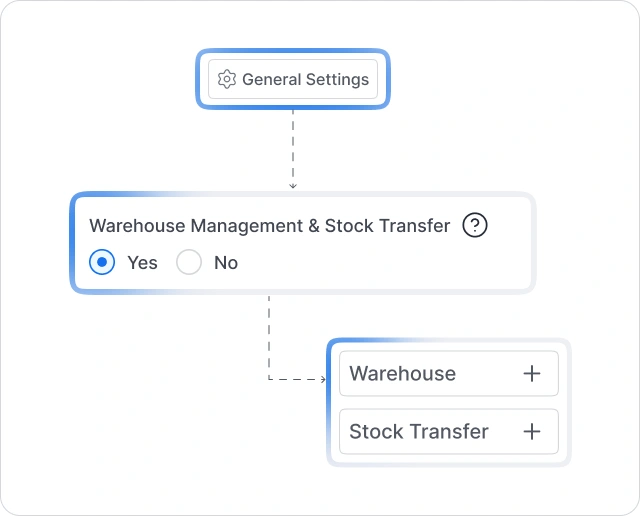
Warehouse management stays disabled until your business needs it. Open Settings, go to General Settings, choose the Inventory tab, and enable Warehouse
Management & Stock Transfer to add Warehouse and Stock Transfer to your inventory menu.
The Warehouse Management & Stock Transfer setting is available under the Inventory tab, alongside other inventory settings.
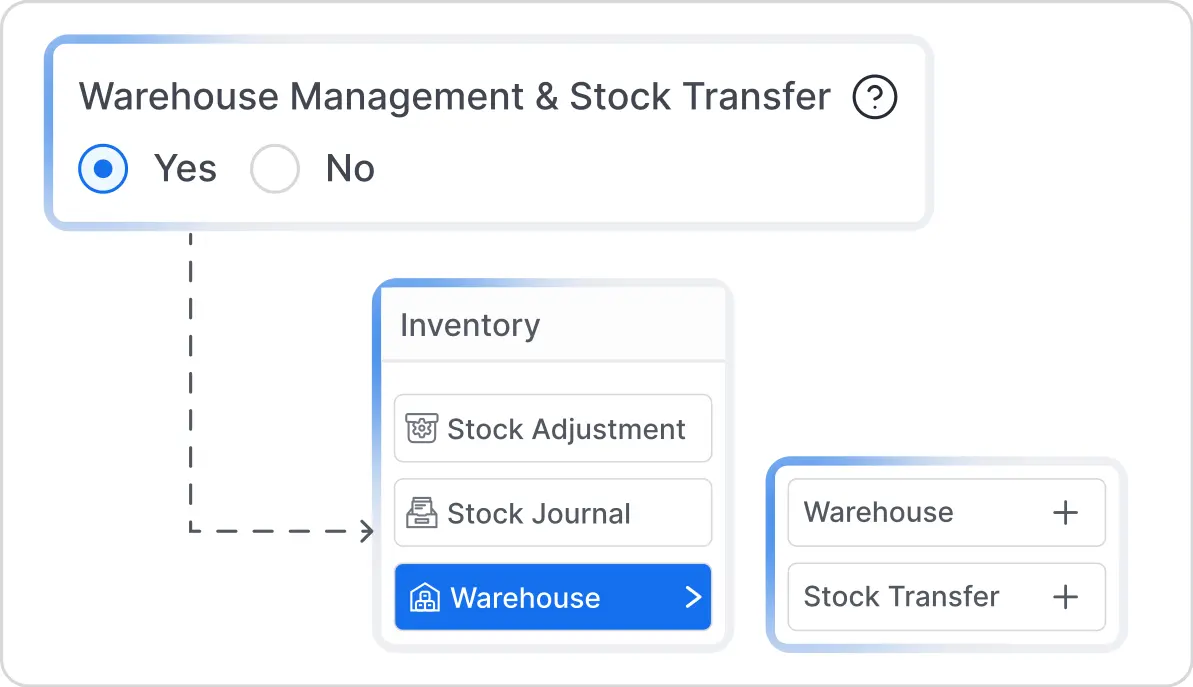
When enabled for the first time, Munim creates a “Main Location” and assigns your existing inventory to it. You can redistribute the stock later through stock transfers.
Once enabled, both Warehouse and Stock Transfer become available under the Inventory menu.
WAREHOUSE MASTER
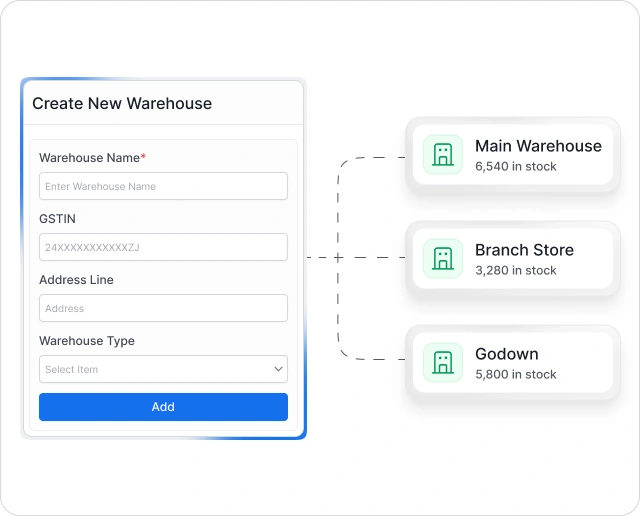
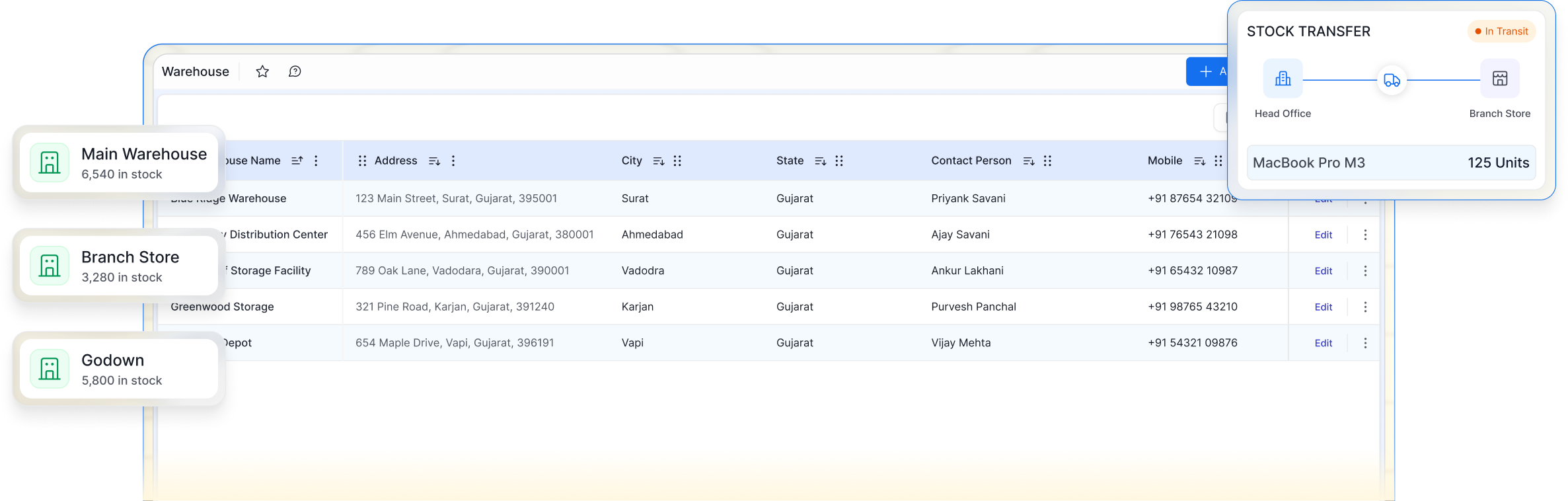
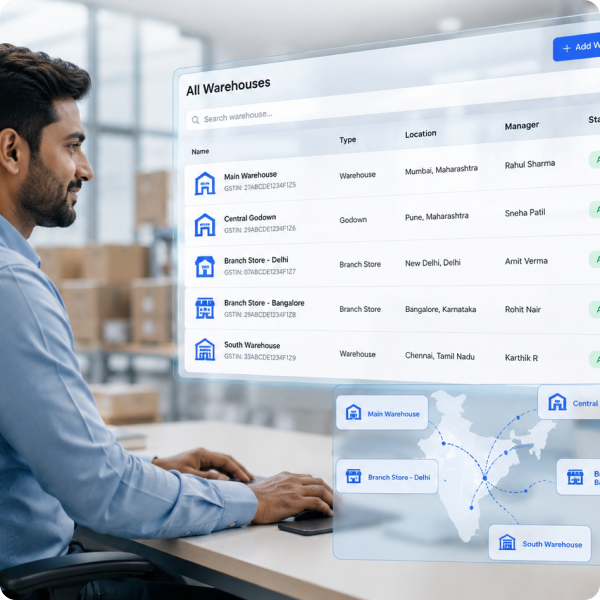
Create each warehouse once, keep its address and contact details in one place, and reuse the saved location wherever stock has to be selected.
STOCK TRANSFER
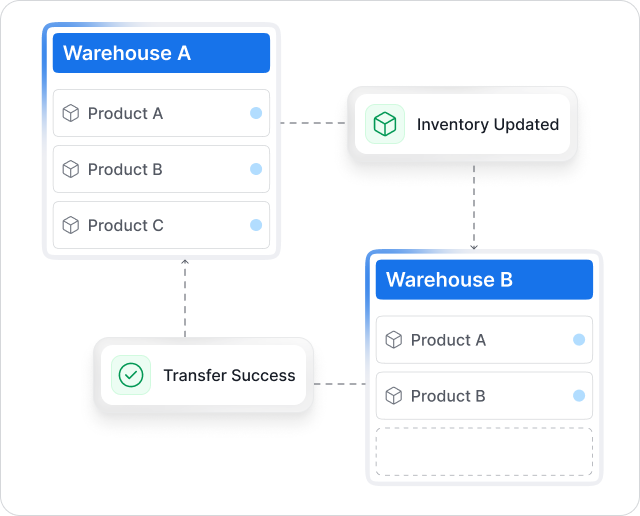
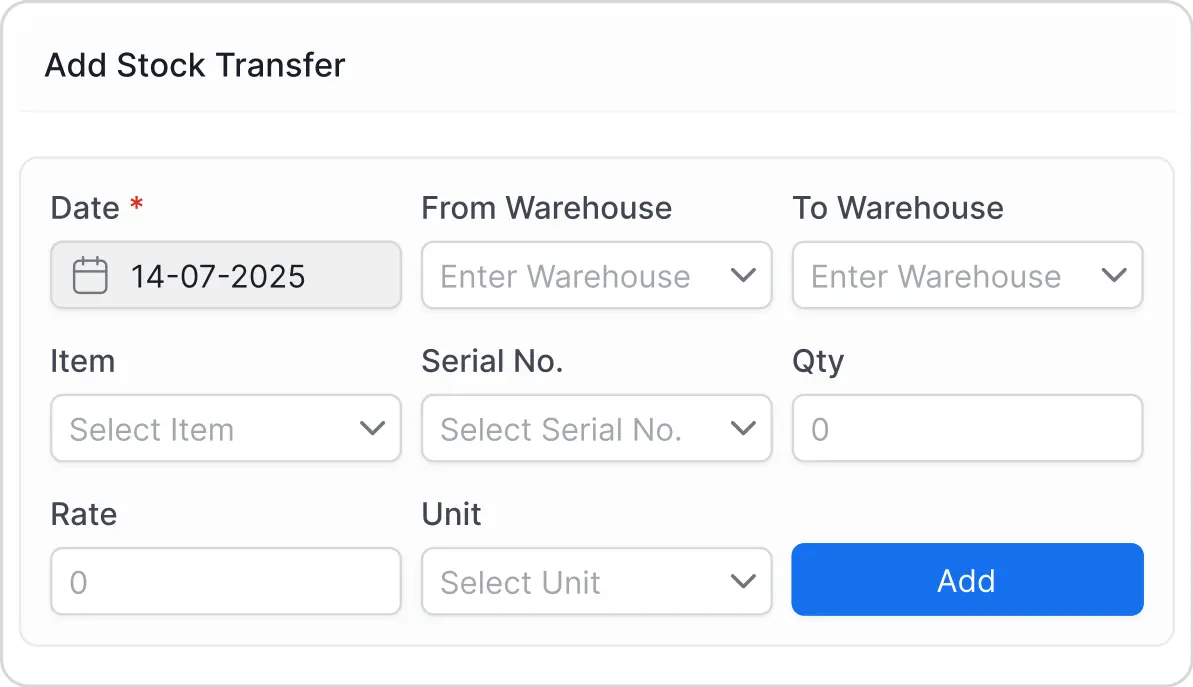
Record each stock movement with its document number, date, source and destination warehouses, items, quantities, rates, units, and the staff member who created it.
Open any transfer: A saved transfer shows its document number, date, source and destination warehouse, and the complete item table with batch, quantity, rate and unit.


Select the source and the destination so the stock is recorded against the right location.

Add each item on the transfer with its quantity, rate and unit of measure.

Items tracked by batch, lot or serial number carry that detail on the transfer line.

Every transfer gets a document number and a date, so it can be traced later.

The stock transfer list shows date, document number, from and to warehouse, total products, value and who transferred them.

The staff member who created the transfer stays on the record.
 Munim does not allow a negative stock transfer. A transfer cannot take a warehouse below zero, so a movement can only be recorded for stock that is actually available at the source location.
LOCATION ON TRANSACTIONS
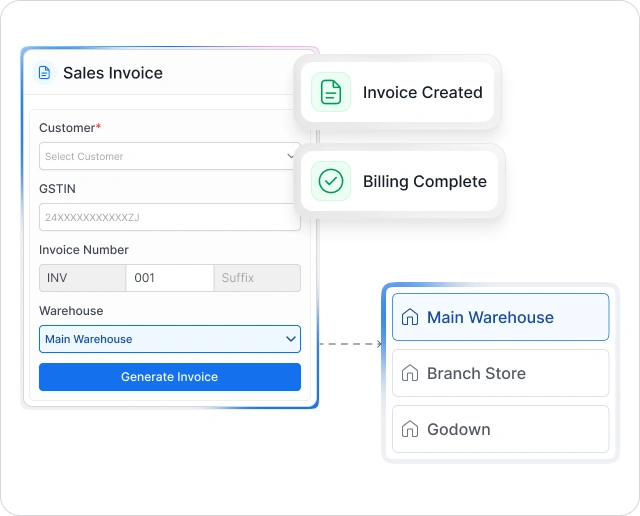
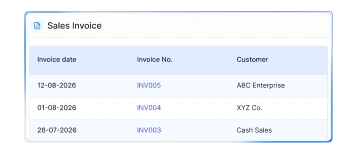
Select the warehouse while creating or editing a sales invoice. The invoice list then shows the warehouse against each
document for faster location-wise review.
Select the location at the top of the invoice, along with customer, invoice number and date.
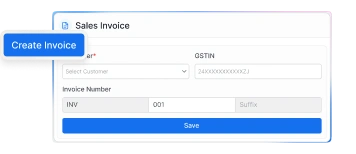
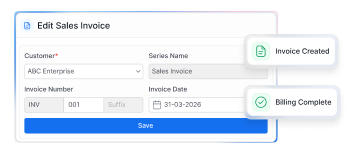
The same field is available while editing, so a location entered in a hurry can be corrected.
The sales invoice list shows the warehouse against each invoice, next to customer, date, invoice number and taxable amount.
ITEM AND TEAM CONTROLS
Choose how each item is tracked and control which staff members can create, view, edit or delete warehouse and stock transfer records.
Choose Normal, Batch Wise, Lot Wise or Serial Wise tracking for each item.

Set whether negative quantity is allowed for supported inventory transactions. Stock transfers cannot reduce the source warehouse below zero.

Warehouse sits in the Inventory group of module permissions, with create, edit, view and delete set per staff member.

Access is granted module by module, so a person can be given warehouse and stock transfer access without opening the rest of the app.
Permissions are set at the module level. A staff member is not restricted to a single warehouse, so decide in advance who should be able to create warehouses and record stock transfers.
Adding a location later? Create the warehouse, then move stock into it with a stock transfer. There is nothing to set up again on the item side.
Manage warehouse records, stock transfers and location-wise invoices from the same GST billing and accounting app.
A warehouse management system records where goods are stored and how they move between locations. Depending on the software, it may support warehouse masters, stock transfers, batch or serial tracking, staff permissions, and location-wise inventory reports.
Join thousands of satisfied users and experience the difference.
Talk To Sales or Support