
Free



Need a ready-made structure? Download a free balance sheet template and enter your closing balances. Already maintaining your accounts regularly? Skip the manual copying and generate your balance sheet directly from your books with Munim.
Choose a balance sheet template based on how you want to prepare and share your statement. Don’t want to fill this manually? Get data
from your books already maintained in Munim. Generate the report from your accounting entries and export them when needed.
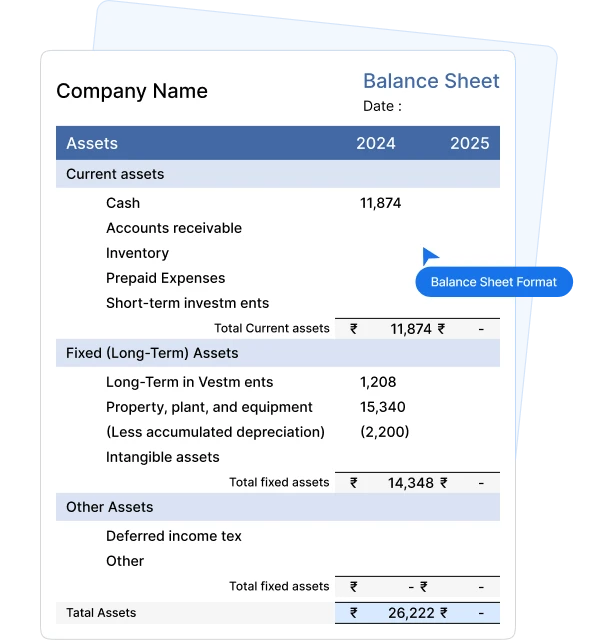
A balance sheet format is the structured layout for presenting a business’s financial position on a specific date. It groups everything the business owns as assets, what it owes as liabilities, and the owner’s remaining stake as capital or equity.
The accounting balance sheet format is built on a single equation:
Assets = Liabilities + Equity
The format organises the figures, but those figures ultimately come from your accounting records. When your accounts are maintained in accounting software, the same recorded entries can be used to generate the balance sheet without entering the figures again.
Unlike a profit and loss account, which covers a period, a balance sheet is a snapshot at a point in time. A standard balance sheet format keeps that snapshot comparable year-on-year, mostly 31st March for Indian businesses.
Whether you fill a balance sheet template manually or generate the report from accounting software, the
statement is built around the same core elements.

What the business owns or is owed, including property, inventory, trade receivables, and cash or bank balances.

What the business owes to others, including loans, trade payables, outstanding expenses, and other short-term or long-term obligations.

The owner’s financial interest in the business, including capital introduced, reserves, and retained profits.

With regularly maintained books, businesses can review their financial position at year-end or generate an updated report during the year.
The correct balance sheet format depends on the type of entity, purpose of reporting, and applicable requirements. Templates help with presentation, while
Munim accounting software can help maintain the underlying books. Pick the one that meets your requirements:
01
Companies covered by Schedule III of the Companies Act, 2013 prepare financial statements using the applicable Schedule III format. Accounting software can help maintain the underlying ledgers and generate accounting reports, while Schedule III format helps cover all requirements.
ICAI has issued financial statement formats for non-corporate entities and a separate Guidance Note for LLPs. Businesses can maintain their day-to-day books in accounting software, while the final financial statements should be prepared according to the presentation and disclosure requirements applicable to the entity.
02
03
A simple balance sheet template suits small traders, freelancers, and businesses that need a clear internal view of assets, liabilities, and capital. If the business already records its transactions in the Munim accounting app, the same information can be viewed with a software-generated balance sheet.
While current data provides a starting position, future projected figures are prepared separately using the assumptions required for the loan proposal. Banks and NBFCs may request projected balance sheets when assessing term loans, capital facilities, or other credit applications.
04
Horizontal and vertical balance sheet formats can present the same financial information. What changes is how they are arranged on
the page, and who is expected to use them.
For companies covered by Schedule III, the statutory balance sheet follows the prescribed vertical presentation. The balance sheet
can first be generated from the accounting records and then reviewed or presented according to the required format.
| Feature | Vertical Balance Sheet Format | Horizontal Balance Sheet Format |
|---|---|---|
 Layout Layout | Single running column, read from top to bottom. | Two sides, with liabilities and assets displayed separately. |
 Order of Presentation Order of Presentation | Equity and liabilities are generally presented before assets. | Both sides are presented in parallel. |
 Statutory Status Statutory Status | Prescribed for companies under Schedule III of the Companies Act, 2013. | Not the prescribed presentation for companies covered by Schedule III. It is often used for internal reporting. |
 Comparative Figures Comparative Figures | Previous-period figures can appear in an adjacent column. | Current and previous-period figures can be presented within both sides of the statement. |
 Readability Readability | Easier to read on screen as a digital report. | Resembles traditional T-account presentation. |
 Also Known As Also Known As | Statement form. | T-form or account form. |
 Best Suited For Best Suited For | Companies and structured financial reporting. | Internal review, proprietorships, academic work, and traditional reporting. |
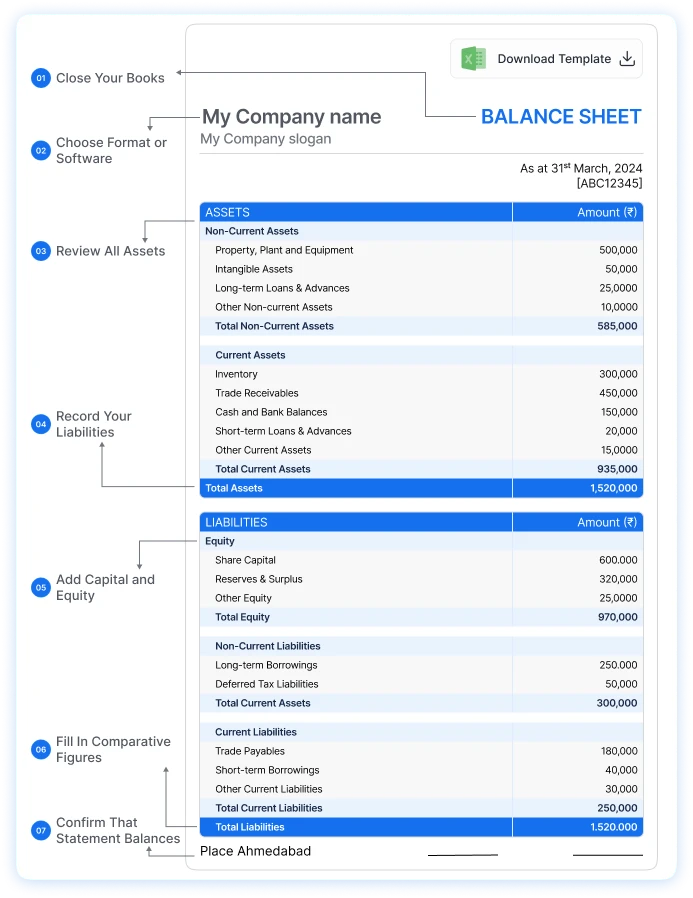
Once your books are closed for the year, filling in a balance sheet format is largely a matter of moving balances across in the right order. If your
accounts are already maintained in Munim, you can generate the balance sheet from those recorded entries and focus on reviewing the figures
instead. Follow these steps:
Post every pending entry, review adjustments, and confirm that your accounting records are complete before you start.
Download the balance sheet format that matches your entity, and if your books are in Munim, generate the balance sheet from the accounting records.
Check all non-current assets and current assets such as inventory, trade receivables, and cash, and bank balances against ledger records.
Record your long-term borrowings and provisions, followed by current liabilities such as trade payables and short-term dues.
Enter capital introduced, reserves, accumulated profits, and other equity balances to ensure they agree with the underlying accounting records.
Where comparative reporting applies, include or review the previous period’s figures alongside the current balances.
Total assets must equal total liabilities plus equity. For a manual template, review the data transferred into the statement. Using Munim helps as software-generated reports can remove the transfer step.
A balance sheet is not only a year-end document. Banks, investors, business owners, auditors, and other stakeholders may need it at different points
during the year. When books are maintained regularly in accounting software, businesses can generate an updated balance sheet at any time.

Companies and other entities may need financial statements for statutory, audit, and tax-related requirements. An accounting software can provide the underlying accounting reports.

Banks read your net worth, current ratio, and debt position straight off the balance sheet before sanctioning a credit limit. Using Munim, an updated balance sheet generated from current books gives businesses a starting point.

Anyone putting money into the business wants to see what it owns, what it owes, and how much the existing owners already hold.

Some government tenders, vendor registrations, and large procurement processes require audited balance sheets from previous years.

A balance sheet is one of the starting points for understanding the assets, liabilities, and net worth of a business during valuation or due diligence.

Reading your own balance sheet each quarter shows whether receivables are piling up or borrowings are growing faster than reserves.
Build in Excel, share in PDF. But when your accounting records are already maintained in software, Excel or PDF does not have to be the
source of the balance sheet. Generate the statement from your books first and use these file types for editing, review, or sharing as required.
Excel is the practical choice while you are still building the statement. A balance sheet template in Excel can include formulas for subtotal and final checks. You can add or remove heads to match your chart of accounts, and carry the same file forward each year.
If your books are maintained in Munim, Excel can instead be used as an exported working copy, avoiding the need to maintain the accounting data separately in another spreadsheet.
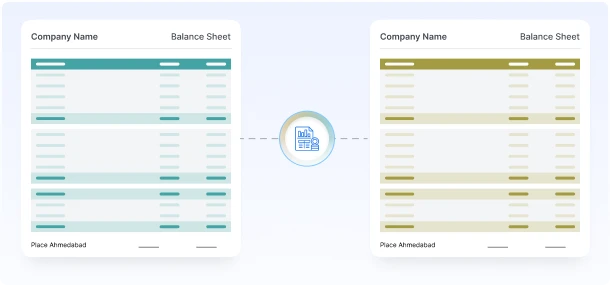
Use PDF once the figures are final. A balance sheet format in PDF preserves the layout and reduces accidental changes when the statement is shared. It is the safer file to attach to a loan application or a tender submission.
With Munim, you can generate the balance sheet from your accounting records and export it to PDF when you need a shareable copy for your CA, lender, or other reviewer.
Your balance sheet never reaches a customer, but it reaches people who decide whether to lend, invest, or award you a contract. A premium balance sheet format created with Munim makes your work easier with seamless review.

Heads grouped in the order a reviewer expects. Find figures aligned, subtotals where the eye looks for them, last year in the next column.

Business name, logo, registration details, and financial year on the statement itself. You get heads matched to your own chart of accounts.

Maintaining the accounts in software makes it seamless to review the ledgers supporting balance sheet figures before the report is shared.
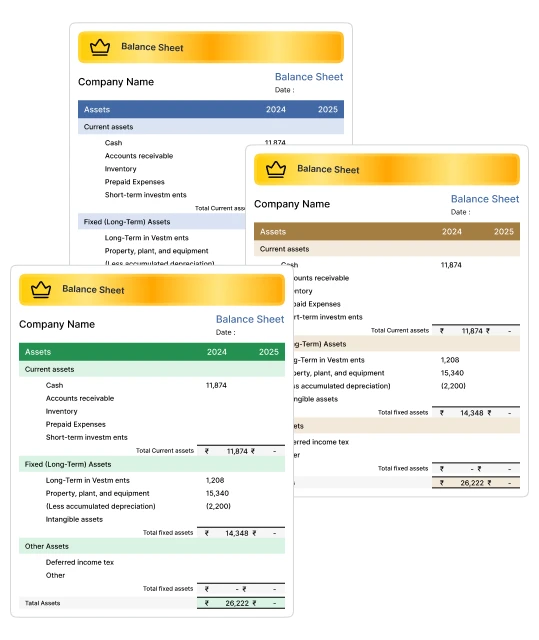

Your balance sheet updates as you record sales, purchases, and payments, so there is no year-end data entry waiting for you.

Move between the balance sheet, profit and loss, trial balance, and ledger reports without rebuilding anything.

Figures are drawn from your accounting records, eliminating the manual transfer and spreadsheet errors that occur when preparing a balance sheet separately.

Export your balance sheet as a PDF or Excel file for your CA, your bank, or your board.
A template still needs you to close the books, move every balance across, and check the totals by hand. Munim builds the balance sheet from entries you have already passed.

Yes. Accounting software can generate a balance sheet from the transactions, opening balances, and ledger entries already recorded in the books. Munim uses your accounting records to prepare the balance sheet, reducing the need to transfer closing figures manually into a separate template.
Join thousands of satisfied users and experience the difference.
Talk To Sales or Support


