How to Reconcile GSTR-2B With Purchase Books in Munim GST
 AuthorMehul Jagwani
 Reviewed ByCA Ajay Savani



Summary:
Topic Summary
GSTR-2B reconciliation involves comparing purchase records with supplier-reported invoice data. Instead of checking every invoice manually, exception-based reconciliation automatically identifies exact matches and highlights missing, mismatched or duplicate records. This allows the accounts team to focus only on invoices that require verification, supplier follow-up or further review before claiming input tax credit in GSTR-3B.
Every month, the accounts team has two sets of records to compare: purchase invoices recorded in the books and supplier reported data available in GSTR-2B. Checking every invoice manually takes time, especially when most records already match and require no action.
Exception based reconciliation solves this problem. It automatically matches common records and separates invoices that are missing, mismatched or potentially duplicated. The team can then focus only on exceptions that require verification, supplier follow up or ITC review.
How Does Munim Handle Purchase Versus GSTR-2B Reconciliation?
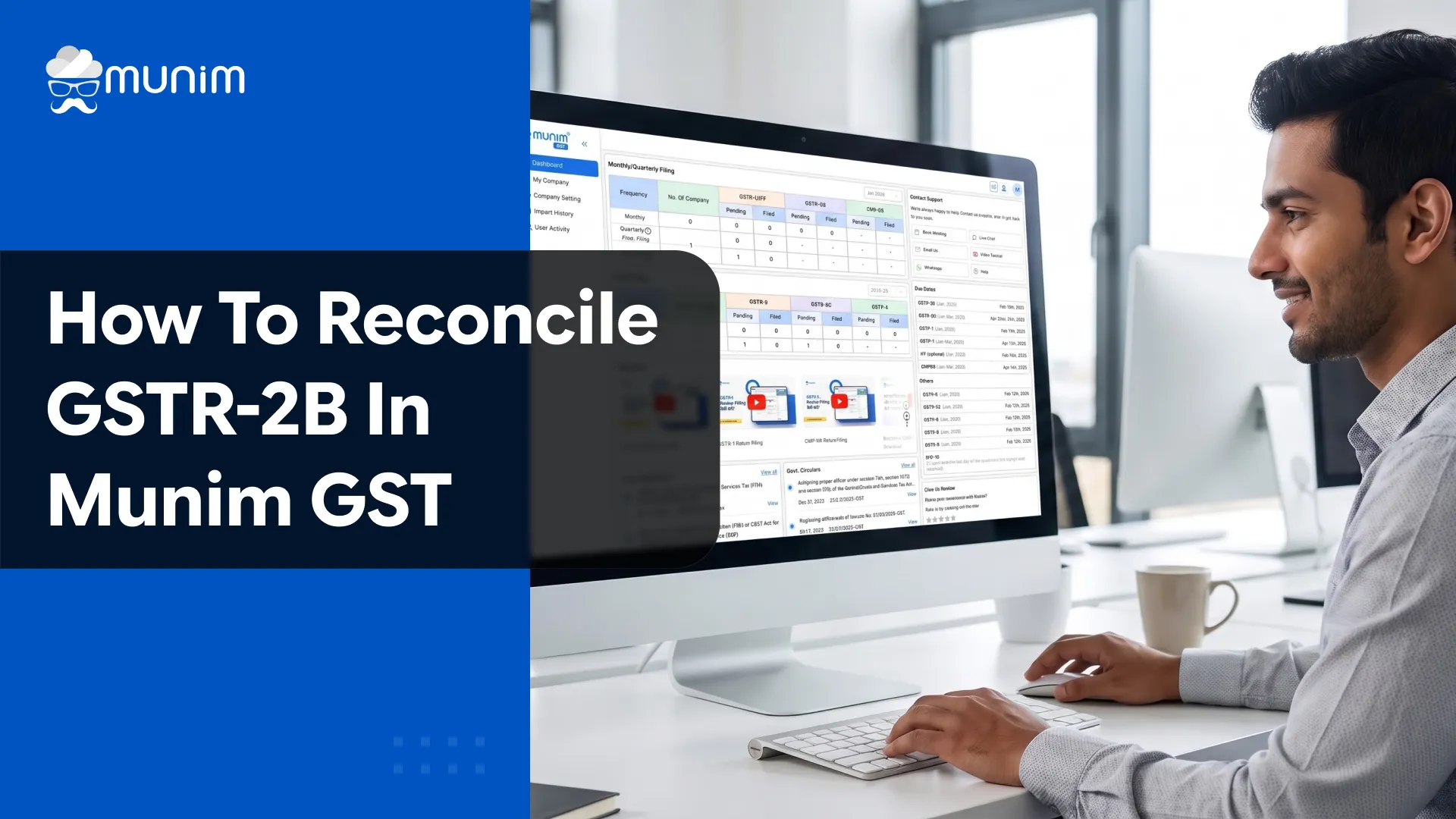
Munim GST allows users to import purchase data, fetch GSTR-2B information and review the reconciliation result through one workflow.
The current process works as follows:
- The user opens the selected client company.
- Under Reports, the user selects Purchase and then Purchase v 2B.
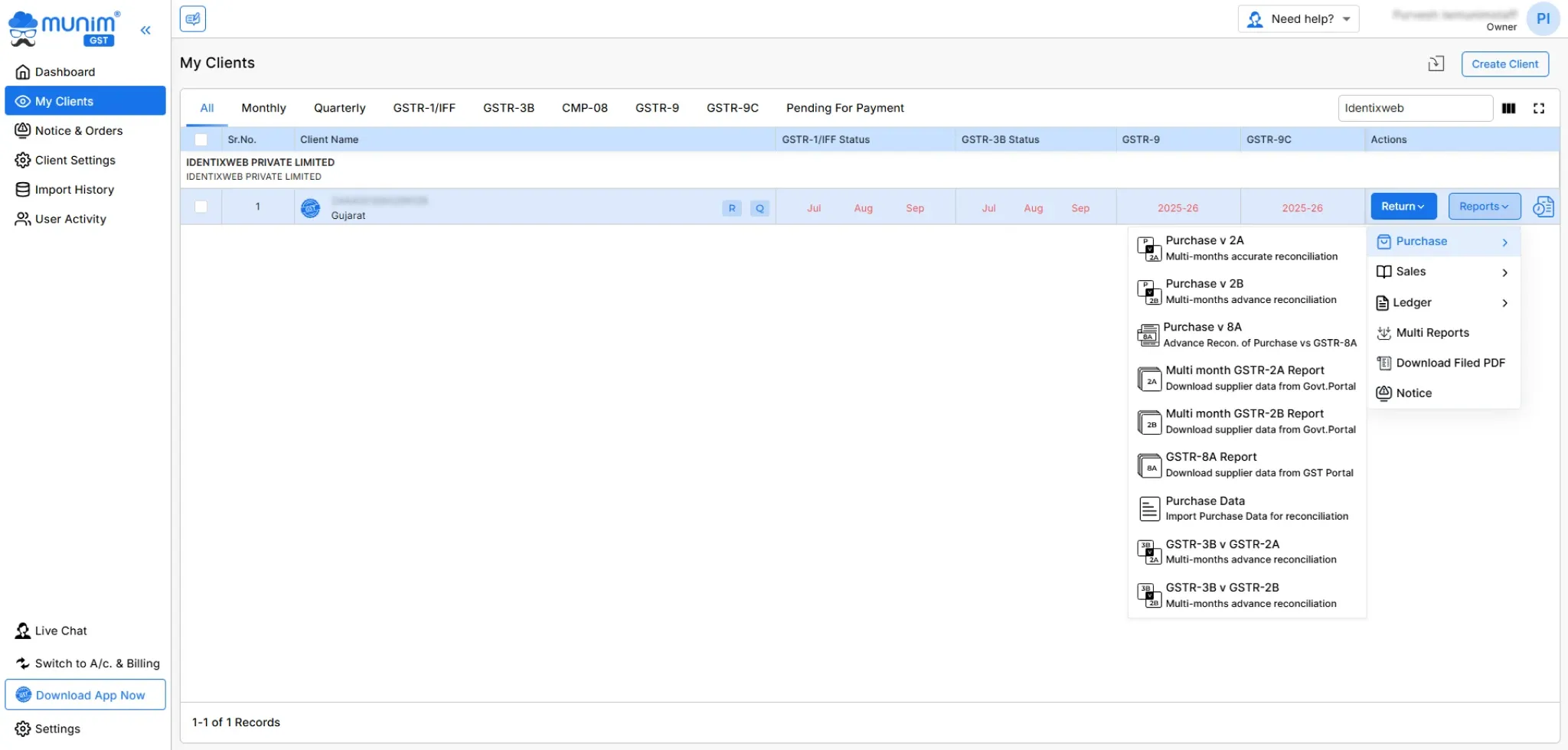
- The required return period range is selected.
- GSTR-2B data is fetched from GSTN using the required credentials.
- Purchase register data is uploaded through Excel.
- The user selects the matching option and sets an acceptable difference value, where required.
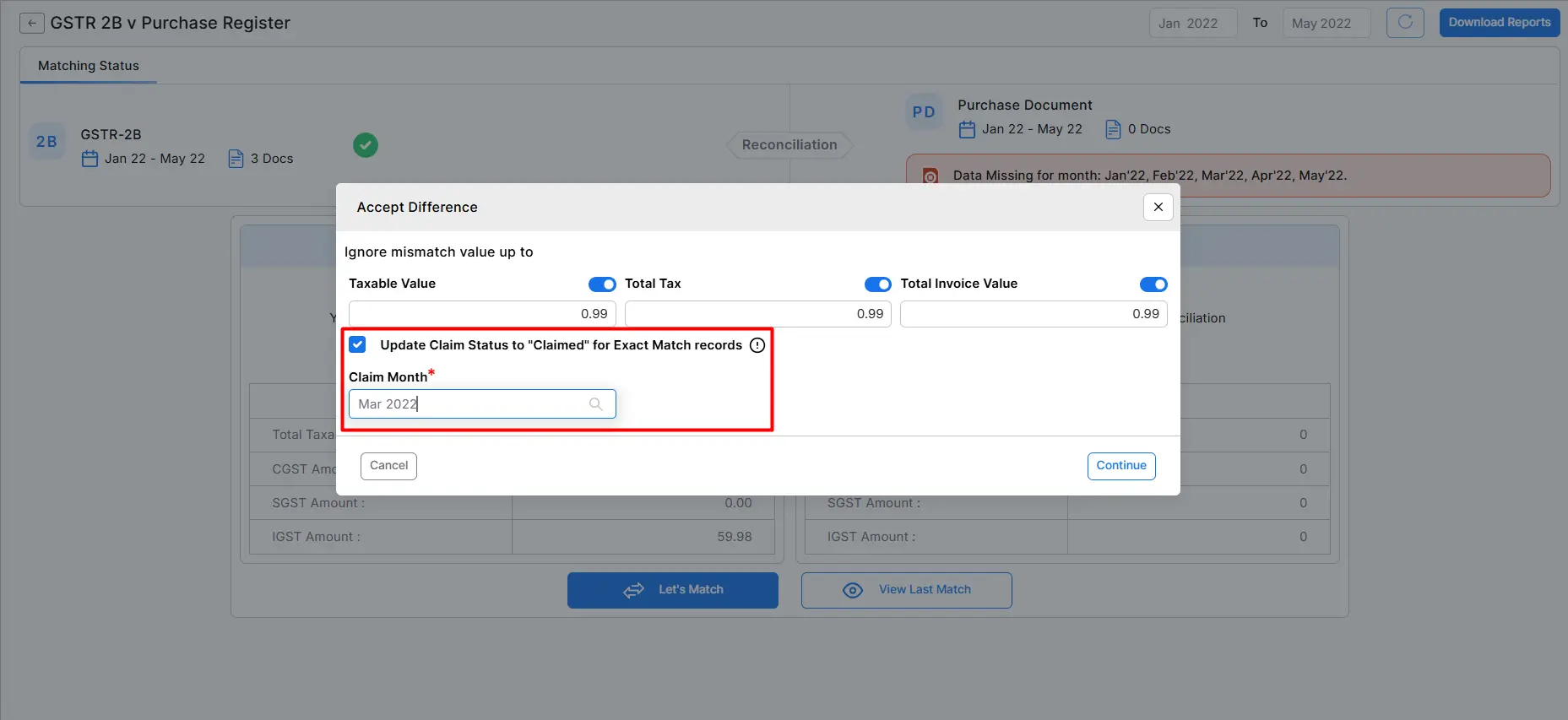
- Munim generates a matching summary.
- The user reviews exact matches, suggested matches, mismatches, records missing in GSTR-2B and records missing in the purchase register.
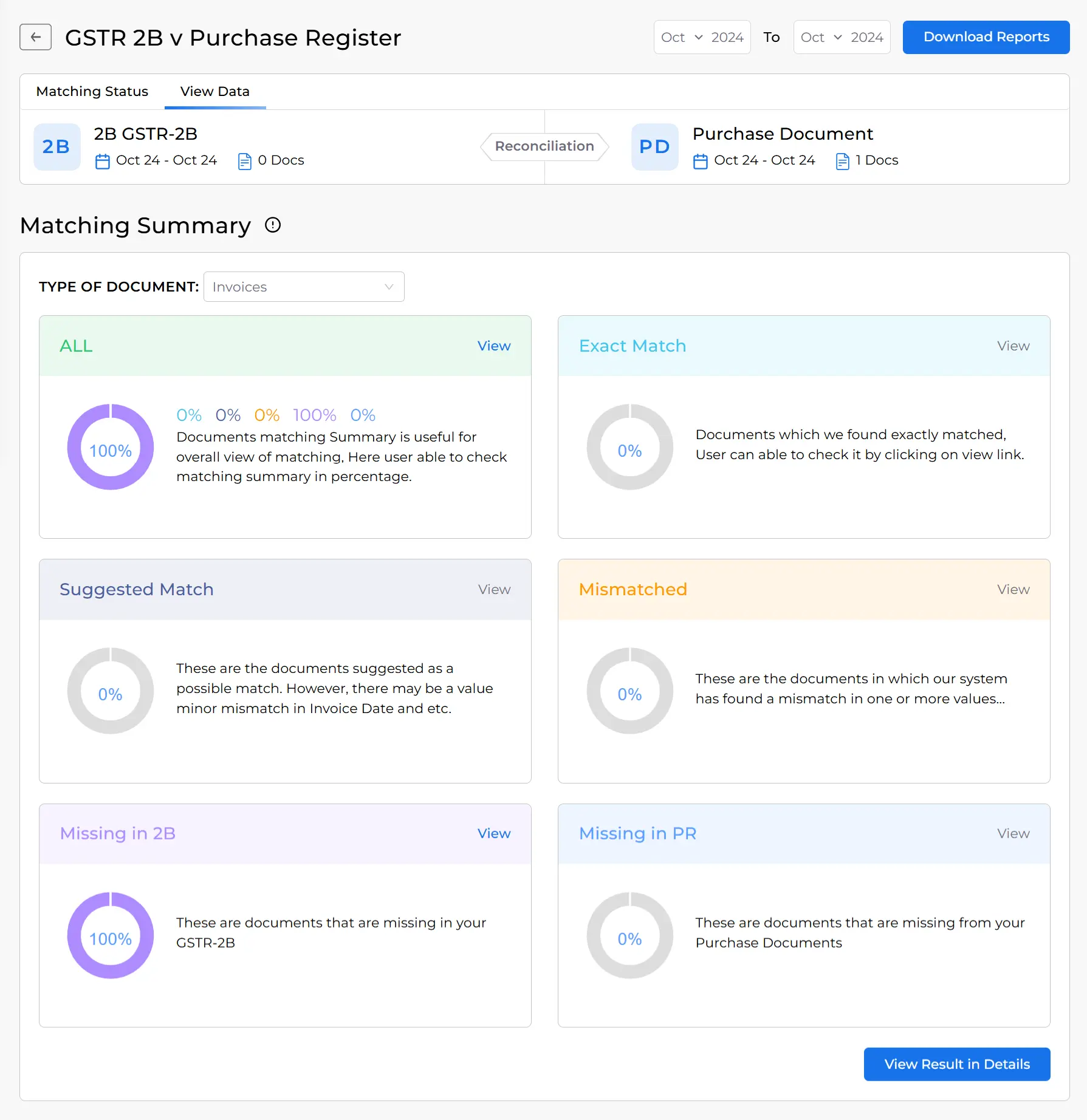
- Detailed results can be viewed by the supplier or document.
- The filtered reconciliation report can be downloaded or shared by email.
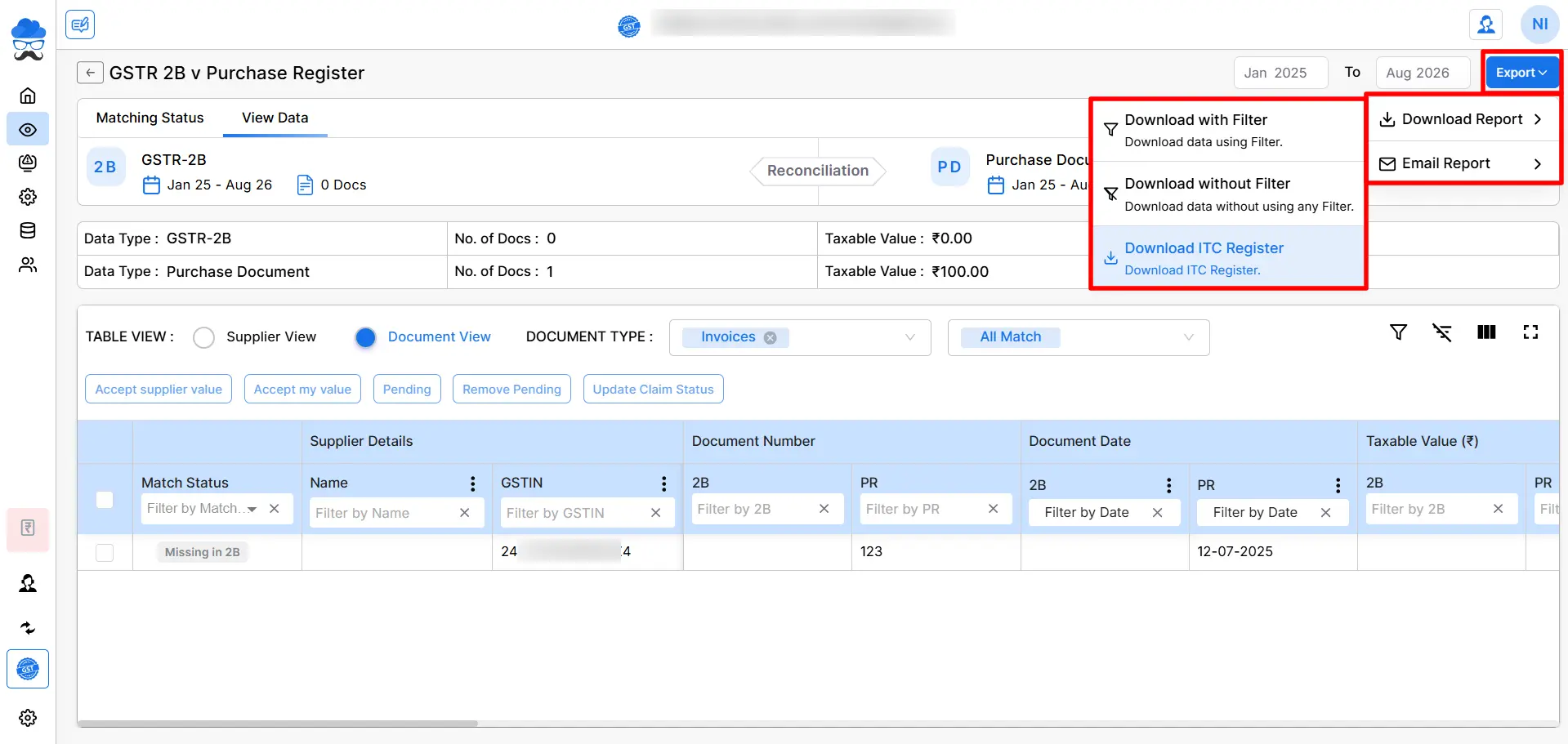
The user can also update claim statuses such as claimed, pending, deferred or blocked and add remarks for future reference.
These statuses support internal working. They should not be confused with legal eligibility or actions taken on the GST portal.
Designed for Modern Tax Professionals
A premium filing solution for CAs and tax consultants who need speed, scale, and operational clarity.
 Handle multiple clients with ease
- Reconcile and validate with confidence
- Overcome the limitations of the GST portal
 Handle multiple clients with ease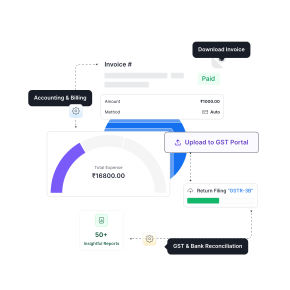
How Does a Multiple Month GSTR-2B Report Help?
A multiple month report helps a business track invoices that move between periods because of delayed supplier filing or later amendments.
This report is particularly useful when:
- A supplier reports an invoice one or more months late.
- A previous mismatch appears corrected in a later period.
- The accounts team needs an annual ITC review.
- A business wants to find duplicate claims across months.
- Previous pending invoices need to be traced.
- A tax professional handles several months together.
In Munim GST, users can select one or multiple months within a financial year, fetch available data and examine invoice summaries or document details. Reports can also be downloaded in summary or rate wise formats.
A multiple month view should complement monthly reconciliation. It should not become a reason to postpone regular exception review.
Practical GSTR-2B Reconciliation Example
The following example uses fictional invoices for an Indian trading business. The values are illustrative and do not represent a legal determination of ITC eligibility.
| Invoice | ITC in books | ITC in GSTR-2B | Result | Next action |
| A101 | ₹18,000 | ₹18,000 | Exact match | Check eligibility |
| A102 | ₹9,000 | ₹9,000 | Exact match | Check eligibility |
| B205 | ₹14,400 | Not available | Missing in GSTR-2B | Follow up with supplier |
| C310 | ₹21,600 | ₹19,800 | Tax mismatch | Verify invoice and supplier filing |
| D044 | ₹5,400 | ₹5,400 | Suggested match | Confirm invoice number format |
| E118 | Not recorded | ₹12,600 | Missing in purchase register | Verify whether purchase belongs to business |
| F220 | ₹7,200 | ₹7,200 | Exact match | Check eligibility |
| G015 | ₹3,600 | ₹3,600 | Match, but potentially blocked | Review Section 17(5) |
| H019 | ₹10,800 | ₹10,800 | Exact match | Check eligibility |
| CN07 | ₹1,800 credit note | ₹1,800 credit note | Exact match | Reduce ITC correctly |
How Does Munim GST Handle Different Reconciliation Results?
Exact Matches
An exact match confirms that the important invoice details agree across both datasets. It does not confirm that every ITC condition has been satisfied.
The business should still review blocked credits, receipt of goods or services, supplier payment status and other applicable conditions.
Suggested Matches
A suggested match usually results from minor differences in the invoice number, date or value.
The reviewer should confirm that both records relate to the same document. A software suggestion should never be accepted without checking the source invoice.
Invoices Missing From GSTR-2B
These are purchases recorded in the books that do not appear in GSTR-2B.
Common reasons include:
- The supplier has not filed GSTR-1 or IFF.
- The supplier omitted the invoice.
- The supplier entered the wrong GSTIN.
- The supplier reported the invoice in a later period.
- The recipient recorded the wrong invoice details.
- The document falls under a separate reporting category.
The business should place such invoices on a pending list and contact the supplier. ITC should be claimed only after considering the applicable legal conditions.
Invoices Missing From the Purchase Register
These documents appear in GSTR-2B but not in the books.
The accounts team should determine whether:
- The invoice belongs to the business.
- The purchase was not recorded.
- The invoice was cancelled.
- The supplier used the GSTIN incorrectly.
- Goods or services were never received.
- The document is a duplicate.
A document should not be booked or claimed only because it appears in GSTR-2B.
Value and Tax Mismatches
These occur when the invoice exists in both datasets but the taxable value or GST amount differs.
The business should compare the physical or electronic invoice with both records. If the supplier made the error, the supplier may need to amend the document through the appropriate return process.
Credit Note Mismatches
Credit note differences require prompt attention because they can reduce available ITC.
The accounts team should check whether the credit note:
- Relates to the correct original invoice
- Has been recorded in the books
- Contains the correct taxable value and tax
- Has been accepted, rejected or kept pending in IMS as applicable
- Requires an ITC reduction in the relevant period
Ignoring a valid supplier credit note can result in excess ITC remaining in the records.
Frequently Asked Questions
Can a matched invoice still be ineligible for ITC?
Yes. A match confirms data consistency, not legal eligibility. ITC may still be blocked, time barred, subject to reversal or unavailable because another statutory condition has not been met.
Should invoice numbers be edited to create an exact match?
No. The original invoice number should remain supported by the source document.
What should a business do about a tax value mismatch?
The business should compare the supplier invoice, purchase entry and GSTR-2B record. If the supplier reported an incorrect amount, the supplier should make the appropriate correction, while the recipient records the difference as pending.
Does IMS remove the need for purchase register reconciliation?
No. IMS helps recipients manage supplier reported documents on the GST portal.
Disclaimer: "This blog post is for informational purposes only. For specific tax advice related to your business, please consult a qualified Chartered Accountant or GST practitioner."
About the author

Mehul is a seasoned content writer with a passion for simplifying complex accounting and GST topics. With a keen interest in entrepreneurship and business management, he specializes in creating informative and engaging content for themunim.com. His goal is to help businesses understand and implement accounting and GST software solutions effectively. When he's not crafting content, Mehul enjoys exploring new places and spending time with his Golden Retriever.
Post Tags
Related Articles
Explore the latest market news, useful resources for business, and Munim updates.