What is MICR Code on Cheque and How to Find It?
 AuthorMehul Jagwani
 Reviewed ByMadhav Bhayani



- What is MICR Code?
- Where is the MICR Code on Cheque?
- Breaking Down the 9 Digits: What Each Part of the MICR Code Means
- How to Find MICR Code on Cheque: A Step by Step Look
- MICR Code on SBI Cheque: Specific Details
- MICR Code on Cheque ICICI: What Makes it Different
- MICR Code vs IFSC Code: Are They the Same Thing?
- A Quick Real Life Example
- How to Verify a MICR Code
- Conclusion: A Small Code With a Big Role
- Frequently Asked Questions About MICR Code on Cheque
Summary:
What is MICR Code?
- MICR stands for Magnetic Ink Character Recognition
- It is a 9 digit code printed at the bottom centre of every cheque leaf using special magnetic ink
- It helps bank processing machines identify the city, bank, and branch a cheque belongs to
Structure of the 9 Digits
- First 3 digits = City Code (e.g., 400 for Mumbai, 110 for Delhi)
- Middle 3 digits = Bank Code (e.g., 002 for SBI, 229 for ICICI)
- Last 3 digits = Branch Code (specific to each branch)
Have you ever looked at the bottom of a cheque and wondered what those strange printed numbers are? Not the account number. Not the cheque number. Most people ignore it completely. And that is completely understandable. But that little set of numbers has a big job to do.
It is called the MICR code. And if someone has ever had a cheque bounce due to a processing error, or faced a delay in funds getting credited, there is a fair chance the MICR code was somewhere in the middle of that trouble.
This guide explains exactly what the MICR code on cheque is, where it sits, what each part of it means, and how to find it across different banks like SBI and ICICI.
What is MICR Code?
MICR stands for Magnetic Ink Character Recognition. It is a technology used by banks to process cheques quickly and accurately. The MICR code is printed using a special ink that contains magnetic particles. When a cheque is passed through a cheque processing machine, the machine reads these magnetic characters the same way a scanner reads a barcode at a grocery store.
In plain terms: the MICR code tells the bank’s processing system exactly which bank, which city, and which branch the cheque belongs to. Without it, the system would have no idea where to route the payment.
Where is the MICR Code on Cheque?
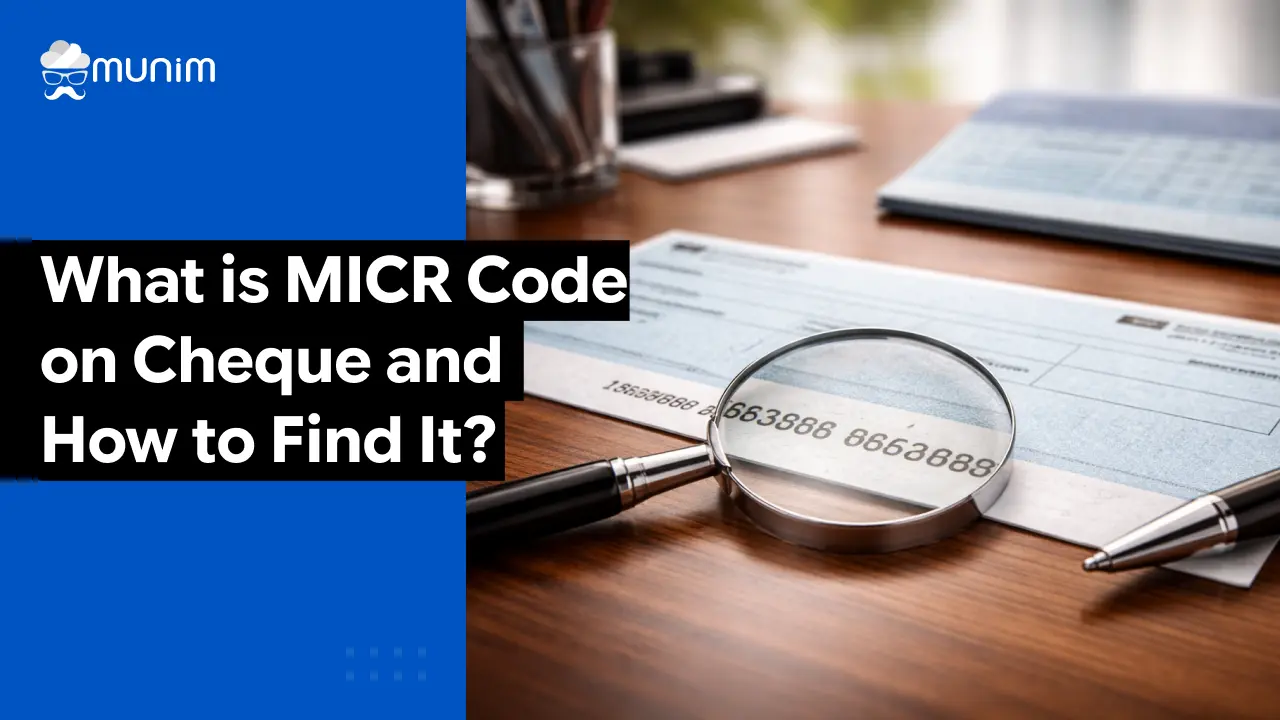
The MICR code on cheque is printed at the bottom of the cheque leaf, right in the centre. It appears between two other sets of numbers; the cheque number on the left and the account number on the right. Together, all three form what is called the MICR band.
Here is a rough layout of how the bottom of a typical Indian cheque looks:
| Cheque Number | MICR Code | Account Number |
| 6 digits (left) | 9 digits (centre) | Variable (right) |
The font used for these numbers looks slightly different from regular print. That is intentional. It is the special MICR font; designed to be read by both humans and machines. The ink used to print it responds to magnetic fields, which is what allows machines to read it even if there is a stamp or signature partially covering it.
One important thing: do not write on the MICR band. Ever. If the ink gets smeared or covered, the cheque processing machine cannot read it, and the cheque will be rejected. This is one of those rules that people often learn the hard way.
If you’re a business owner or accountant, make sure you don’t close your books without going through this essential financial year-end checklist.
Breaking Down the 9 Digits: What Each Part of the MICR Code Means
The MICR code on cheque is always exactly 9 digits long. Those 9 digits are not random. Each part carries specific information.
The first 3 digits – City Code
These represent the city where the bank branch is located. For example, 400 is the city code for Mumbai, 110 is for Delhi, 600 is for Chennai, and 380 is for Ahmedabad. This helps the clearing system understand where in the country this cheque has been issued from.
The next 3 digits – Bank Code
These identify the specific bank. Every bank in India has a unique 3 digit bank code assigned by the Reserve Bank of India (RBI). For example, State Bank of India has the code 002, while HDFC Bank and ICICI Bank each have their own distinct codes.
The last 3 digits – Branch Code
These represent the specific branch of that bank within that city. So two SBI branches in Mumbai will have the same first 6 digits (city + bank code) but different last 3 digits.
Put it all together and those 9 digits tell the clearing house: “This cheque was issued from [this branch] of [this bank] located in [this city].” That is a lot of information packed into 9 digits.
How to Find MICR Code on Cheque: A Step by Step Look
Knowing how to find MICR code on cheque is straightforward once the layout is understood. Here is a simple way to do it:
Step 1: Pick up any cheque leaf from the cheque book.
Step 2: Flip it to look at the face of the cheque — the side with the fields for date, payee name, and amount.
Step 3: Look at the very bottom of the cheque. There will be a band of printed numbers.
Step 4: The leftmost numbers are the cheque number (usually 6 digits). The rightmost set is the account number. The 9 digit number in the middle is the MICR code.
But what if someone does not have a cheque book? Or what if they need the MICR code for another purpose say, filling out a form for a Provident Fund withdrawal or an insurance claim? There are other ways to find it:
- Passbook: The first page of most bank passbooks mentions the MICR code along with the branch details.
- Bank statement: The header or footer of a printed bank statement often includes the MICR code.
- Bank’s official website: Most banks have a branch locator where one can search by city or branch and find the MICR code.
- RBI’s website: The RBI maintains a list of all MICR codes. It is publicly accessible at rbi.org.in.
- Net banking portal: After logging in, the account details section often shows the MICR code along with the IFSC code.
MICR Code on SBI Cheque: Specific Details
Finding the micr code on SBI cheque follows the exact same process as any other bank. Open the cheque book, look at the bottom of any cheque leaf, and find the 9 digit number at the centre of the MICR band.
However, there is something specific worth knowing about SBI’s MICR codes. SBI’s bank code in the MICR system is 002. So any SBI MICR code will have 002 as the middle 3 digits, no matter which city or branch it belongs to.
For example:
- SBI, Connaught Place Branch, New Delhi: 110002001
- SBI, Fort Branch, Mumbai: 400002001
- SBI, Anna Salai Branch, Chennai: 600002001
The middle three digits — 002 — confirm it is SBI. The first three digits confirm the city. The last three digits identify the specific branch.
This is useful when someone needs to verify a cheque’s origin. If the middle digits are not 002 but the cheque claims to be from SBI, something does not add up.
MICR Code on Cheque ICICI: What Makes it Different
ICICI Bank’s bank code in the MICR system is 229. So any ICICI Bank cheque will show 229 as the middle three digits of the MICR code.
For example:
- ICICI Bank, Bandra Branch, Mumbai: 400229002
- ICICI Bank, Connaught Place, Delhi: 110229001
- ICICI Bank, Koramangala Branch, Bengaluru: 560229004
To find the micr code on cheque ICICI, the process remains the same: look at the bottom centre of any cheque leaf from an ICICI cheque book. The 9 digit number sitting between the cheque number and account number is the MICR code.
MICR Code vs IFSC Code: Are They the Same Thing?
This question comes up a lot, and it is a fair one. Both codes are used to identify a bank branch. But they serve different purposes.
| Feature | MICR Code | IFSC Code |
| Full Form | Magnetic Ink Character Recognition | Indian Financial System Code |
| Length | 9 digits (numbers only) | 11 characters (alphanumeric) |
| Used For | Cheque clearing and processing | NEFT, RTGS, IMPS transfers |
| Found On | Bottom of cheque leaf | Cheque book, passbook, bank website |
| Issued By | Reserve Bank of India | Reserve Bank of India |
The MICR code is specifically tied to physical cheque processing. The IFSC code is tied to digital fund transfers. Both identify a bank branch, but they are used in completely different systems.
A Quick Real Life Example
Imagine Kavitha Rajan, a freelance graphic designer in Bengaluru. She has just completed a project for a corporate client, and the client’s accounts team calls to ask for her bank details. They need a cancelled cheque and her MICR code for setting up a vendor payment via ECS.
Kavitha picks up her ICICI Bank cheque book, takes out any leaf, draws two lines across it (to cancel it), and looks at the bottom of the cheque. She can clearly see:
- Cheque number: 000045 (leftmost)
- MICR code: 560229004 (centre, 9 digits)
- Account number: 628001234567 (rightmost)
She notes down 560229004 as her MICR code, verifies it matches the branch details, and shares it along with the cancelled cheque. Done. No bank visit required. No call to customer care. Two minutes, at most.
How to Verify a MICR Code
Sometimes, a person might want to double check whether a MICR code they have is correct. Maybe they found an old cheque and are not sure if it is still the active branch’s code. Or they received a cheque from someone and want to verify the branch details.
Here are a few ways to verify:
- RBI website: Go to rbi.org.in and navigate to the NEFT / MICR code search section. Enter the MICR code and the system will return the corresponding bank and branch details.
- Bank’s official website: Most banks have a branch locator tool where the MICR code can be entered or the branch can be searched to find the MICR code.
- Banking apps: Many banking apps now show the MICR code in the account information section.
Conclusion: A Small Code With a Big Role
Nine digits. That is all the MICR code is. But those nine digits carry the weight of an entire clearing system that processes thousands of crores in payments every single day across India.
Understanding the MICR code on cheque is not just useful; it is practical knowledge that every account holder should have. Whether someone is filling a form for a new SIP, setting up an ECS mandate for a home loan, handing over a cancelled cheque to an employer for salary setup, or simply trying to understand the piece of paper they are about to hand over at the bank — knowing what that code means and where to find it makes the whole process smoother.
Frequently Asked Questions About MICR Code on Cheque
1. Is the MICR code the same as the IFSC code?
No. The MICR code is a 9 digit number used specifically for cheque clearing. The IFSC code is an 11 character alphanumeric code used for electronic transfers like NEFT and RTGS. Both identify a bank branch, but they serve different systems entirely.
2. Can the MICR code be found without a cheque book?
Yes. The MICR code can be found on the first page of a passbook, on a bank statement, on the bank’s official website through the branch locator, or through net banking in the account details section.
3. Does the MICR code change if an account is transferred to a different branch?
Yes. Since the MICR code identifies a specific branch, moving to a new branch means the MICR code changes. New cheque books issued after the transfer will reflect the updated code.
4. What happens if the MICR band on a cheque is damaged?
If the MICR band is damaged, smudged, or unreadable, the cheque processing machine will not be able to read it. The cheque will likely be rejected. In such cases, the issuer should provide a fresh cheque.
5. Is it safe to share the MICR code with others?
The MICR code identifies a bank and branch — it does not reveal any personal account information on its own. Sharing it for purposes like ECS setup or form filling is safe. However, never share a signed cheque carelessly, as that carries more sensitive information.
Disclaimer: "This blog post is for informational purposes only. For specific tax advice related to your business, please consult a qualified Chartered Accountant or GST practitioner."
About the author

Mehul is a seasoned content writer with a passion for simplifying complex accounting and GST topics. With a keen interest in entrepreneurship and business management, he specializes in creating informative and engaging content for themunim.com. His goal is to help businesses understand and implement accounting and GST software solutions effectively. When he's not crafting content, Mehul enjoys exploring new places and spending time with his Golden Retriever.
Related Articles
Explore the latest market news, useful resources for business, and Munim updates.