How to Verify Udyam Registration Online
 AuthorMehul Jagwani
 Reviewed ByMadhav Bhayani



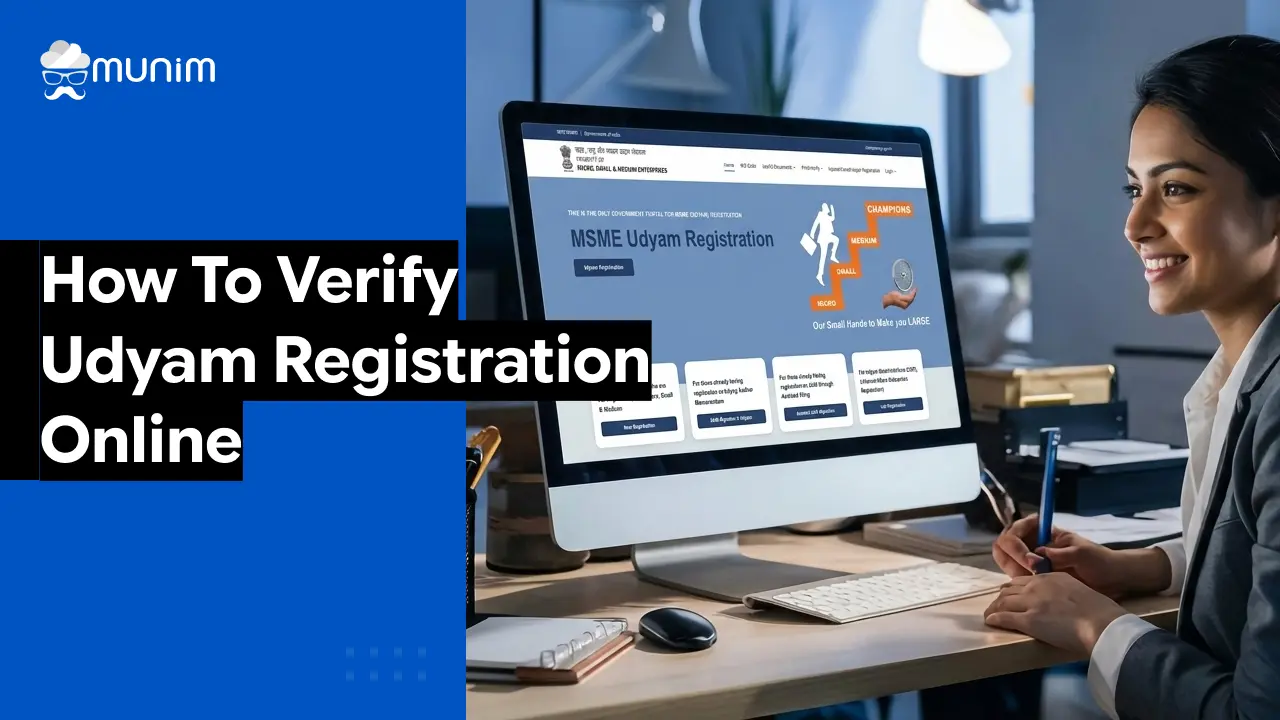
Before any bank, government department, or corporate buyer works with an MSME, they need to know it’s legitimate. Udyam verification is how that trust gets established — and skipping it can cost businesses loans, contracts, and government benefits they’re otherwise entitled to.
This guide covers how to do it online and what mistakes to avoid. If you run a business, work in lending, or handle government procurement, this is worth reading.
Step-by-Step Guide to Udyam Verification Online
Here is the step-by-step process to verify udyam registration online.
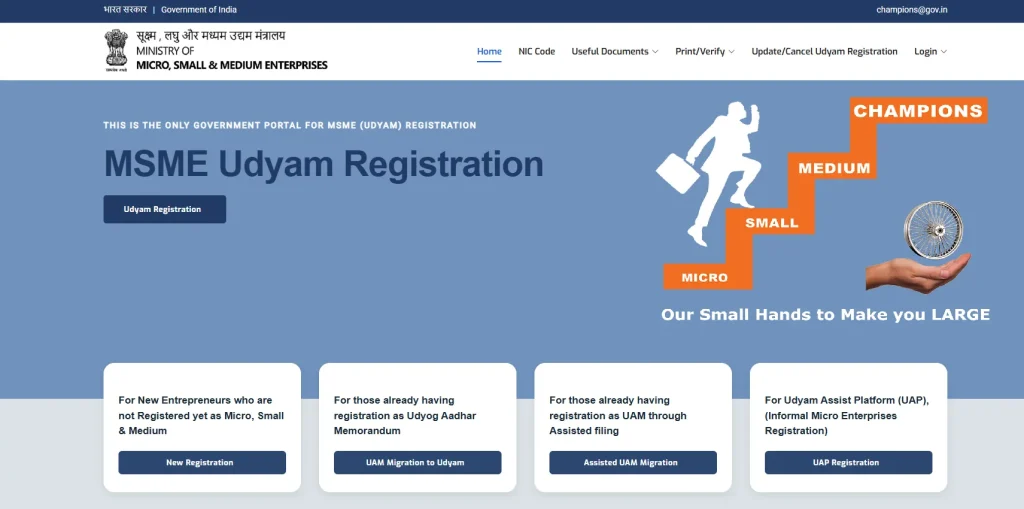
Step 1: Visit the Official Udyam Portal
Visit the official government portal for Udyam registration and verification. Avoid using third-party websites that charge fees for this process. Udyam verification on the official portal is always free.
Step 2: Navigate to the Verification Section
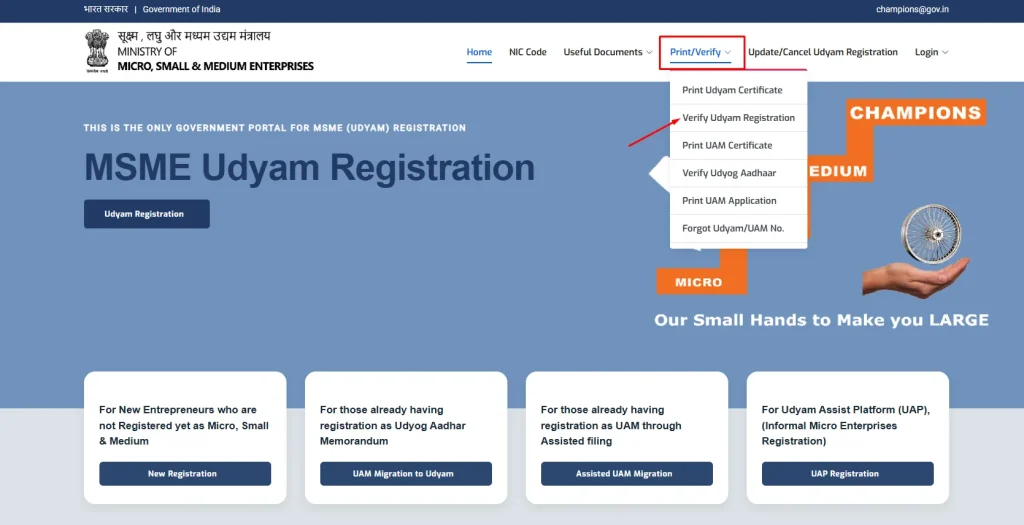
On the homepage, look for the option “Verify Udyam Registration” or “Print/Verify Certificate.” The portal is fairly straightforward to navigate, and the verification option is usually visible on the top menu or under the services section.
Step 3: Enter the Udyam Registration Number
The Udyam Registration Number follows a specific format: UDYAM-XX-00-0000000. The first two letters after “UDYAM” represent the state code. For example, UDYAM-GJ stands for Gujarat, UDYAM-MH for Maharashtra, and so on. Enter this number carefully. Even a single wrong character will show an error.
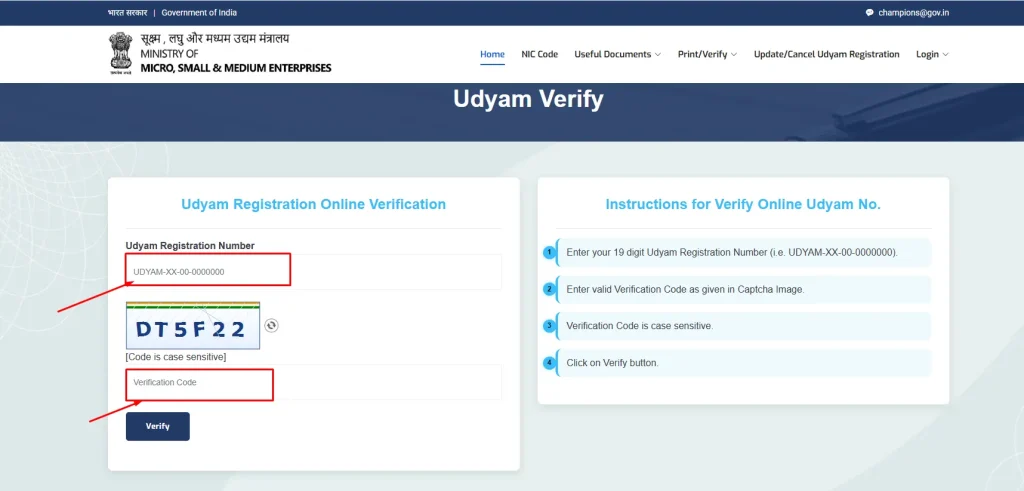
Step 4: Enter the Mobile Number or OTP (if required)
Depending on the type of verification being done, the portal may ask for the mobile number linked to the registration. An OTP (One Time Password) may be sent to confirm identity.
Step 5: View the Verification Result
Once the number is entered and verified, the portal displays the details of the registered enterprise — including the name of the business, the type (micro, small, or medium), the NIC activity code (the nature of the business), the date of registration, and the status (active or inactive).
If the number is not found or the details do not match what the business has claimed, the registration is either fake or the details have been entered incorrectly.
What Information Does Udyam Verification Show?
A successful Udyam registration verification typically reveals the following details:
- Name of the enterprise
- Udyam Registration Number
- Type of enterprise (Micro, Small, or Medium)
- Date of registration
- Major activity (Manufacturing or Services)
- NIC code (National Industrial Classification code, which describes the industry)
- Location (state and district)
- Current status (Active or not)
Also, check out our GST Number Search Tool to verify the GST details of a company.
Common Reasons Udyam Verification Fails
Not every verification attempt gives a clean result. Here are some reasons why verification might not work as expected.
Typos in the URN – The Udyam Registration Number has a specific format, and even a single wrong digit or letter will return an error. Always double-check the number before entering it.
Registration not yet processed – If a business has applied for registration very recently, it may take a day or two for the details to reflect on the portal. In such cases, waiting 24 to 48 hours and trying again usually helps.
Migration issues from Udyog Aadhaar – Some older businesses migrated from the Udyog Aadhaar system to Udyam. In a few cases, the migration was not completed properly, which can cause verification issues. The business owner needs to log back into the Udyam portal and complete the re-registration process.
Cancelled or suspended registration – If a business’s classification changed due to a rise in turnover or investment, or if they failed to update annual details, the registration may have been modified or cancelled. This will reflect in the verification result.
Using unofficial or third-party portals – Several websites claim to offer Udyam verification as a paid service. Many of them are unreliable. Always use the official government portal for accurate results.
Closing Notes
Udyam verification is not complicated. It takes less time than making a cup of chai. But its implications — for trust, for compliance, for business continuity — are significant.
Whether someone is a business owner wanting to confirm their own registration is accurate, a banker processing an MSME loan, a government officer clearing a procurement file, or a corporate vendor manager doing due diligence, the ability to udyam verify in seconds is a small but powerful habit.
Frequently Asked Questions on Udyam Verify
What information does Udyam verification show?
A successful Udyam registration verification displays the following details about the enterprise:
- Name of the business
- Udyam Registration Number
- Classification (Micro, Small, or Medium)
- Date of registration
- Major activity (Manufacturing or Services)
- NIC code (the industry or business activity code)
- Location (state and district)
- Current status (Active or otherwise)
What is Udyam verification?
Udyam verification is the process of checking whether an MSME’s Udyam Registration Certificate is genuine and active on the official government database.
Is Udyam verification free of cost?
Yes, completely free. The official Udyam portal at udyamregistration.gov.in offers verification at no charge.
What details are needed to udyam verify a registration?
Only the Udyam Registration Number (URN) is needed to begin the verification.
Disclaimer: "This blog post is for informational purposes only. For specific tax advice related to your business, please consult a qualified Chartered Accountant or GST practitioner."
About the author

Mehul is a seasoned content writer with a passion for simplifying complex accounting and GST topics. With a keen interest in entrepreneurship and business management, he specializes in creating informative and engaging content for themunim.com. His goal is to help businesses understand and implement accounting and GST software solutions effectively. When he's not crafting content, Mehul enjoys exploring new places and spending time with his Golden Retriever.
Related Articles
Explore the latest market news, useful resources for business, and Munim updates.