AI in Accounting Software: Features, Uses, Benefits and Risks
 AuthorMehul Jagwani
 Reviewed ByCA Ajay Savani



- What Is AI Accounting Software?
- Key Features of AI Accounting Software
- How Does AI in Accounting Software Work?
- AI Accounting Software vs Accounting Automation
- Most Practical AI Accounting Use Cases
- Benefits of AI in Accounting Software
- Risks and Limitations of AI in Accounting Software
- How to Choose the Best AI Accounting Software in India
- Frequently Asked Questions
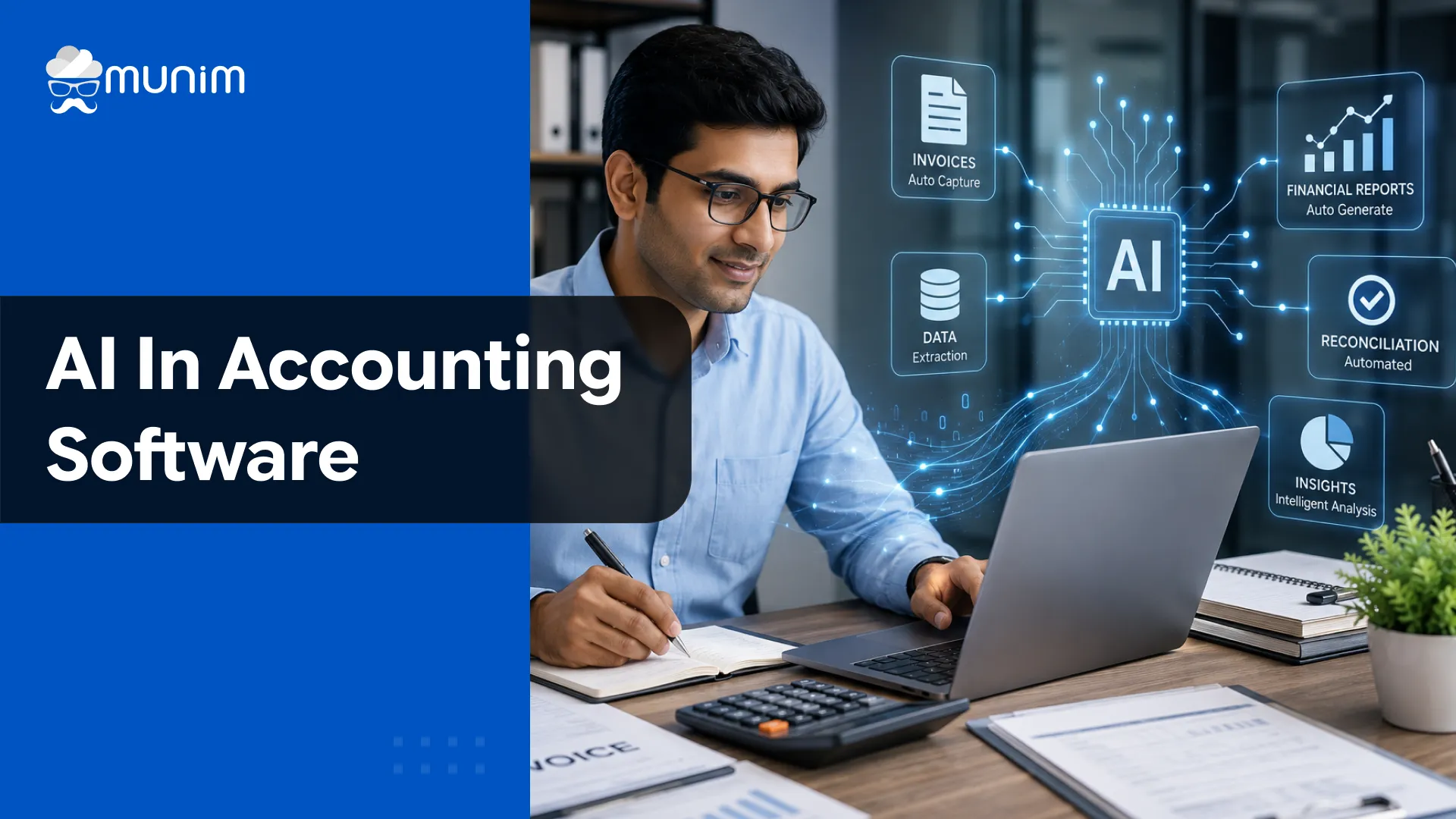
AI accounting software is equipped with artificial intelligence to handle repetitive accounting tasks and helps in understanding financial transactions. It is useful for India’s small and medium-scale businesses in invoicing, purchase bill entry, expense categorisation, and financial reporting.
The software can suggest an entry. However, human verification is a must.
What Is AI Accounting Software?
AI accounting software provides standard accounting features with technologies such as:
- Optical character recognition: Extracts information from receipts and scanned documents
- Machine learning: Identifies patterns from the recorded entries
- Natural language processing: Understands and responds to financial questions written in normal language.
- Predictive analysis: Predicts cash flow for a future period and foresees financial risks.
Simplify Your Business Operations
Designed to give you speed, control, and accuracy in daily accounting tasks.
 Save time with automated accounting workflows
- Get 35+ detailed business reports easily
- Access your business anytime, anywhere
 Save time with automated accounting workflows
Key Features of AI Accounting Software
1. AI Purchase Bill Scanner
AI purchase bill scanner extracts invoice data and prepares a draft purchase entry for review.
- Supplier name
- GSTIN
- Invoice number and date
- Item details
- HSN or SAC code
- Taxable value
- GST rate
- CGST, SGST or IGST
- Total invoice value
This reduces repetitive typing and speeds up bill entry. Users should verify the output.
2. Automated Bookkeeping
Automated bookkeeping categorizes regular transactions using predefined rules and previous entries.
It can help with:
- Selecting customer or vendor ledgers
- Categorising expenses
- Recording recurring transactions
- Mapping bank entries
- Identifying missing details
- Preparing draft journal entries
3. Bank Reconciliation
AI can compare the bank statement with accounting records and find:
- Exact matches
- Probable matches
- Missing receipts
- Unrecorded bank charges
- Duplicate entries
- Dishonoured payments
- Differences in dates or amounts
An expert should review the result before clearing any entry.
4. GST Reconciliation
An AI based accounting software can compare purchase records with GST data and highlight:
- Invoices missing from GSTR 2B
- Incorrect supplier GSTINs
- Differences in taxable value
- Differences in GST amount
- Duplicate invoices
- Credit notes missing from the books
- Invoices reported in another period
- Place of supply differences
This functionality helps the accounting team identify input tax credit issues before preparing or filing GST returns.
5. Expense Classification
AI can classify expenses by examining:
- Supplier or merchant name
- Invoice description
- Payment narration
- Previous accounting treatment
- Business rules
For example, fuel expenses may be assigned to travelling expenses or vehicle expenses based on the organisation’s accounting policy.
6. Receivable Management
AI can analyse customer payment history and help the business:
- Identify overdue invoices
- Prioritise collection efforts
- Prepare payment reminders
- Estimate possible delays
- Track customer payment patterns
This is particularly useful for wholesalers, distributors and service businesses that sell on credit.
7. Financial Query Assistance
Some systems allow users to ask questions such as:
- What were total sales last month?
- Which customers owe more than ₹50,000?
- How much input tax credit remains unmatched?
- Which expense increased this quarter?
- Which products have low stock?
Users should verify the answer before making any decision based on the response.
How Does AI in Accounting Software Work?
| Stage | What the software does | Human responsibility |
| Data collection | Receives invoices, receipts, statements and transaction records | Upload complete and valid documents |
| Data extraction | Reads invoice numbers, dates, GSTINs, items and tax values | Check unclear or incorrectly captured fields |
| Classification | Suggests ledgers, tax treatment and expense categories | Confirm the accounting treatment |
| Reconciliation | Compares bank, book and GST records | Investigate unmatched entries |
| Posting | Creates or recommends an accounting entry | Approve, edit or reject the entry |
| Reporting | Prepares summaries, forecasts and alerts | Verify filters and source data |
AI Accounting Software vs Accounting Automation
AI and automation are related, but they are not the same.
| Basis | Accounting automation | Artificial intelligence |
| Method | Follows fixed rules | Analyses information and patterns |
| Example | Sends a reminder on the invoice due date | Predicts which customer may pay late |
| Flexibility | Depends on predefined conditions | Adapts using available data |
| Output | Completes a routine action | Suggests an action or decision |
| Human review | Needed for exceptions | Needed for recommendations and exceptions |
Most Practical AI Accounting Use Cases
| Business type | Common accounting challenge | Useful AI application |
| Retailer | High billing and inventory volume | Stock analysis, expense classification and reconciliation |
| Wholesaler | Large purchases and credit sales | Bill processing, duplicate detection and receivable tracking |
| Manufacturer | Material usage and production costs | Cost variance and unusual consumption analysis |
| Service business | Recurring invoices and project expenses | Automated billing and expense categorisation |
| Ecommerce seller | Marketplace settlements and returns | Order, payment and deduction matching |
| CA firm | Documents from multiple clients | Data extraction, ledger mapping and exception review |
| Multi GSTIN business | Separate state records and returns | GSTIN classification and GST reconciliation |
| Small business | Limited accounting staff | Purchase entry, reminders and bank reconciliation |
Benefits of AI in Accounting Software
| Benefit | Practical impact |
| Less manual entry | Reduces time spent typing invoice and receipt data |
| Faster reconciliation | Identifies matched and unmatched transactions quickly |
| Fewer routine errors | Flags duplicate invoices, missing fields and value differences |
| Updated financial records | Improves visibility into cash, expenses, sales and liabilities |
| Consistent classification | Applies similar treatment to recurring transactions |
| Earlier risk detection | Highlights overdue payments and unusual entries |
| Better use of skilled staff | Allows accountants to focus on review and compliance |
| Faster reporting | Produces financial summaries without repeated manual compilation |
Risks and Limitations of AI in Accounting Software
The following are the risks and limitations of AI in Accounting software:
| Incorrect data interpretation | No AI is 100% accurate. It may misread an invoice and make mistakes in tallying entries. |
| Dependence on data quality | Outdated data can create misleading recommendation |
| Limited professional judgement | AI cannot replace an accounting professional’s judgement |
| Data privacy concerns | AI systems may train their model on your data |
| Implementation costs | Advanced AI accounting software requires training and ongoing maintenance which incur high cost. |
How to Choose the Best AI Accounting Software in India
The best AI accounting software should fit the business’s actual workflow. A long feature list alone does not make a product suitable.
Essential Selection Checklist
| Area | What the business should check |
| Core accounting | Sales, purchases, ledgers, journals, payments and financial statements |
| GST support | GST invoicing, e invoicing, e way bills and reconciliation |
| AI accuracy | Performance using the business’s own invoices and statements |
| Human review | Ability to approve, edit or reject suggestions |
| Audit trail | Record of users, changes, approvals and original values |
| User access | Separate permissions for entry, approval, payment and administration |
| Security | Encryption, backups, multifactor authentication and access records |
| Integrations | Banks, GST systems, payment gateways and ecommerce platforms |
| Data portability | Simple export of complete accounting data |
| Support | Onboarding, training and issue resolution |
| Pricing | Users, companies, GSTINs, document limits and additional charges |
Frequently Asked Questions
Can AI accounting software prepare GST returns?
It can sort data, validate and generate return reports. The taxpayer or their authorised professional must ensure information is correct before filing.
Can AI detect accounting fraud?
AI can detect suspicious transactions that need to be investigated.
Is AI accounting software suitable for small businesses?
Yes. It can be utilised by small businesses for purchase entry, reminders for payment, classification of expenses, bank reconciliation and related work for GST.
Is AI accounting software useful for CAs?
Yes. It can help CAs in processing documents, reconciling client records and identifying exceptions. There is still a need for a qualified individual when interpreting and reviewing taxes professionally.
Can AI read handwritten invoices?
Clear handwriting may be possible for some systems, but results may vary. All fields extracted must be checked.
Disclaimer: "This blog post is for informational purposes only. For specific tax advice related to your business, please consult a qualified Chartered Accountant or GST practitioner."
About the author

Mehul is a seasoned content writer with a passion for simplifying complex accounting and GST topics. With a keen interest in entrepreneurship and business management, he specializes in creating informative and engaging content for themunim.com. His goal is to help businesses understand and implement accounting and GST software solutions effectively. When he's not crafting content, Mehul enjoys exploring new places and spending time with his Golden Retriever.
Related Articles
Explore the latest market news, useful resources for business, and Munim updates.