An Ultimate Guide To Migrating To A New Accounting Software(Step-by-Step)
 AuthorMehul Jagwani
 Reviewed ByAjay Savani



- Why Businesses Migrate to a New Accounting Software
- Common Challenges in Accounting Software Migration
- Types of Accounting Software Migration Approaches
- Pre-Migration Checklist
- Accounting Software Migration Process (Step-by-Step)
- Accounting Software Setup After Migration
- Post-Migration Checklist
- Conclusion
- FAQs
- What is accounting software migration?
- Is accounting software migration risky?
- How long does accounting software migration take?
- What is the safest method of accounting software migration?
- What is migration in financial accounting software?
- What features should you consider when choosing new accounting software?
- What is the best time to migrate accounting software?
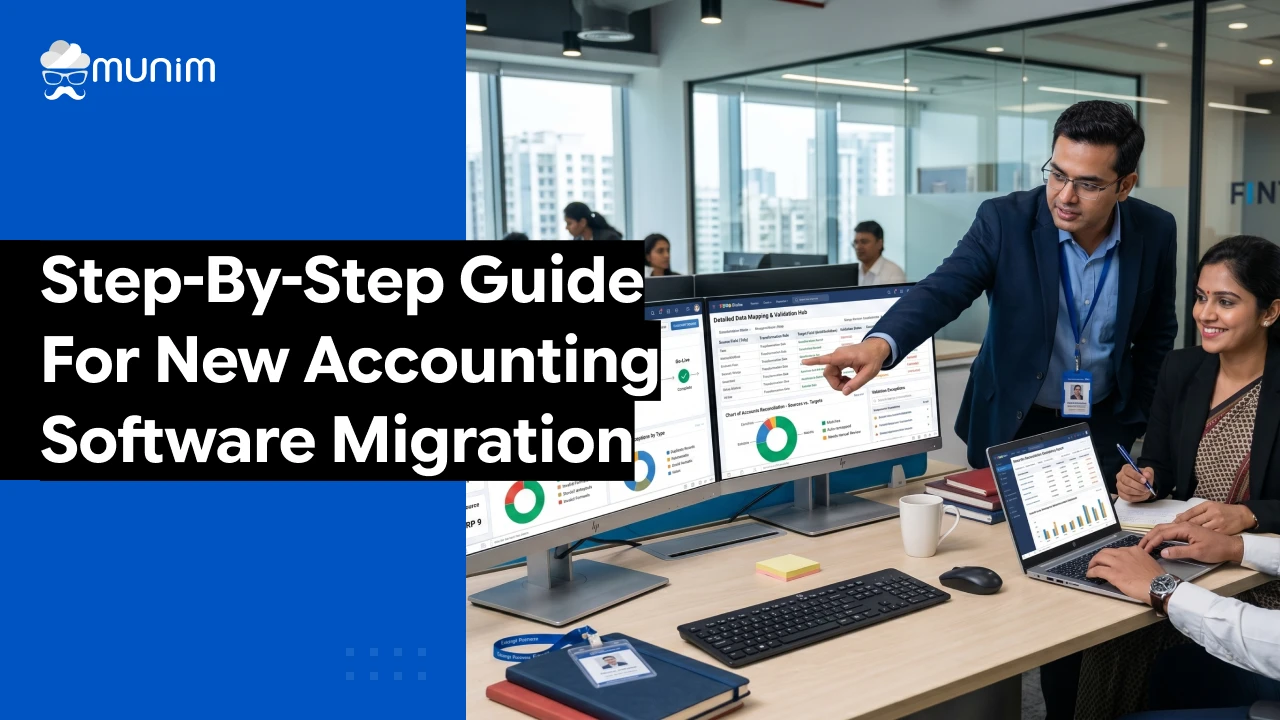
Summary:
Accounting software migration is the process of switching from an existing financial system to a modern accounting software to improve automation, accuracy, compliance, and scalability. A well-planned migration ensures smooth data transfer, correct financial mapping, and uninterrupted business operations. However, poor execution can lead to data loss, reporting errors, downtime, and GST compliance issues.
This guide explains the complete accounting software migration process, including planning, migration approaches, setup, challenges, and best practices for a successful transition.
Businesses today are rapidly moving from traditional accounting systems to modern accounting software due to increasing complexity in financial operations, GST compliance, and reporting needs.
Manual processes, outdated software, and disconnected systems often lead to inefficiencies, delayed reporting, and compliance risks.
Accounting software migration is not just a technical upgrade, it is a financial system transformation that impacts accounting structure, reporting accuracy, and overall business decision-making. A structured migration strategy ensures:
- Scalable financial system for future growth
- Accurate financial data transfer
- Zero disruption in business operations
- Proper GST and compliance setup
Why Businesses Migrate to a New Accounting Software
Businesses switch accounting systems when their existing software no longer supports operational or financial requirements.
1. Outdated Legacy Systems
Older systems lack automation, cloud access, and real-time reporting, making them inefficient for growing businesses.
2. Manual Accounting Work
Heavy dependency on spreadsheets and manual entries increases errors and slows down financial processes.
3. Poor Financial Reporting
Businesses need real-time dashboards, analytics, and accurate financial insights for decision-making.
4. GST and Compliance Requirements
Modern businesses require software that supports GST filing, automated tax calculations, and updated compliance rules.
5. Scalability Limitations
As businesses grow, they need systems that can handle higher transactions, multiple users, and multiple branches.
6. Integration Requirements
Modern accounting systems must integrate with CRM, ERP, payroll, banking, and inventory tools.
Switch to modern accounting software and simplify your financial operations with automation.
Common Challenges in Accounting Software Migration
Accounting software migration can become complex without proper planning and execution.
Data Loss Risks
Improper backup or incorrect migration processes can result in missing or incomplete financial records. This can directly impact reporting accuracy and create serious gaps in historical data.
Data Mapping Issues
If old system data is not correctly mapped to the new software structure, it can lead to mismatched ledgers and inaccurate financial reports. Proper mapping is essential to maintain consistency in accounting records.
Downtime During Transition
During final migration, business operations may slow down or temporarily pause due to system switching. This can affect daily accounting activities and delay financial processing.
Employee Adaptation Issues
Employees may take time to understand and adapt to the new accounting software interface and workflow. This learning curve can initially reduce productivity and increase operational errors.
Compliance Errors
Incorrect GST setup or wrong opening balances can lead to errors in tax calculations and financial reporting. These mistakes can also create compliance issues during audits or filings.
Stay GST-compliant with automated tax calculations and return filing tools.
Types of Accounting Software Migration Approaches
Accounting software migration can be executed in different ways depending on business size, risk tolerance, and operational complexity. Choosing the right approach is important because it directly impacts data accuracy, downtime, and overall migration success.
1. Big Bang Migration
In this approach, the entire accounting system is switched from the old software to the new one at a single point in time. All data is migrated, tested, and the new system goes live immediately.
Advantages:
- Fastest migration method
- No need to maintain two systems simultaneously
- Suitable for businesses with simple accounting structures
Disadvantages:
- High risk if any issue occurs during migration
- Requires strong testing and preparation beforehand
- Difficult to roll back once the system goes live
2. Phased Migration
In phased migration, the transition happens step by step instead of switching everything at once. Businesses migrate modules, departments, or functions in stages.
For example, accounts payable may be migrated first, followed by accounts receivable and inventory.
Advantages:
- Lower risk compared to full migration
- Easier to identify and fix issues
- Better control over data accuracy during transition
Disadvantages:
- Takes longer to complete
- Requires temporary management of both old and new systems
- Can create process complexity during overlap period
3. Parallel Migration
In parallel migration, both the old and new accounting systems run simultaneously for a certain period. Data is entered and maintained in both systems to compare and validate results.
Advantages:
- Safest migration approach
- Allows real-time comparison of financial data
- Reduces chances of data loss or errors
Disadvantages:
- Requires more time and manpower
- Increases operational workload
- Higher cost due to dual system maintenance
Pre-Migration Checklist
Before migration, businesses must prepare data and systems properly.
Data Backup
- Ledgers
- Invoices
- Customer and vendor data
- Financial reports
Data Cleaning
- Remove duplicates
- Fix incorrect entries
- Remove inactive records
Chart of Accounts Review
Standardize account structure before migration.
Tax Data Verification
Ensure GST details, tax rates, and compliance data are accurate.
Integration Planning
Identify required integrations:
- Banking systems
- CRM tools
- Payroll systems
- ERP systems
Simplify Your Business Operations
Designed to give you speed, control, and accuracy in daily accounting tasks.
 Save time with automated accounting workflows
- Get 35+ detailed business reports easily
- Access your business anytime, anywhere
 Save time with automated accounting workflows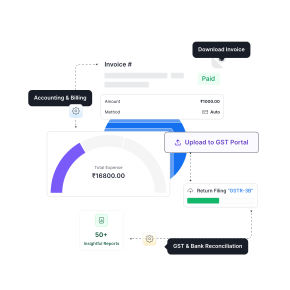
Accounting Software Migration Process (Step-by-Step)
Step 1: System Analysis
Understand existing accounting structure, data flow, and reporting formats.
Step 2: Data Cleaning
Remove errors, duplicates, and outdated records.
Step 3: Data Mapping
Match old system fields with new software structure (critical step for accuracy).
Step 4: Trial Migration
Run a sample migration to detect errors early.
Step 5: Data Validation
Verify:
- Trial balance
- Ledger accuracy
- GST records
- Financial statements
Step 6: Final Migration
Migrate complete and validated data into the new system.
Step 7: Go Live
Start live operations on the new accounting software.
Accounting Software Setup After Migration
After migrating to a new accounting software, the next important step is configuring the system correctly to ensure smooth financial operations.
At this stage, businesses typically complete essential setup activities such as defining company structure, configuring accounting rules, setting up tax parameters, and preparing the system for daily use.
A properly configured system ensures:
- Accurate financial reporting
- Smooth accounting operations
- Correct GST and compliance handling
- Better control over business data
This setup phase acts as a foundation for using the new accounting system effectively in day-to-day operations.
Post-Migration Checklist
Financial Reconciliation
Ensure all financial reports match correctly after migration.
Data Verification
Validate invoices, ledgers, and transaction history.
Employee Training
Train teams for smooth adoption of the new system.
System Monitoring
Monitor performance, errors, and workflow stability.
Common Mistakes to Avoid
- Not taking proper backup
- Skipping trial migration
- Poor data mapping
- Migrating unclean data
- Lack of employee training
Benefits of Accounting Software Migration
Improved Accuracy
Reduces manual accounting errors and improves reporting quality.
Automation
Automates invoicing, GST calculations, and financial workflows.
Real-Time Reporting
Provides instant visibility into business performance.
Higher Efficiency
Reduces manual workload and improves operational speed.
Business Scalability
Supports growth, multi-branch operations, and higher transaction volume.
Conclusion
Accounting software migration is a critical process that directly impacts financial accuracy, business efficiency, and long-term scalability. With proper planning, structured execution, and correct system setup, businesses can ensure a smooth transition from legacy systems to modern accounting platforms.
A successful migration not only improves accounting operations but also strengthens decision-making and financial control for future growth.
FAQs
What is accounting software migration?
Accounting software migration is the process of transferring financial data, records, and workflows from an existing accounting system to a new one. It helps businesses upgrade to a more efficient, automated, and scalable accounting solution.
Is accounting software migration risky?
Yes, it can be risky if not planned and executed properly. Common risks include data loss, incorrect financial reporting, system downtime, and compliance errors. However, these risks can be minimized with proper backup, testing, and structured migration planning.
How long does accounting software migration take?
The duration of migration depends on the size of the business, volume of financial data, and complexity of the system. In most cases, it can take anywhere from a few days to several weeks to complete the full migration process.
What is the safest method of accounting software migration?
Parallel migration is considered the safest method because both old and new systems run simultaneously for validation. This reduces the risk of data loss and allows businesses to cross-check financial accuracy before fully switching to the new system.
What are the essential functions of a financial information system?
The essential functions of a financial information system in an organization include:
- Setting up and managing business accounting
- Monitoring cash flow
- Analyzing financial data
- Supporting decision-making
- Generating financial reports
What is migration in financial accounting software?
Migration in accounting software refers to the process of transferring financial data from an existing accounting system to a new one to ensure better efficiency and improved functionality.
What features should you consider when choosing new accounting software?
Before selecting accounting software, you should ensure it offers the following features:
- Invoicing
- Inventory management
- E-invoice generation
- E-way bill generation
- GST return filing
- Bank reconciliation
What is the best time to migrate accounting software?
The ideal time to migrate accounting software is at the end of a financial quarter or fiscal year to ensure smoother transition and cleaner financial closing.
Disclaimer: "This blog post is for informational purposes only. For specific tax advice related to your business, please consult a qualified Chartered Accountant or GST practitioner."
About the author

Mehul is a seasoned content writer with a passion for simplifying complex accounting and GST topics. With a keen interest in entrepreneurship and business management, he specializes in creating informative and engaging content for themunim.com. His goal is to help businesses understand and implement accounting and GST software solutions effectively. When he's not crafting content, Mehul enjoys exploring new places and spending time with his Golden Retriever.
Related Articles
Explore the latest market news, useful resources for business, and Munim updates.