How to Login GST Portal: Step-by-Step Guide
 AuthorMehul Jagwani
 Reviewed ByCA Madhav Bhayani


To log in to the GST portal, visit www.gst.gov.in, click Login, and enter your username, password, and captcha. If you are logging in for the first time, use your GSTIN and temporary password to create your login credentials.
In this guide, we’ll explain how to log in as a new or registered taxpayer and resolve common GST portal login issues.
How to Login to GST Portal for the First Time?
If you have recently received your GST registration, you must create a username and password before accessing your account regularly.
Follow these steps for your first-time GST portal login.
1. Visit the Official GST Portal
Open your browser and visit www.gst.gov.in. Make sure you are using the official GST website to protect your login credentials.
2. Click Login in the top-right corner
On the homepage, click the Login button in the top-right corner. You will be redirected to the GST portal login page.
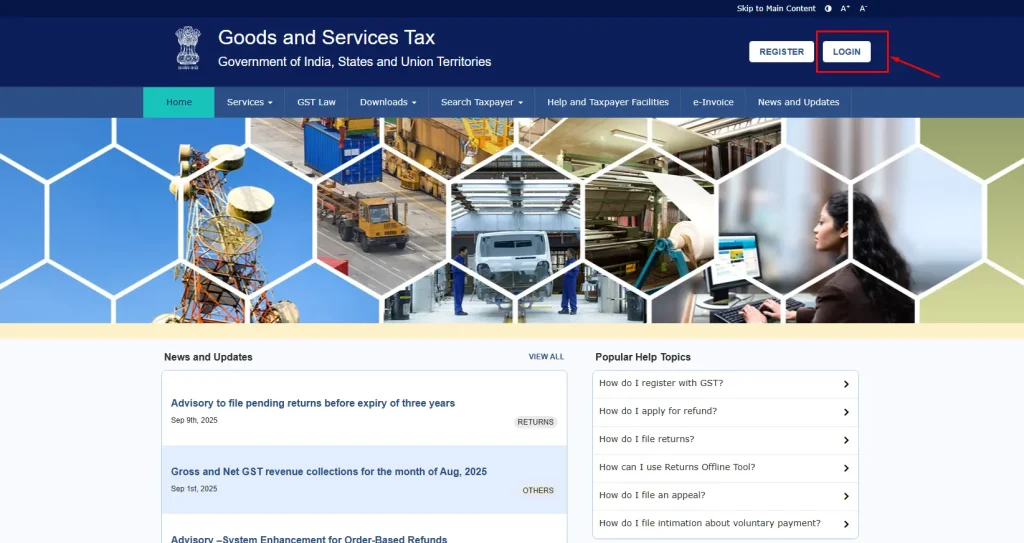
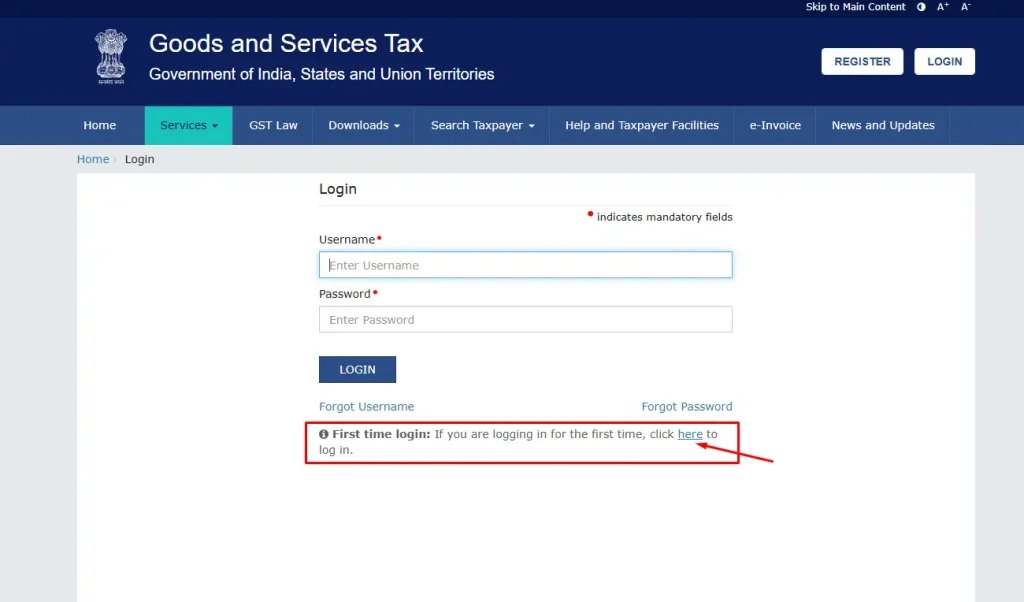
3. Select the First Time Login link
On the login page, find the First Time Login option. Click the link provided for users logging in for the first time. This will open the New User Login page.
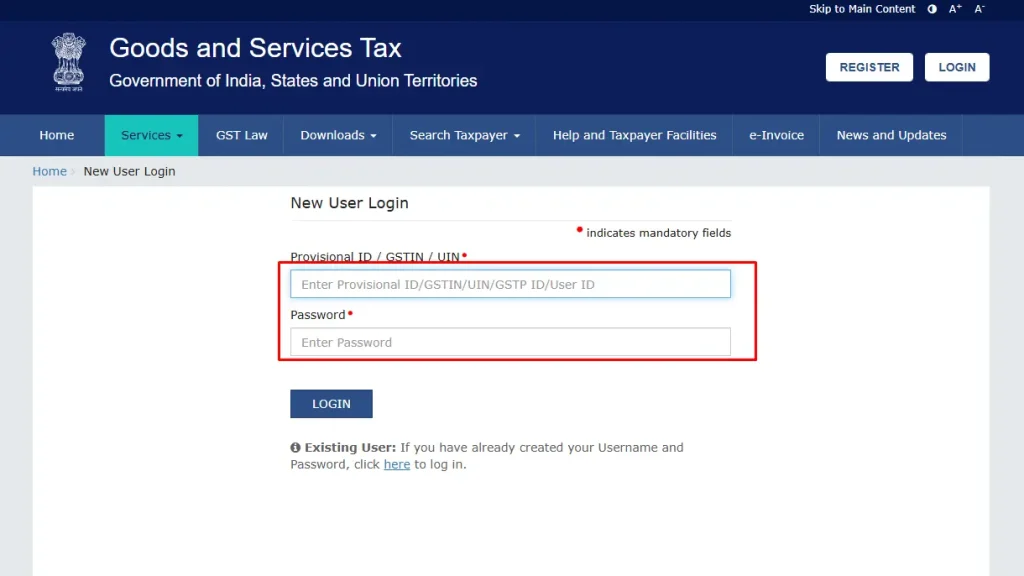
4. Enter Your GSTIN and Temporary Password
Enter the following information:
- GSTIN: Your 15-digit GST Identification Number received after registration approval.
- Password: The temporary password received through your registered email.
- Captcha: Enter the characters displayed on the screen.
Click Login to continue.
Note: Taxpayers migrated from earlier tax systems may use their Provisional ID and corresponding password instead of GSTIN-based credentials.
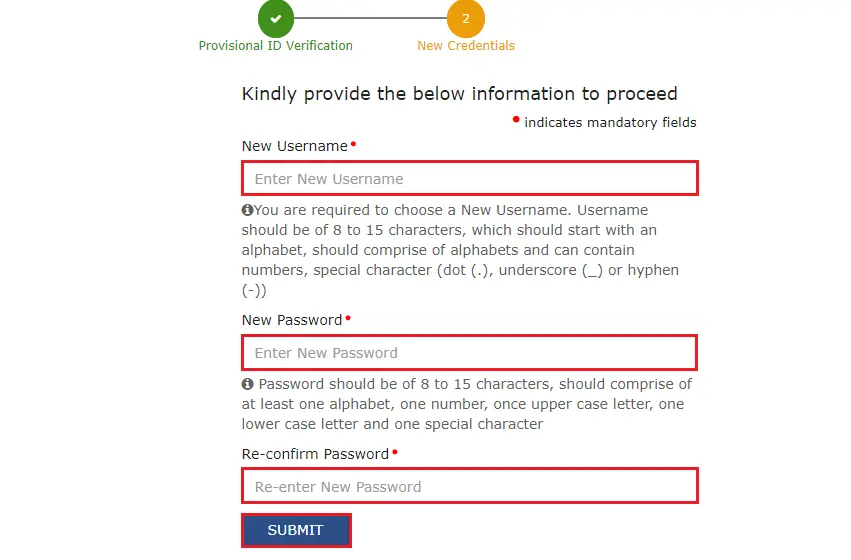
5. Create Your Username and Password
After your initial credentials are verified, the portal will open the New Credentials page.
Enter the following details:
- New Username
- New Password
- Re-confirm Password
Your password must contain 8–15 characters, including uppercase and lowercase letters, a number and a special character.
Click Submit to save your credentials.
6. Log In With Your New Credentials
Once your username and password are successfully created, a confirmation message will appear.
Return to the login page and enter:
- Your newly created username
- Your password
- The captcha displayed on the screen
Click Login to access your GST dashboard.
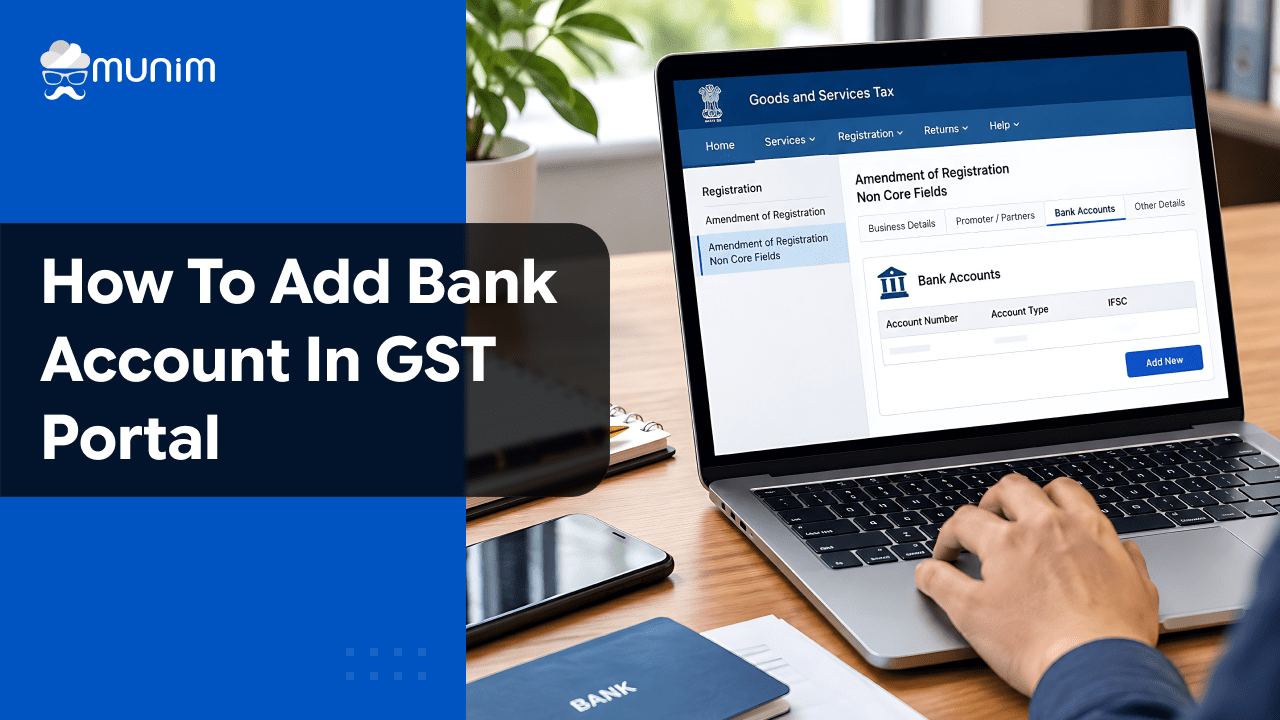
Important: When logging in for the first time, applicable taxpayers may be prompted to add their bank account details through a non-core amendment.
Designed for Modern Tax Professionals
A premium filing solution for CAs and tax consultants who need speed, scale, and operational clarity.
 Handle multiple clients with ease
- Reconcile and validate with confidence
- Overcome the limitations of the GST portal
 Handle multiple clients with ease
How to Log In to the GST Portal as a Registered User?
If you have already created your GST username and password, you can log in directly using your existing credentials.
Follow these steps:
- Visit the official website at www.gst.gov.in.
- Click Login in the top-right corner.
- Enter your registered username.
- Enter your password.
- Complete the captcha verification.
- Click Login.
Once logged in, you can access your GST dashboard to:
- File GST returns such as GSTR-1 and GSTR-3B.
- Make GST payments and view electronic ledgers.
- Check GST notices and orders.
- Download GST registration certificates.
- Update permitted registration details.
- Track GST return filing status.
Remember: For regular GST portal login, you must enter your username, not your GSTIN.
Read More: Process of Online GST Payment
Common GST Portal Login Problems and Solutions
Here are the common problems and their solutions.
| GST Login Problem | Possible Reason | What You Should Do |
| Incorrect username or password | Wrong or forgotten credentials | Check your credentials or use Forgot Username/Forgot Password |
| Captcha not working | Incorrect captcha entry | Refresh the captcha and enter the new characters |
| GST portal not loading | Network or server issues | Check your internet connection and try again |
| OTP not received | Registered contact details or delivery issue | Check your registered email/mobile and use Resend OTP if available |
| Access denied | Account or registration-related issue | Check GSTIN status and contact GST support if required |
| Browser-related login issue | Outdated browser or corrupted browser data | Update your browser or clear its cache and cookies |
| No access to registered email/mobile | Contact details are outdated or inaccessible | Follow the official authorised-signatory contact recovery procedure |
Also, Find out how to Search GST number by Name.
Manage GST Return Filing Easily With Munim
Logging in to the GST portal is just the first step. You also need to prepare returns, reconcile purchase data, verify input tax credit and manage filing deadlines.
With Munim GST Return Filing Software, we bring essential GST compliance activities into one workflow.
Here’s how we help:
- GST Return Filing: Prepare and manage GSTR-1, GSTR-3B and other supported GST returns.
- GST Reconciliation: Compare purchase records with GSTR-2A and GSTR-2B.
- Input Tax Credit Verification: Identify missing and mismatched ITC entries.
- Bulk Filing: Manage GST returns for multiple clients from one platform.
- GST Reports: Review reconciliation results and filing-related information.
- Notice and Order Management: Track GST notices and orders.
Whether you manage your own GST compliance or handle multiple clients as a CA or GST practitioner, we help you organize your GST filing work.
Frequently Asked Questions
1. Can I log in to the GST portal using my GSTIN?
You can use your GSTIN and temporary password for first-time login. After creating your account credentials, you must use your username and password to log in.
2. What should I do if I forget my GST portal password?
Click Forgot Password on the GST login page, enter your username, and complete the OTP verification process to reset your password.
4. Can I change my registered email address without GST portal login access?
If you cannot access your account or registered contact details, contact your jurisdictional tax officer for the applicable recovery procedure. If you can log in, eligible email changes can be made through a non-core amendment.
Disclaimer: "This blog post is for informational purposes only. For specific tax advice related to your business, please consult a qualified Chartered Accountant or GST practitioner."
About the author

Mehul is a seasoned content writer with a passion for simplifying complex accounting and GST topics. With a keen interest in entrepreneurship and business management, he specializes in creating informative and engaging content for themunim.com. His goal is to help businesses understand and implement accounting and GST software solutions effectively. When he's not crafting content, Mehul enjoys exploring new places and spending time with his Golden Retriever.
Related Articles
Explore the latest market news, useful resources for business, and Munim updates.