
 3524 views
 If you are a composition scheme taxpayer under GST, then filing CMP-08 is a mandatory quarterly compliance requirement. This form helps you declare your self-assessed tax liability and pay taxes accordingly.
Who Should File CMP-08?
- CMP-08 must be filed by all registered taxpayers who have opted for the GST Composition Scheme — including small traders, manufacturers, and service providers eligible under the scheme.
Check the Video Tutorial:
To file CMP-08 successfully, please follow the steps given below.
- Select CMP-08 option:
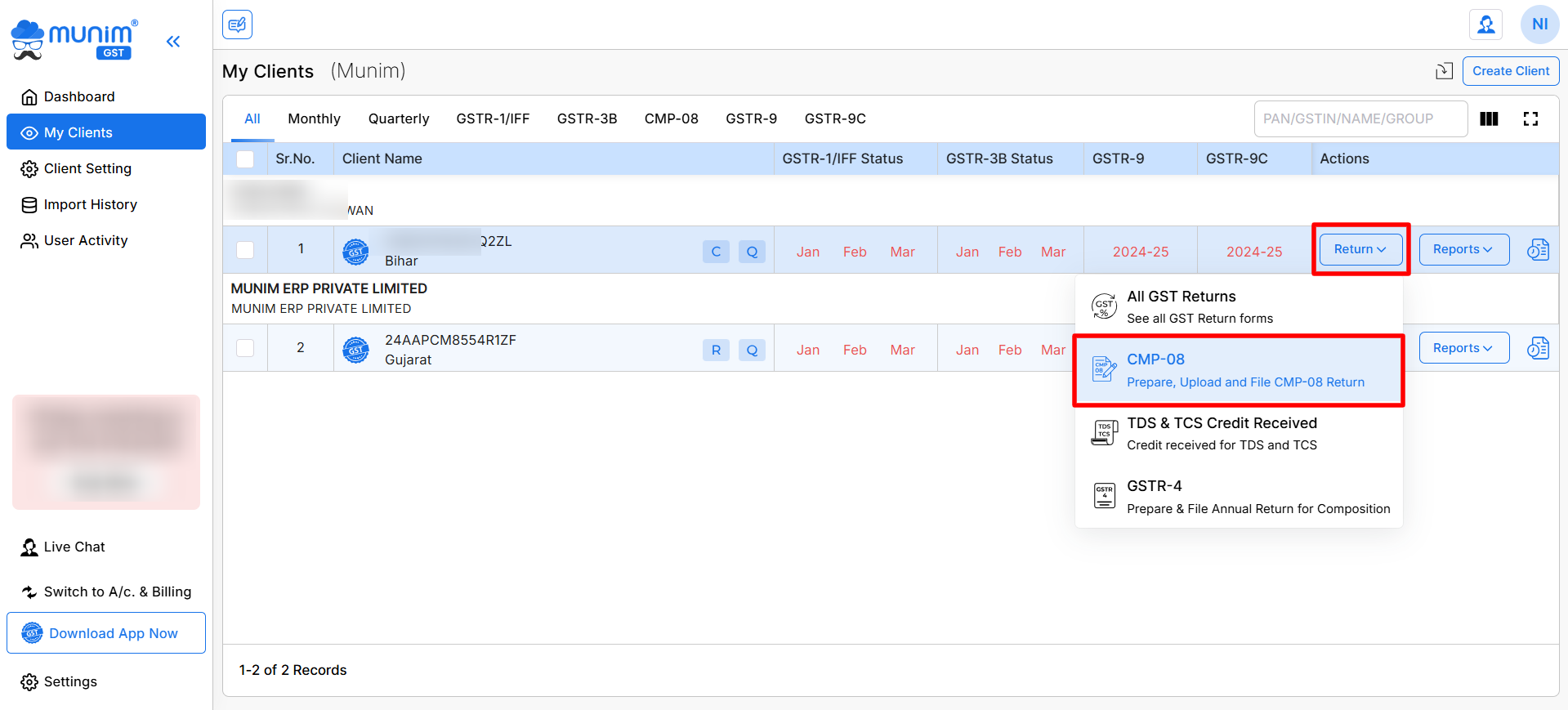
- In Munim GST, Create the client company with the CMP-08 type.
- Go to My Clients and click on the Return button available.
- From the dropdown, select CMP-08 from the list of options.
- Note: The CMP-08 option will appear in the dropdown list only when your company has opted to be under the Composition Scheme
+−⟲
- Prepare data:
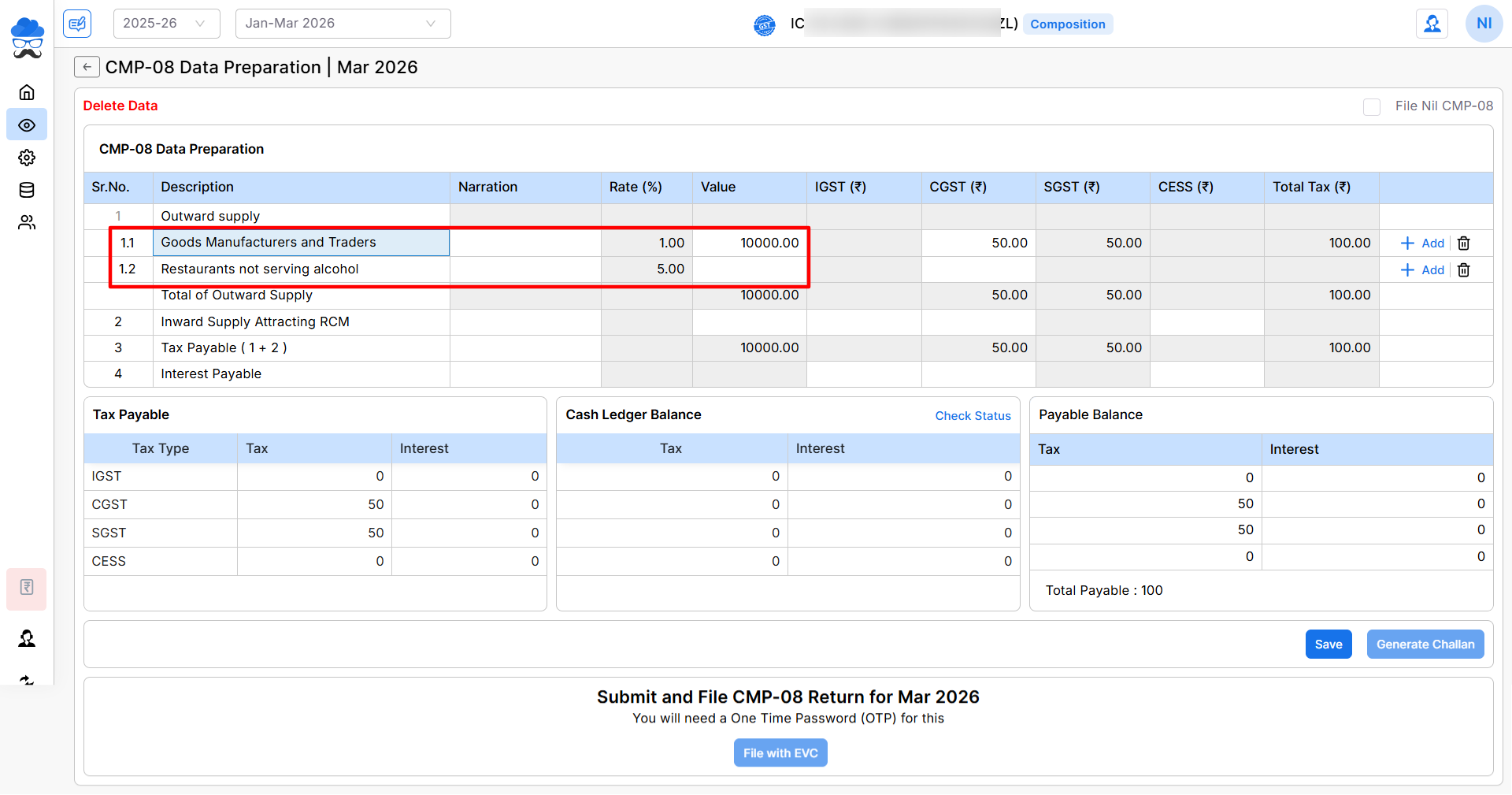
- In the CMP-08 data preparation field, prepare your data by adding data in particular fields like Outward Supply, Inward Supply attracting RCM and Interest payable
- Once you add any values in these fields, the software will auto-calculate tax accordingly.
+−⟲
- Save your data and Generate challan:
- Once your data is prepared, click on the Save button to save your data.
- Here you can check three section with data of:
- Tax payable: Here you can check the tax amount you have to pay according to the data you have added.
- Cash Ledger Balance: Here, you can check your available ledger balance on the portal. You can click on Check Status to update the balance.
- Payable Balance: Here, you can see the actual payable tax after calculation from all sections.
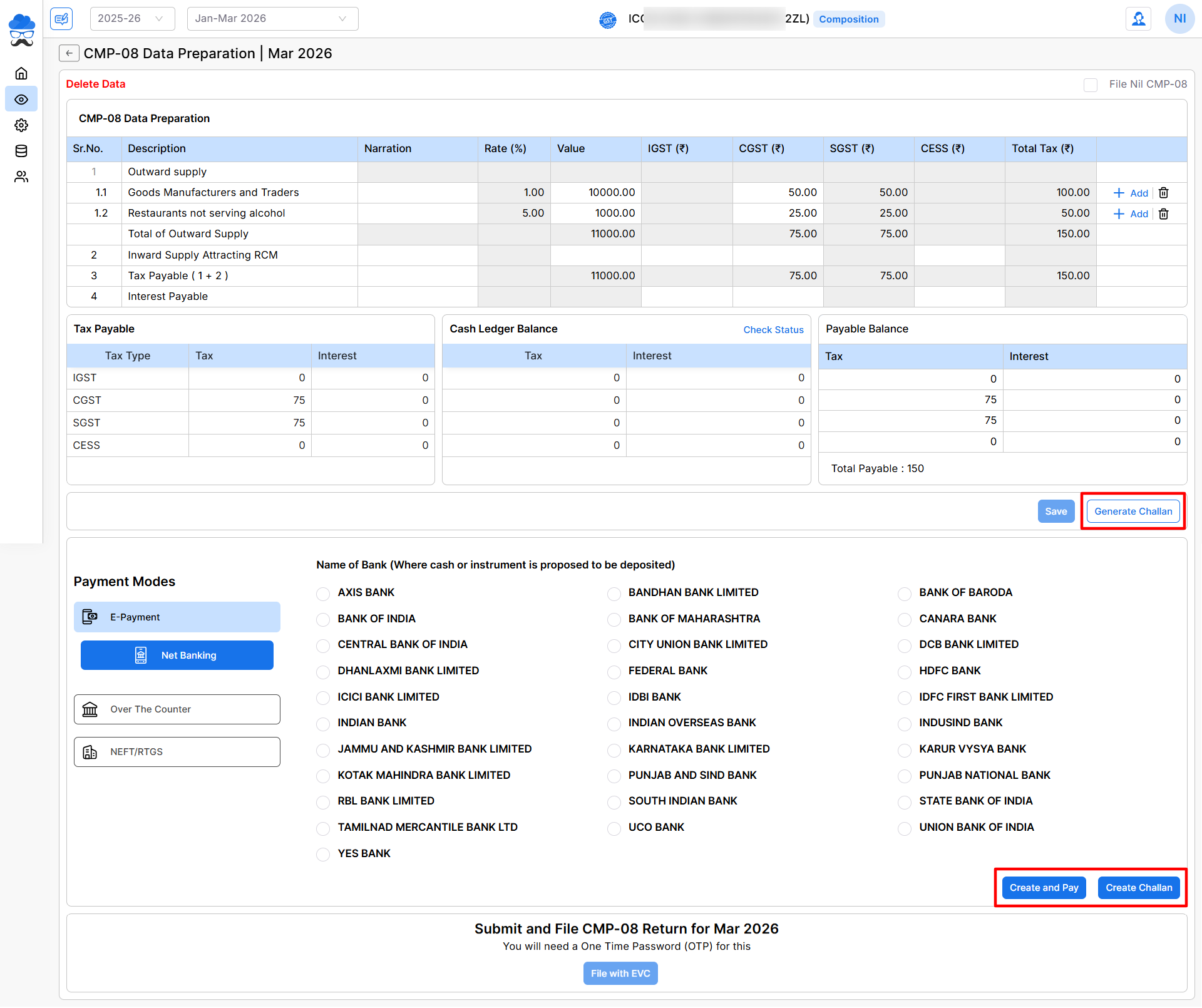
- Then click the Generate Challan button to continue. This button will enable only when you click on the Save button.
+−⟲
- Select payment mode:
- After clicking the Generate Challan option, Payment Mode section will appear, here you can select the preferred Payment Method.
- Here you will get two options:
- Create and Pay: Create a Challan and select the preferred payment method from the Payment Modes to complete the Challan payment from the software.
- Generate Challan: Create a Challan and download it to the client for payment. After payment, we can update the status by clicking Check Status in the Cash Ledger Balance section above.
- Push data to GST portal:
- When you click the Create and Pay option, you will be redirected to the GST portal.
- After logging in to the GST portal, follow the process on the portal to continue.
- File cmp-08:
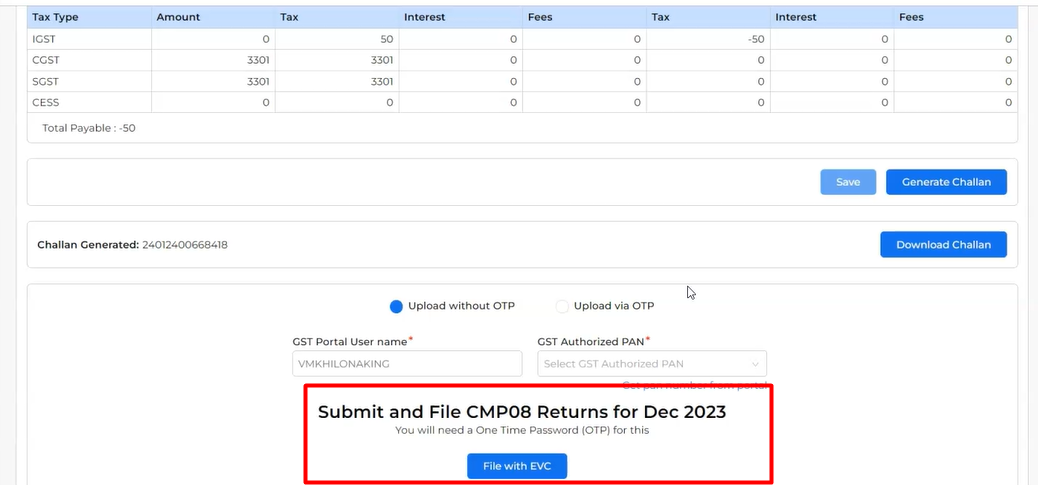
- After payment is done, your challan will be generated successfully with the challan number. Also you can download it by clicking the Download Challan button.
- Now you can click the File with EVC button to initiate the filing process. You will be redirected to the Portal and all process will be automated mostly.
- Proceed on options when asked and complete your filing process through EVC option successfully to get ARN number.
+−⟲
By following these steps, you can easily file your CMP-08 using Munim GST. For further assistance, Please contact our support team.


