
 3232 views
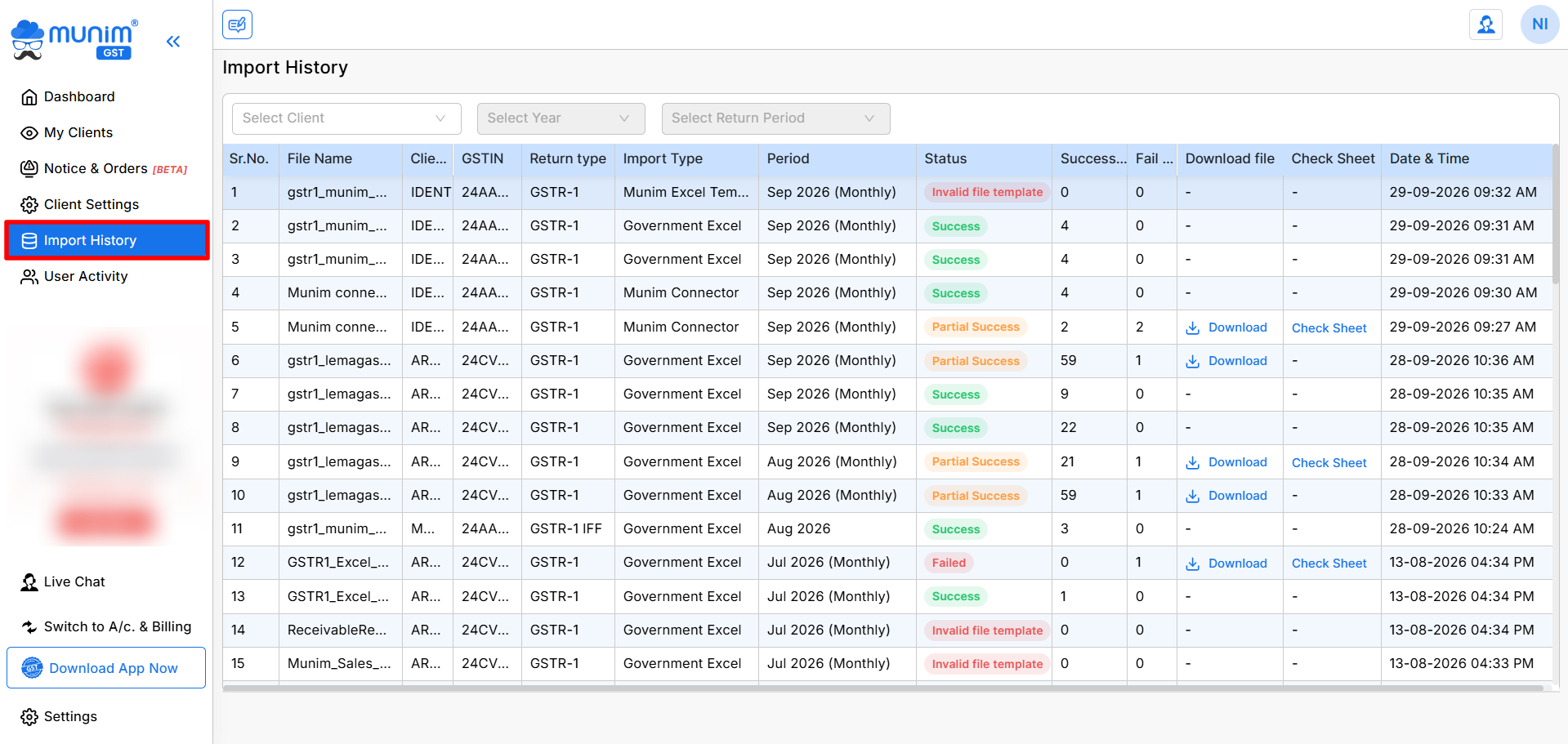
 The Import Data module allows users to track and manage the import of GST return files, ensuring data accuracy and completeness. This page provides information on how to navigate the page, understand the various fields, and utilise available features.
How to Access the Import Data Module:
- From the Dashboard, navigate to the left-side menu.
- Click on the Import History option.
+−⟲
Features & Options:
- Select Company & Return Period: At the top, you can choose your company and the return period for which you wish to import or view data.
- Table Information: The table provides key details regarding the uploaded files:
- File Name: Name of the uploaded file.
- Client Name: Name of the client company.
- GSTIN: GST number of the client company.
- Return Type: Type of return (e.g., GSTR-1, GSTR-1 IFF) that is being processed.
- Import Type: File import type options used for the import process.
- Period: The specific period for the return (e.g., June 2024).
- Status: Indicates whether the file import was successful, partially successful, or failed.
- Success Count: The number of records successfully imported.
- Fail Count: The number of records that failed during the import process.
- Download File: A link to download the Error file with details of the imported file to check which entries have errors.
- Check Sheet: Option to view the check sheet for entries done successfully, and review entries with errors and rectify them by editing fields that have errors.
- Date & Time: The date and time when the file was uploaded or processed.
How to Use:
- Select the Company and Return Period at the top left.
- Review the list of imported files, statuses, and counts in the table.
- For failed or partially successful imports, you can download the Error Report in Excel format.
- Or use a Check Sheet to review and correct errors within the software.
This module is designed to give you a complete overview of your file imports, with downloadable resources to address any issues that arise during the process.


