
 300 views
 Overview
While filing GSTR-3B, CMP-08, or GSTR-4, you can mark a return as Pending for Payment from the Payment for Tax page. This helps you keep the return pending and generate its challan later from the My Clients module. Pending for Payment list helps CAs and their staff easily track and complete pending GST challan payments from one place.
Benefits
- Keep tax payment pending without completing the challan immediately.
- View all pending clients in one place.
- Check the return type, return period, and payable amount.
- Generate challans directly from the Pending For Payment tab.
Mark a Return as Pending for Payment
- Prepare to File GSTR-3B, CMP-08, or GSTR-4 until you reach the Payment for Tax page.
- Select the Pending for Payment checkbox at the bottom of the page.
- Click Save.
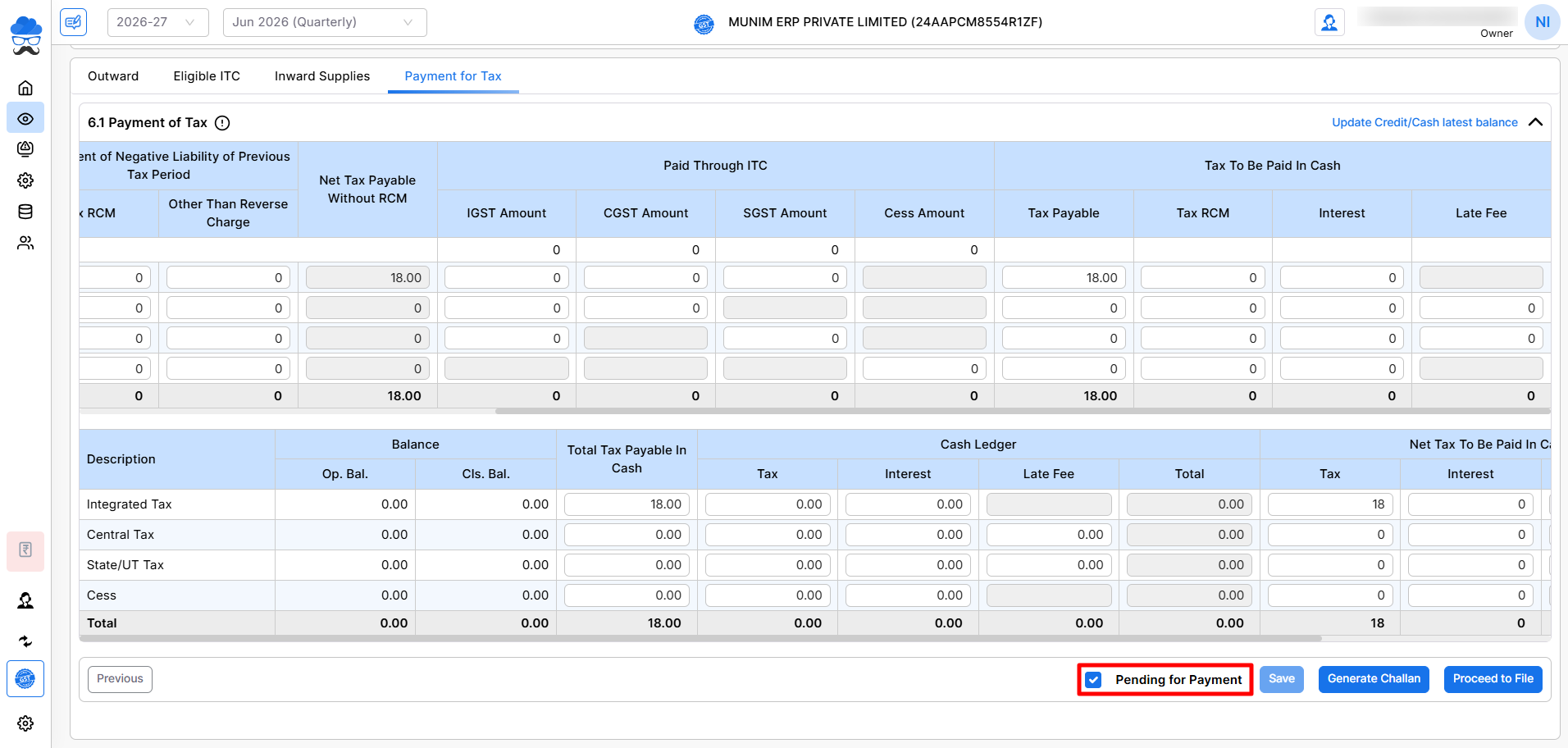
The company will then be added to the Pending For Payment list in the My Clients module.
View Pending Companies and Generate Challan
- Go to the My Clients module or on the Dashboard page.
- Click the Pending For Payment section.
- All companies list with pending tax payments will be displayed here.
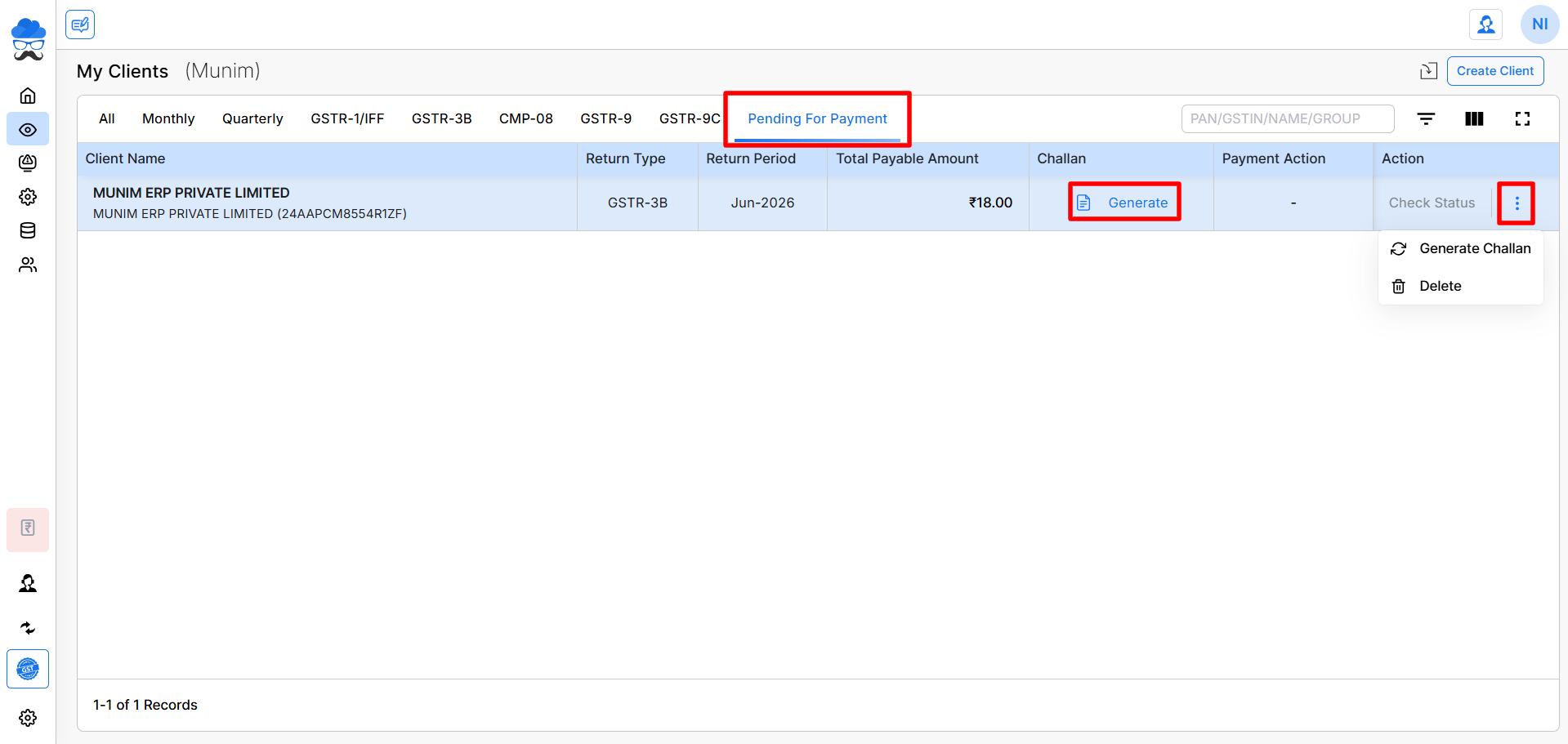
The list shows basic details like client name, return type, return period, payable amount, with actionable options under challan, and available actions like:
- Challan: This column provides a “Generate” option, which redirects you to the company profile to complete the challan generation process.
- Payment Action: This column displays a “Pay” option if the challan has been generated and the payment remains outstanding.
Generate Challan
- Locate the required company in the Pending For Payment list.
- Click Generate under the Challan column to redirect to that company’s Payment for Tax page.
- Generate the challan for the pending tax payment and proceed further.
- Once the Filing process is complete, the company will be automatically removed from the pending list.
You can also use the Action menu for additional options, such as Generate Challan or Delete.
Important Note
- Only returns marked using the Pending for Payment option from the Payment for Tax page will appear under the Pending for Payment tab.
- You may complete the payment process for each company individually directly from this pending list.
- The Pending for Payment columns have been integrated into the dashboard pages for enhanced visibility.
- This feature is available while filing GSTR-3B, CMP-08, or GSTR-4.
Need Assistance?
If you need help with pending tax payments or challan generation, contact our support team.


