
 650 views
 Get instant assistance from our support team through secure remote access. Our experts can connect with you online and help resolve software issues quickly and efficiently.
How to Start Remote Support
From Dashboard or From Main Menu
- Open Munim GST Software. Click on Online Remote Support from the left sidebar menu
- Or, click on the Profile/Support Icon from the top-right corner, Select Online Remote Support
+−⟲
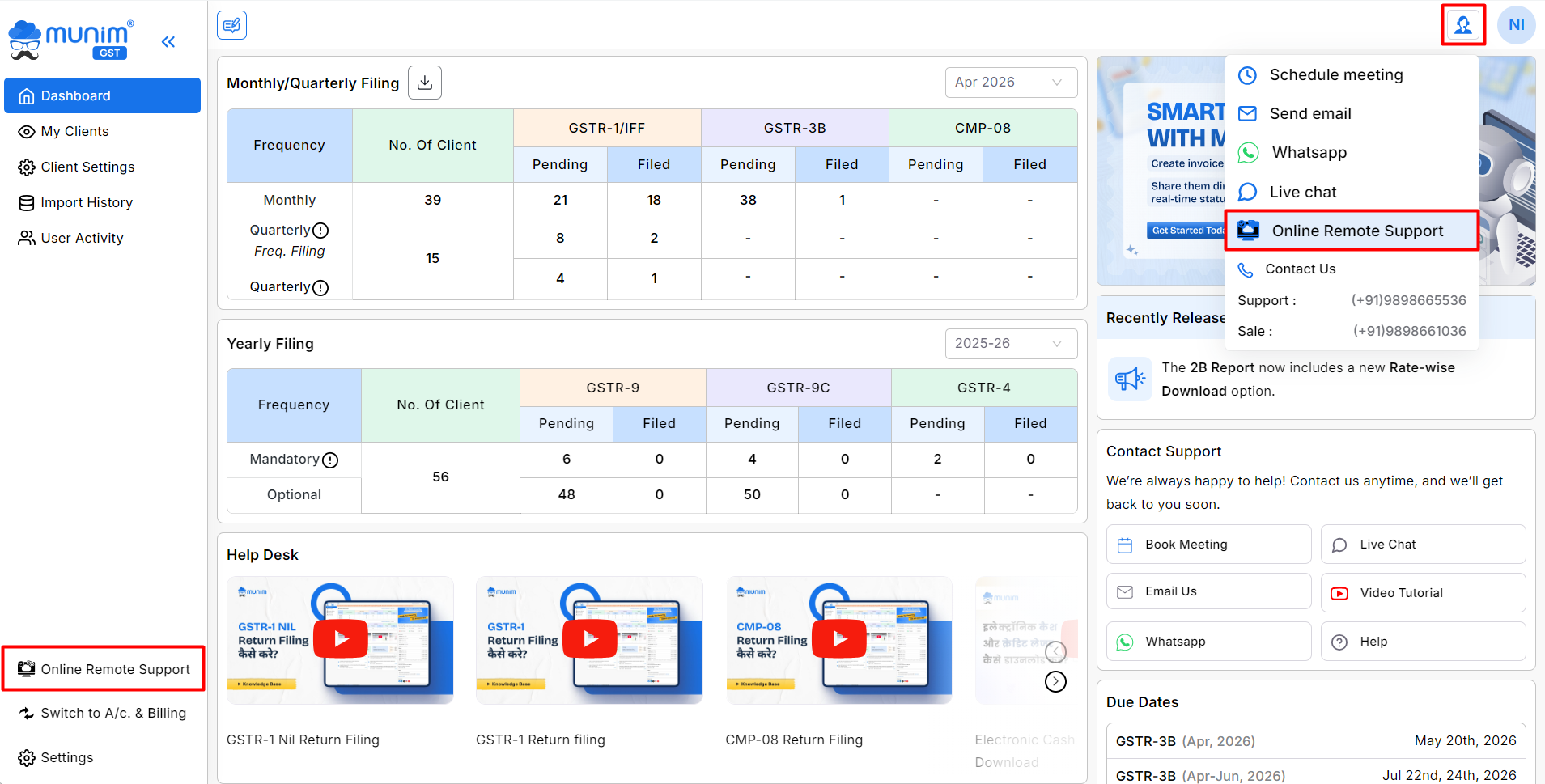
Remote Support Window
- After clicking the option, the Start Remote Assistance window will open.
+−⟲
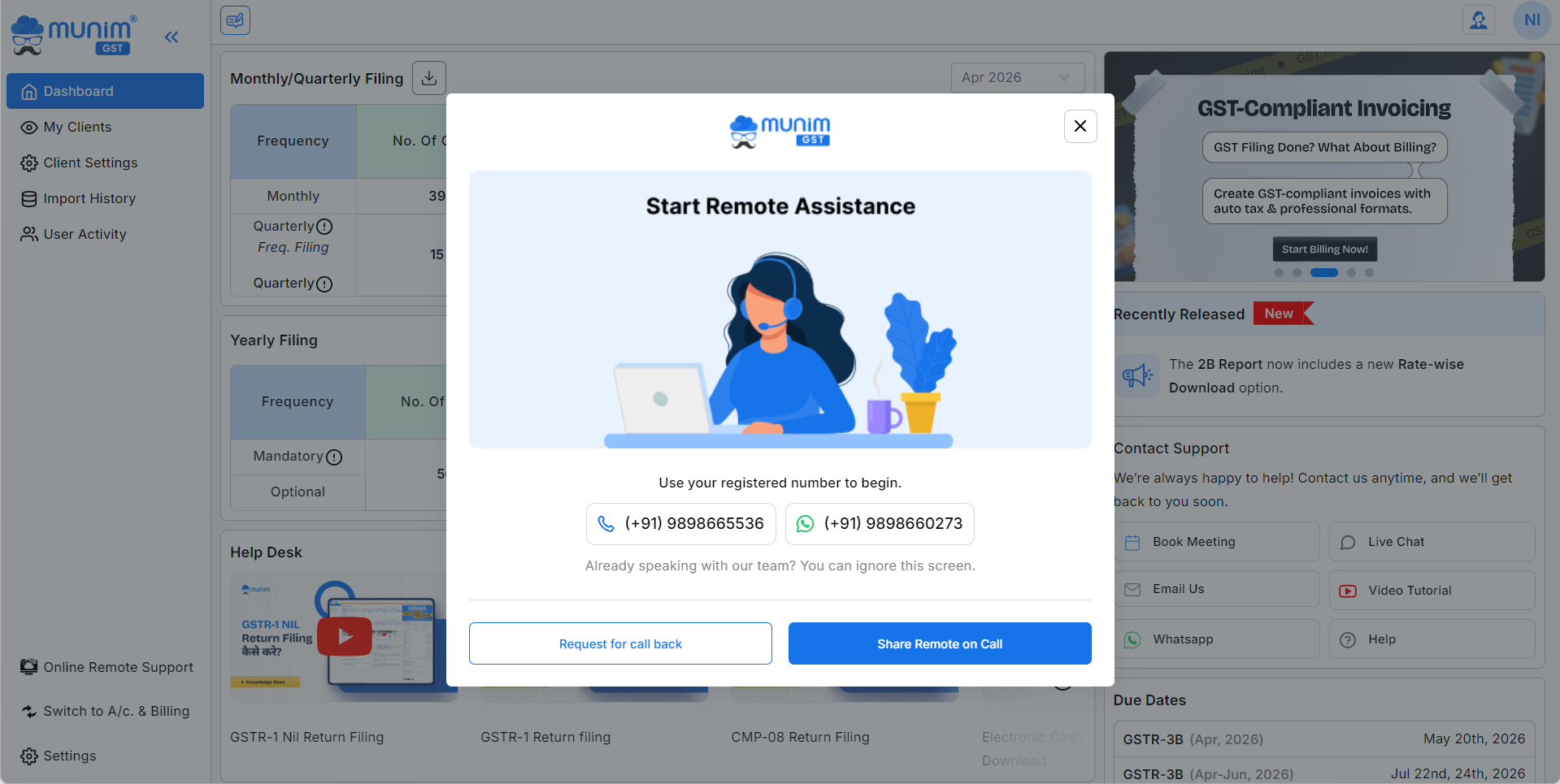
Available Support Options
Call Support
- Use the registered support number to directly connect with our support team.
WhatsApp Support
- Contact our team instantly through WhatsApp for quick communication.
Request for Call Back
- Click on Request for call back if you want our team to contact you.
Share Remote on Call
- Click on Share Remote on Call to allow our support executive to securely access your screen and provide assistance.
Important Notes
- Support Executive will reach out to you shortly to resolve your query after you callback request.
- Keep your registered mobile number available before starting support.
- A stable internet connection is required for remote assistance.
- Remote access is completely secure and used only during the support session.
- You can close the remote session anytime after your issue is resolved.
Support Availability
Our support team is available to help you with:
- Software setup issues
- GST filing related assistance
- Billing and accounting queries
- Data and report related issues
- Technical troubleshooting
For faster support, keep your client details ready before connecting with our team.


