
 258 views
 Overview
The Rejected Outward Supplies report allows you to view outward supply records that have been rejected. You can access the report from the My Clients module and download the latest rejected records from GSTN.
Benefits
- View rejected outward supply records in one place.
- Check different categories of rejected records.
- Download the latest rejected data from GSTN.
- Export the rejected records as a report.
How to Access Rejected Outward Supplies
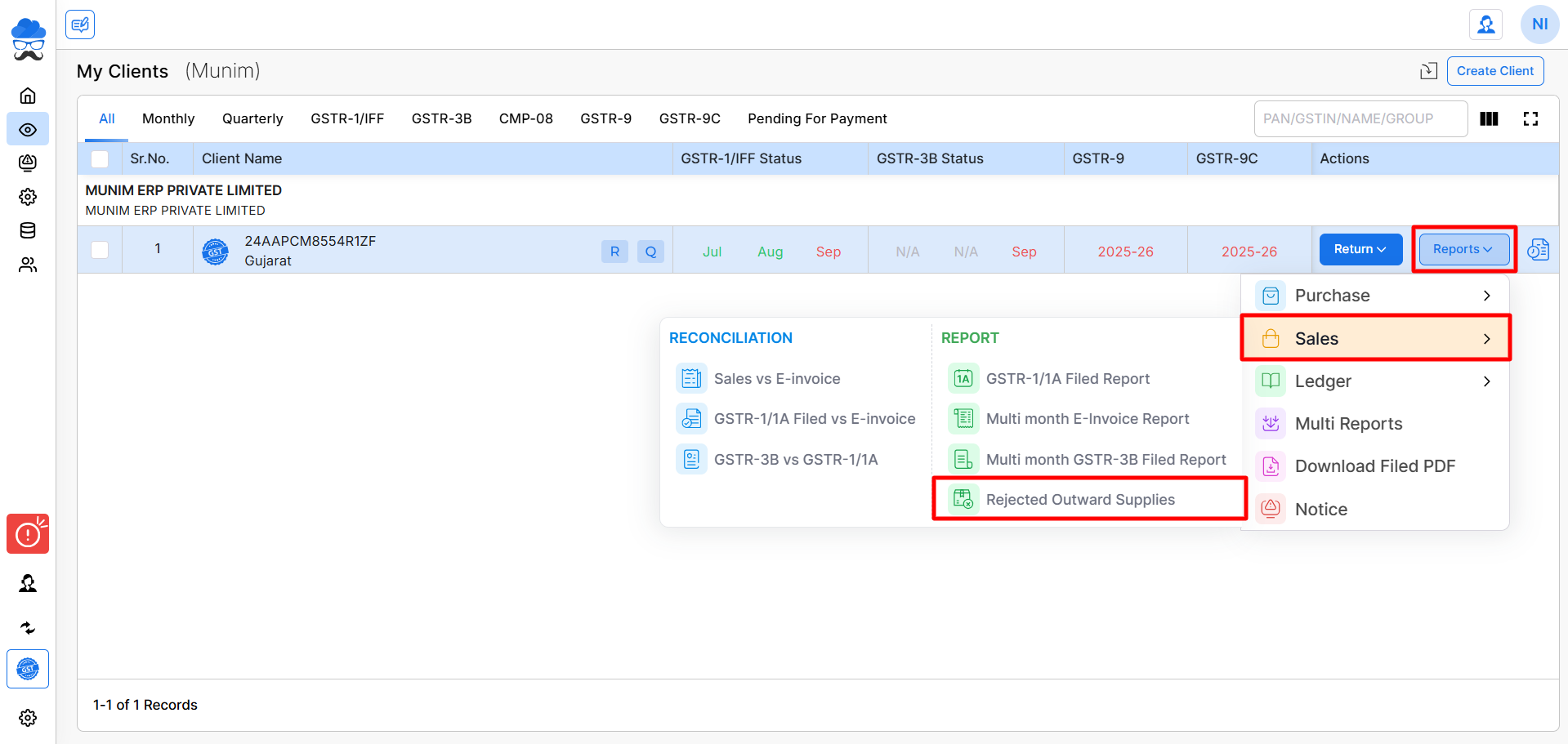
- Go to the My Clients module and find client.
- Click Reports from the client company column.
- Go to Sales and Click Rejected Outward Supplies.
Download Rejected Records from GSTN
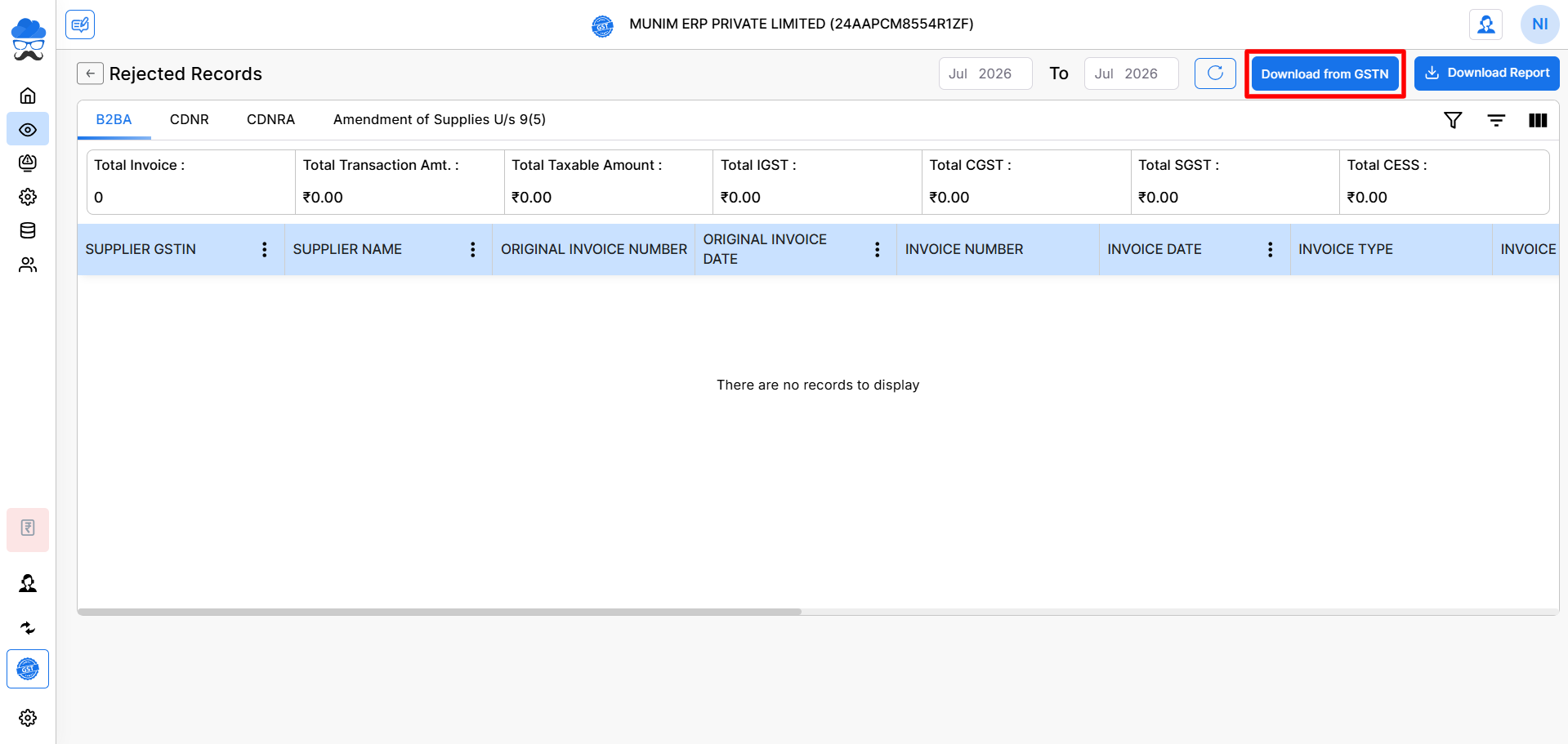
- Click Download from GSTN to fetch the rejected outward supply records for the selected period.
View Rejected Records
On the Rejected Records page, you can view rejected records under different tabs:
- B2BA
- CDNR
- CDNRA
- Amendment of Supplies U/s 9(5)
Select the required From and To period to download and view records for a specific return period.
Download Report
- After the records are available, click Download Report to download the rejected outward supply details in Excel format.
Important Note
The displayed records depend on the selected period and the rejected outward supply data available on GSTN.
Result
You can easily review and download rejected outward supply records for the selected client and return period.
Need Assistance?
If you need help viewing or downloading rejected outward supply records, contact our support team.


