

 827 views
 Introduction
Earlier, all ledger reports were available in a single module. Now, they are separated into individual reports for better understanding.
The Credit Reversal Ledger Report in Munim GST helps you track reversal of Input Tax Credit (ITC) due to ineligibility, non-payment, or other compliance rules.
Follow these steps to access and check the Credit Reversal Ledger Report:
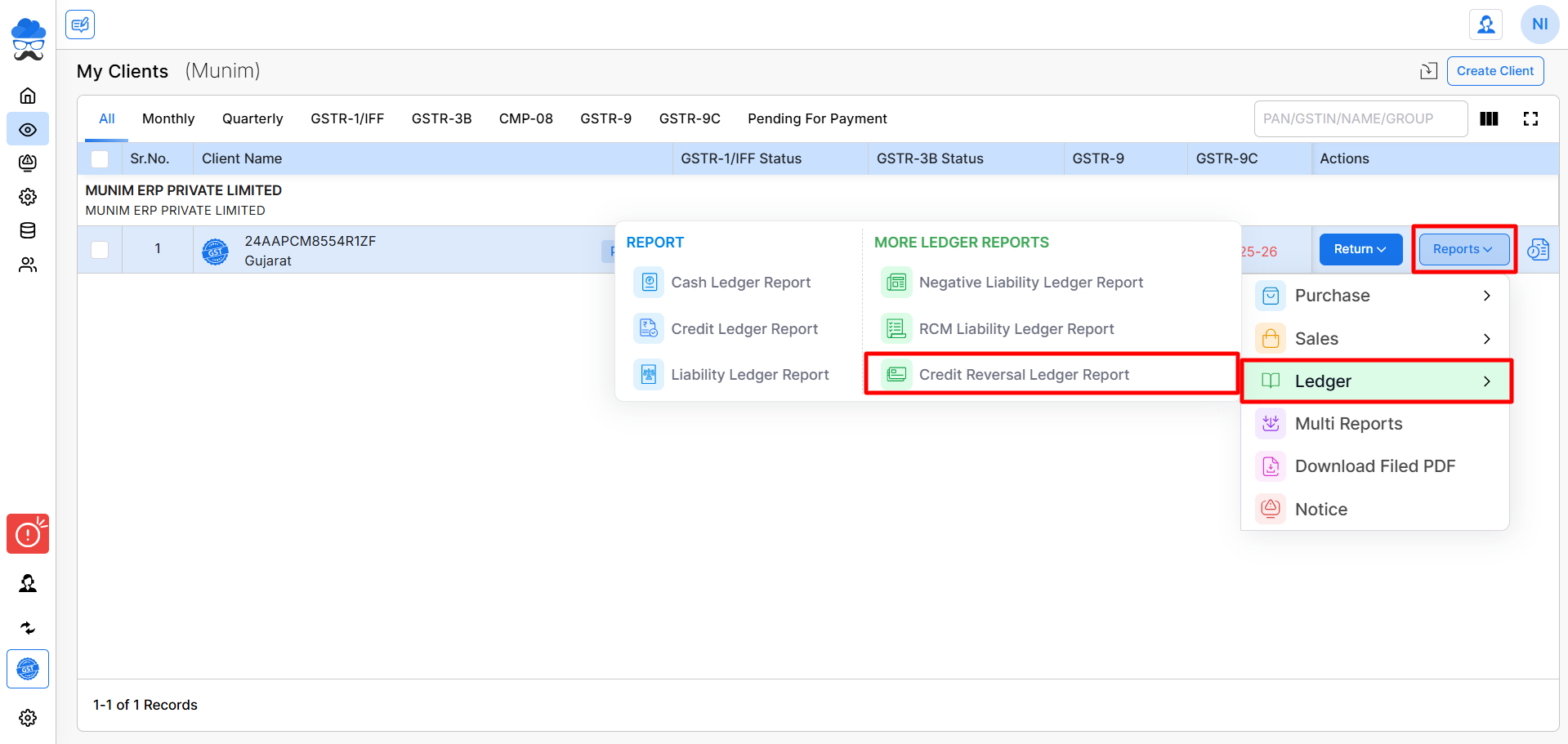
Navigate to the Report:
- Go to the My Clients module
- Select the client company
- Click on the Reports button
- Select Ledger → Credit Reversal Ledger Report
+−⟲
Fetch Credit Reversal Data from GST Portal:
- Select the Financial Year
- Choose the Date Range
- Click on Download from GSTN
+−⟲
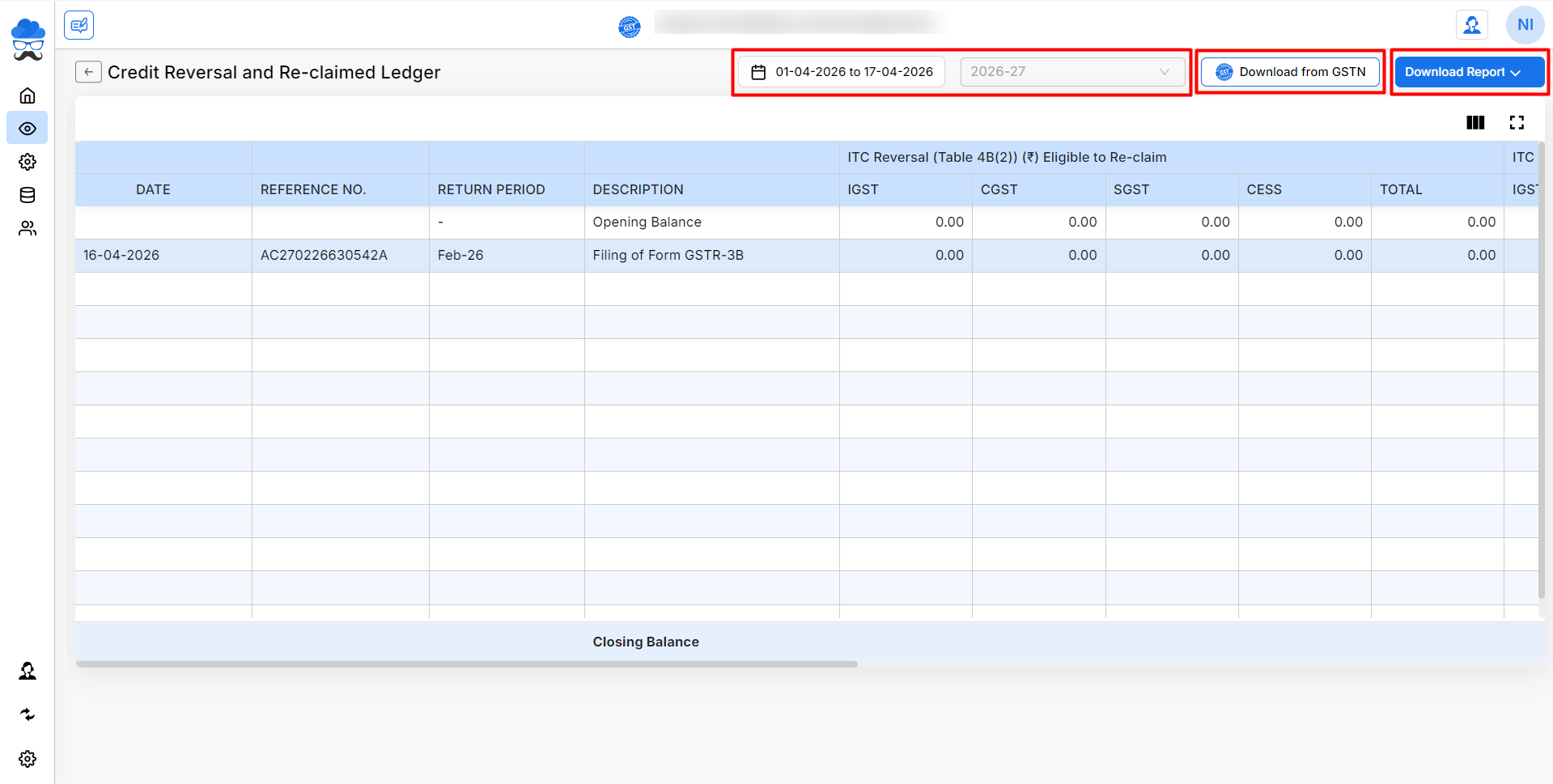
Viewing the Credit Reversal Ledger Report:
After fetching data, you can check:
- Date, Reference Number, Return Period, Description, ITC Reversal (Table 4B(2)) (₹) Eligible to Re-claim, ITC Reclaimed (Table 4D(1)) (₹) and Closing Balance (₹) (Opening Balance + Reversal (4B(2)) – Reclaimed (4D(1))) with (IGST, CGST, SGST, CESS) columns.
You can also download the report using the Download Report option.
More Assistance
By using the Credit Reversal Ledger Report, you can monitor reversed credits and ensure compliance with GST regulations.
For any issues or further support, feel free to reach out to the support team or explore other articles in our Help Center.


