
 3511 views
 This feature provides a quick, efficient way to monitor GST return Filing Status for companies in one go, ensuring you stay on top of filing deadlines.
Updating Filing status for particular company:
- Choose any one company from the list on the My Clients page and click on the Get Filing Status Icon available next to the Reports button.
- A pop-up will appear, and you have to click on Get status from portal.
+−⟲
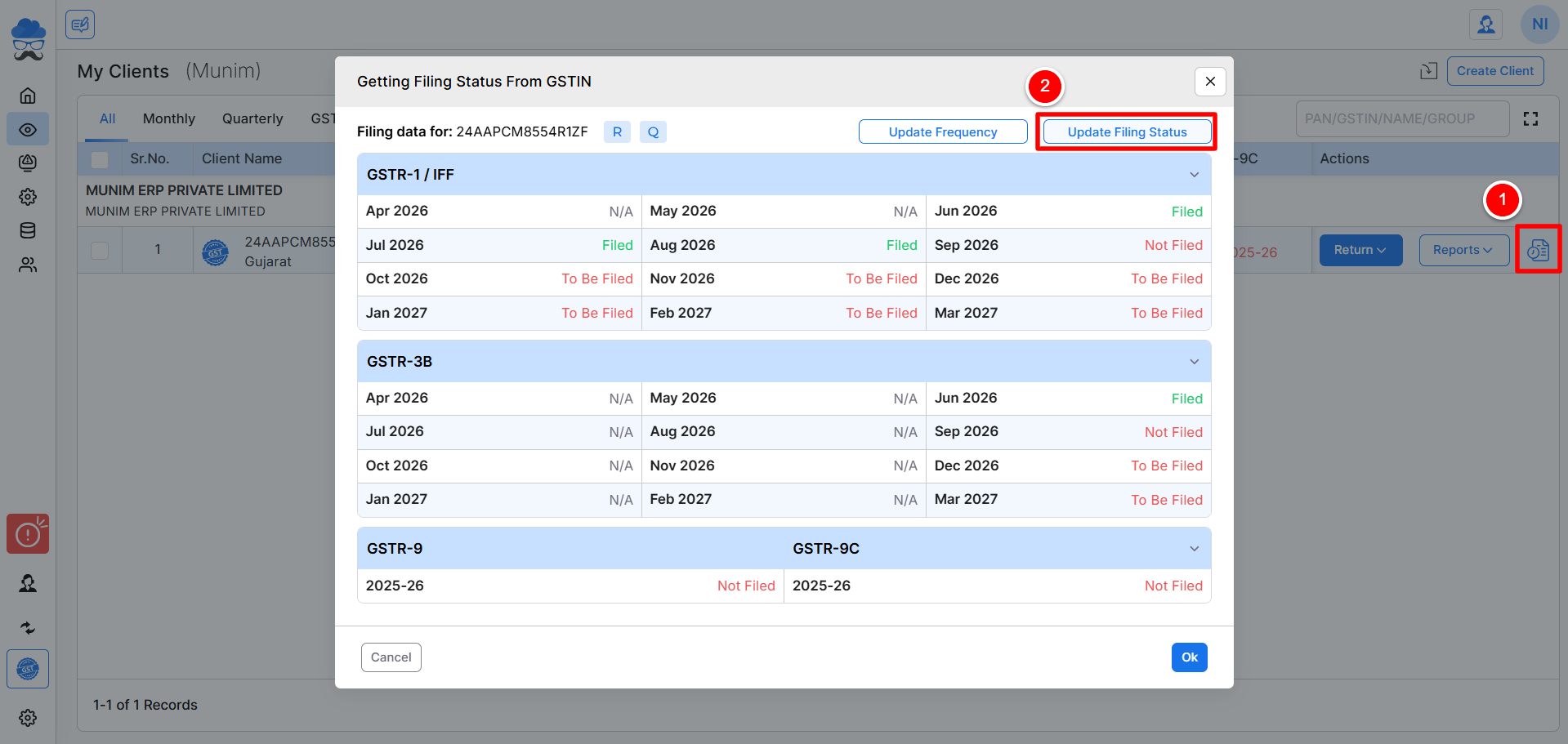
- Once the process is completed, your status is determined based on the type of return you filed and the month it was filed.
- Here you can check the statuses of GSTR1, GSTR3B and TDS &TCS Received.
- Red colour fonts indicate as Return not filed and Green colour indicates as Return filed next to each month.
Update Status in bulk on My Client page:
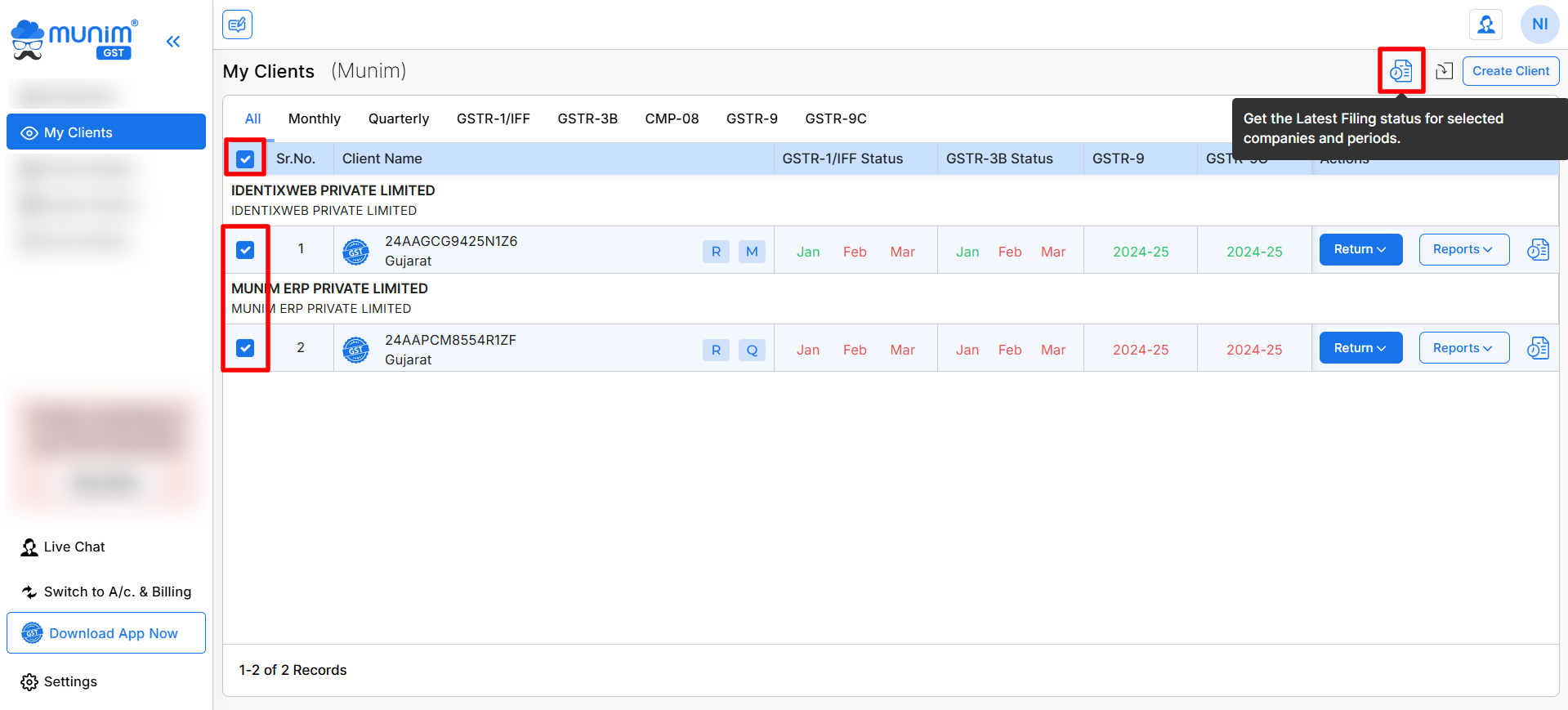
- We have also provided a bulk Filing Status update feature to update all client companies’ filing statuses with a click
- While on the My Client page, you can select multiple companies or all companies by clicking a selection button next to the company names.
- Now you can click on the Get Filing Status icon at the top right side to update all client company data at once.
+−⟲
Status Update on Dashboard:
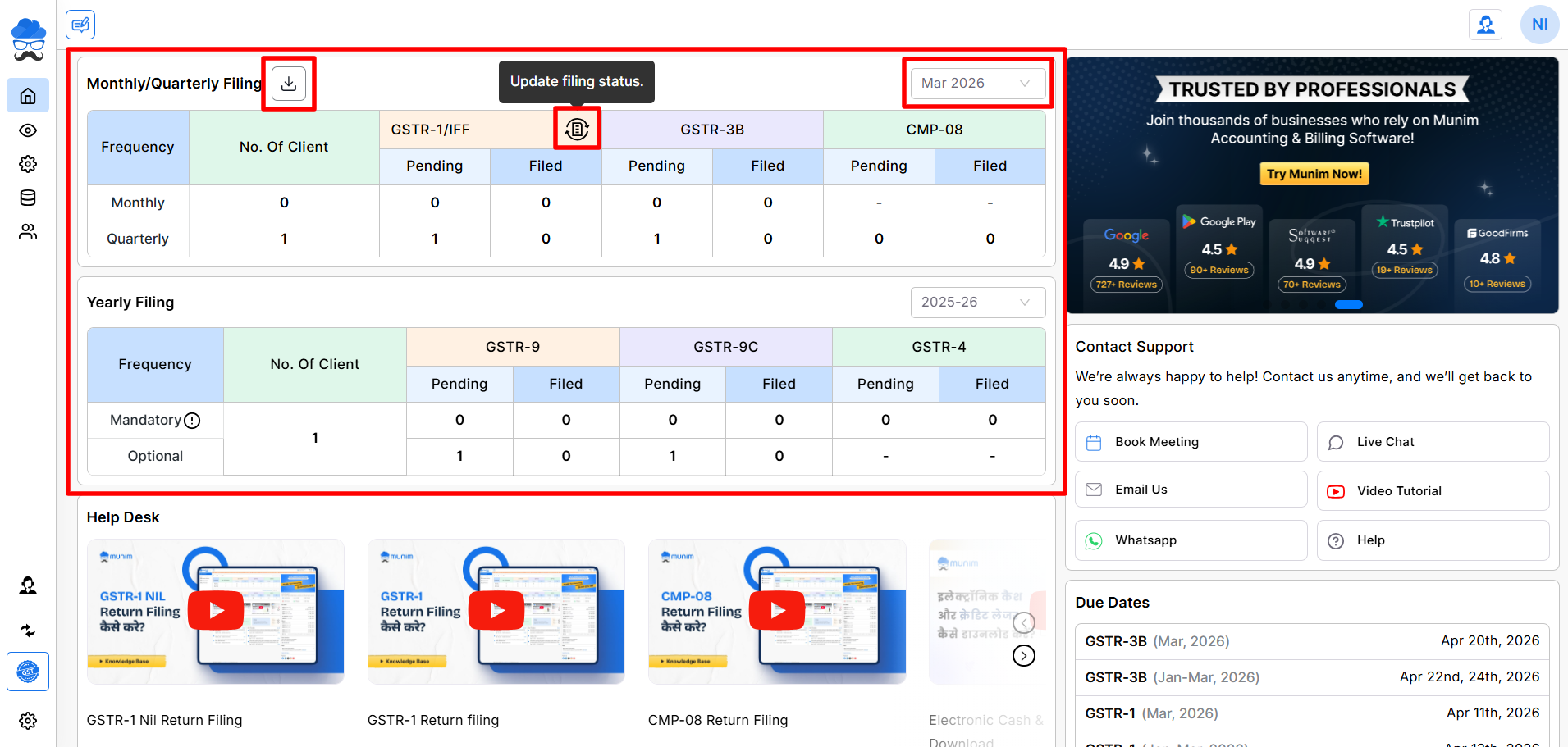
- Another option to update the status is available on the Dashboard page to update all client company status month-wise
- Here you can select the Month and then click on the Update Filing Status option in each column to update statuses.
+−⟲
Benefits:
- Time-saving: You don’t have to check each company’s filing status individually. Instead, you can do it all at once.
- Accurate Data: The statuses are fetched directly from the GST portal, ensuring up-to-date information.
- Simplified Management: Ideal for users who manage multiple GST-registered entities, streamlining compliance tasks.
Status Download from Dashboard:
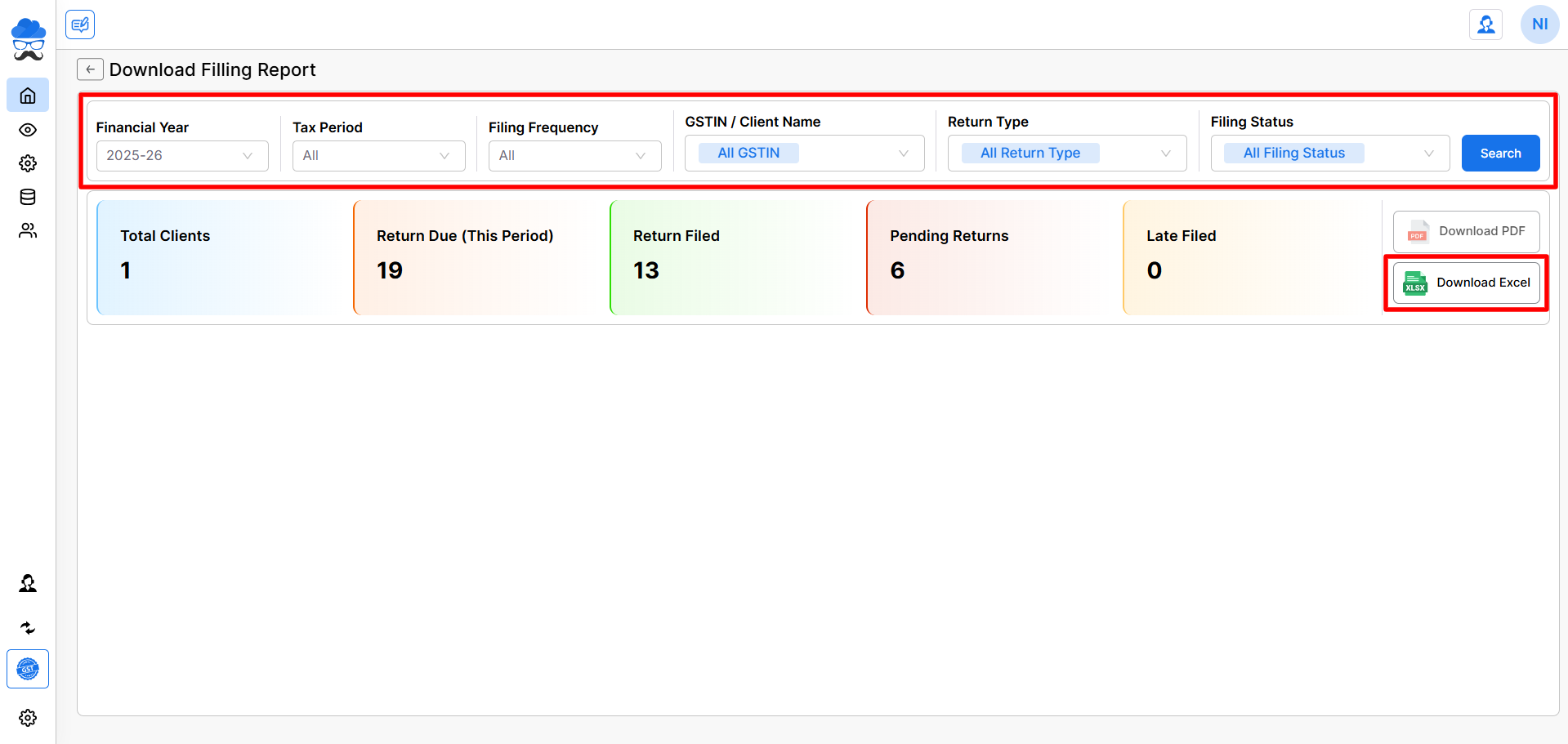
- While on the Dashboard page, you may click on the Download Filing Report icon, which is located next to the primary heading at the top.
- You will be redirected to a download page containing the comprehensive report of the current statuses for all companies.
- Adjust the filters as needed, and then click the Search button to view the report.
- The filtered data can currently be downloaded in Excel format by clicking the Download Excel button at the bottom right
+−⟲
This option allows you to fetch the return filing status of companies from the GST portal with ease and can be viewed in Excel format if downloaded.
For any assistance, please do not hesitate to contact our support team.


