
 877 views
 Introduction
Previously, all ledger reports were available in a single combined module. Now, for better clarity and ease of use, we have separated each ledger report into individual sections.
The Cash Ledger Report in Munim GST allows you to view all cash deposits and tax payments made on the GST portal. It helps you track your available balance and how it has been utilised.
Follow these steps to access and check the Cash Ledger Report:
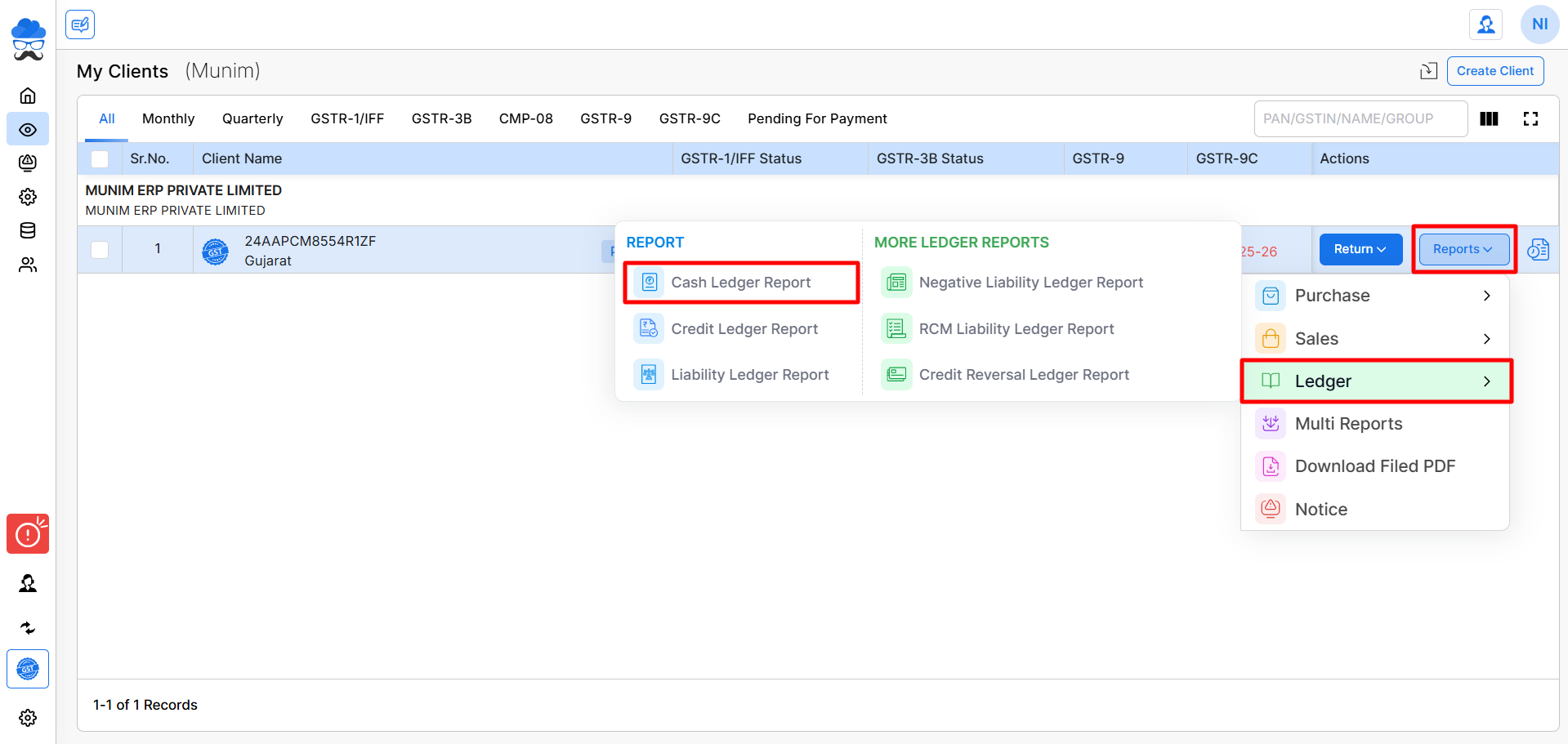
Navigate to the Report:
- Go to the My Clients module
- Find and select the client company
- Click on the Reports button
- Select Ledger → Cash Ledger Report
Fetch Cash Ledger Data from GST Portal:
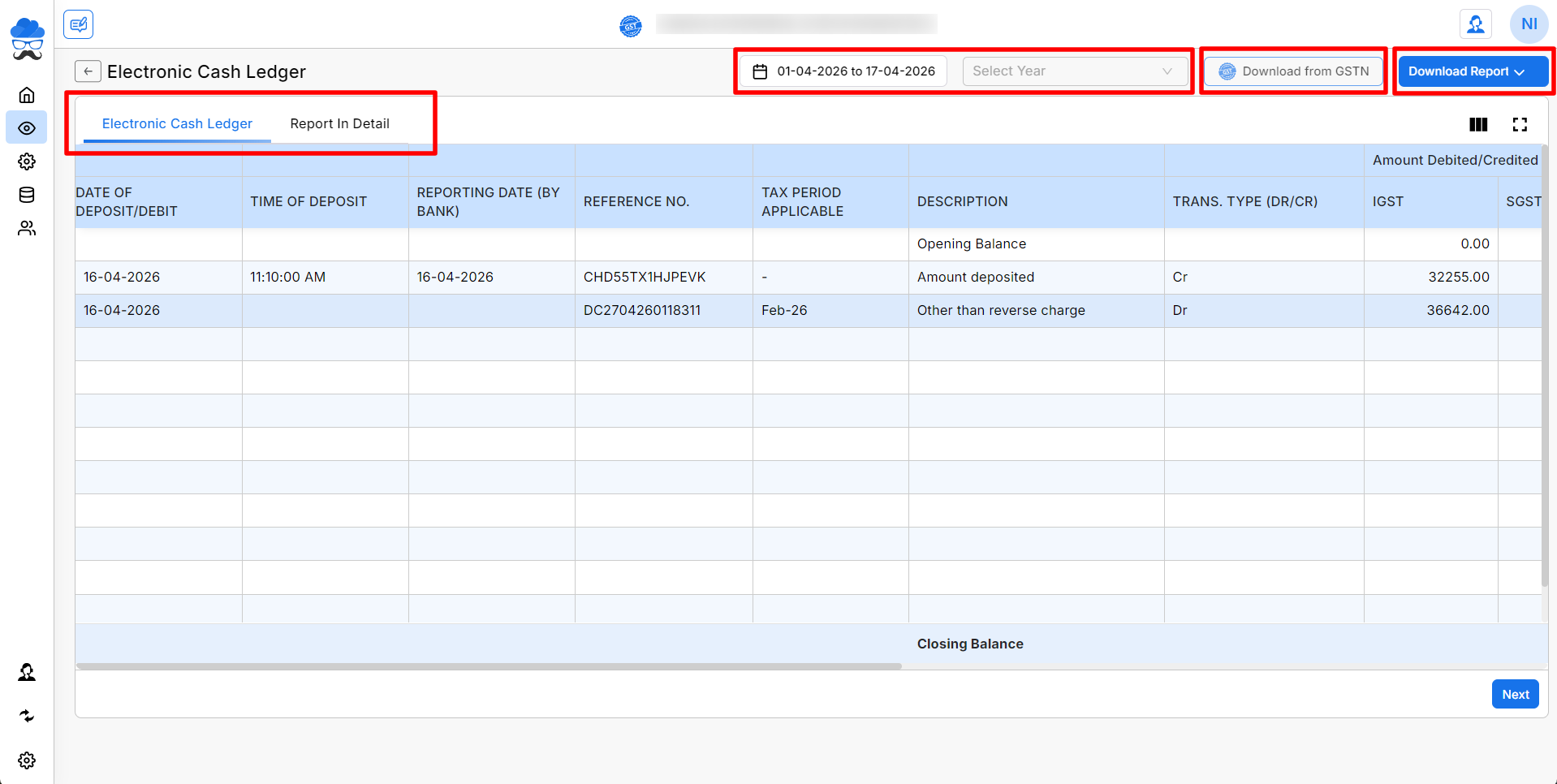
- Select the Financial Year, and choose the Date Range
- Click on Download from GSTN to fetch data
Viewing the Cash Ledger Report:
Once data is fetched, you can view:
- Date of Deposit/Debit, Time of Deposit, Reporting Date, Reference Number, Tax Period, Description, Trans. Type (DR/CR), Amount Debited/Credited and Balance Available (IGST, CGST, SGST, CESS).
You can click on the Report in Detail section to view more detailed information.
You can also download the report using the Download Report button available at the top-right corner.
More Assistance
By using the Cash Ledger Report, you can easily track your GST cash balance, verify tax payments, and monitor fund utilization.
For any issues or further support, feel free to reach out to the support team or explore other articles in our Help Center.


