
 352 views
 Overview
We have streamlined your GST filing process! Previously, when a GSTR-1 upload failed, you had to manually log in to the government portal, locate and download the error file, and then fix the issues in your software.
With our new internal error resolution feature, you no longer need to leave the platform. If your GSTR-1 upload encounters an error, you can now request, view, and rectify those errors directly within the software.
Benefits
- Zero Portal Logins: No need to navigate away to the government GST portal just to find out what went wrong.
- One-Click Error Retrieval: Fetch the official error report directly into your dashboard.
- Direct Rectification: View the exact reason for the error next to the transaction and fix it instantly.
How It Works
Step 1: Upload Your GSTR-1 Data
- Upload your data through the software as usual under the Push to GSTN page.
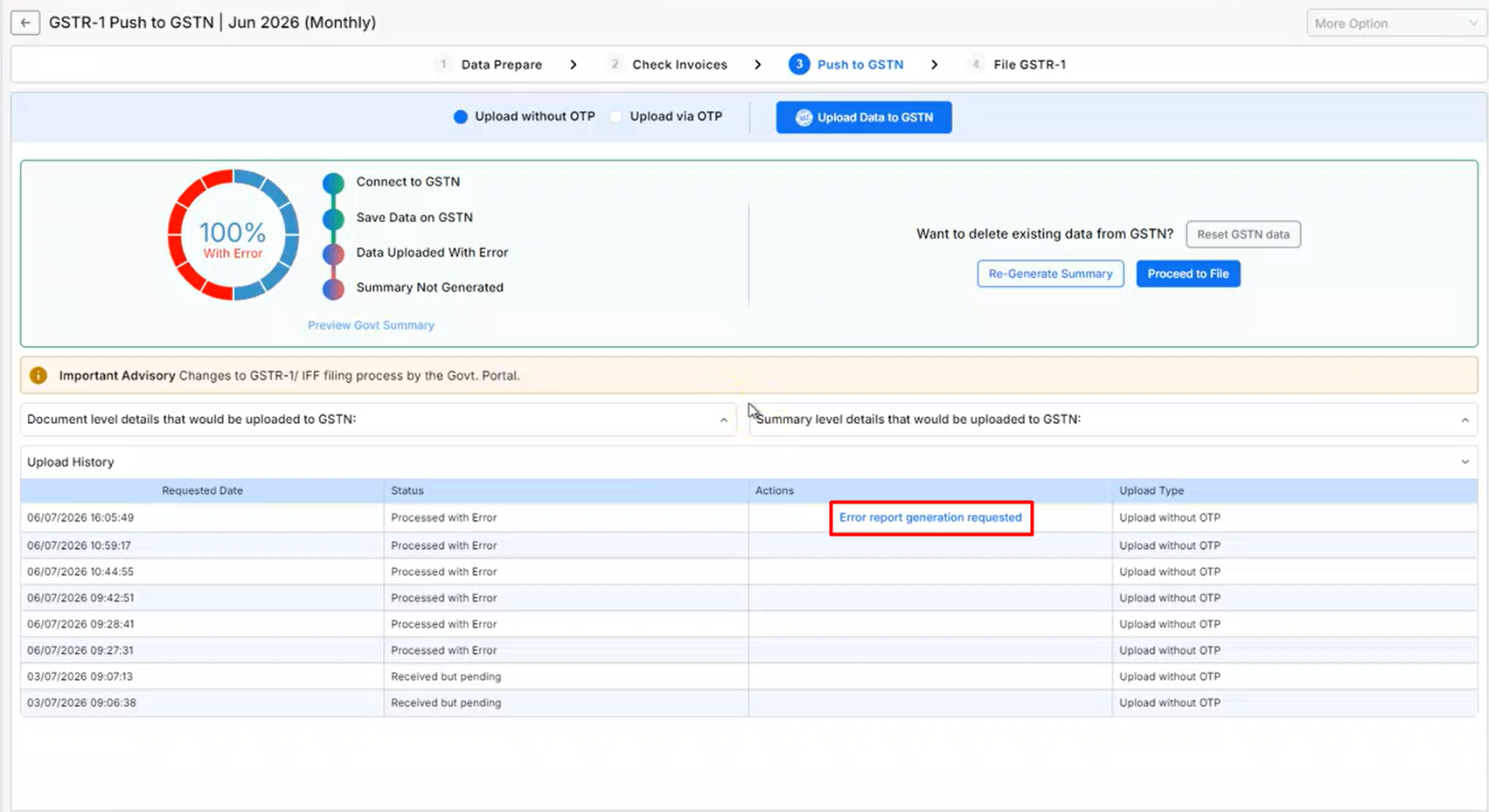
- If the GST portal detects discrepancies, the status will update to “Processed with Errors” in the Upload History section at the bottom.
Step 2: Request the Error File
- Instead of logging into the government portal, click the “Error Report Generation Requested” button next to your failed upload status.
- After verifying credentials in the pop-up, the software securely retrieves error report details directly from the GST portal.
+−⟲
Step 3: View and Rectify Errors Directly
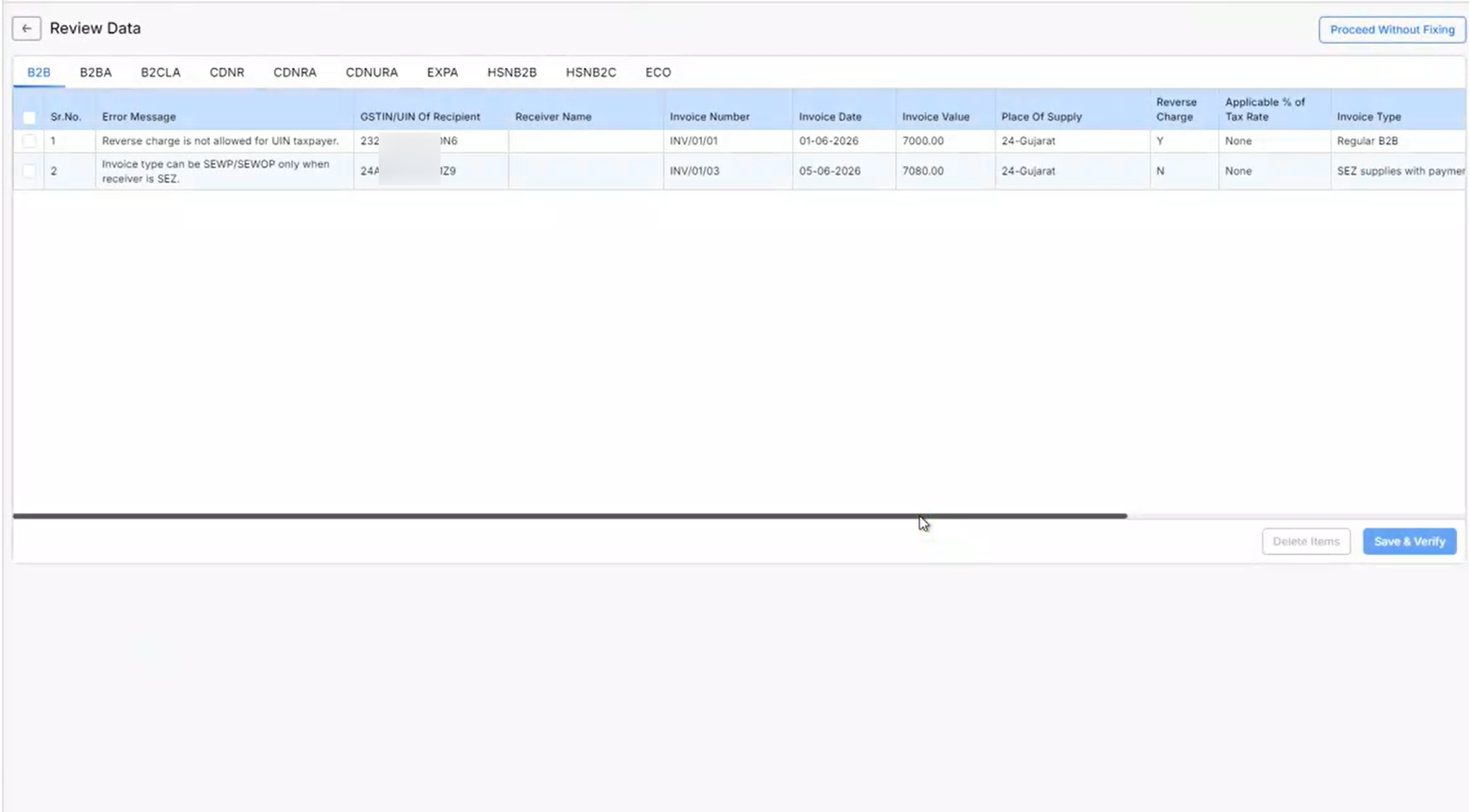
- Click “View Pending Data” to see a list of failed transactions alongside the exact error reason (such as Invalid GSTIN or Duplicate Invoice Number).
- Correct the transaction data directly on the Review Data page based on the specific error reasons provided.
+−⟲
Step 4: Re-upload
- Once all errors are corrected, click “Save” to push the clean data back to the GST portal.
Important Notes
- Fully Automated: No need to download or unzip JSON or ZIP files. The software extracts and maps the errors automatically.
- Sync Time: Fetching the error file depends on GST portal traffic and usually takes a few seconds to a couple of minutes.
- Data Integrity: Rectifying errors here updates your software records instantly, keeping your books accurate.
Result
- Faster Filing: Cuts down error resolution from hours to minutes by eliminating portal logins.
- Fewer Mistakes: Direct, in-app corrections drastically reduce manual data entry slips.
- Smoother Deadlines: Easily handle last-minute portal rejections right from your dashboard.
Need Help?
Stuck on a specific error reason or unable to fetch your error details? Get in touch with the support team.


