

 851 views
 RSP-based GST calculation can be enabled company-wise in Munim GST. Once enabled, the system allows GST calculation on Retail Sale Price (MRP) instead of transaction value, as required for notified goods such as Gutka and Pan Masala.
Where RSP Can Be Enabled
RSP can be enabled from the Client Setting module by editing the respective client company.
+−⟲
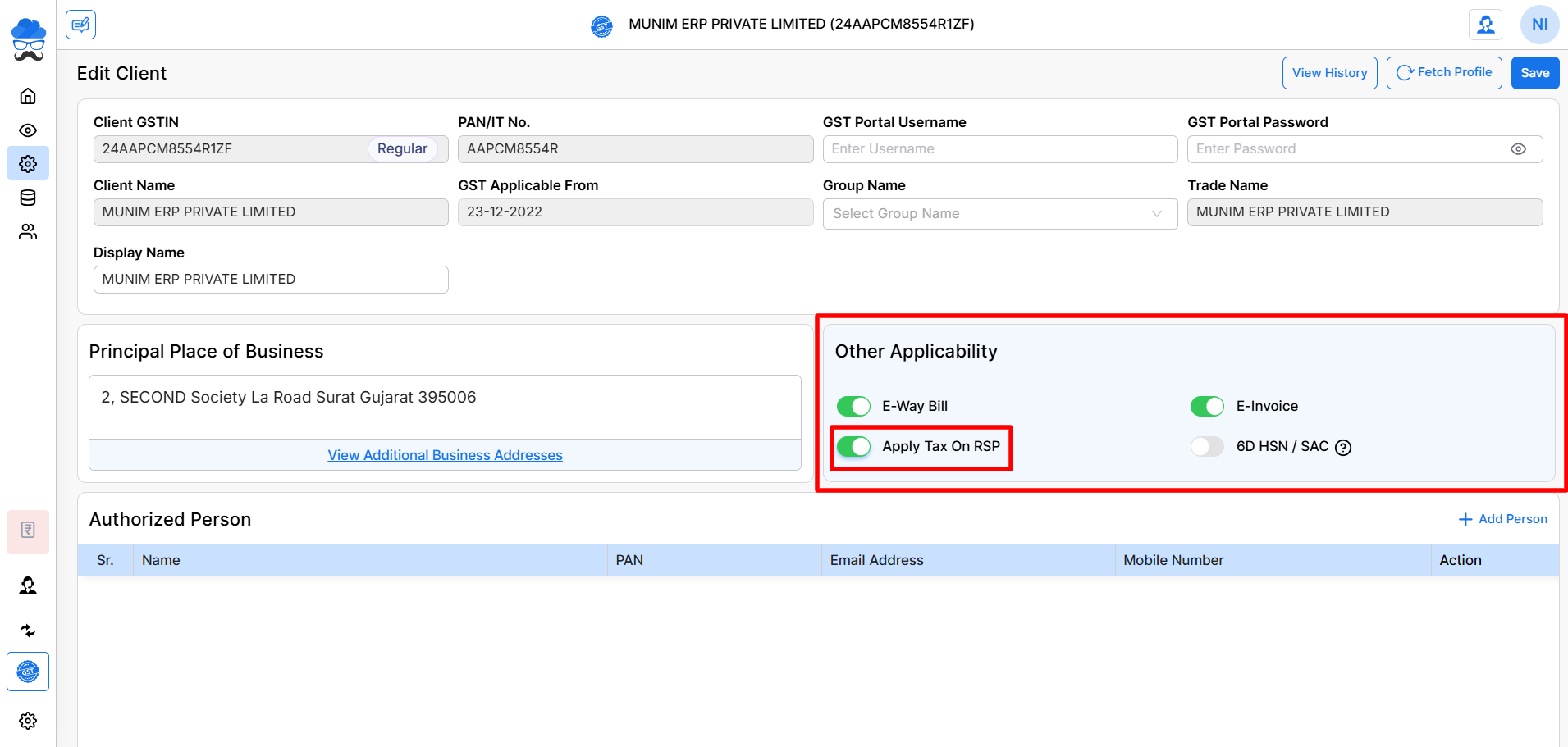
- Open Client Settings, Edit the required client company
- Enable the option Apply Tax on RSP, Save the changes
Once enabled, RSP-based calculation becomes active for that company.
Effect After Enabling RSP
After enabling Apply Tax on RSP:
+−⟲
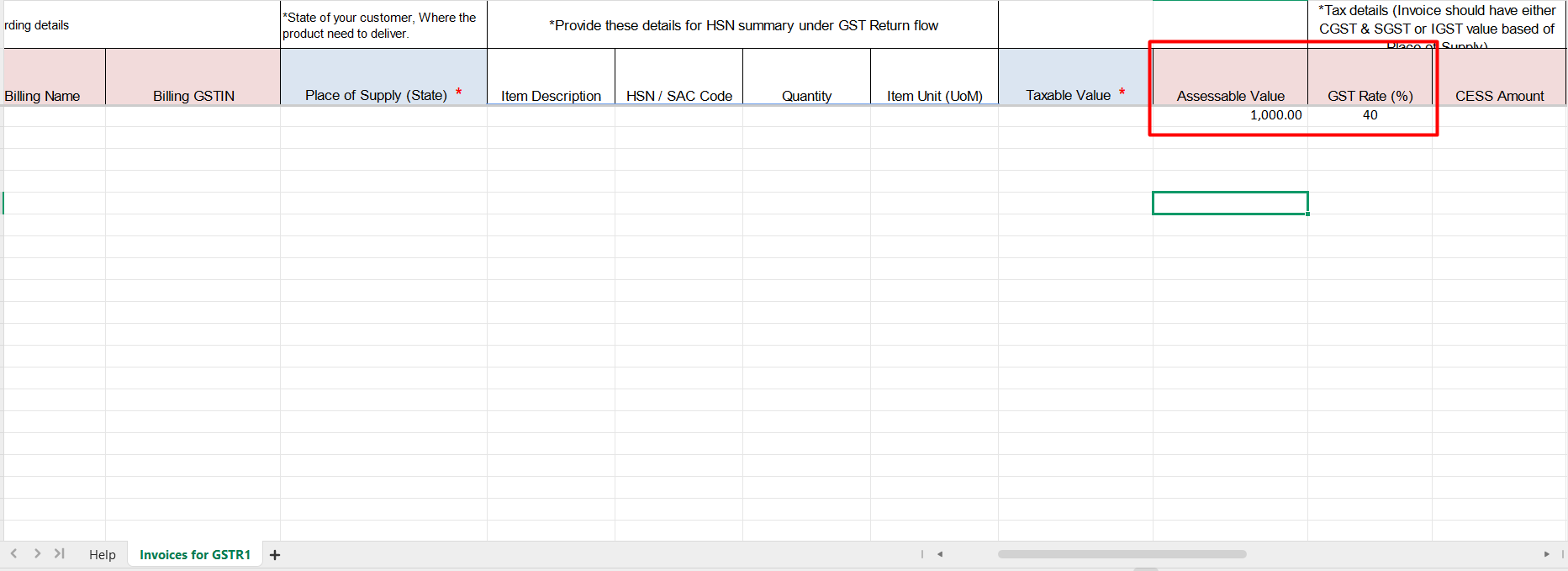
- An Assessable Value column becomes available while creating invoices
- If the Assessable Value is entered, GST will be calculated based on the Assessable Value.
- If the Assessable Value column is left blank, GST will be calculated on the Taxable Value.
- GST calculation is adjusted based on the RSP (40%) rules
- RSP-related options appear at the invoice item level
This helps in correct tax calculation where GST is applicable on MRP.
Availability of RSP Feature
- RSP functionality is currently available only in Munim Templates
- It is not applicable to non-template invoice formats at this time
Enabling RSP for Existing Client Companies
If a client company is already created and RSP was not enabled earlier:
- When you proceed to file GSTR-1, Munim will display a pop-up as of now
- The pop-up allows you to enable the Apply Tax on RSP option instantly
- Once enabled, the RSP calculation will apply to future invoices for that company
Enabling RSP While Creating a New Client Company
While creating a new client company, you will also see the Apply Tax on RSP option:
- Enable it during company creation if RSP-based GST is applicable
- This ensures RSP calculation is available from the start
Important Notes
- RSP is enabled company-wise, not globally
- Enable RSP only if the client deals in RSP-notified goods
- Once enabled, invoice calculations follow RSP-based GST logic
- Ensure the correct and latest Munim Template is used for invoicing


