
 257 views
 The GSTR-8A Report allows you to download supplier-wise purchase invoice data directly from the GST Portal (GSTN). This data is used for purchase reconciliation and verification of Input Tax Credit (ITC).
Purpose of GSTR-8A Report
- To view auto-populated supplier invoices uploaded by vendors
- To verify purchase details before filing annual or reconciliation returns
- To reconcile purchase data with books and other GST returns
How to Access GSTR-8A Report
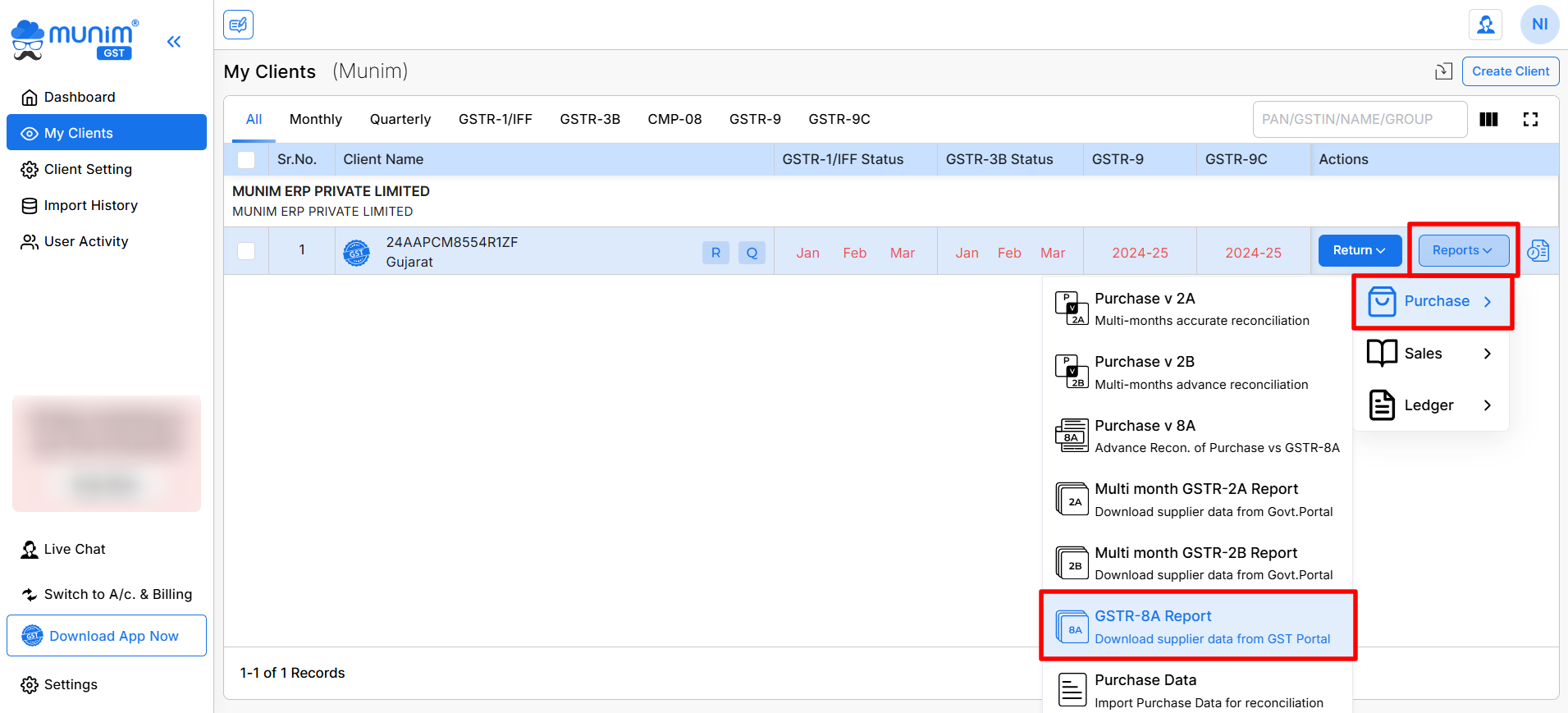
- Go to My Clients and on the required Company, click on Reports
- Navigate to Purchase and select GSTR-8A Report from the list
+−⟲
Download Supplier Data from GSTN
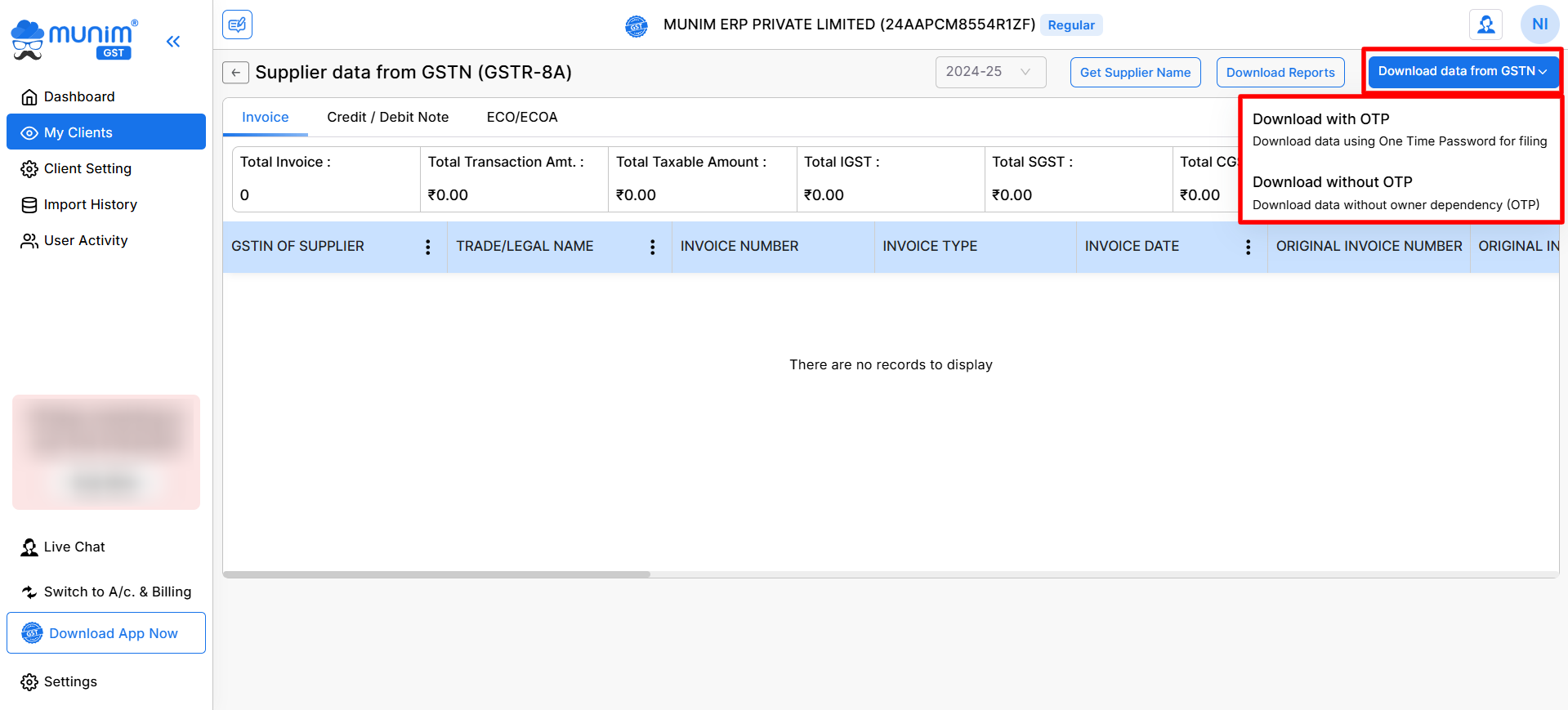
Munim provides two options to download GSTR-8A data from the GST Portal:
- Download with OTP
- Uses One Time Password sent to the registered mobile/email
- Recommended when GST Portal requires authentication
- Download without OTP
- Downloads data without owner dependency
- Faster option when OTP is not mandatory
Use the Download data from GSTN button to choose the required option.
+−⟲
Tabs Available in GSTR-8A
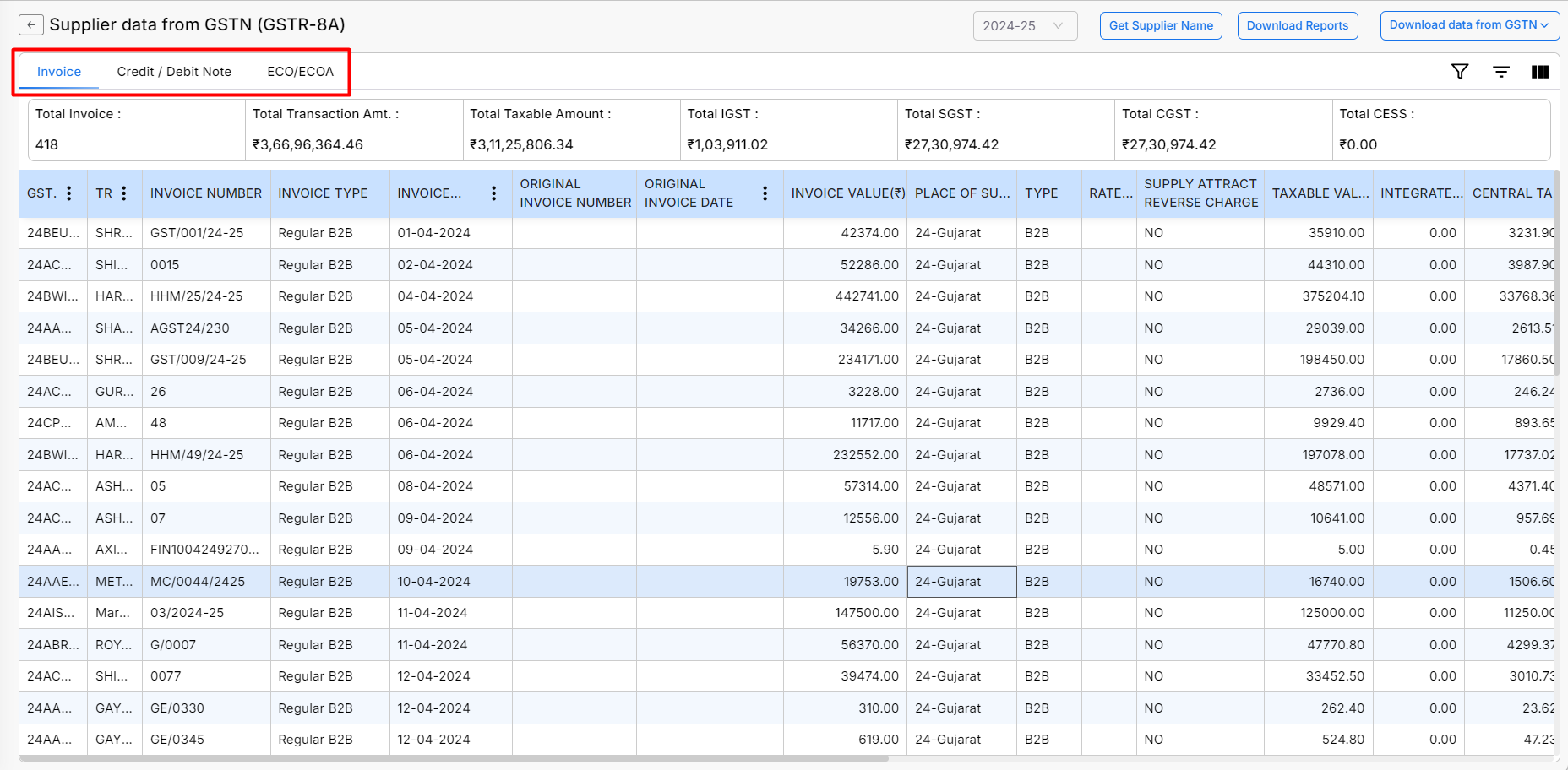
- Invoice
- Displays regular B2B purchase invoices uploaded by suppliers
- Credit / Debit Note
- Shows credit and debit notes issued by suppliers
- ECO / ECOA
- Displays data related to e-commerce operator transactions, if applicable
+−⟲
Summary Information Displayed
At the top of the report, Munim shows consolidated figures such as:
- Total Invoice Count, Total Transaction Amount, Total Taxable Amount, Total IGST, Total CGST, Total SGST etc.
This helps in the quick verification of overall purchase values.
Invoice-Level Details Available
Each record in the GSTR-8A report includes the following fields:
- GSTIN of Supplier, Trade / Legal Name, Invoice Number, Invoice Type (e.g., Regular B2B), Invoice Date, Original Invoice Number (if applicable), Original Invoice Date (if applicable), etc. and many more required columns.
+−⟲
Financial Year Selection and Supplier Name fetch
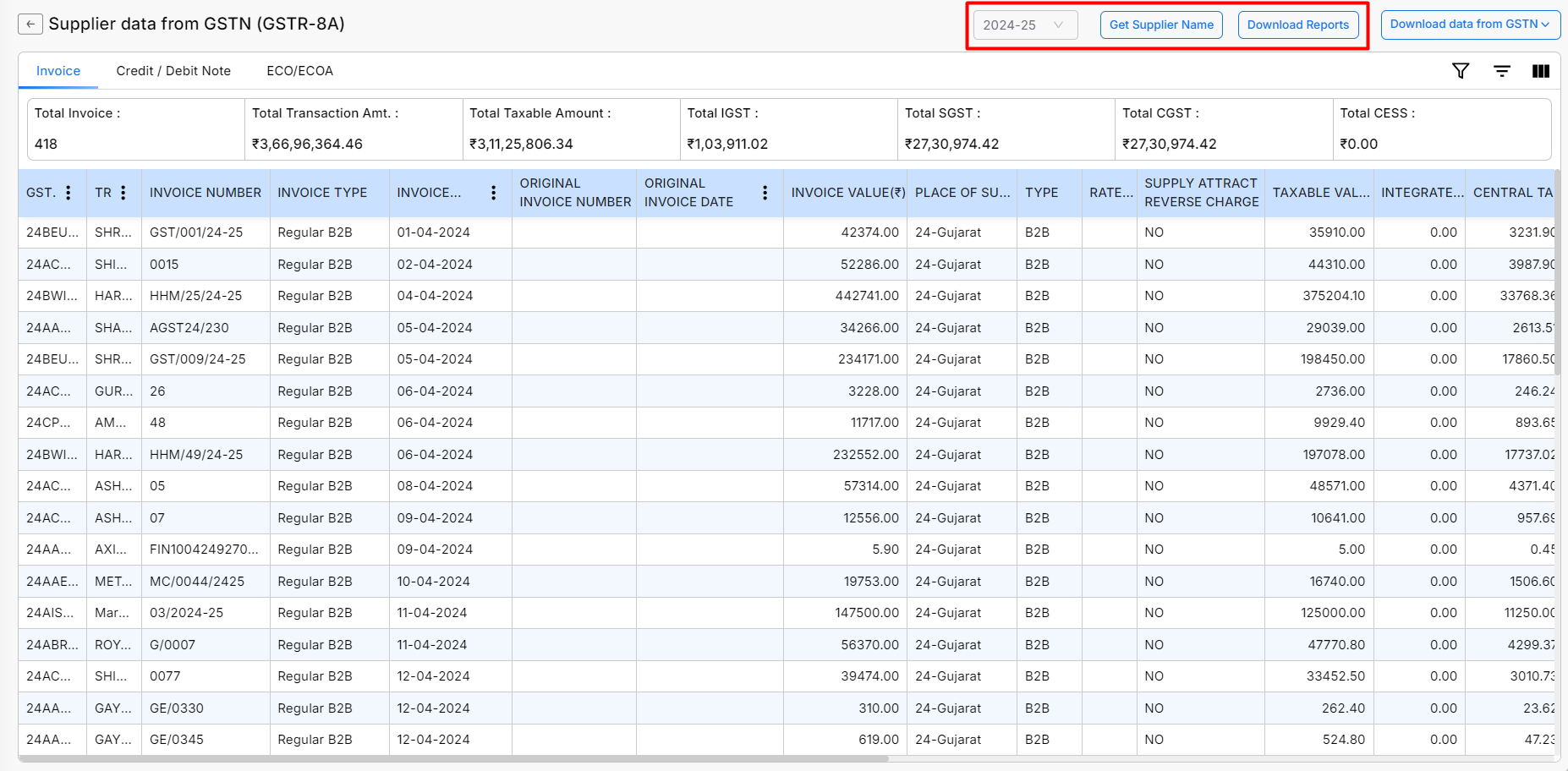
- Select the applicable Financial Year from the dropdown from the top right side. Data will be fetched and displayed based on the selected year
- We have provided an option to retrieve supplier names using the Get Supplier Name button, which can be used to refresh the names if they are not displayed.
Download Reports
- Use the Download Reports button at the top right to export data for offline review in Excel format.
- Reports can be used for reconciliation, audit, and compliance purposes
Important Notes
- GSTR-8A data is fetched directly from GSTN and depends on supplier filings
- Any mismatch should be followed up with the respective supplier
- Downloaded data can be used for purchase reconciliation and annual return preparation
For any inquiries or assistance, please contact support.


