

 10 views
 As per GST regulations in India, taxpayers having an Aggregate Annual Turnover (AATO) exceeding ₹5 crore are required to mention a minimum 6-digit HSN code on all tax invoices.
To comply with this requirement, Munim provides an option to enforce 6-Digit HSN validation at the company level.
How to Enable 6-Digit HSN Validation
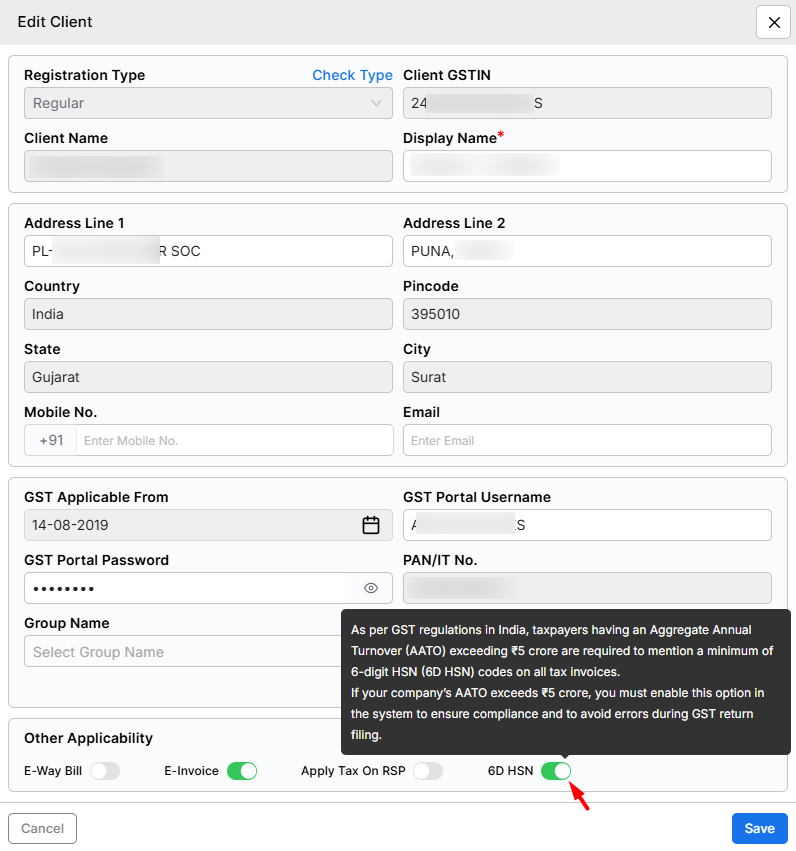
Go to the Client Setting module.
Select and edit the company for which you want to apply this setting.
Under the Other Applicability section, enable the option 6D HSN.
Please refer to the screenshot below for guidance:
+−⟲
Validation Behavior
Once the 6-Digit HSN option is enabled:
- The system will validate HSN codes during invoice entry
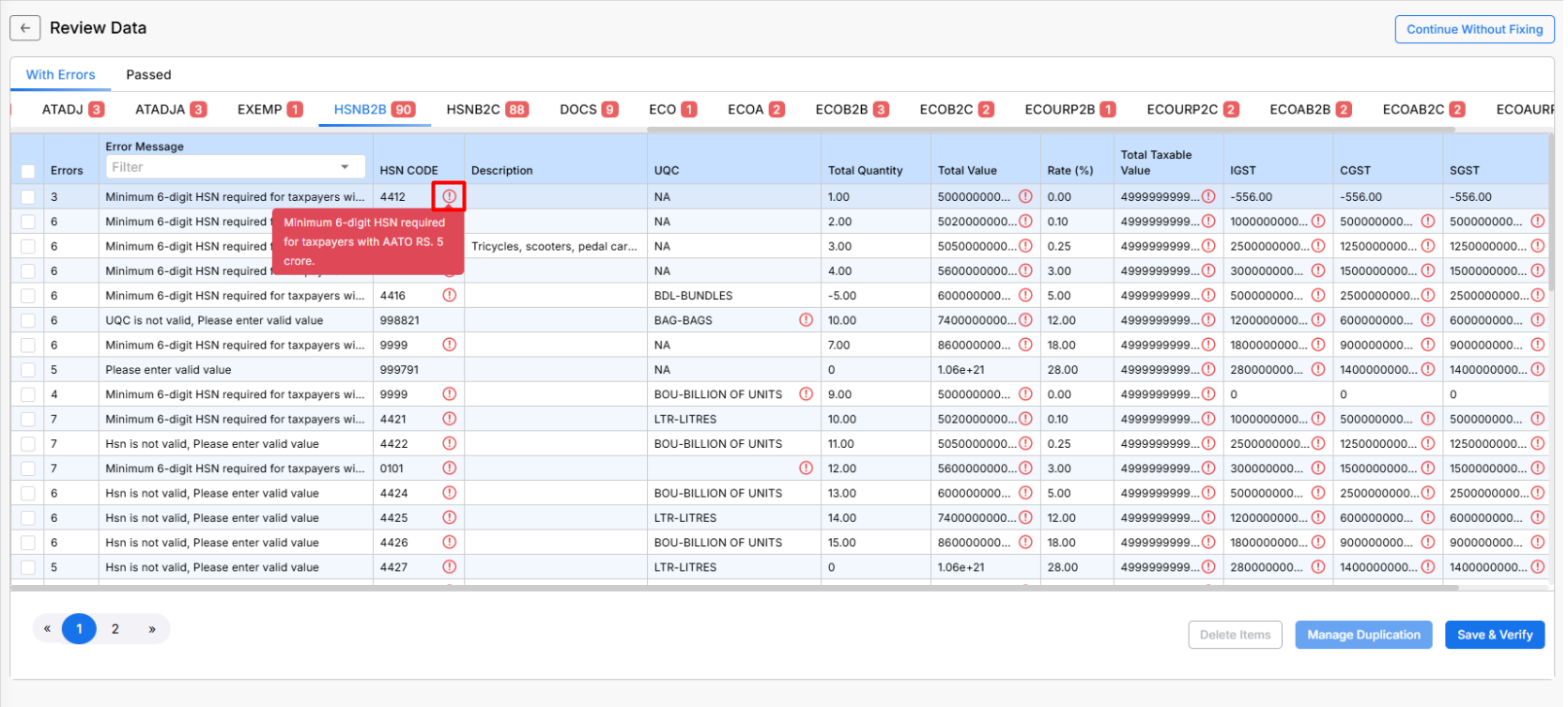
- If an HSN code is less than 6 digits, the system will show an error
- Users will not be able to proceed until a valid 6-digit HSN is entered
Refer to the error display screenshot below:
+−⟲
Important Note
- This setting should be enabled only for companies with AATO above ₹5 crore
- Ensures compliance with GST rules and avoids return filing issues
Need Assistance?
If you have any questions or need further assistance, please contact our support team. We’re here to help!


