
 3 views
 Multi Reports helps you download multiple GST reports for different months from one place, instead of opening each report separately.
How to Use
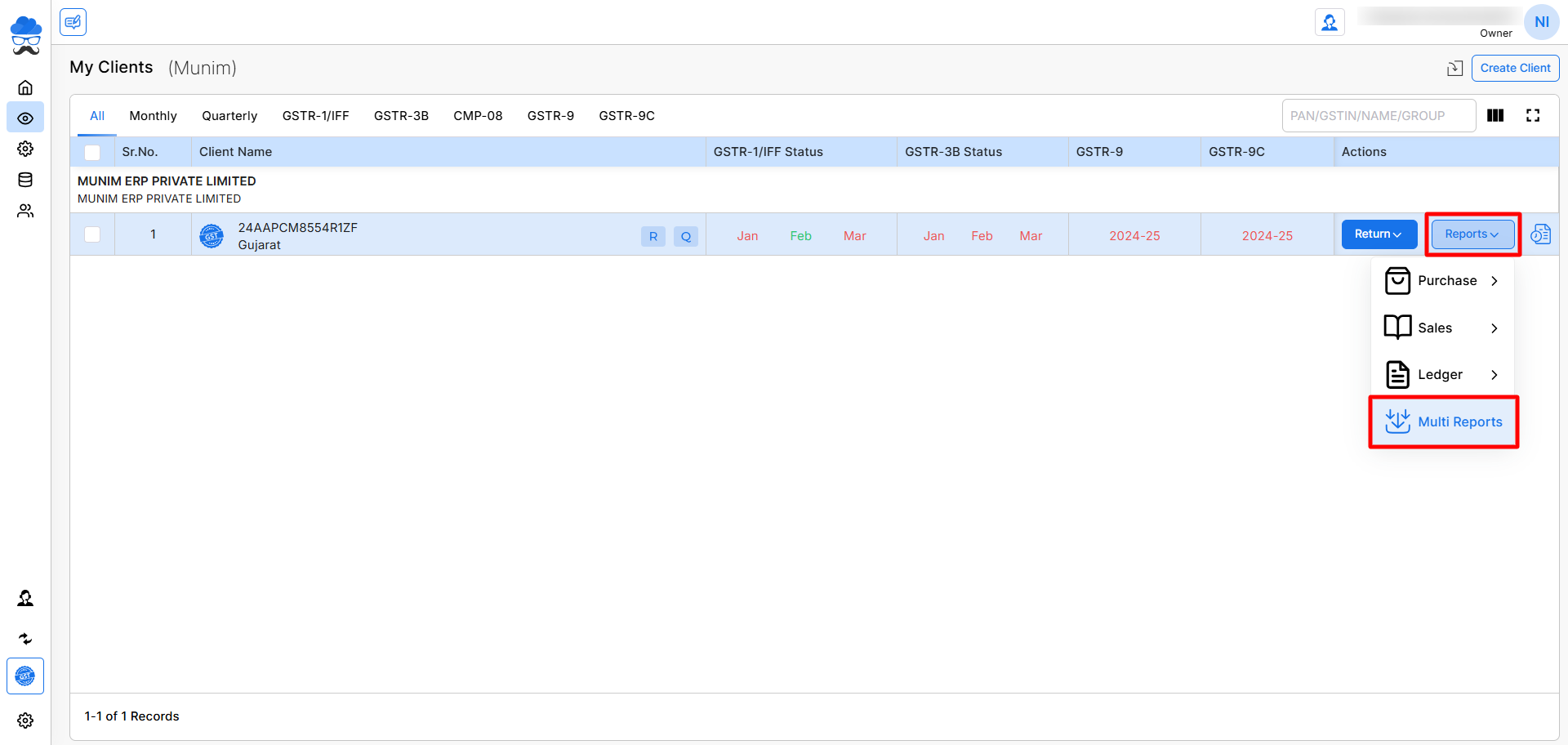
- Go to My Clients → Reports → Multi Reports option
+−⟲
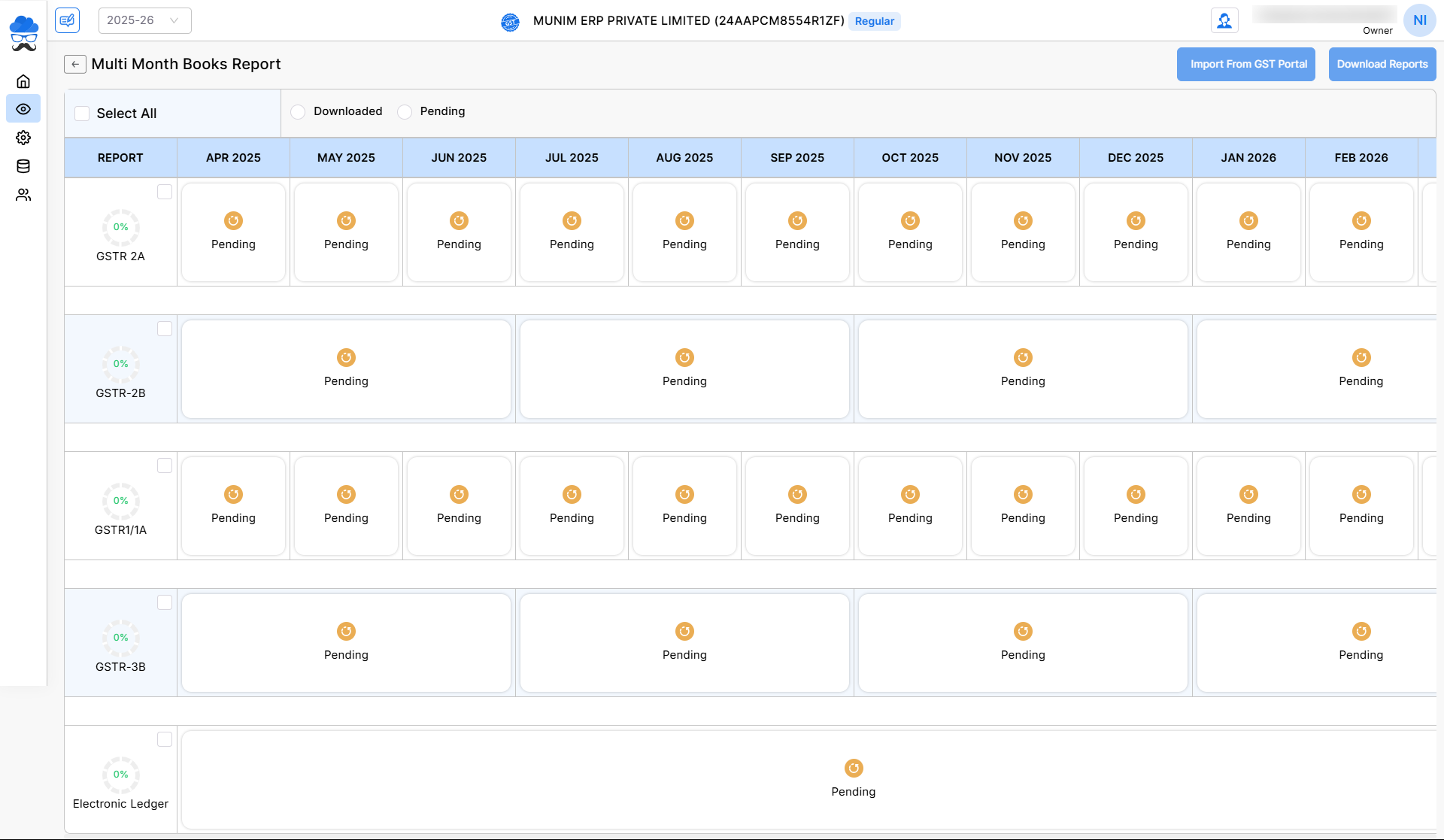
- Select the correct Financial Year in the top left corner.
- Click on month boxes to select and fetch the latest data for those months.
- Select the required reports month-wise or use Select All option to auto-select all reports and months.
- Click Import From GST Portal from the top right corner.
+−⟲
What you’ll see on the page
- Reports like GSTR 2A, GSTR 2B, GSTR 1/1A, GSTR 3B, Electronic Ledger can be selected for download.
- Months spanning April to March of the full financial year can be selected separately.
- Status like Pending or Downloaded for each report
Tips
- Use Pending filter to quickly select reports not downloaded
- Use Downloded filter to quickly select reports already downloaded
- Select only the required or pending months to save time
Download Report
- Once the data has been retrieved from the portal, you may click the Download Report button, located in the top right section, to download the data in Excel format.
- Selected reports will be downloaded in one go, making report handling faster and easier.


