
 252 views
 The Purchase vs GSTR-8A reconciliation process involves comparing the purchase data recorded in your books with the details available in GSTR-8A, a statement provided by the GST system.
GSTR-8A contains supplier-wise purchase invoice details auto-populated from suppliers’ filings on the GST portal and is commonly used for annual reconciliation and verification of Input Tax Credit (ITC).
This reconciliation helps identify mismatches, missing invoices, and discrepancies between your Purchase Register and GST portal data.
How to Access the Purchase vs GSTR-8A Reconciliation Feature
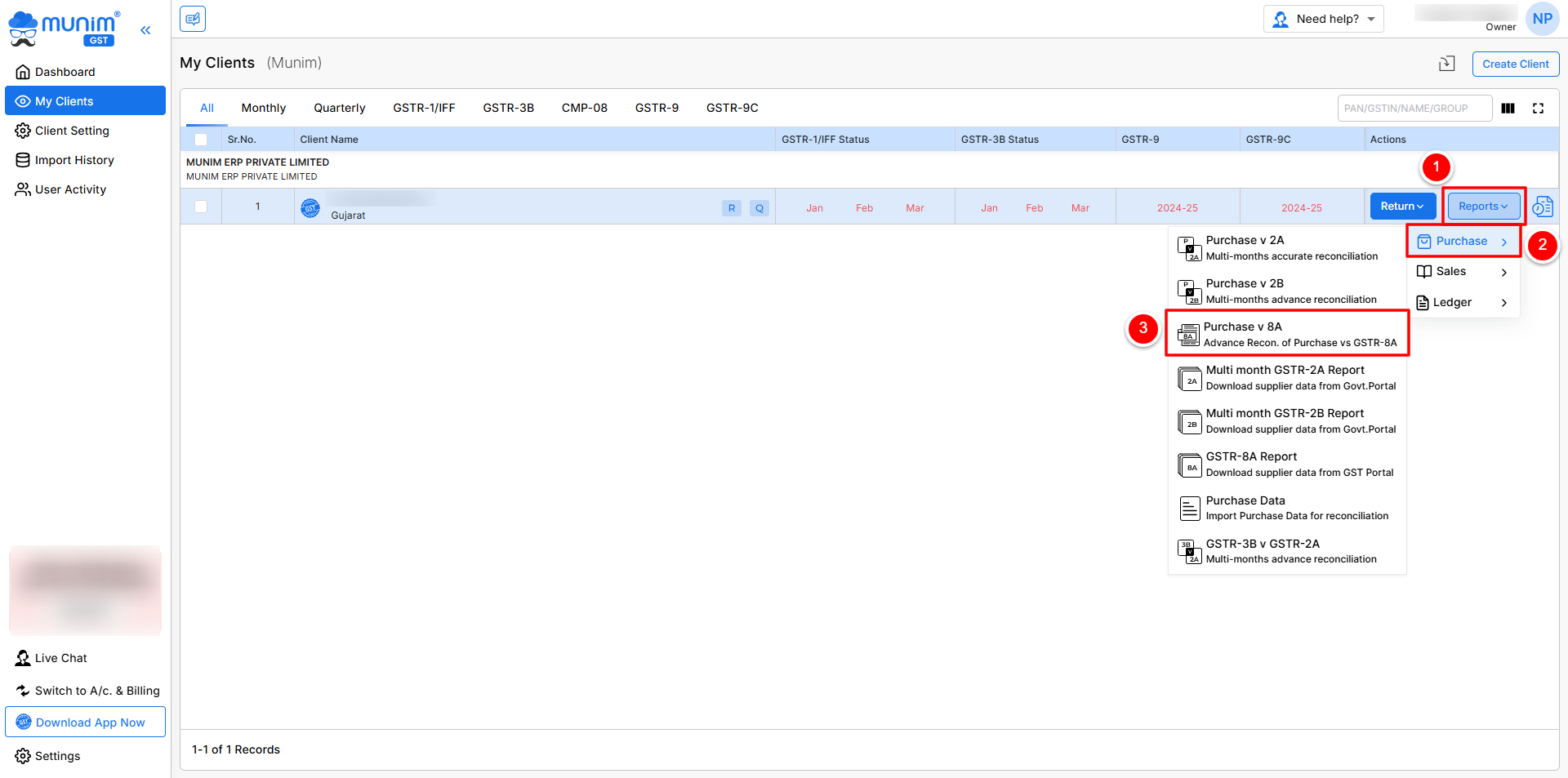
- Go to the My Clients page, click on the Reports button on particular company
- Navigate to the Purchase section, Select Purchase v 8A from the list
+−⟲
Begin the Reconciliation Process
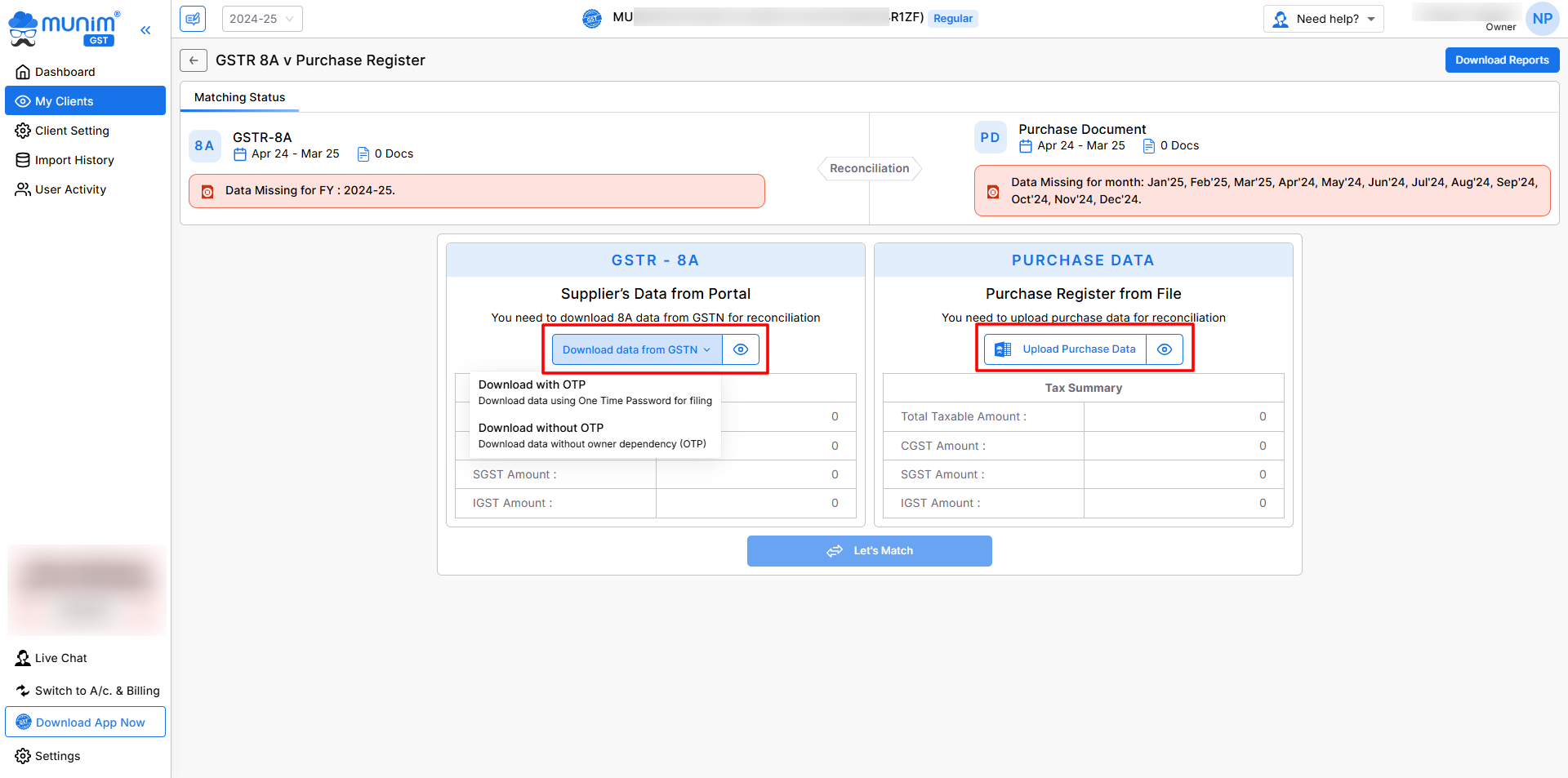
- On the reconciliation page, you will see two sections:
- GSTR-8A and Purchase Data
- Select the applicable Financial Year from the top left dropdown
- Currently, the applicable financial year will be pre-selected.
+−⟲
Download GSTR-8A Data from the GST Portal
- In the GSTR-8A section, click on Download Data from GSTN
- Choose one of the available options:
- Download with OTP
- Download without OTP
- Enter the required GSTN credentials, if prompted
- Supplier invoice data will be fetched directly from the GST portal
Upload Purchase Data
- In the Purchase Data section, upload your Purchase Register Excel file
- Click on the Upload Purchase Data button
- Ensure the Excel file is prepared as per the prescribed format for accurate matching
Continue to Data Overview
- Once both GSTR-8A and Purchase data are available, click on the Let’s Match button
- The “View Last Match” button will be accessible if reconciliation has been previously completed and the user wishes to review the results.
- Set an acceptable difference value to allow minor mismatches during reconciliation
- Click on Continue to Overview from the popup to proceed to the matching summary
+−⟲
Matching Summary Page
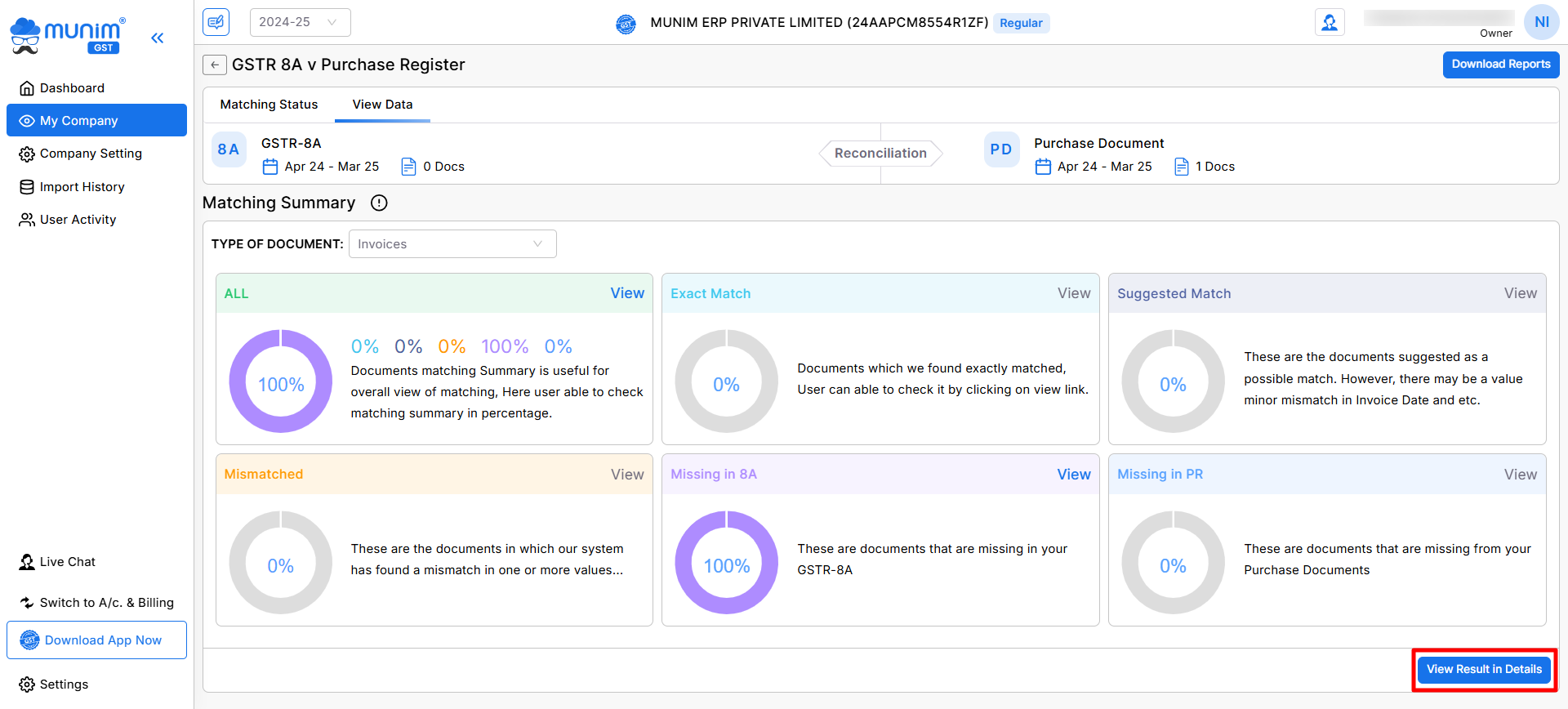
- On the Matching Summary page, select the Type of Document from the top left dropdown
- Data is categorised into the following sections:
- All, Exact Match, Suggested Match, Mismatched, Missing in 8A, and Missing in Purchase Register
- Click on View Result in Details to see detailed reconciliation results
View Result in Details Page
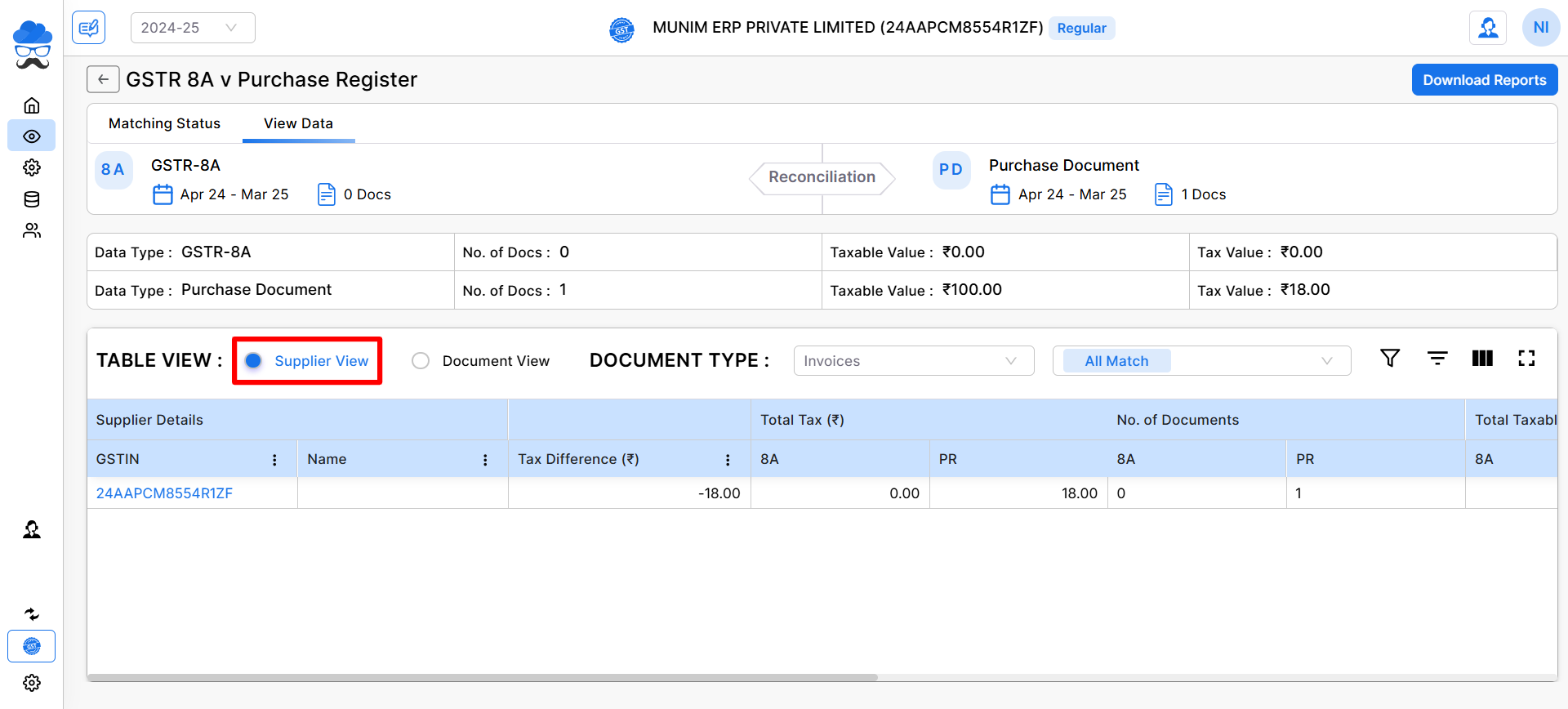
Supplier View
- Displays data grouped supplier-wise
- Helps in identifying supplier-level discrepancies
- You can click on any supplier GST number to open its invoices.
+−⟲
Document View
- Displays data document-wise using invoice numbers
- Allows detailed verification at the invoice level
- Here, you can check the invoice match status and know the reason for the mismatch at the end.
+−⟲
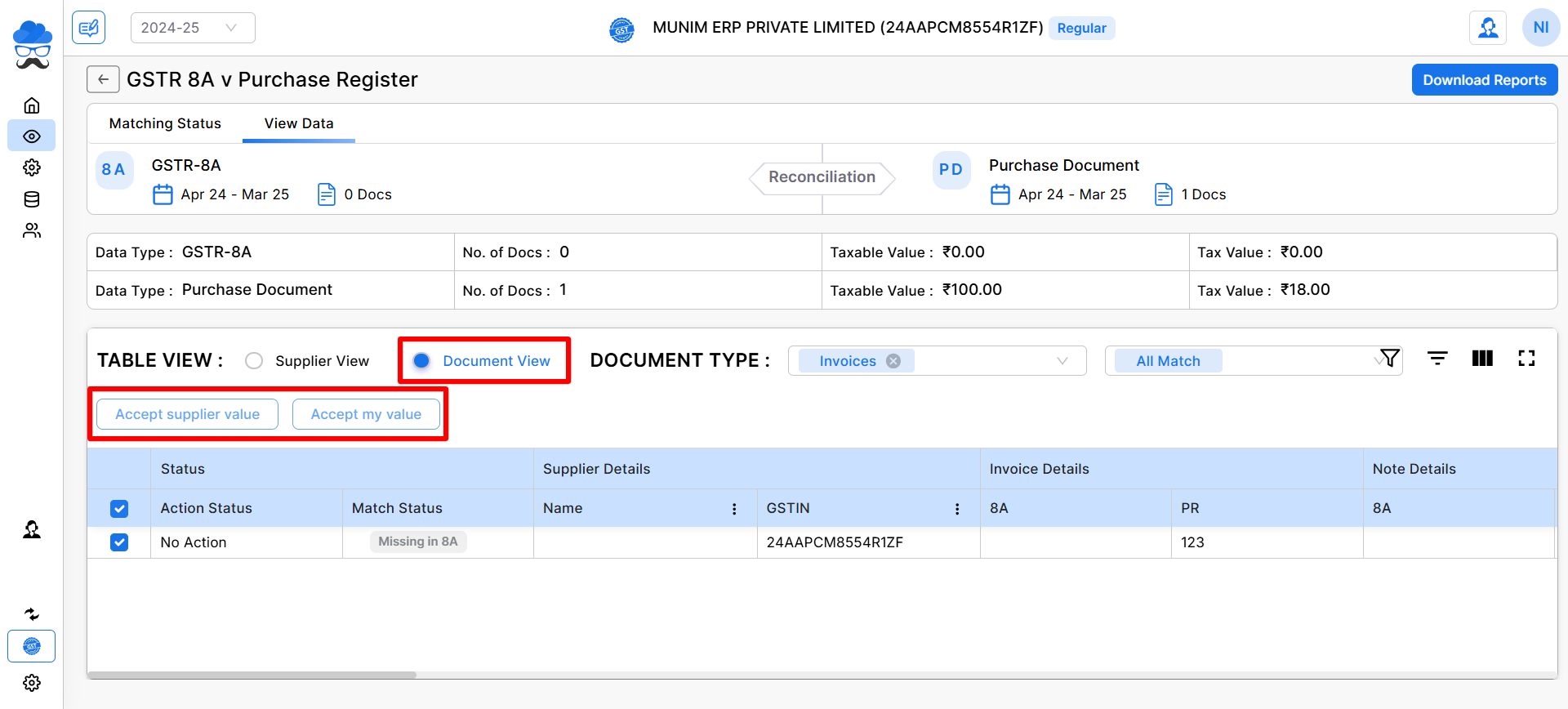
Available Actions in Document View
- Accept supplier value
Accepts values as reported by the supplier in GSTR-8A - Accept my value
Accepts values as per your Purchase Register
Filters and Download option:
- You can filter data using: Document Type, Summary Type fields
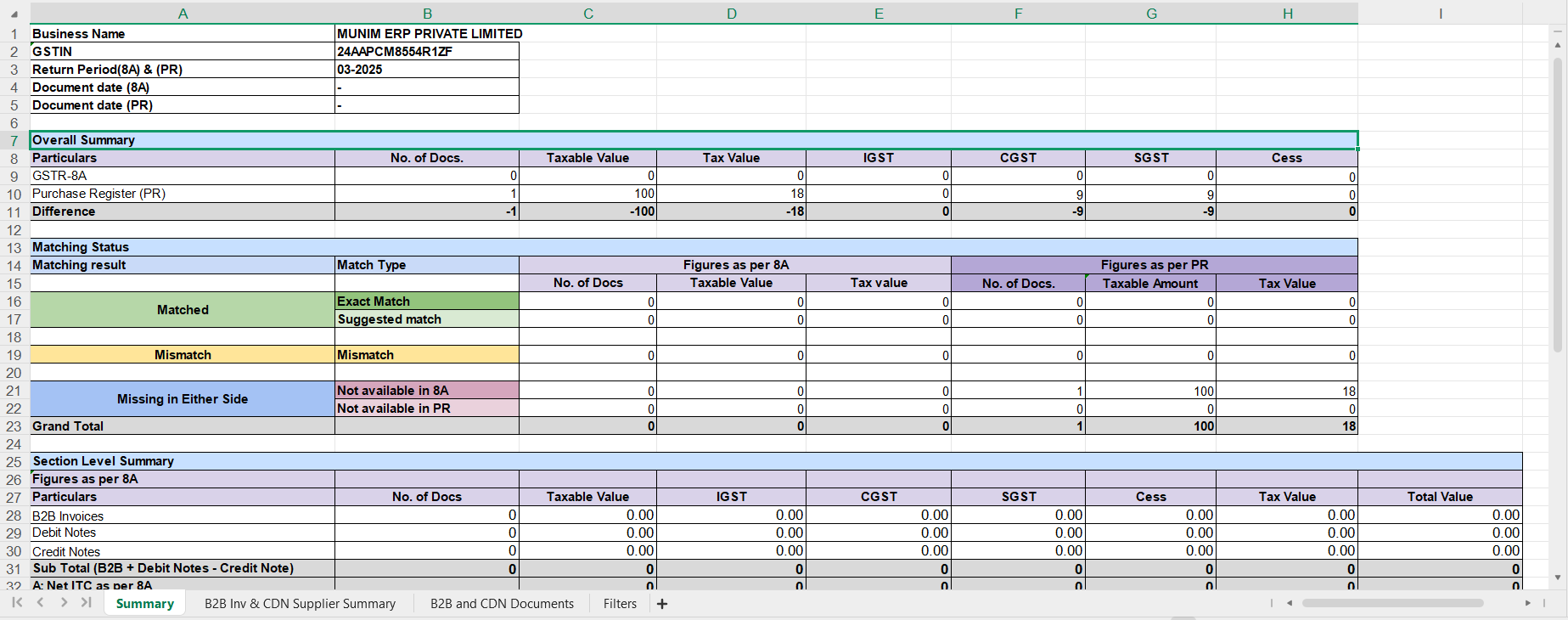
- You can download the detailed report using the Download Reports option from the top right corner.
- In the Download Report button, you have the option to select whether you would like the report in its default format or with the applied filters.
+−⟲
Important Notes
- GSTR-8A data is fetched directly from the GST portal and depends on supplier filings
- Any mismatches should be followed up with suppliers before finalization
- This reconciliation is especially useful for Annual Return and Audit Preparation
Need Assistance?
If you have any questions or need further assistance, please contact our support team.
We’re here to help!


