
 954 views
 Overview
The PAN Level GSTR-1/1A Filed Report allows you to view and download GSTR-1/1A filed data for multiple Companies/GSTINs linked to the same PAN from a single report.
Benefits
- View GSTR-1/1A data for multiple companies under the same PAN.
- Check invoice and summary-level data across companies.
- Download filed report data for the required period.
- Easily review filing information without checking each company separately.
- PAN Level Report is available for Enterprise Plans only.
How to Access PAN Level GSTR-1/1A Filed Report
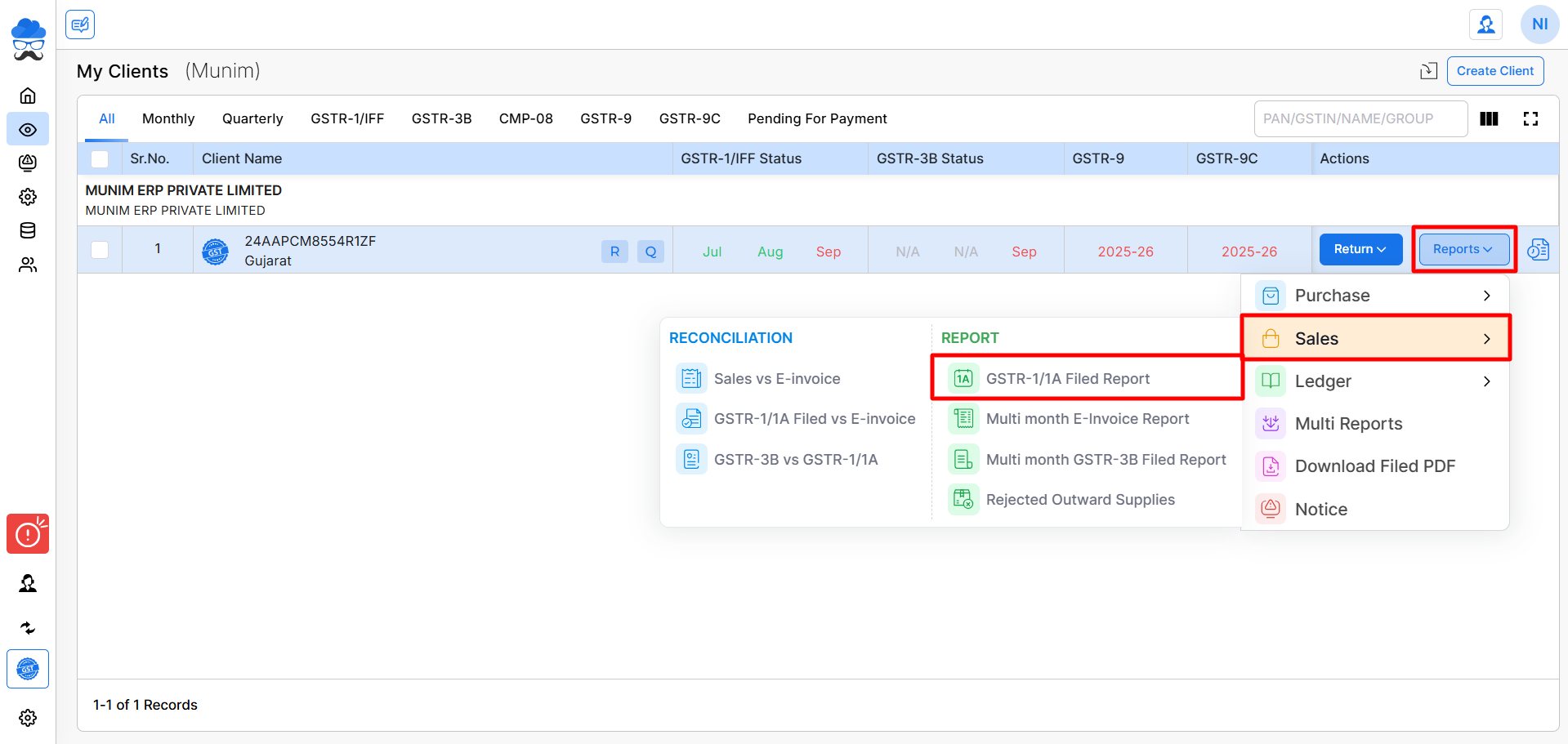
- Go to My Clients. Find the companies with the same PAN number.
- Select Sales → PAN Level GSTR-1/1A Filed Report from the Reports option.
+−⟲
Fetch Data for Companies
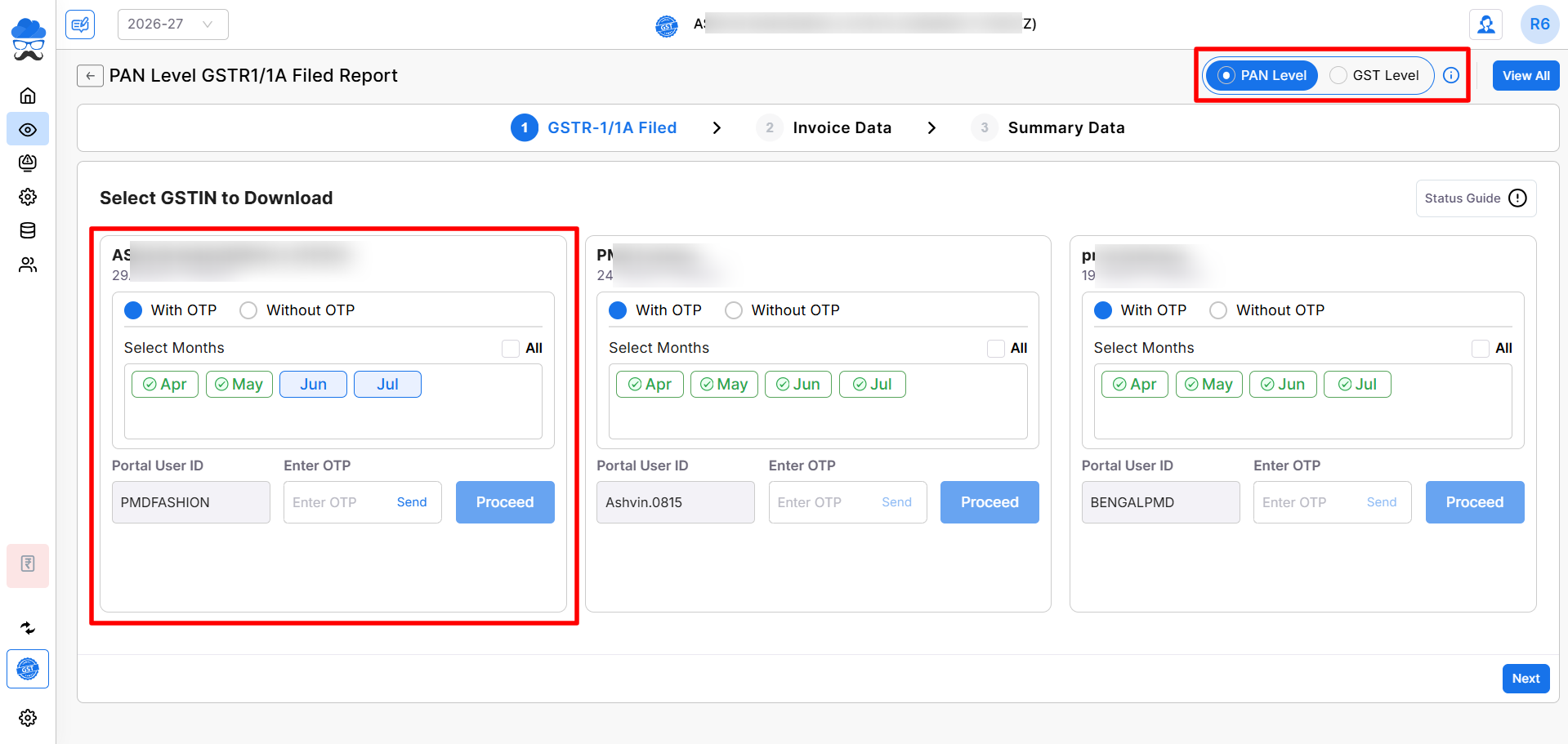
- The report opens according to the selected Financial Year. You can see the PAN Level module selection at the top right.
- The PAN Level Data Download page displays individual boxes for each company linked to the selected PAN, allowing you to easily download data for multiple GSTINs in one place.
- Select the required month or use the All option to select multiple available months. Select the With OTP or Without OTP option as per requirement.
+−⟲
Data Download Options
- Download with OTP: Download data using an OTP received on the registered mobile number.
- Download without OTP: Download data using GST Portal credentials and captcha.
- Click the Proceed button after entering the required GST Portal credentials and download the selected companies’ GSTR-1/1A data.
- The Munim Desktop App is required to use Without OTP and download data from the GST Portal.
View Filed Data
- Click the View All button at the top right on the data download page to view all companies’ Data.
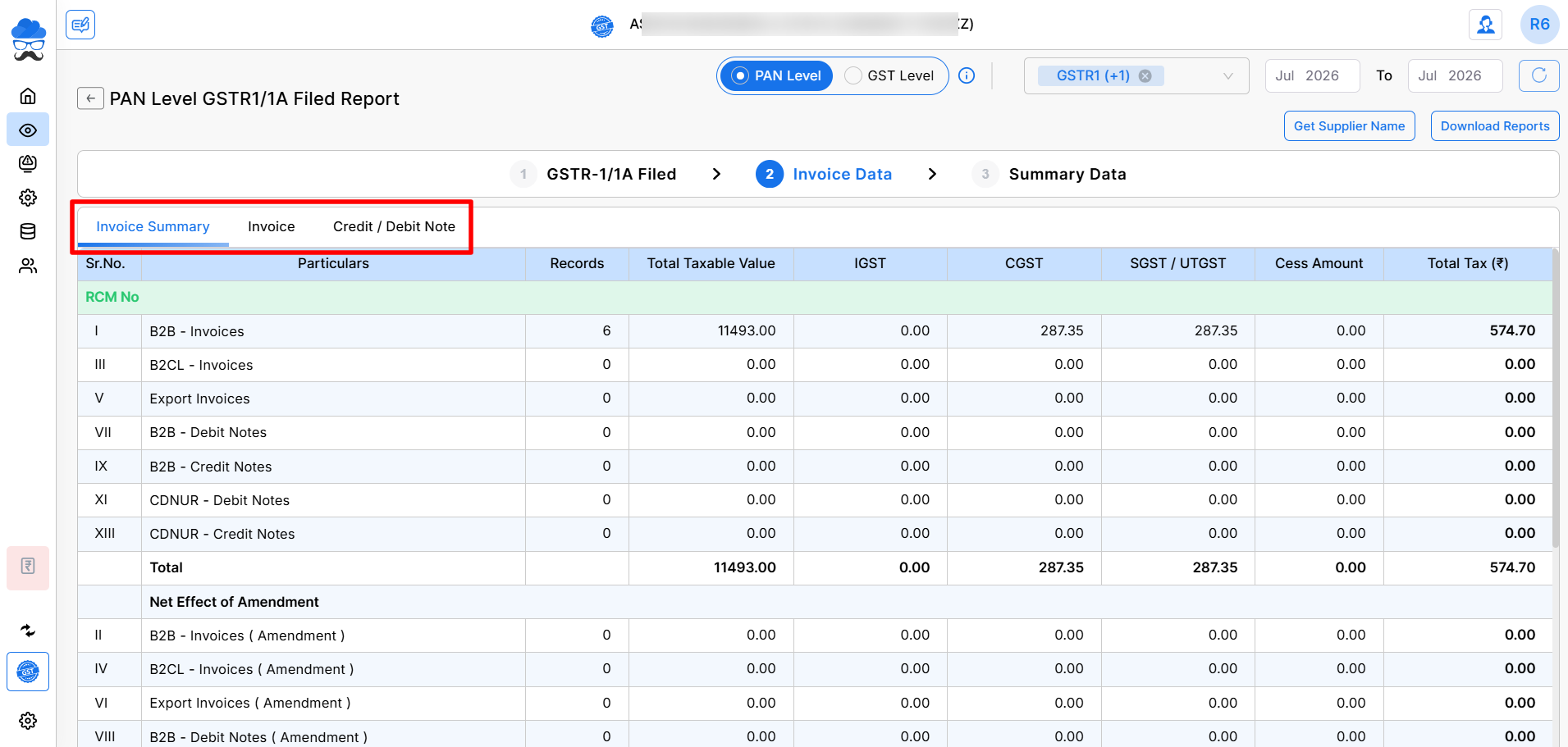
- In the Invoice Data Section, view the Invoice Summary page with available Invoice and Credit/Debit Note details.
- You can also view the Summary Data section page to see data such as B2C and HSN summary and other information.
+−⟲
Report Options
Depending on the report requirements, you can use options in the top right:
- Get Customer Name when customer names are unavailable.
- Download Reports to download the available filed data in Excel format.
- Select a month range to view specific-period or financial-year data.
- You can select your preferred report data type by choosing between GSTR-1, GSTR-1A, or Select Both (default setting).
Important Notes
- The report is designed for companies/GSTINs that are associated with the same PAN.
- Data is retrieved from the GST Portal for the selected companies and periods.
- The Munim Desktop App is required for GST Portal data download.
- Download status helps identify which company/month data is already available.
- Invoice-level and summary-level data can be reviewed after successful download.
- PAN Level Report feature is available for the Enterprise plan only.
Need Assistance?
If you face any issues while downloading or viewing the PAN Level GSTR-1/1A Filed Report, contact the Munim Support Team.


