
 298 views
 Overview
The Download Filed PDF feature allows you to access and download PDF copies of filed GST returns and challans for the selected financial year. You can download a single document, multiple selected documents, or send selected PDFs through email.
Benefits
- Access filed GST return PDFs in one place.
- Download return PDFs for individual periods.
- Download multiple selected PDFs as a ZIP file.
- Download available for challan PDFs.
- Email selected PDFs when required.
How to Access
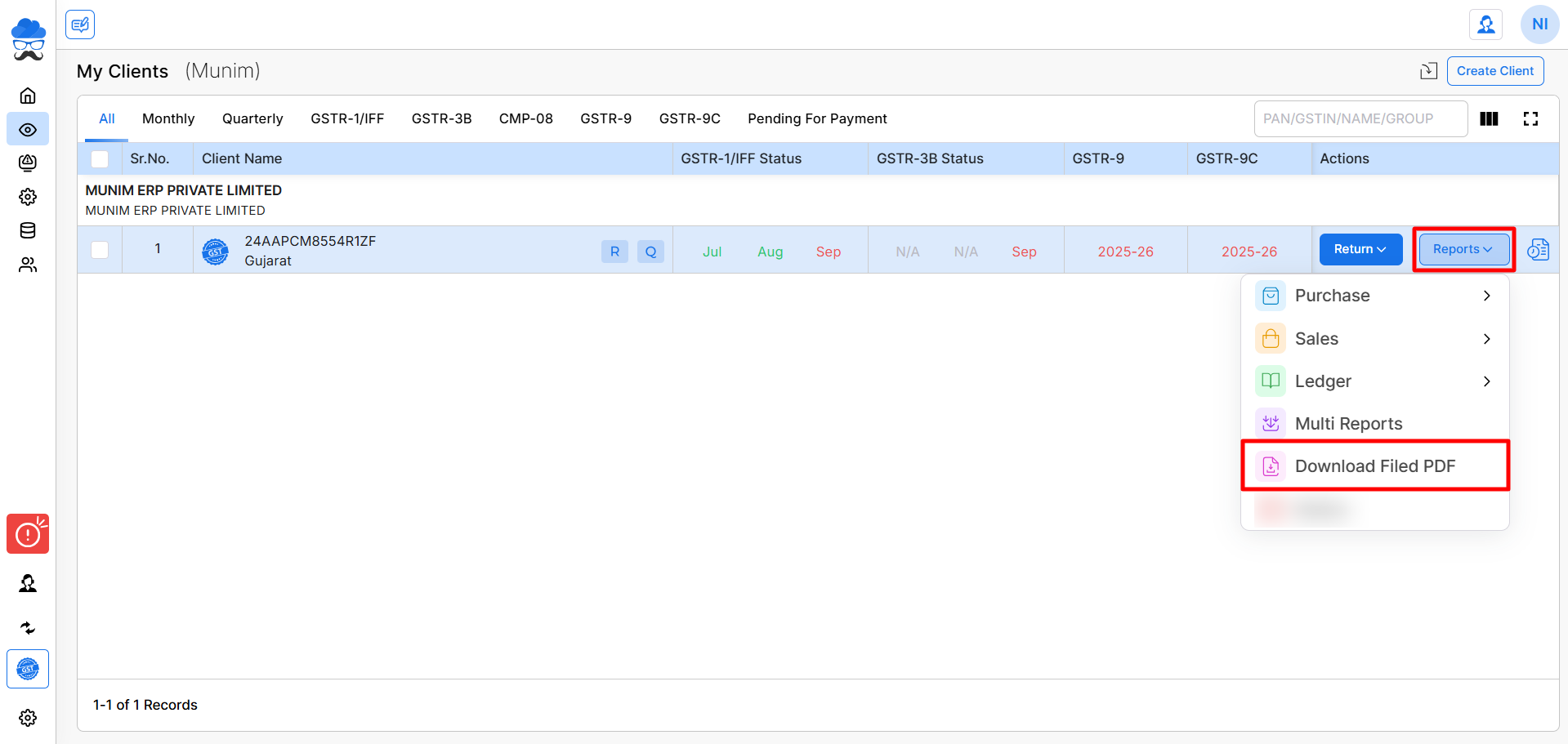
- Go to My Clients. Select the required client.
- Click Reports and select Download Filed PDF.
+−⟲
Download Return or Challan PDFs
The page displays GSTR 1/1A, 3B, R9, R9C GST returns and challans along with their available filing periods.
- Select the required financial year from top left to view the relevant periods and documents.
- Utilise the “Update Status” feature at top right to update the filing status of your documents and enable the related download options.
- You can use Select All to select all available documents at once.
- Options such as Downloaded or Pending are available to help you filter and select document options accordingly.
- Additionally, you may select the specific month marked with the “Return Filed” label to initiate the download for the available PDF document.
- After selecting the months for which you wish to retrieve PDFs, click the “Import From GST Portal” option to initiate the download process.
+−⟲
Download or Email Multiple PDFs
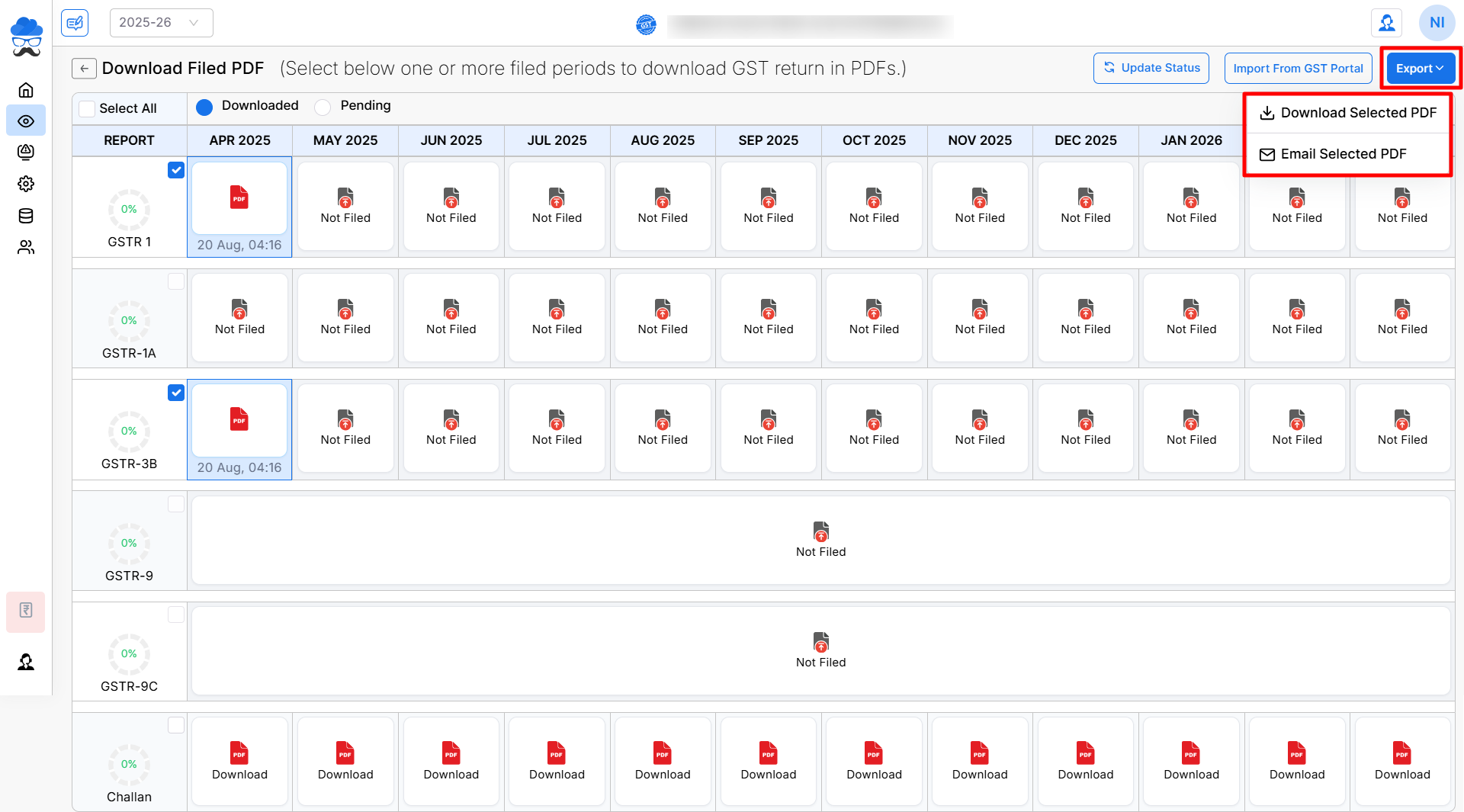
- To Download or share generated PDFs via Email, select the months labelled with Download Date and Time, or select Downloaded option at the top.
- Then click the “Export” button located at the top right of the page to choose your preferred action.
- Select Download Selected PDF to download the selected documents.
- Select Email Selected PDF to send the selected PDFs through email.
- Documents with a “Not Filed” status cannot be selected as they have not been submitted, and “N/A” indicates that the filings are currently pending.
Note: Selecting a single PDF and clicking the Export button will open the document directly. If multiple files are selected, a ZIP file containing the documents will be downloaded.
Important Notes
- PDFs are available only for applicable and filed GST returns.
- Periods that are not filed will display Return Not Filed.
- The available return types and periods may vary based on the client’s filing details.
- Ensure you select the correct financial year from top left before downloading documents.
- Only selected and available PDFs will be allowed when using the bulk download or email option.
- Challan PDFs can also be downloaded for the available periods.
Need Assistance?
If you face any issue while downloading or emailing filed PDFs, contact our support team for assistance.


