
 21 views
 Overview
The E-Commerce Summary Report feature in Munim GST allows you to view and track e-commerce-specific sales data prepared during GSTR-1 filing. It consolidates e-commerce transaction details under the B2C Small (B2CS) category, making it easier to review operator-wise sales, taxable values, and tax breakdowns across different tax periods.
Quick Summary
- Enable E-Comm Summary: Activate the e-commerce summary applicability feature under Client Settings.
- Access Report: View the consolidated e-commerce sales summary from the Reports menu under My Clients.
- B2CS Summary Tab: Displays B2C e-commerce transaction details with operator name, state, rate, and tax values.
- Date Filters & Export: Filter report records by date range and download the summary report in one click.
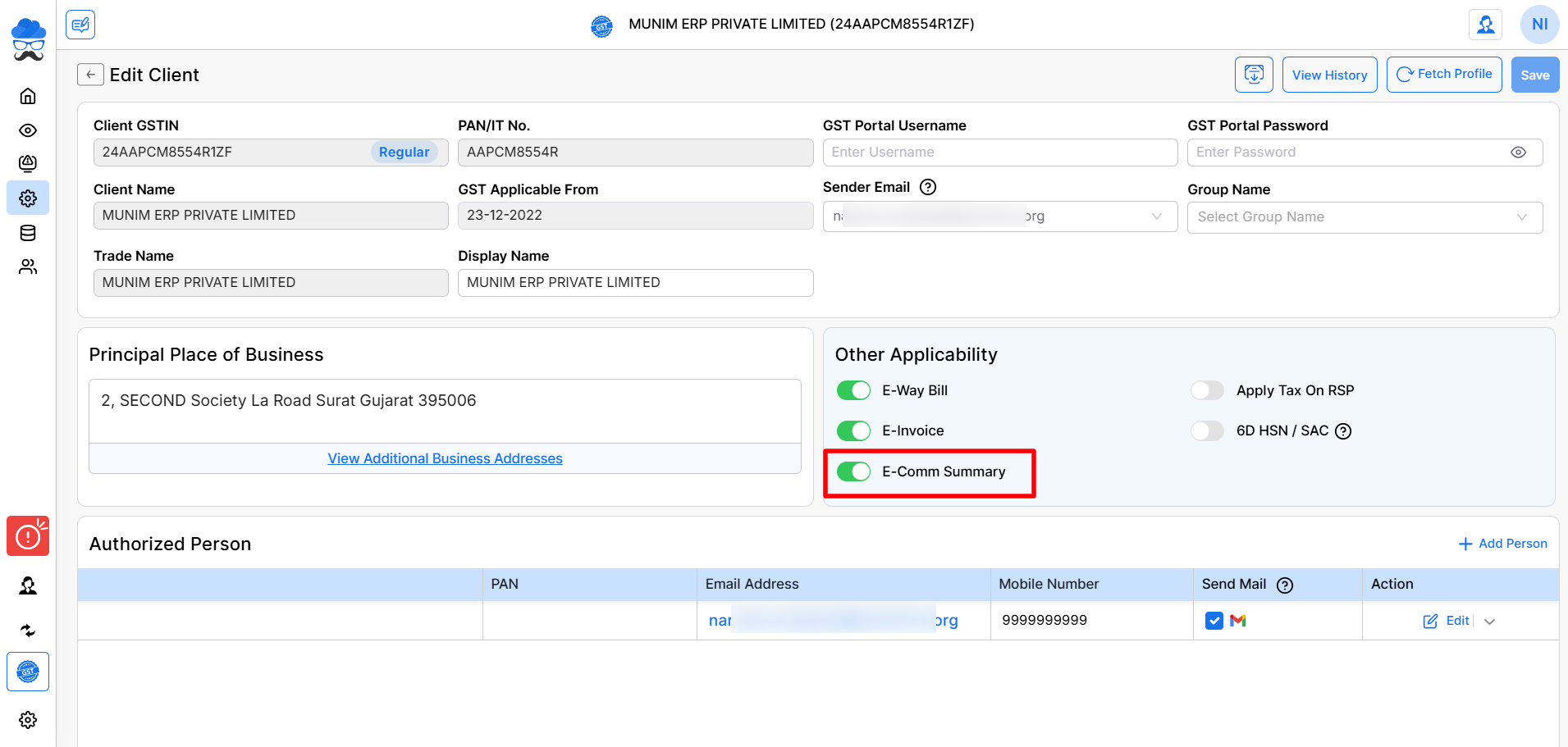
Enabling E-Commerce Summary Feature
- Navigate to Client Settings in the left sidebar menu.
- Locate the client company and click Edit under the Actions column.
- Under the Other Applicability section, check the E-Comm Summary checkbox.
- Click Save at the top right to apply changes.
Accessing and Viewing E-Commerce Summary Report
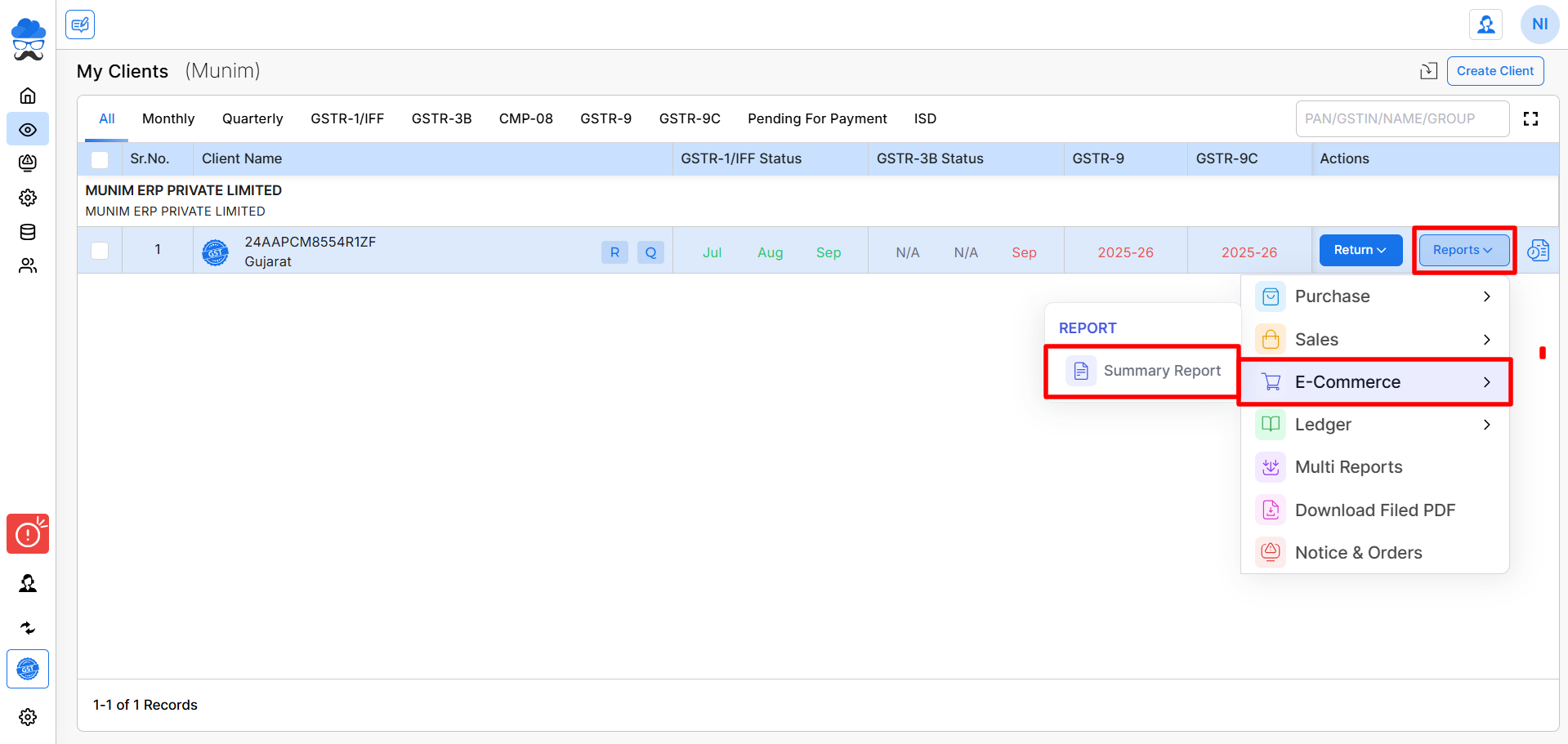
- Go to the My Clients module. Click the Reports dropdown next to the required client company.
- Hover over E-Commerce and click Summary Report.
Reviewing Report Fields & Exporting Data
Set the desired date range using the date range filter at the top right. Click the next refresh button to update the report view.
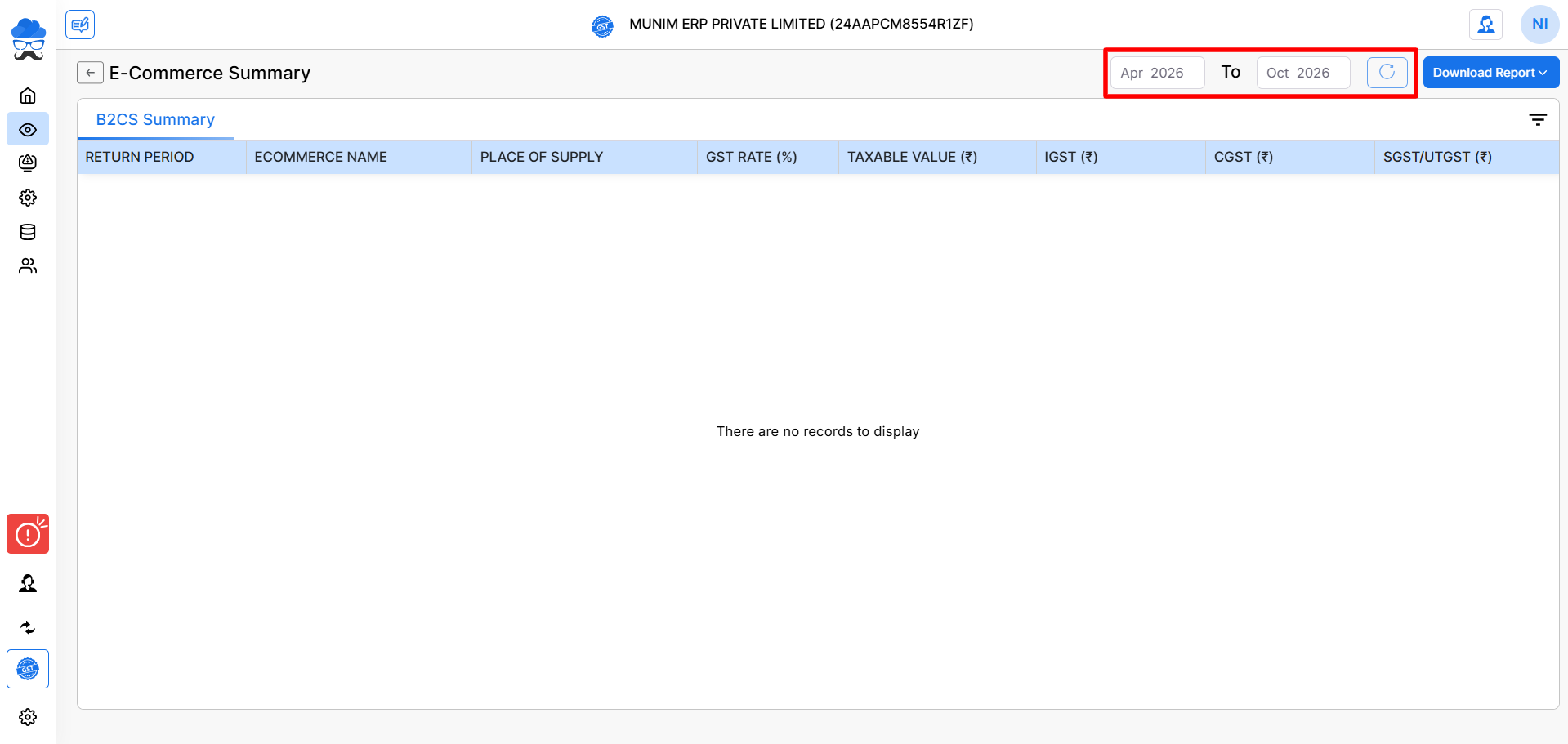
Review the generated records under the B2CS Summary tab, which displays:
- Return Period: Applicable month and year.
- E-commerce Name: Name of the e-commerce operator/platform.
- Place of Supply: State/UT destination for the supply.
- GST Rate (%): Applied tax percentage rate.
- Taxable Value ($): Total net taxable sales value.
- Tax Amounts: Detailed split for IGST, CGST, and SGST/UTGST.
Click Download Report in the top right corner and select Summary Report to export the file.
Important Notes
- Ensure E-Comm Summary is checked in Client Settings before attempting to view e-commerce reports.
- This report specifically reflects e-commerce transaction data prepared during GSTR-1 filing periods.
- Use the date filter range and refresh button to ensure you are analysing the correct return periods.
Need Assistance?
If you experience issues enabling client settings or generating e-commerce summary reports, contact the Munim Support Team for assistance.


