
 4316 views
 GSTR-3B is a monthly return to be filed by every GST registered company. It contains the combined summary of outward supplies, inward supplies, and the ITC available.
How to open the GSTR-3B report:
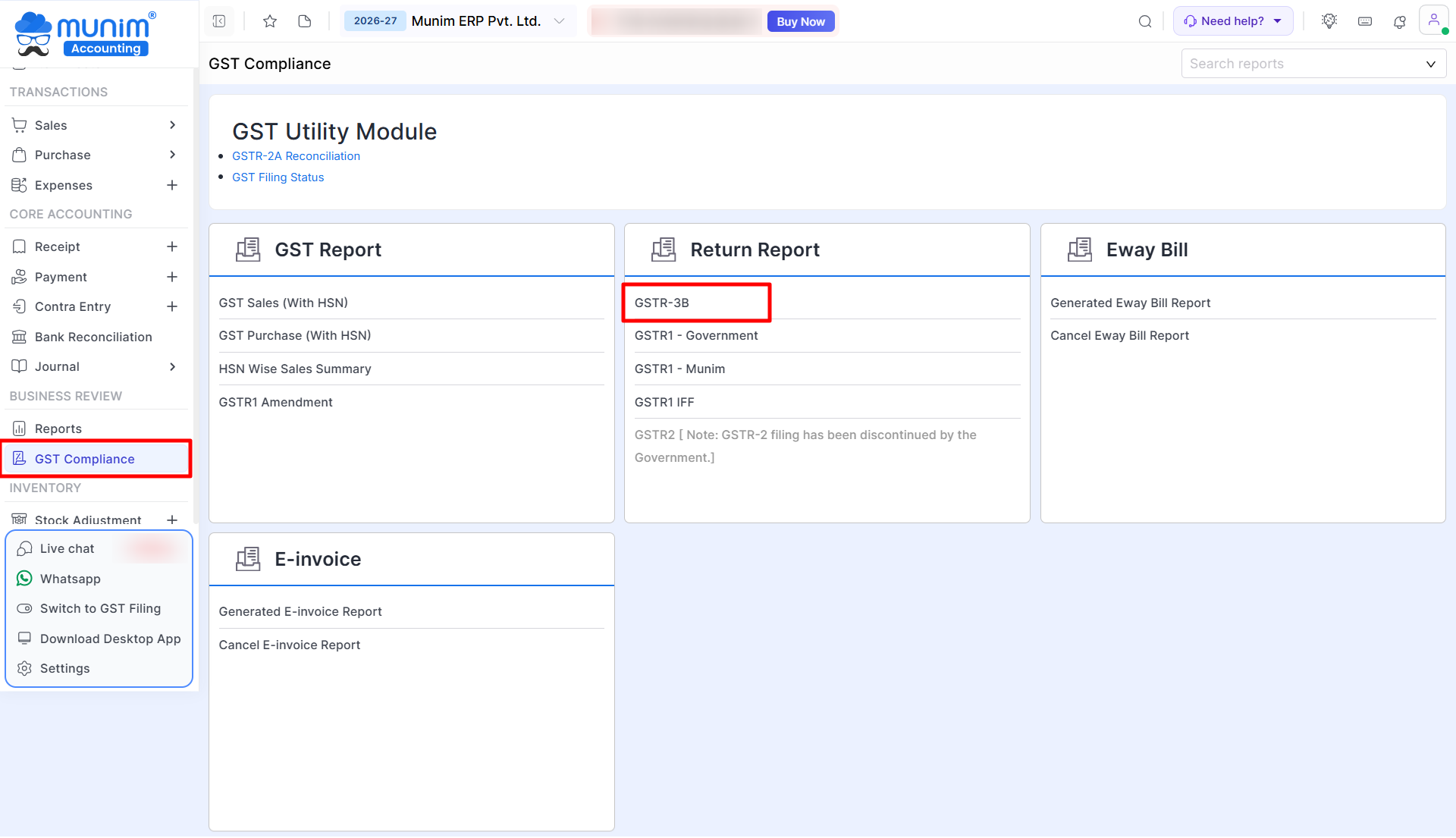
- Go to the GST Compliance module in the left sidebar.
- Click on the GSTR-3B report option.
+−⟲
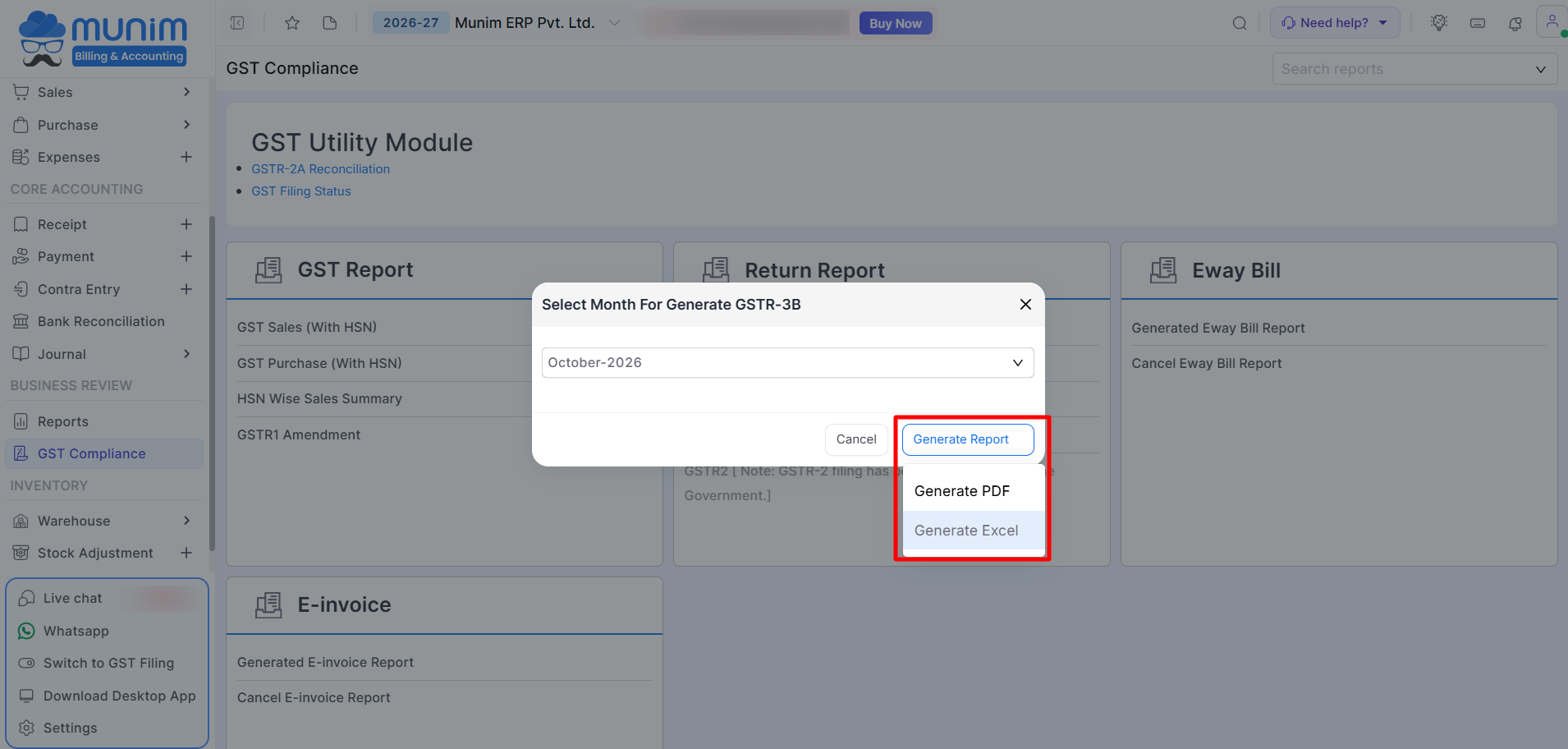
- Once clicked, pop-up will open to select the required month for the report.
- Click the “Generate Report” button to select and access the report in PDF or in Excel format.
+−⟲
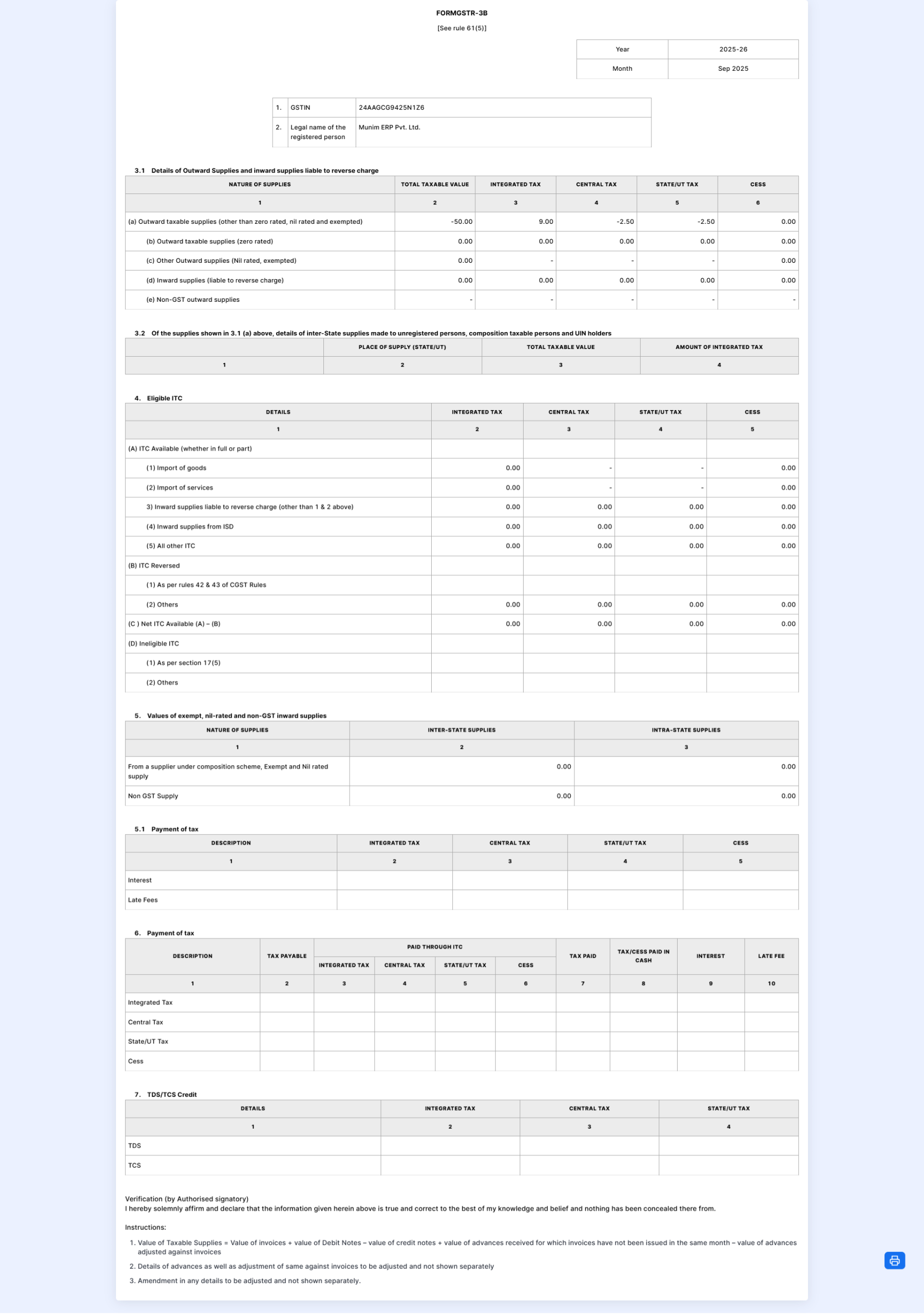
- On clicking the Generate PDF option, a pdf page will open which includes a print option icon located in the lower right corner.
+−⟲
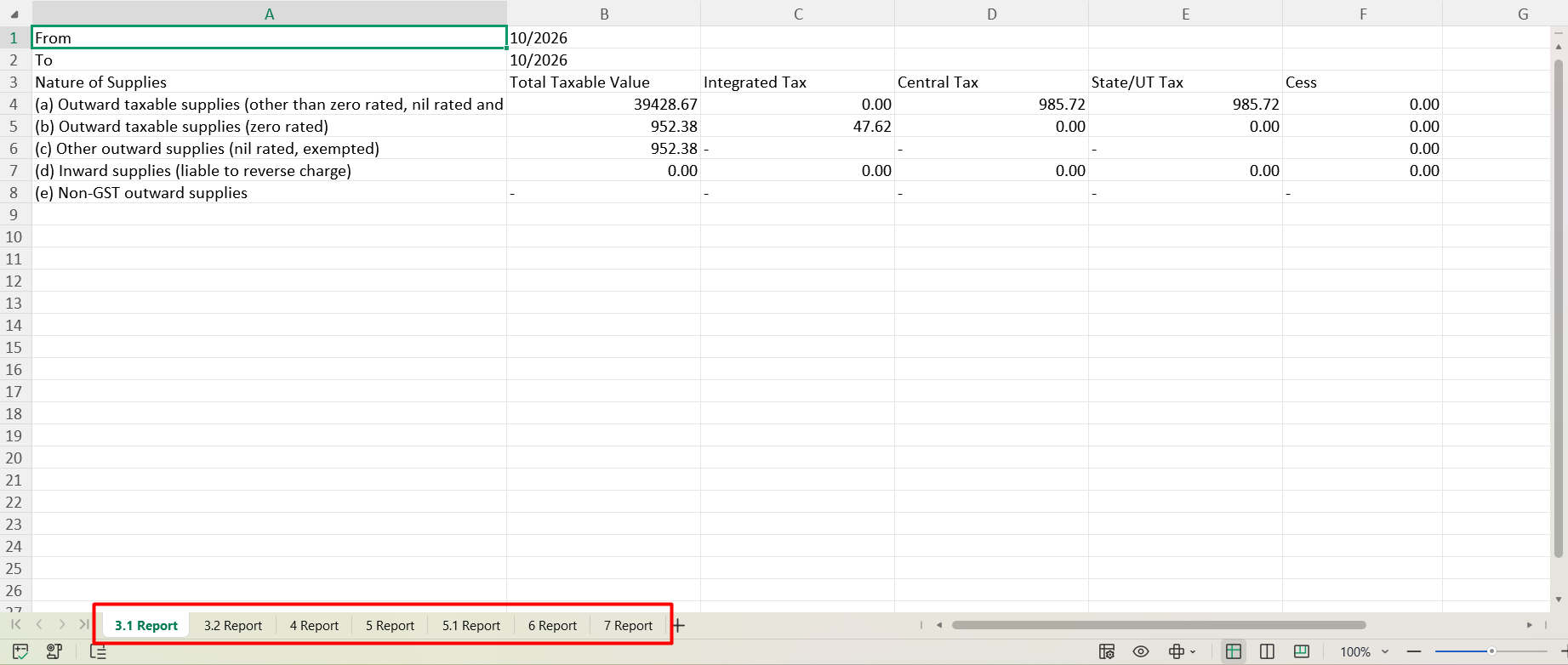
- On clicking the Generate Excel option, an Excel file will be downloaded to your system.
- You can review the downloaded file, which contains separate tabs and organized data for your convenience.
+−⟲
Need Help?
If you require further assistance, please feel free to contact our support team.


