
 3284 views
 Overview
The Dynamic Invoice Title feature automatically changes the invoice title based on the tax applicability of the items in the invoice. Depending on the invoice contents, the title is displayed as Tax Invoice or Bill of Supply, ensuring compliance with GST requirements.
Benefits
- Automatically displays the correct invoice title.
- Eliminates manual changes to invoice headers.
- Helps maintain GST compliance.
- Supports customisation of invoice title labels.
Enable Dynamic Invoice Title
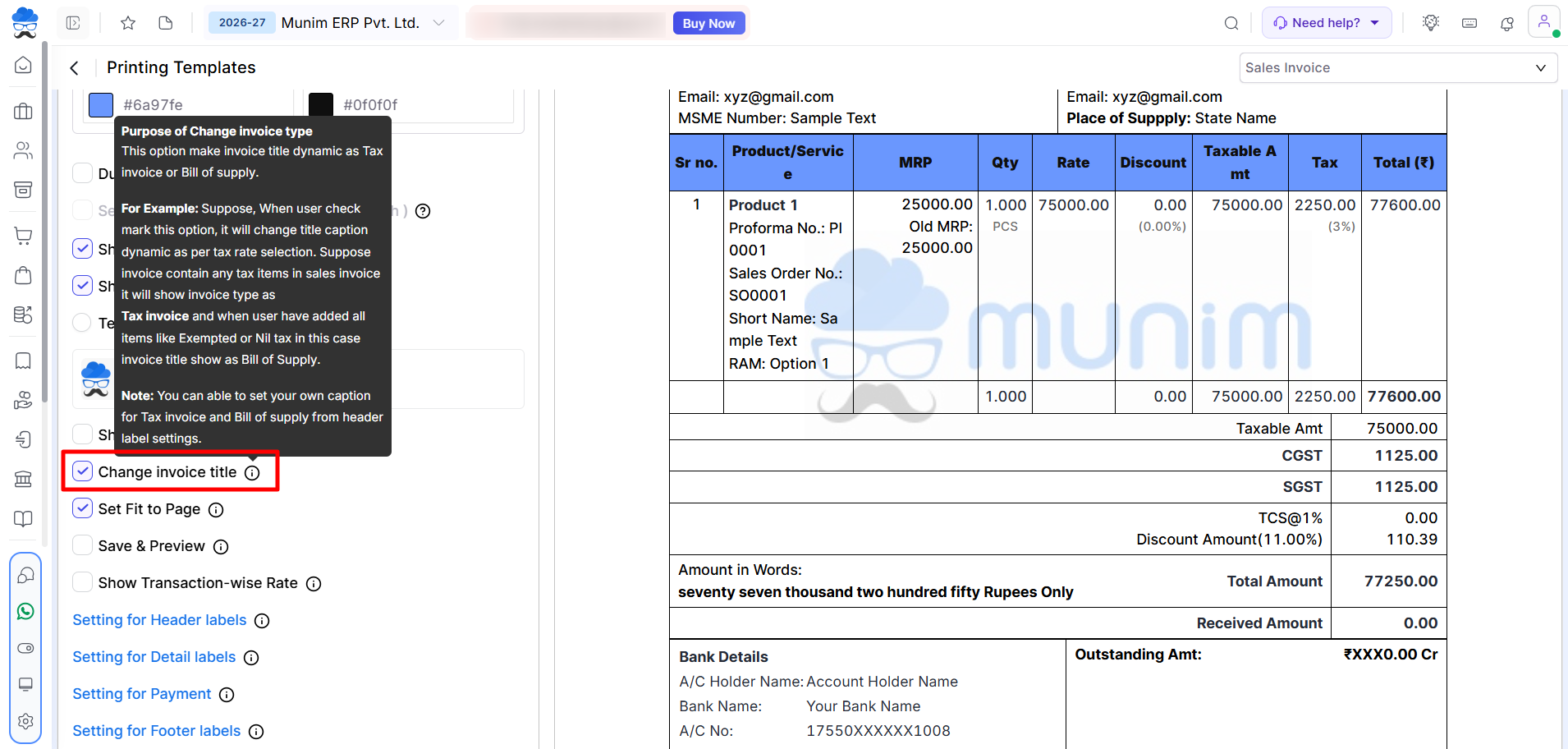
- Go to Settings → Printing Templates.
- Enable the Change Invoice Title option and click Save.
+−⟲
How It Works
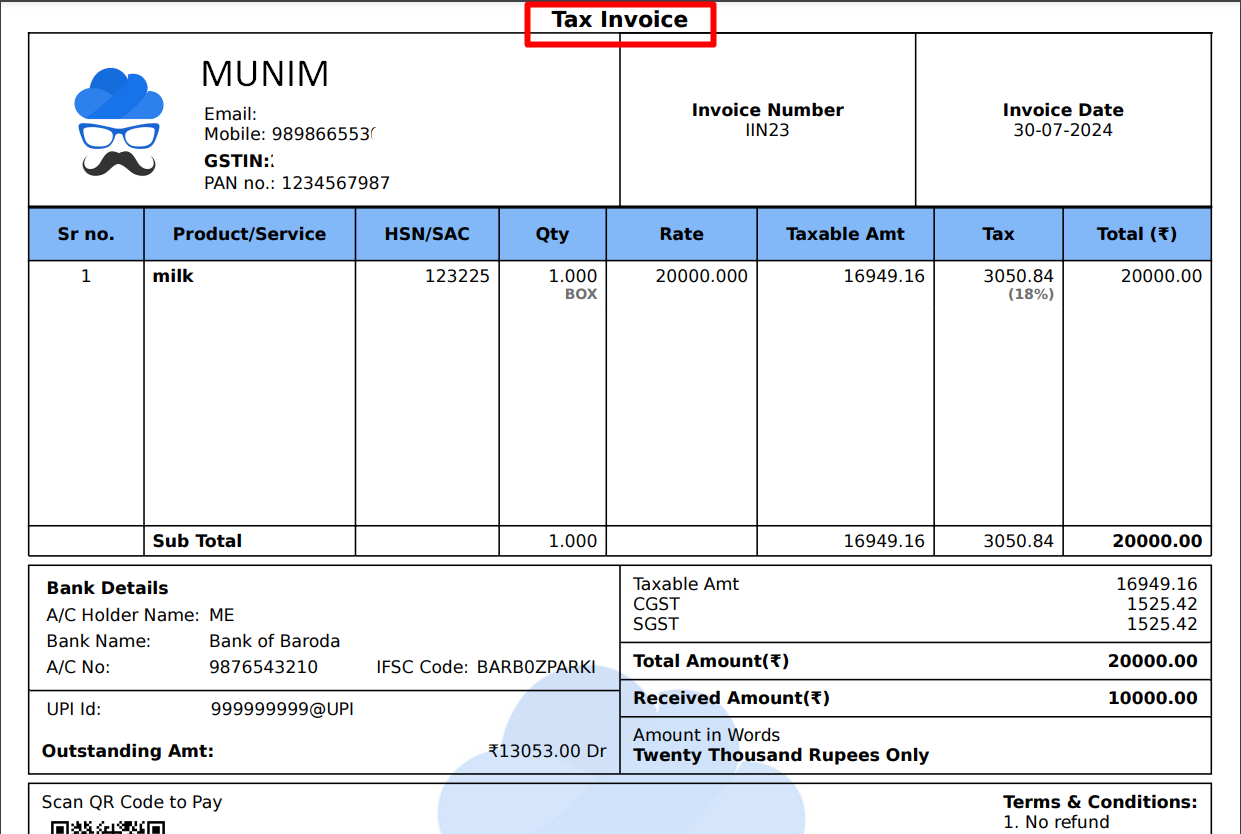
After enabling this feature, Munim automatically selects the appropriate invoice title based on the tax status of the invoice.
| Invoice Content | Invoice Title |
|---|---|
| Invoice contains taxable items | Tax Invoice |
| Invoice contains only exempt or nil-rated items | Bill of Supply |
Screenshot: Sales Invoice Print showing Tax Invoice
+−⟲
Customise Invoice Title Labels
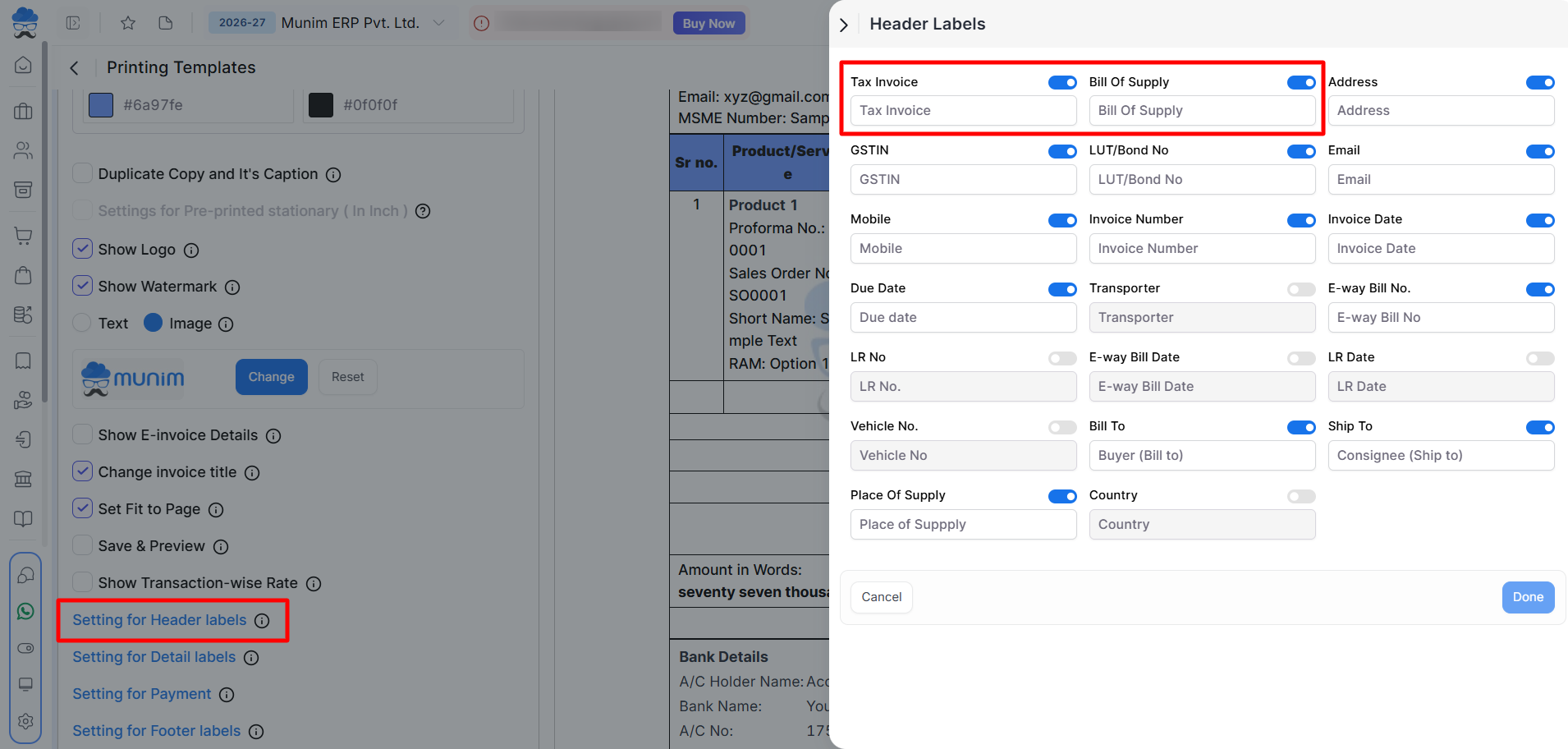
- You can also customise the display labels for Tax Invoice and Bill of Supply.
- Go to Printing Templates → Setting for Header Labels and edit the labels as required.
+−⟲
Important Notes
- The invoice title changes automatically based on the GST applicability of the items.
- Tax Invoice is used when the invoice contains taxable goods or services.
- Bill of Supply is used when all items are exempt or nil-rated.
- Custom label changes affect only the printed title and do not change the tax calculation or invoice type.
Need Assistance?
If the invoice title is not changing automatically, verify that Change Invoice Title is enabled in Printing Templates and that the GST rates configured for the invoice items are correct.


