
 373 views
 Overview
The Sale Price Calculate Using MRP & Discount feature automatically calculates an item’s Sales Price based on the entered MRP and discount value. This eliminates manual calculations and helps maintain consistent pricing.
Why Use This Feature?
- Automatically calculate Sales Price from MRP.
- Reduce manual discount pricing errors.
- Maintain consistent item pricing.
- Save time during item creation and updates.
Enable the Feature
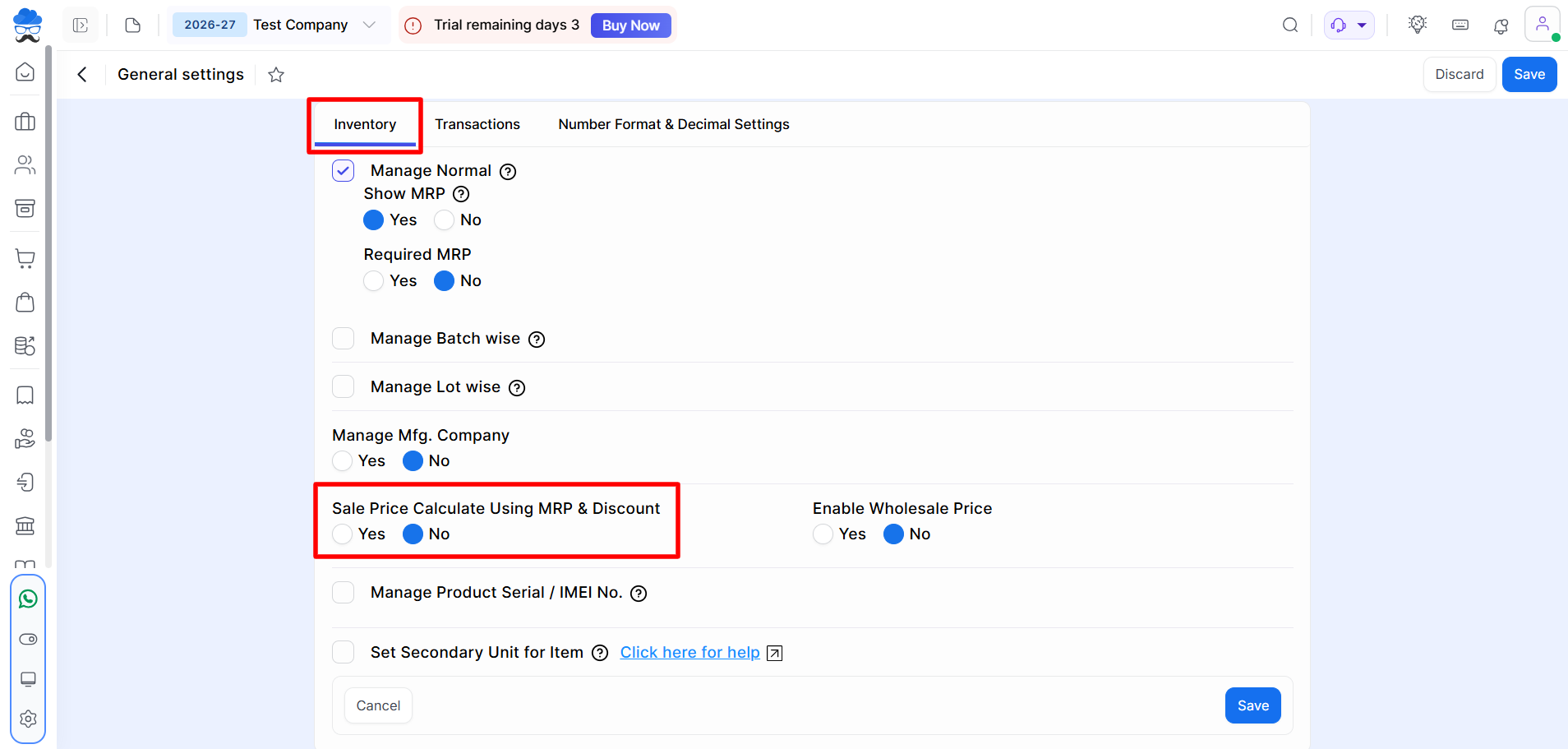
Navigate to: Settings → General Settings → Inventory
Set: Sale Price Calculate Using MRP & Discount = Yes
Click Save.
+−⟲
Configure MRP and Discount
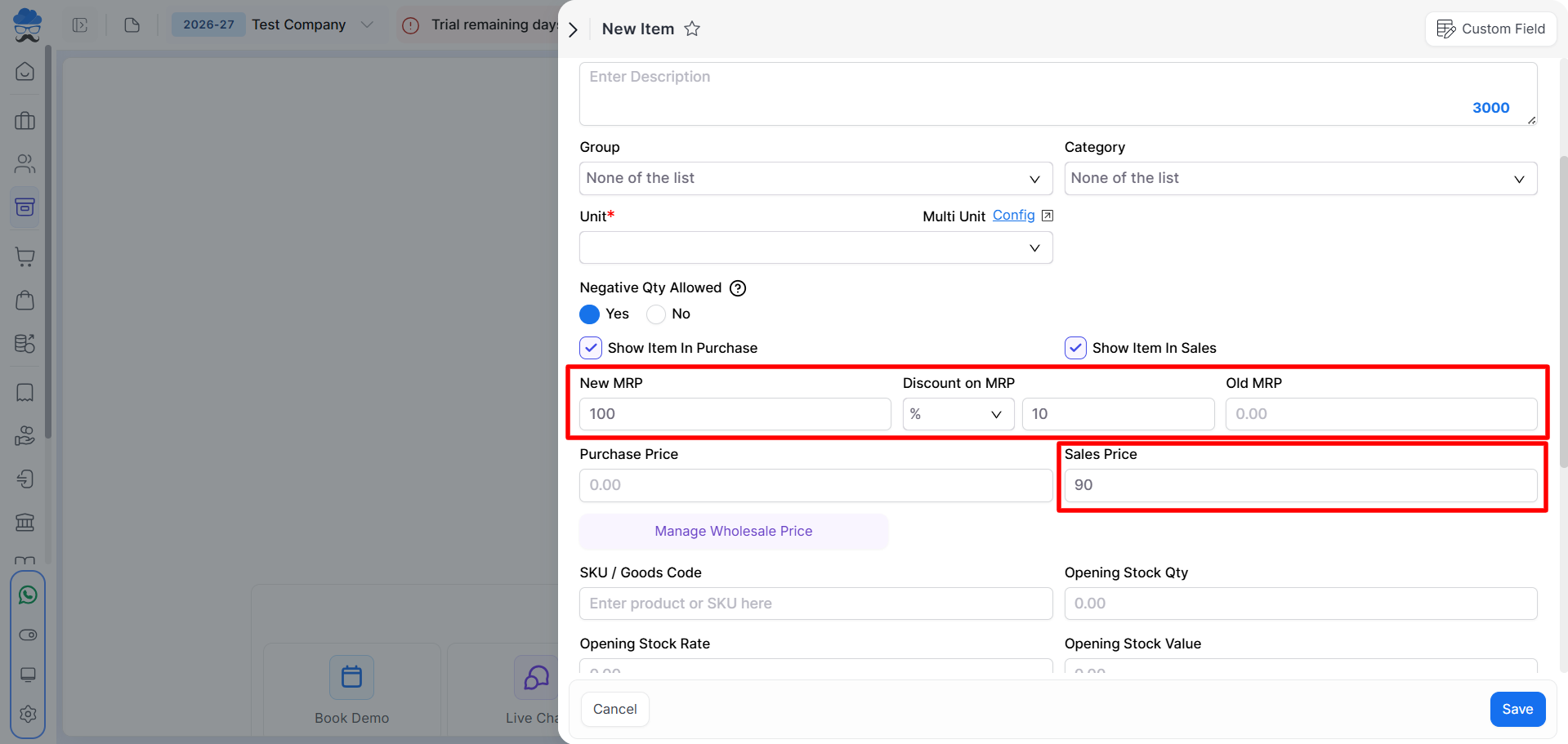
Navigate to: Item Master → Create Item or Edit Item.
You will find the following fields:
- New MRP, Discount on MRP, Sales Price
+−⟲
How It Works
- Enter the New MRP. Enter the Discount on MRP.
- You can define the discount value by either a percentage (%) or an amount (₹).
- The system automatically calculates the Sales Price.
Example
| New MRP | Discount on MRP | Sales Price |
|---|---|---|
| ₹100 | % 10 | ₹90 |
| ₹500 | ₹ 5 | ₹495 |
Important Notes
- The feature must be enabled before using it.
- Sales Price is automatically updated whenever the MRP or discount changes.
- If the Sales Price is modified manually, it will no longer be linked to the MRP fields.
- This feature is useful for businesses selling products at a predefined discount on MRP.
Need Assistance?
If you face any issues while using the Sale Price Calculate Using MRP & Discount feature, contact the Munim Support Team.


