
 4205 views
 Overview
The Recover Invoice feature allows you to restore a sales invoice that was previously cancelled. This helps avoid re-entering invoice details and ensures continuity in your billing process.
The Recover Invoice feature enables users to reactivate cancelled sales invoices directly from the Sales Invoice list.
- Restore a cancelled invoice with a single click.
- Avoid creating the same invoice again manually.
- Retain the original invoice details.
- Continue processing the invoice after recovery.
Why is Recover Invoice Important?
- Save time by avoiding duplicate data entry.
- Restore invoices that were cancelled by mistake.
- Maintain invoice history and records.
- Continue business transactions without recreating documents.
How to Recover a Cancelled Invoice
Step 1: Open the Sales Invoice List
- Go to the Sales module from the left sidebar.
- Click on Sales Invoice.
- Locate the cancelled invoice.
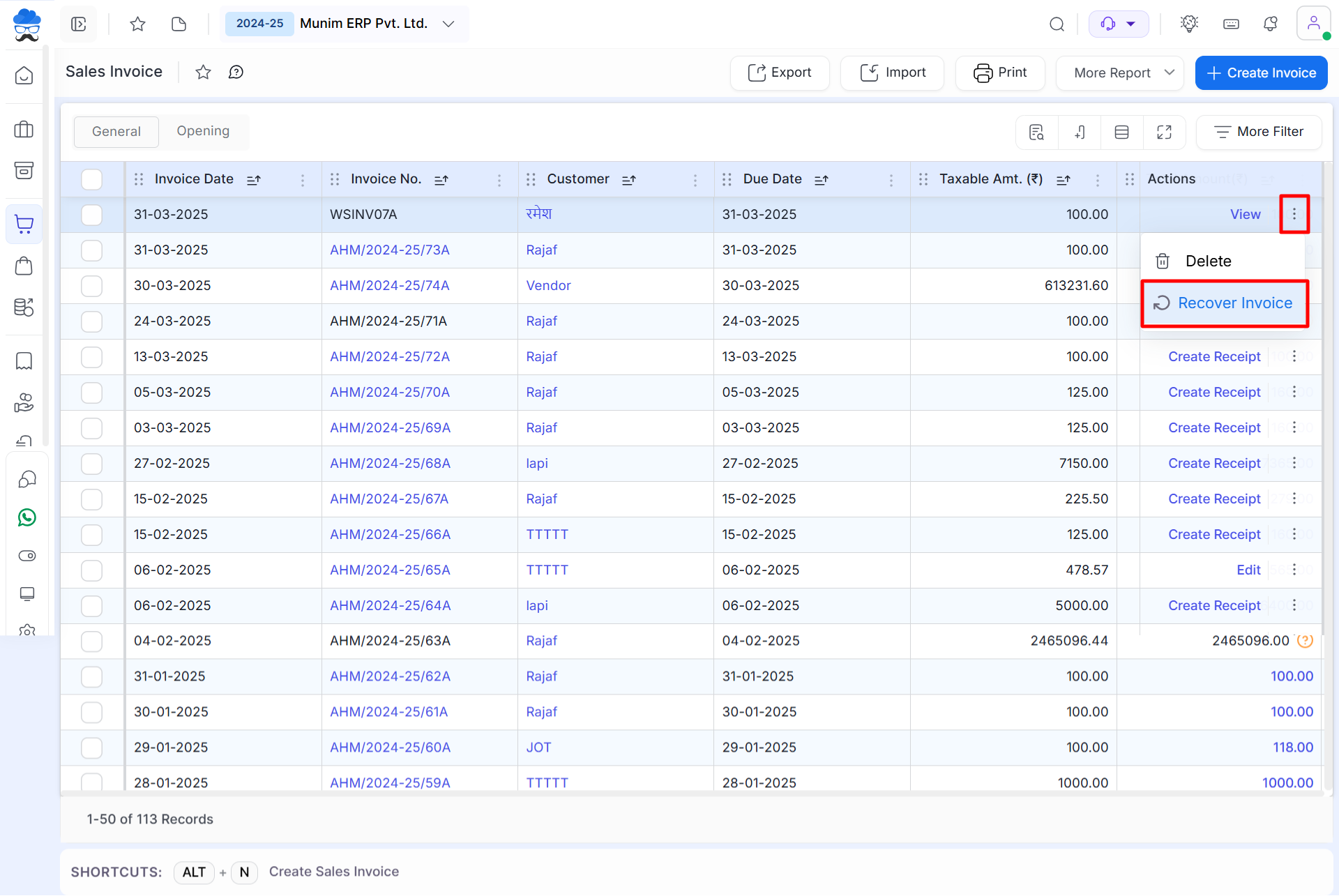
Step 2: Recover the Cancelled Invoice
- Click the Action Menu (⋮) next to the cancelled invoice.
- Select the Recover Invoice option.
- The invoice will be restored and become available for further processing.
+−⟲
Important Notes
- Only cancelled invoices can be recovered.
- Invoice details remain unchanged after recovery.
- Recovered invoices can be edited, printed, or processed further.
- Ensure you cancel the correct invoice before proceeding.
Result
The cancelled invoice is successfully restored and becomes available for normal use in the Sales Invoice module.
Need Assistance?
Contact our support team if you need help recovering a cancelled invoice.


