
 3220 views
 Overview
The Contra Entry module is used to record fund transfers between your Cash and Bank accounts without affecting your overall financial position. It helps maintain accurate records of internal money movements and ensures that cash and bank balances remain up to date.
Benefits
- Record transfers between Cash and Bank accounts.
- Maintain accurate cash and bank balances.
- Improve financial tracking and reporting.
- Simplify internal fund transfers.
- Supports Bank Reconciliation (BRS) matching.
Create a Contra Entry
- Go to Transactions → Contra Entry.
- Click Create Contra Entry.
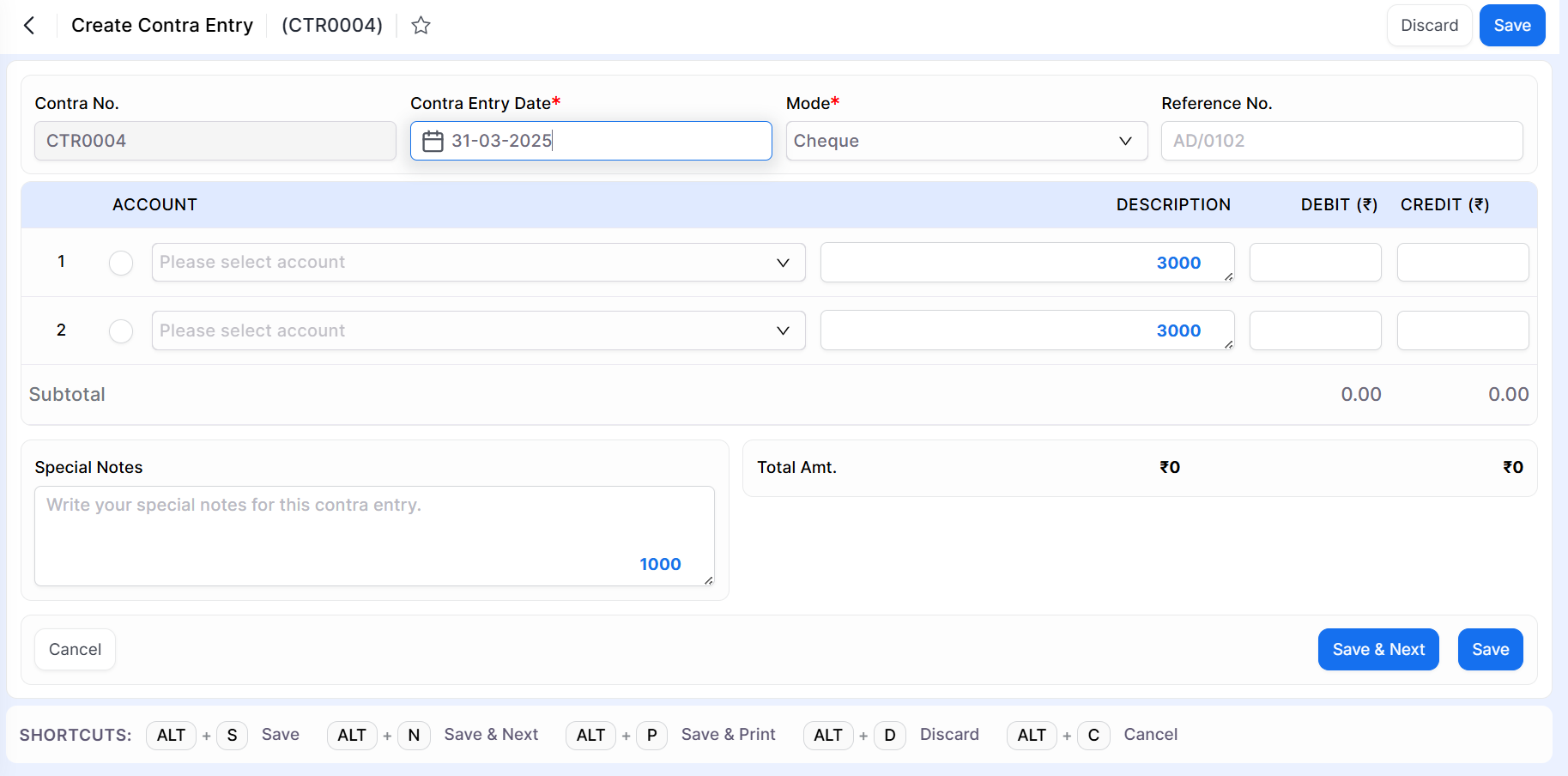
Enter Contra Entry Details
Fill in the required information:
| Field | Description |
|---|---|
| Contra No. | Auto-generated based on the configured numbering series. |
| Contra Entry Date | Select the transaction date. |
| Mode | Select the payment mode (Cash, Cheque, etc.). |
| Reference No. | Enter the cheque number or reference number (if applicable). |
| Account | Select the Cash and Bank accounts involved in the transfer in both fields. |
| Description | Enter a brief description for each entry. |
| Debit / Credit Amount | Enter the transfer amount. The total Debit and Credit amounts must be equal. |
| Special Notes | Add remarks for future reference (optional). |
Save the Entry
After entering all required details:
- Verify that the Debit and Credit amounts are balanced.
- Click Save or Save & Next.
The Contra Entry will be recorded successfully.
Contra Entry & Bank Reconciliation (BRS)
Contra Entries are automatically considered during the Bank Reconciliation (BRS) process.
The Match and Suggested Match options in the BRS module use Contra Entries to simplify reconciliation between bank transactions and accounting records.
Important Note
- Contra Entries should only be used for internal transfers between Cash and Bank accounts.
- Ensure that the Debit and Credit totals are equal before saving.
- Use the appropriate Mode and Reference Number for better transaction tracking.
- Recorded Contra Entries are available in reports and the BRS module.
Result
The Contra Entry is recorded successfully, and the fund transfer between Cash and Bank accounts is reflected accurately in your books while remaining available for Bank Reconciliation.
Need Assistance?
If you need help creating or managing Contra Entries, please contact the Munim Support Team.


