
 936 views
 This module serves the specific purpose of generating Proforma Invoices, which act as essential previews of upcoming sales transactions.
A key feature of this module is its flexibility, enabling users to seamlessly incorporate new customer entries and item details directly into the invoice creation process, streamlining operations and ensuring accurate documentation throughout the sales pipeline.
It is important to note that a Proforma Invoice (PI) has no effect on inventory management, financial records, or Goods and Services Tax (GST) calculations.
Create Proforma Invoice:
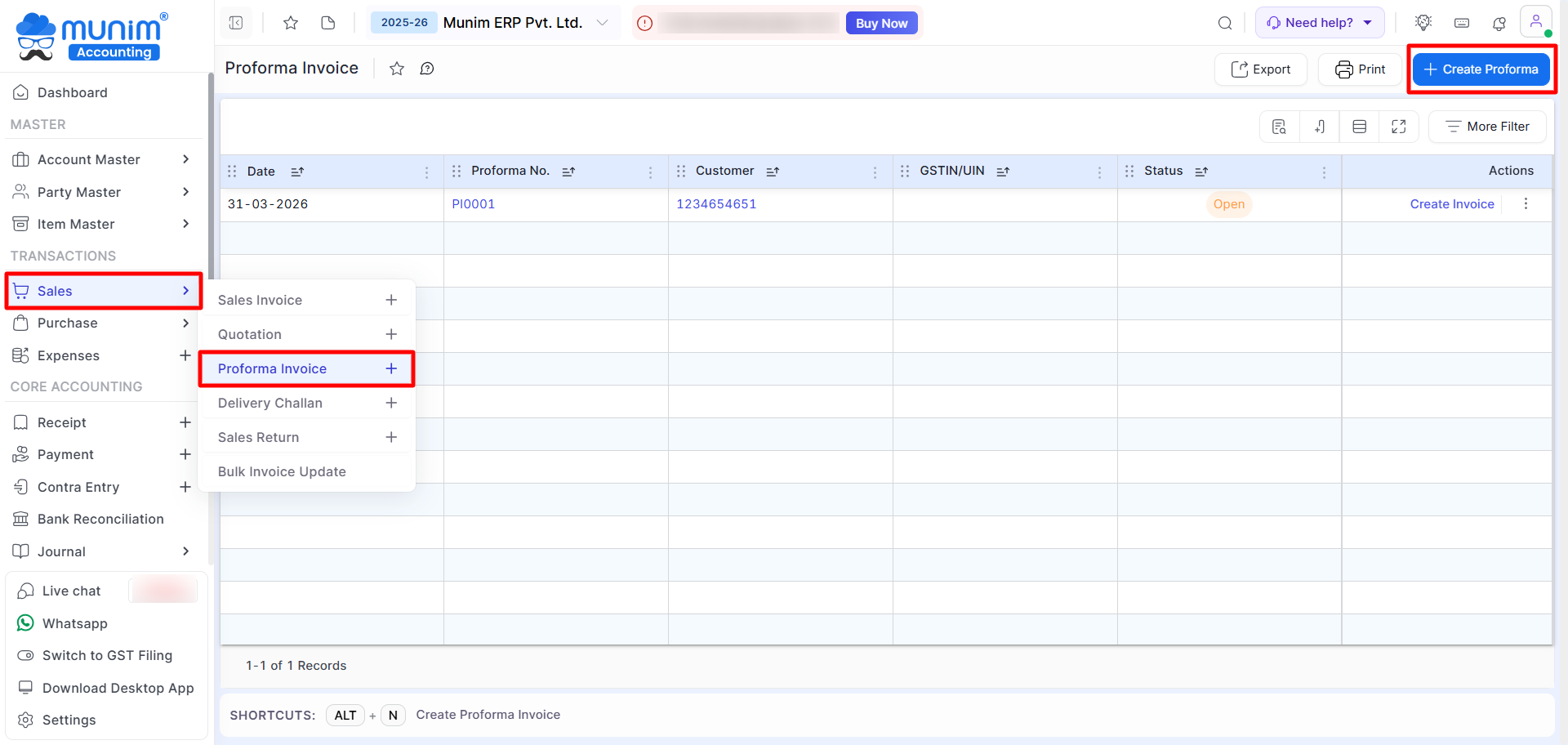
- Go to the Transaction section on the left sidebar → click the Sales module → Proforma Invoice
- On the module list, click the + icon to create, or on the Proforma Invoice to go to the list page.
- On the list page, click on the “+ Create Proforma Invoice” button or press Alt + N
+−⟲
+−⟲
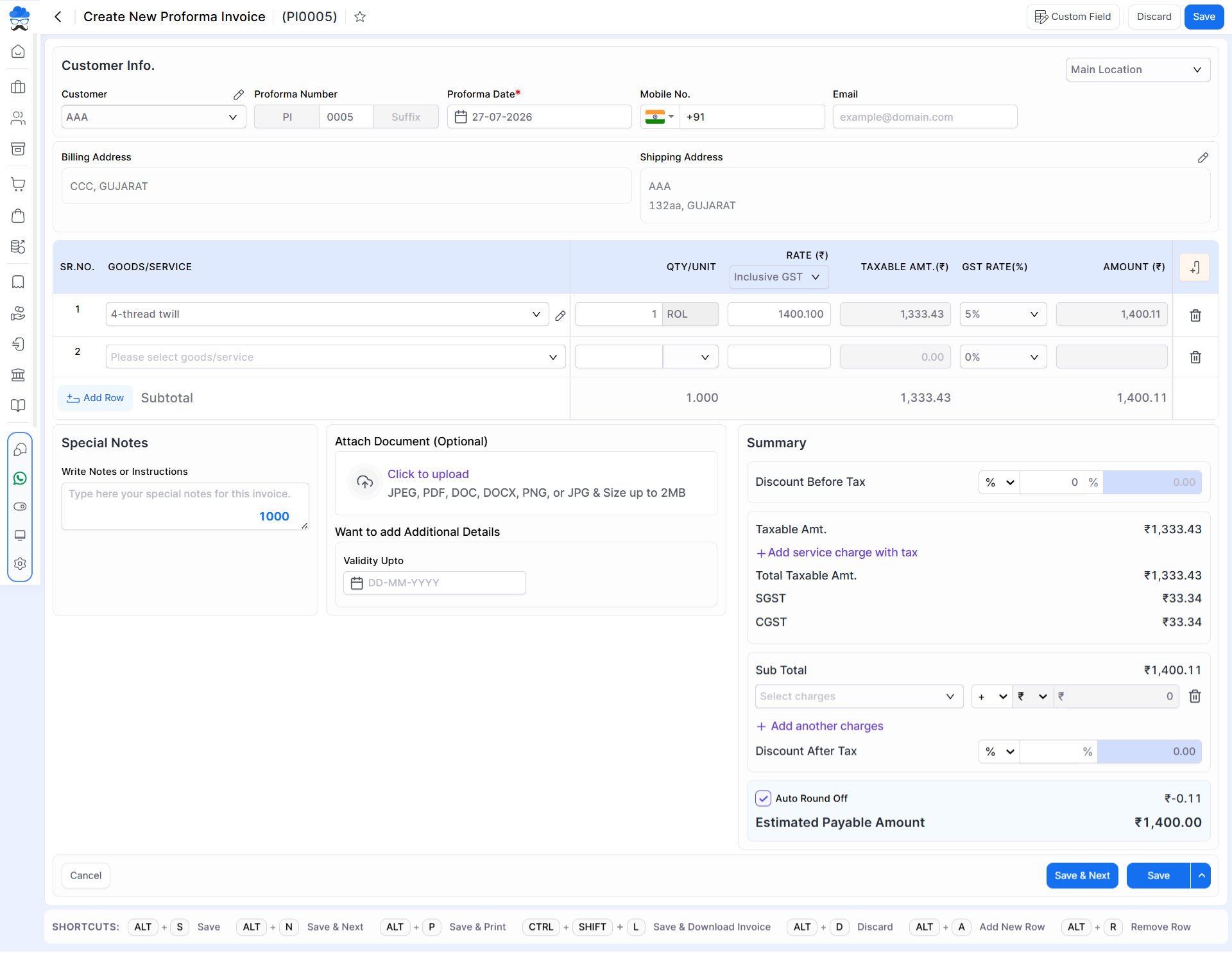
Field Information
| Field | Description | Note |
|---|---|---|
| Customer | Select customer or add new | Mandatory |
| Billing Address | Auto-fill from customer master | |
| Shipping Address | Auto-fill from Account master, editable | |
| Mobile No. | Auto-fill from Account master, editable | |
| Auto-fill from Account master, editable | ||
| Location Selection | Select a specific location, which filters and displays stock levels relevant to that location. | |
| Proforma Number | Auto-generated according to current series | Mandatory |
| Proforma Date | Current Date Auto-filled, editable | Mandatory |
| Custom Field | Enter custom details, set it from top right | |
| Goods/Service | Select or add item | Mandatory |
| Batch No. | Select batch if applicable | If batchwise item |
| MRP | Auto-filled from item master | Enable from Show/Hide |
| Quantity | Enter quantity | Mandatory |
| Free Quantity | Not included in the amount, Stock affected | Enable from Show/Hide |
| Rate (₹) | Auto-filled from Item master, editable | Mandatory |
| Disc. (%/₹) | Item-level discount | Enable from Show/Hide |
| Taxable Amount | Auto-calculated | Enable from Show/Hide |
| GST Rate (%) | Auto-filled, editable | Mandatory |
| CESS (%) | Auto-filled, editable | Enable from Show/Hide |
| Amount (₹) | Auto-calculated amount | Non editable |
| Add Row | Add more Item rows | |
| Add Quotation Item | Add already created Quotation items in Proforma Invoice | |
| Special Notes | Add note for Proforma invoice | |
| Attach Document | Upload Attachment file | |
| Validity Upto | Add Validity date | |
| Discount Before Tax | Apply before GST | |
| + Add Service Charge | Add extra charges with Tax | |
| + Add Another Charge | Add more charges without tax | |
| Discount After Tax | Apply after GST | |
| Auto Round Off | Round final amount | |
| Save & Next | Save and redirect to Next Proforma | |
| Save | Save Proforma invoice | |
| Save & Print | Save and print Proforma Invoice | |
| Save & Send | Save and share on WhatsApp |
Shortcut Information
| Shortcut | Description |
|---|---|
| Alt + S | Save |
| Alt + N | Save & Next |
| Alt + P | Save & Print |
| Alt + D | Discard |
| Alt + A | Add Row |
| Alt + R | Remove Row |
| Alt + C | Cancel |
+−⟲
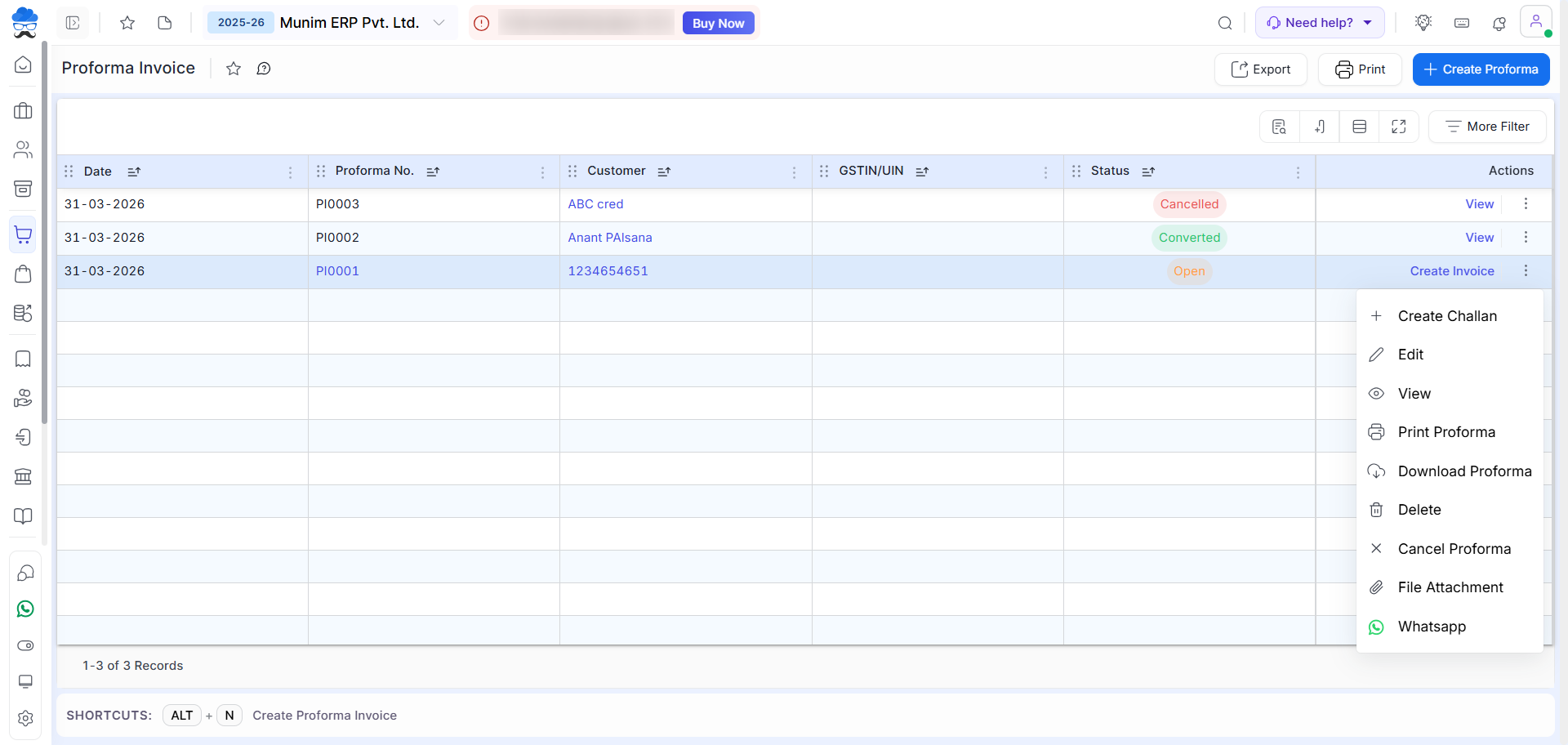
Actions
| Action | Description |
|---|---|
| Create Invoice | Create a Sales Invoice from this Proforma Invoice |
| Create Challan | Create a Delivery Challan of this Proforma Invoice |
| Edit | Edit Proforma invoice |
| View | View Proforma invoice |
| Print Proforma | Print Proforma invoice |
| Download Proforma | Download Proforma invoice |
| Delete | Delete Proforma invoice |
| Cancel Proforma | Cancel Proforma invoice |
| File Attachment | Attach document |
| Send Proforma via WhatsApp |
Status
| Status | Details |
|---|---|
| Open | Proforma yet to convert |
| Converted | Converted to Sales Invoice or Delivery challan |
| Cancelled | Proforma cancelled |
Important Rule
- If a Delivery Challan is created from a Proforma Invoice → Proforma Invoice cannot be used to create Tax Invoice directly
Proforma Invoice – Quick Conversion Flow
- Quotation → Proforma Invoice → Tax Invoice
- Quotation → Proforma Invoice → Delivery Challan → Tax Invoice
Note
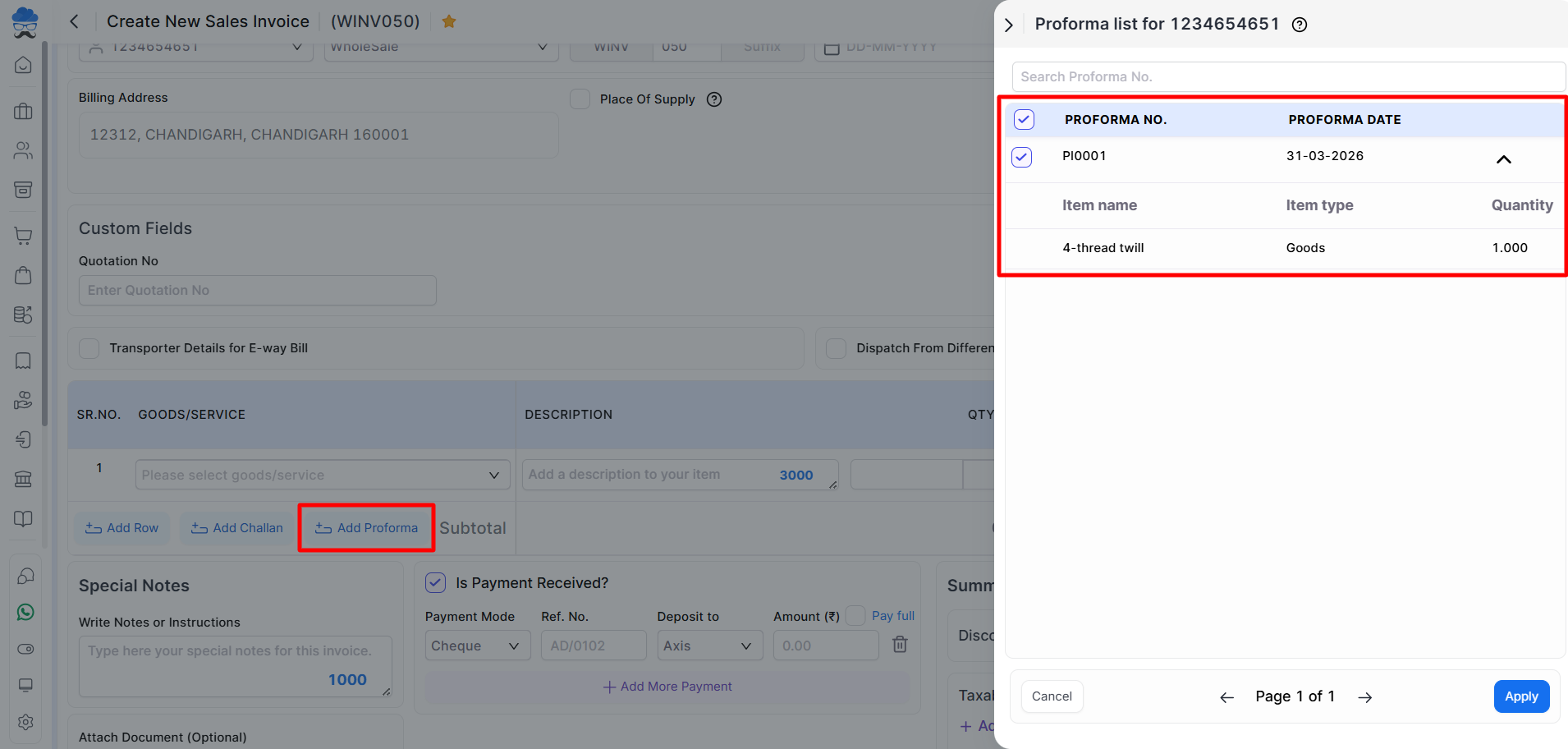
The functionality for adding multiple items is available in certain modules, as demonstrated in the provided screenshot:
- While creating a Proforma Invoice, you can add multiple Quotations in it.
- You can create a Sales Invoice by adding multiple Proforma Invoices.
- You can create a Delivery challan by adding multiple Proforma Invoices.
+−⟲
Print template
- We offer a distinct print template for Proforma Invoices, accessible through the Settings module and the Proforma Invoice list page Print button.
Need Assistance?
For any questions or support, please get in touch with our support team.


