
 1016 views
 Overview
As per GST provisions, certain products such as Gutka and Pan Masala are taxable based on their Retail Sale Price (RSP/MRP). In this method, the MRP is treated as GST-inclusive, and the taxable value is calculated automatically by back-calculating the assessable value from the MRP.
Munim provides an Apply RSP option in the Sales Invoice to simplify this calculation and ensure compliance with GST regulations.
Benefits
- Supports GST-compliant RSP-based valuation for applicable products.
- Automatically calculates the taxable value from the entered MRP.
- Eliminates manual tax calculations and reduces errors.
- Updates invoice totals automatically based on RSP selection.
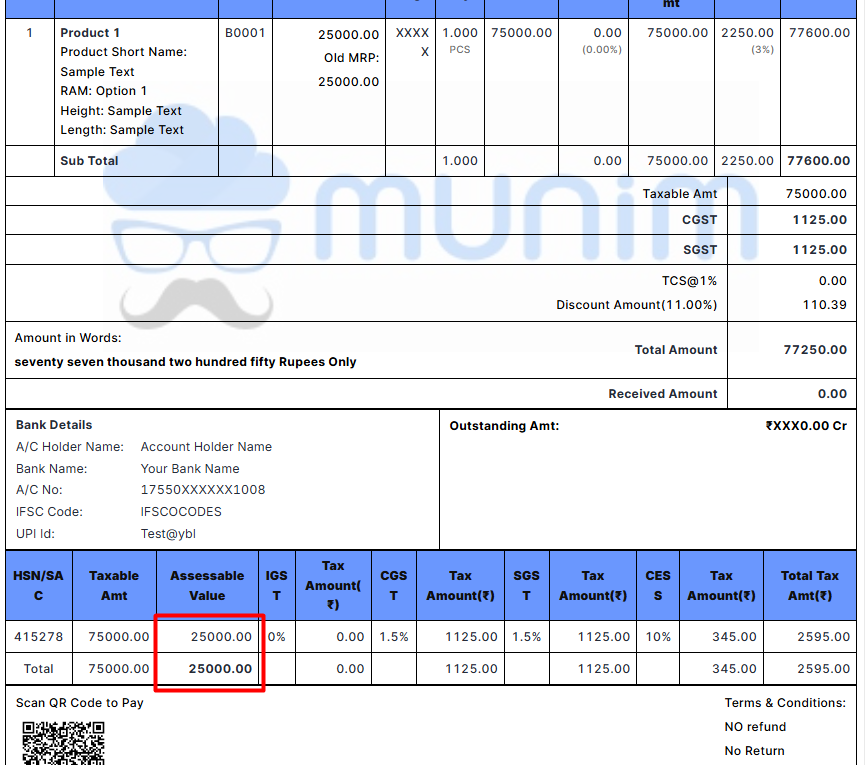
- Displays the RSP-based assessable value in the invoice print and HSN summary.
Where is this Option Available?
Navigation:
Sales → Sales Invoice → Create Invoice
- Create a new Sales Invoice.
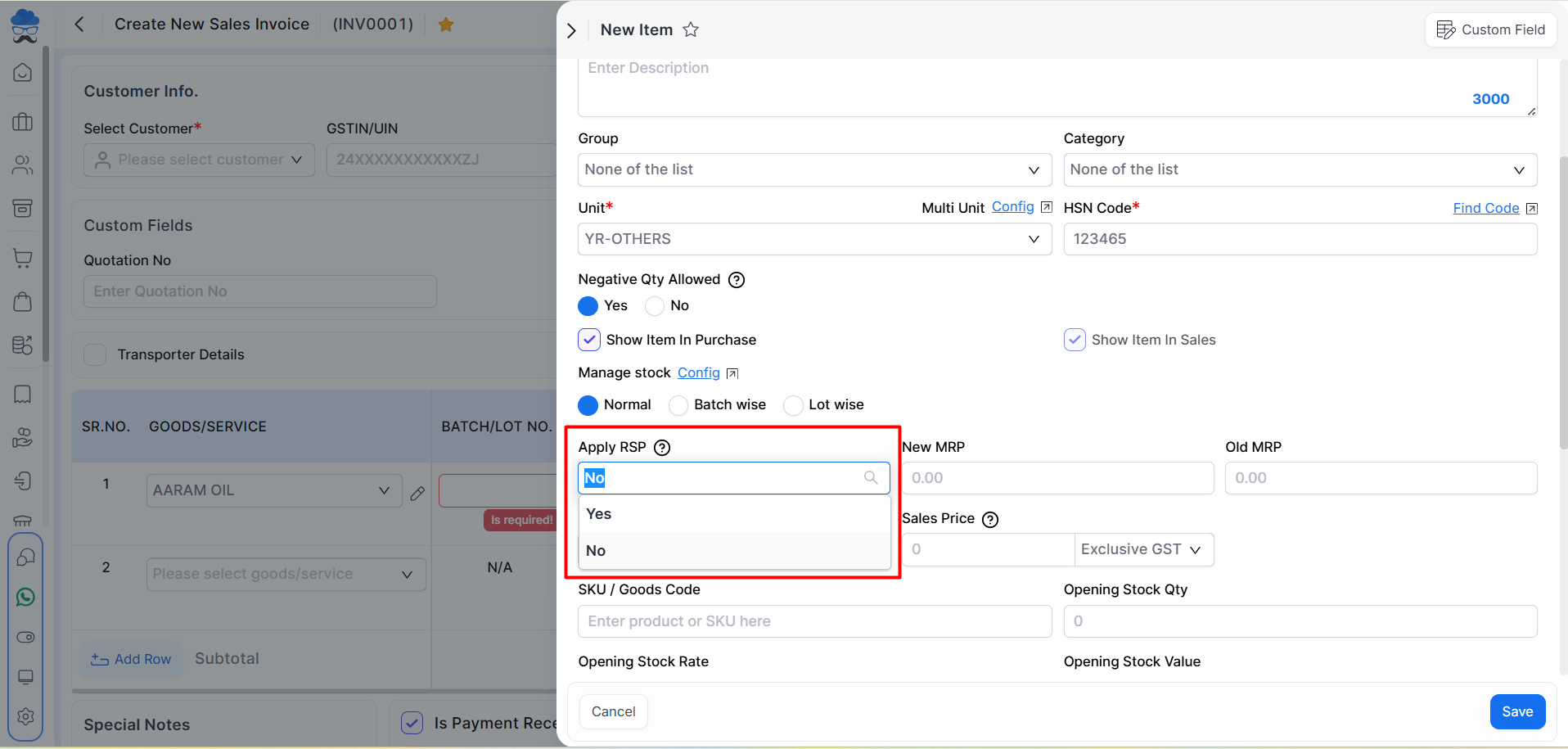
- Once you select an item, you have to edit it.
- Select Yes in the Apply RSP column for applicable items.
How RSP-Based Calculation Works
- Select the required item in the invoice.
- Edit Item and Set Apply RSP to Yes.
- Enter the New MRP (RSP) value.
- The system treats the entered MRP as GST-inclusive.
- Munim automatically calculates the taxable value and applicable taxes.
- Invoice totals are updated automatically.
RSP Reflection on Invoice Print
When RSP is applied:
- The Assessable Value is calculated automatically.
- The taxable value is reflected in the HSN Summary section of the Sales Invoice print.
- The invoice print displays the RSP-based valuation details for reporting and compliance purposes.
Important Notes
- This option should be used only for products covered under RSP-based taxation, such as Gutka and Pan Masala.
- Do not manually change the tax rate after applying RSP.
- The entered MRP should be the printed retail sale price of the product.
- GST calculations are handled automatically by the system.
- The feature is designed to comply with current GST rules for RSP-based valuation.
Result
The Sales Invoice is generated using RSP-based GST valuation, with the taxable value calculated automatically from the entered MRP and reflected correctly in the invoice summary and print format.
Need Assistance?
If you need help configuring or using the Apply RSP option, please contact the Munim Support Team for assistance.


