
 3035 views
 For more details please check out our Tutorial Video:
The Unit Module in Munim is a powerful feature designed to manage various measurement units for your inventory and transactions. It provides a seamless way to create, edit, and organize units used across your business operations. Here’s a comprehensive overview of the module to help you get started.
- Custom and Default Units
- Here you can manage both predefined (default) and user-created (custom) units.
- The predefined units are automatically available, while custom units can be added as per your requirements.
How to Use the Unit Module
- Accessing the Unit Module
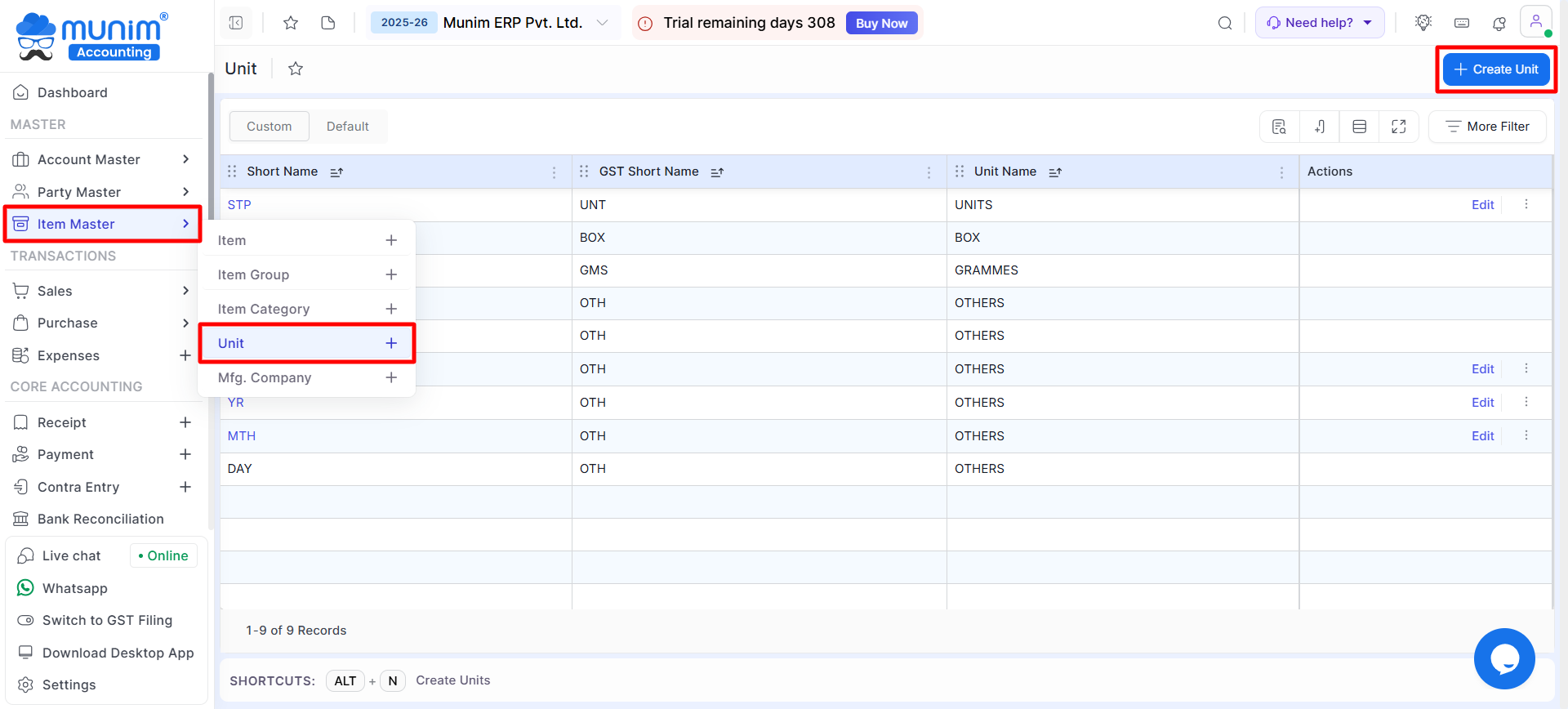
- Navigate to the Item Master module in Master section, here select Unit from the dropdown menu.
+−⟲
- Custom and Default Units
- Here you can manage both predefined (default) and user-created (custom) units.
- The predefined units are automatically available, while custom units can be added as per your requirements.
- Viewing Units
- The list of all existing units, along with their short names and GST short names, is displayed in a table format.
- Use the Column Search, Filter, or Show/Hide Column options to find specific units and other columns quickly.
- Creating a New Unit
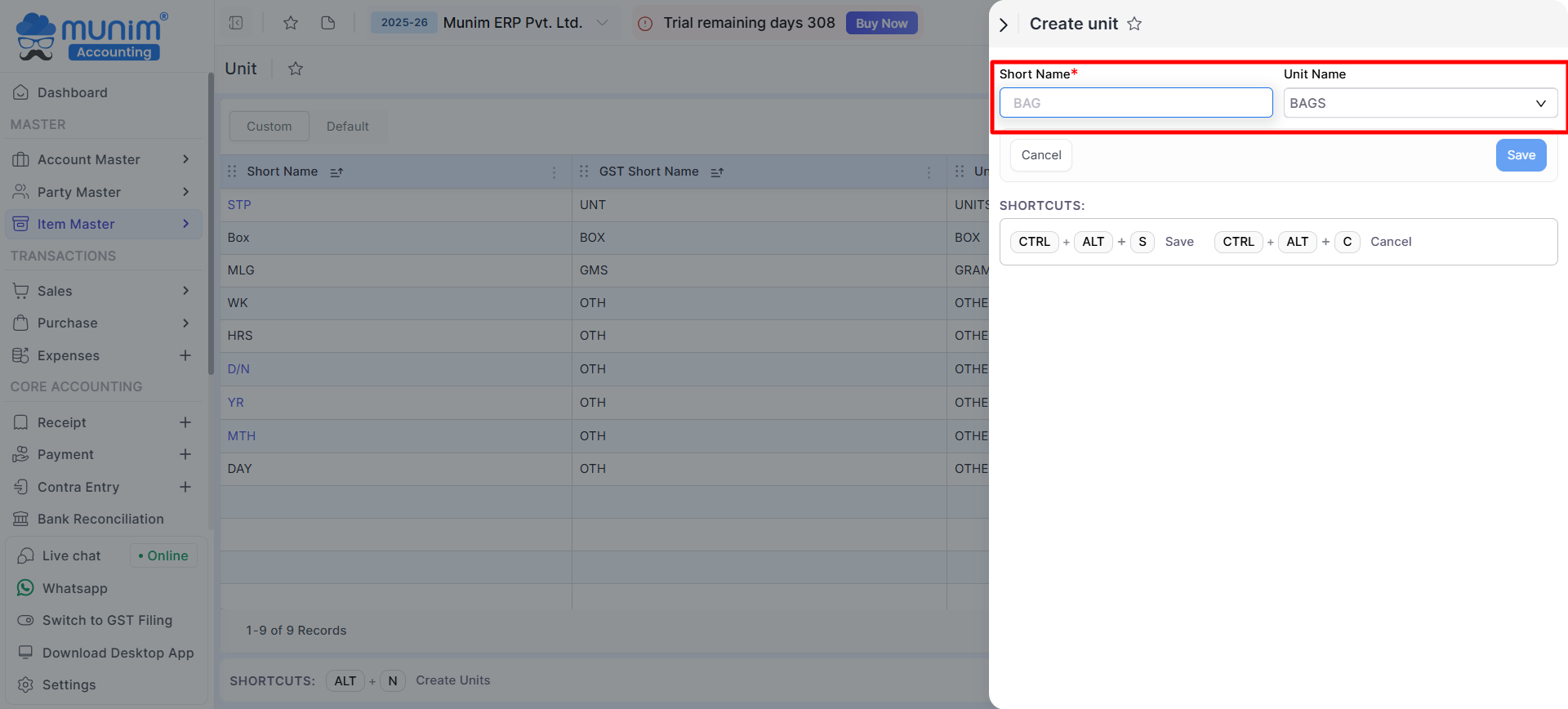
- Click on the Create Unit button on the top right.
- Fill in the required fields in the sidebar:
- Short Name: Abbreviated name of the unit (e.g., BAG).
- Unit Name: Full name of the unit (e.g., BAGS).
- Click Save to add the unit.
+−⟲
Editing an Existing Unit
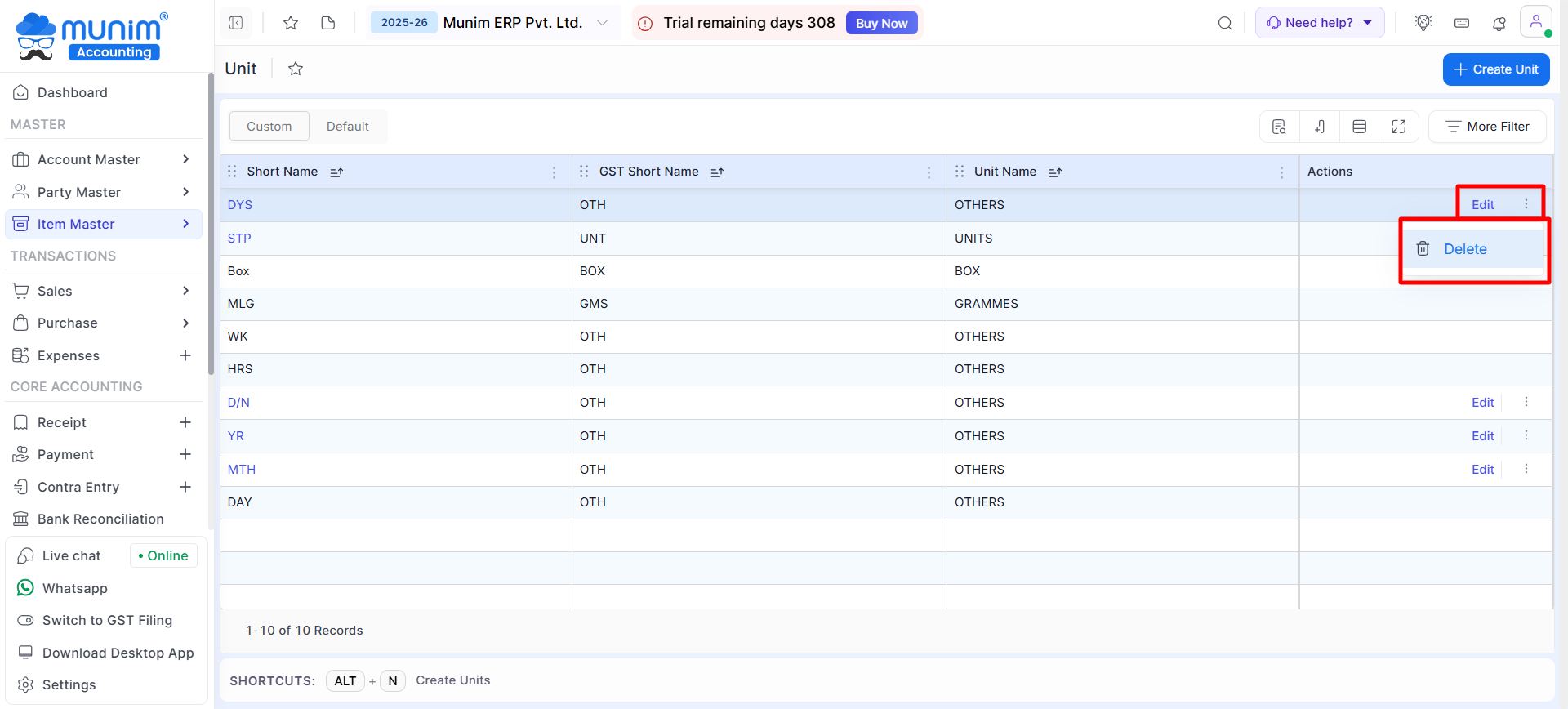
- Click on the Edit button under the Actions column for the respective unit to modify the details and click Save to update.
- Use the Delete option under Actions to remove a unit that is no longer needed. This option is available only if no transactions have been made against that unit.
+−⟲
Unit in Item:
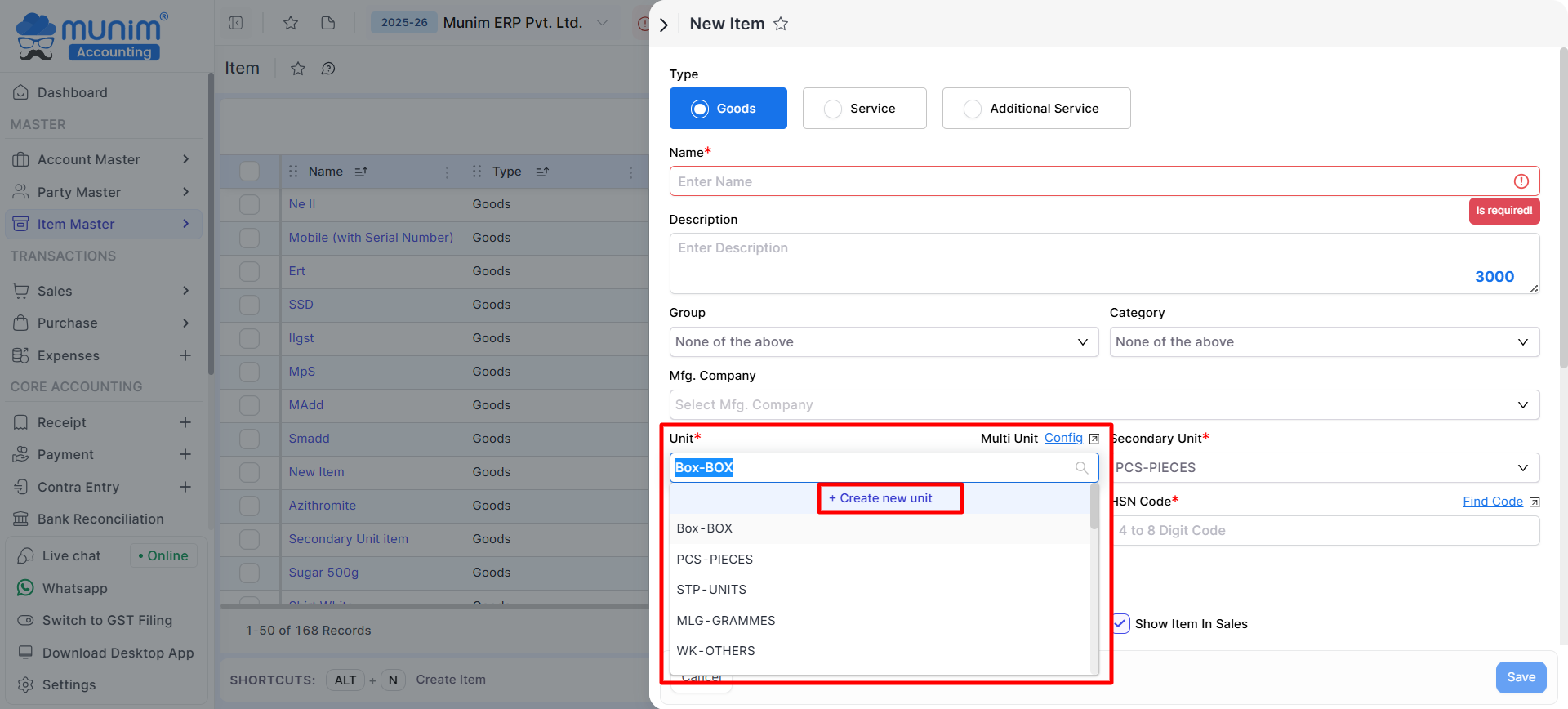
- All created Units will be displayed during the creation of a new item for selection, and you can also use the “Create new Item” option to create new Units.
+−⟲
By leveraging the Unit Module, you can enhance inventory management and maintain compliance with GST standards effortlessly.


