
 214 views
 Overview
The Invoice Wise Profit report helps you review the profitability of individual sales invoices by providing a clear view of Sales, Cost, and Profit for each invoice.
Benefits
- Analyze profit for individual sales invoices.
- Compare sales value with the related cost.
- Identify more or less profitable transactions.
- Get a clearer understanding of invoice-level profitability.
How to Access Invoice Wise Profit Report
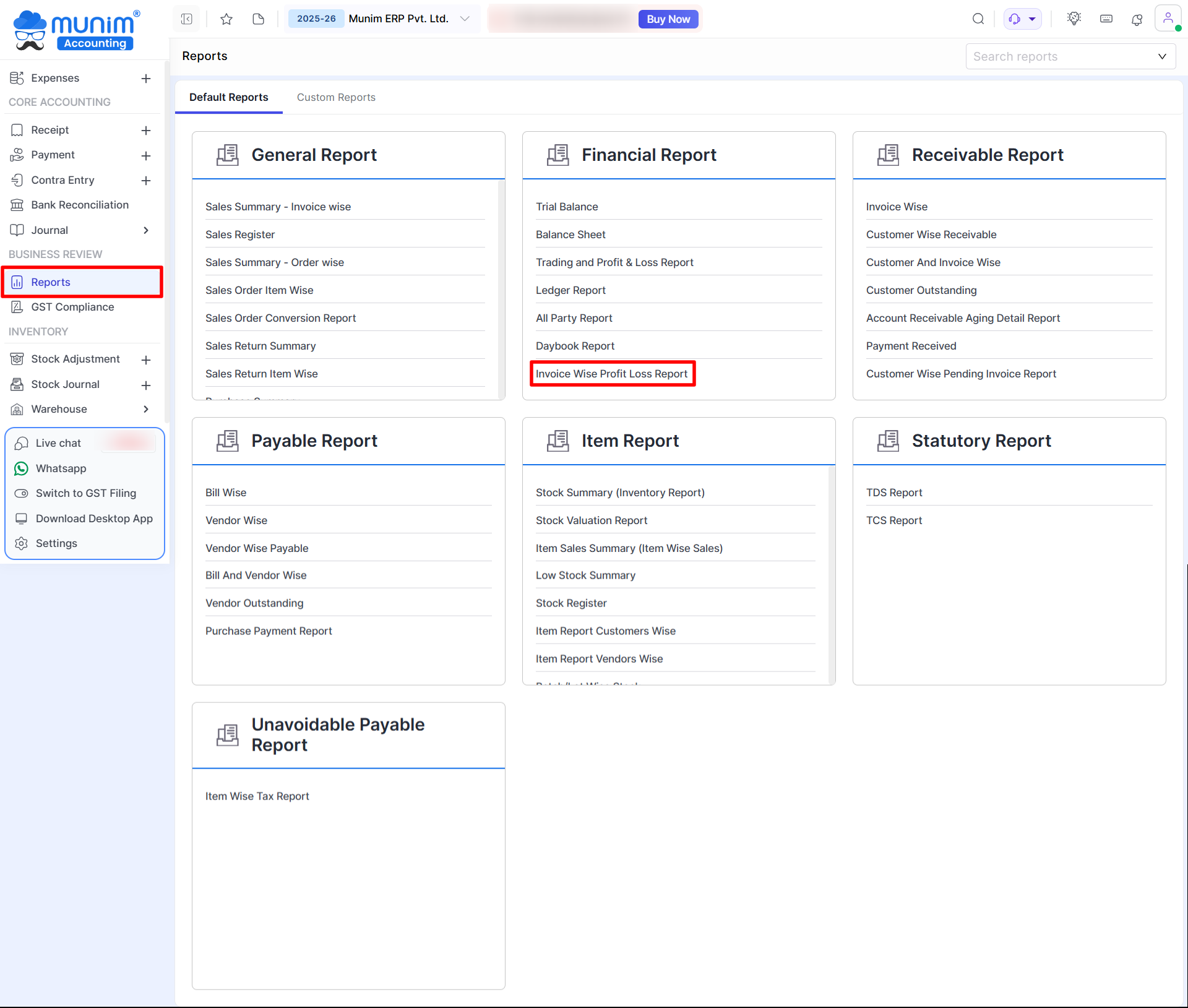
- Go to Reports from the left main menu.
- In the Financial Report section, click Invoice Wise Profit Loss Report.
+−⟲
Invoice Wise Profit Loss Report Data
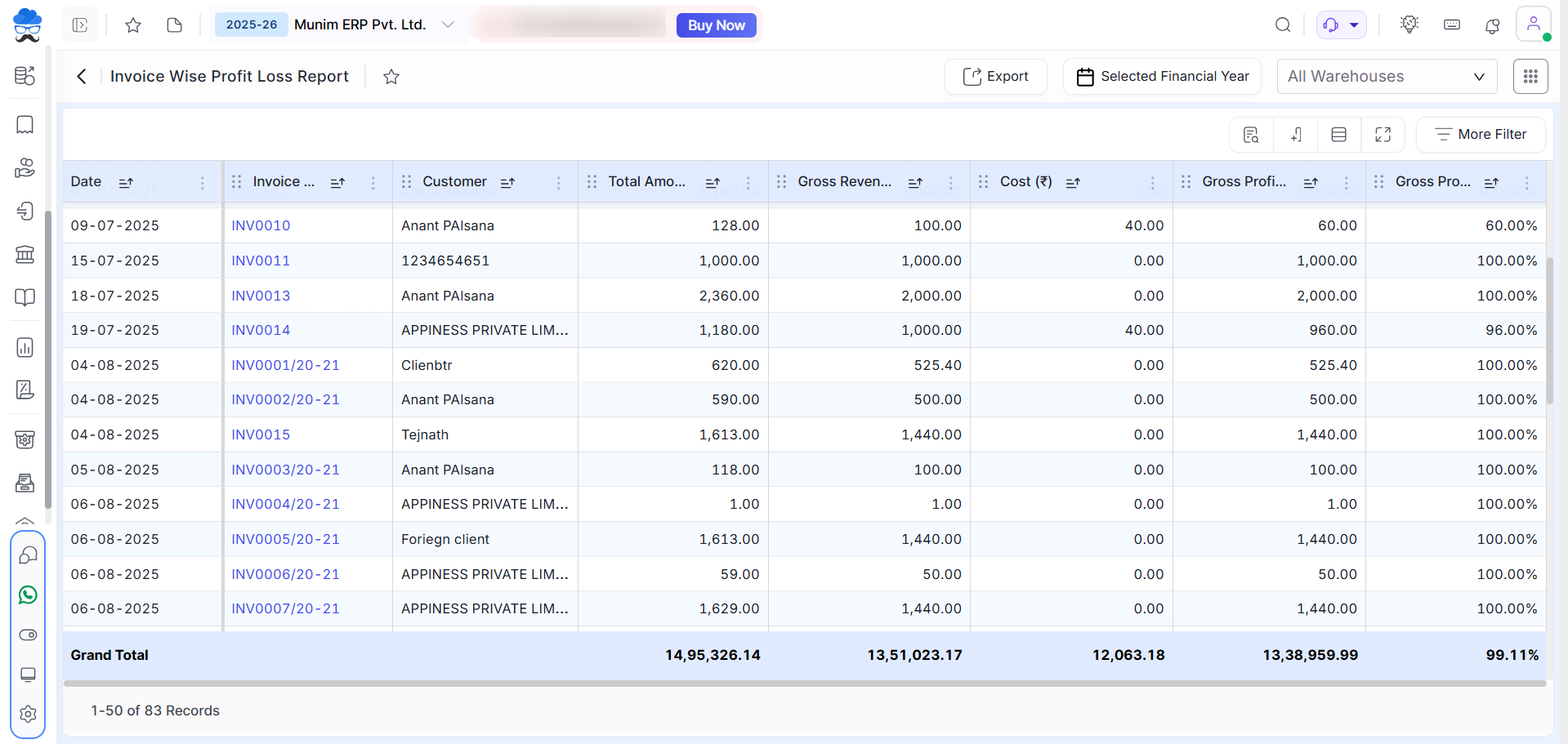
- This report presents a comprehensive breakdown of sales, costs, and profitability on a per-invoice basis.
- Key data points included in the report are;
- Invoice Date: The date on which the invoice was generated.
- Invoice Number: The unique identification number assigned to the specific invoice.
- Customer Name: The name of the customer associated with the invoice.
- Total Amount: The aggregate value of the invoice, inclusive of all applicable taxes.
- Gross Revenue: The total value of sales, excluding the applicable tax amount.
- Cost: Represents the total value of the inventory or services associated with the specific invoice.
- Gross Profit: Represents the net profit realized after deducting the associated costs from the total revenue.
- Gross Profit Percentage: The margin of profit expressed as a percentage of the total revenue.
+−⟲
Important Notes
- The report provides profitability details at the individual invoice level.
- It helps you analyze the performance of each sales transaction separately.
- Use the report to review and compare the Sales, Cost, and Profit of your invoices.
Need Assistance?
If you need help with the Invoice Wise Profit report, please contact our support team.


