
 4030 views
 GSTR-1 – Government is the tax return filed by a company or any other entity that has taxable income and tax liability. The GSTR-1 report, which is in the original government template format, is a critical document used in the Goods and Services Tax (GST) system in India. It is a monthly or quarterly return that businesses registered under GST must file to provide details of their outward supplies.
How to open GSTR1 – Government report:
- Go to the GST Compliance module in the left sidebar.
- Here, in the Return Report section, locate to GSTR1 – Government report.
+−⟲
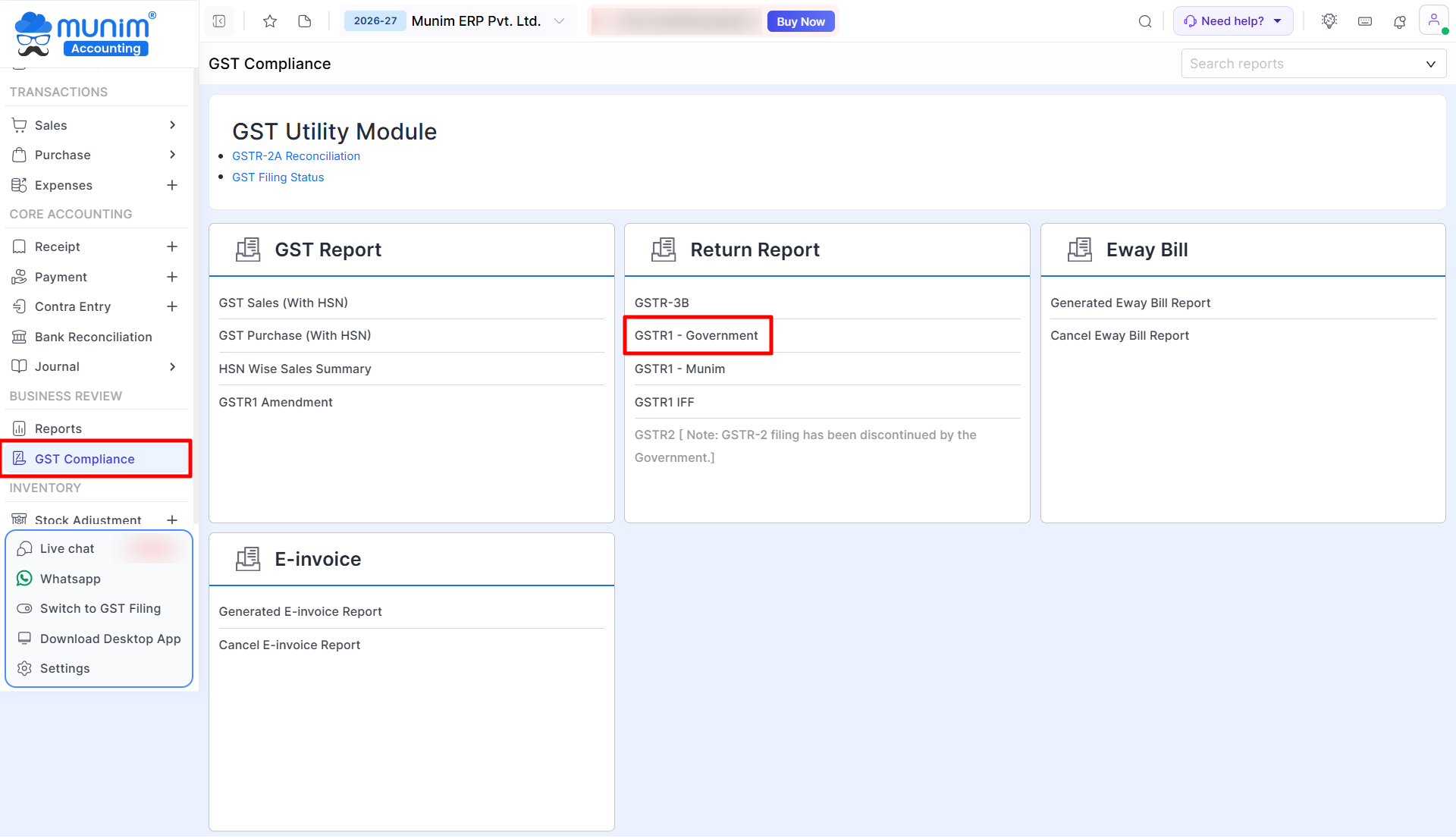
- Click on the GSTR1 – Government report option.
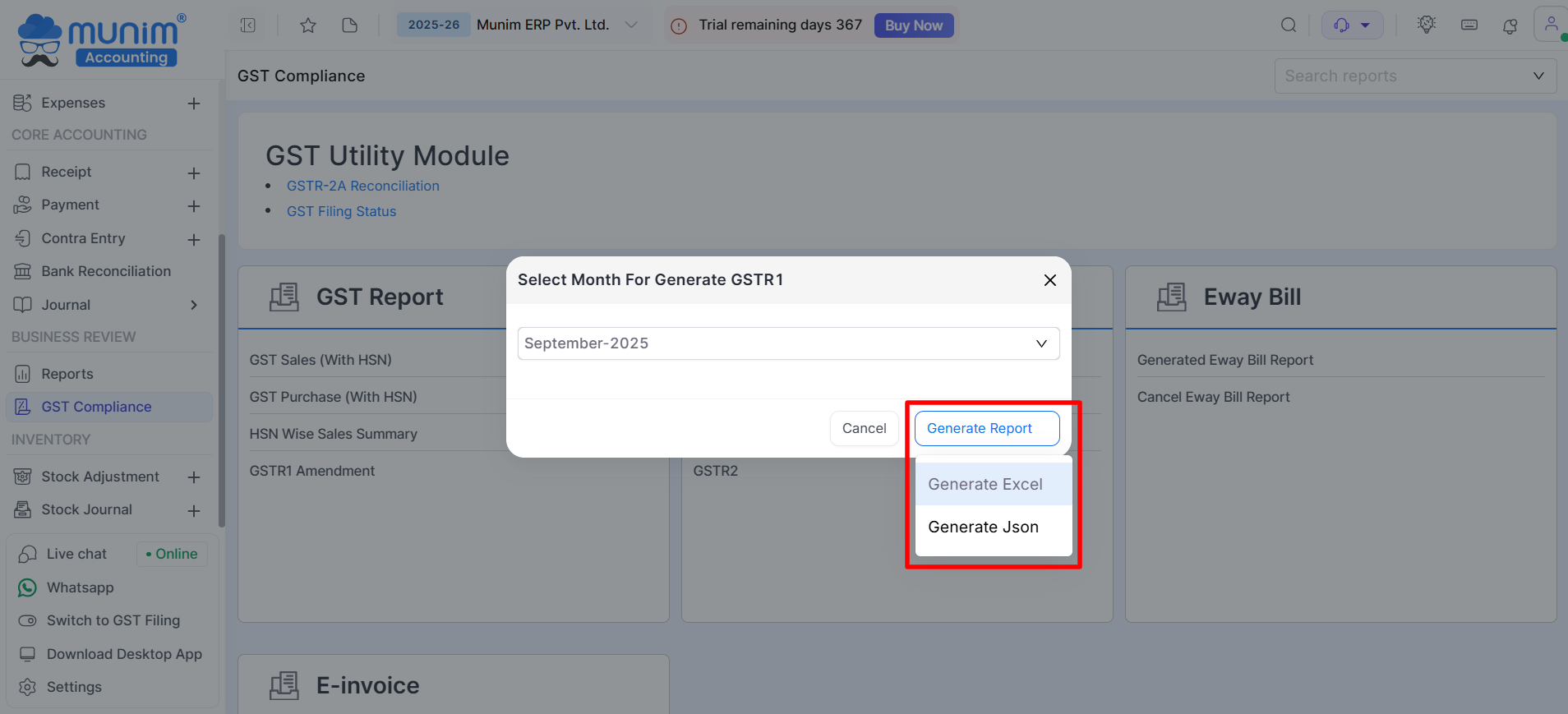
- Select the required Month or Quarter from the dropdown list.
+−⟲

- Click on the Generate Report button.
- Select the “Generate JSON” or “Generate Excel” option according to your requirement.
+−⟲
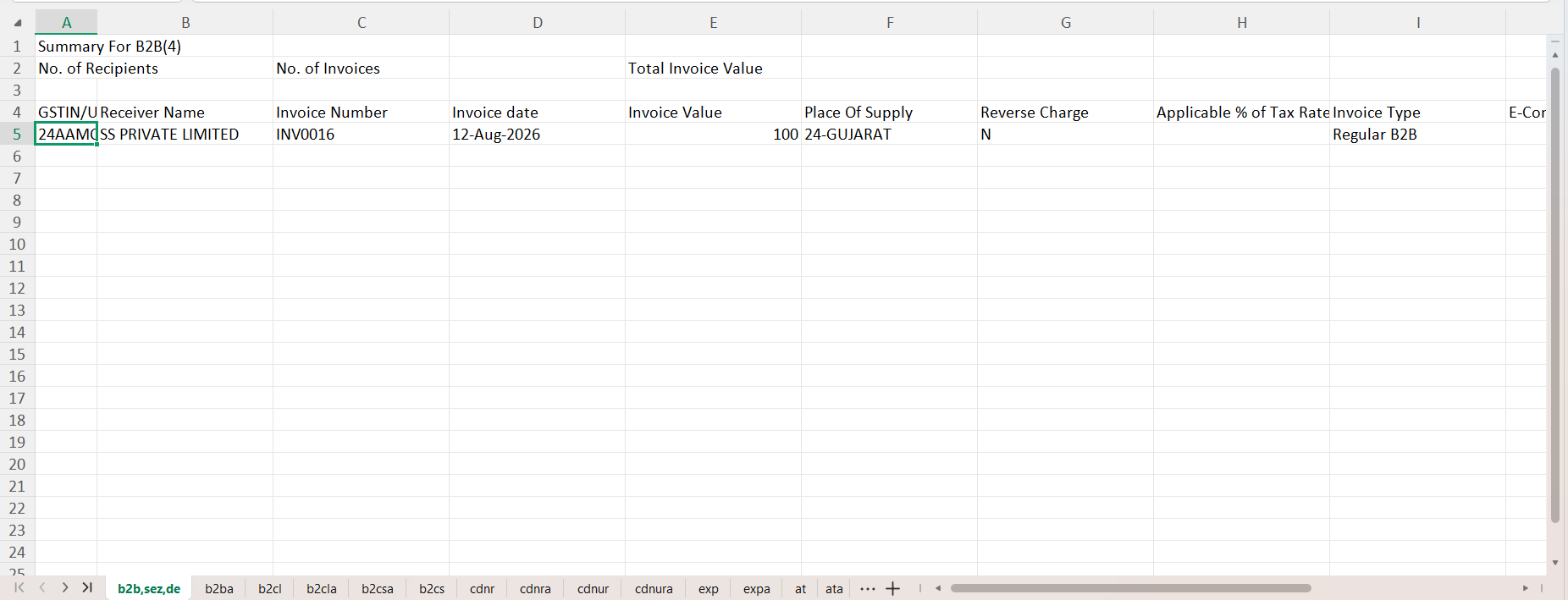
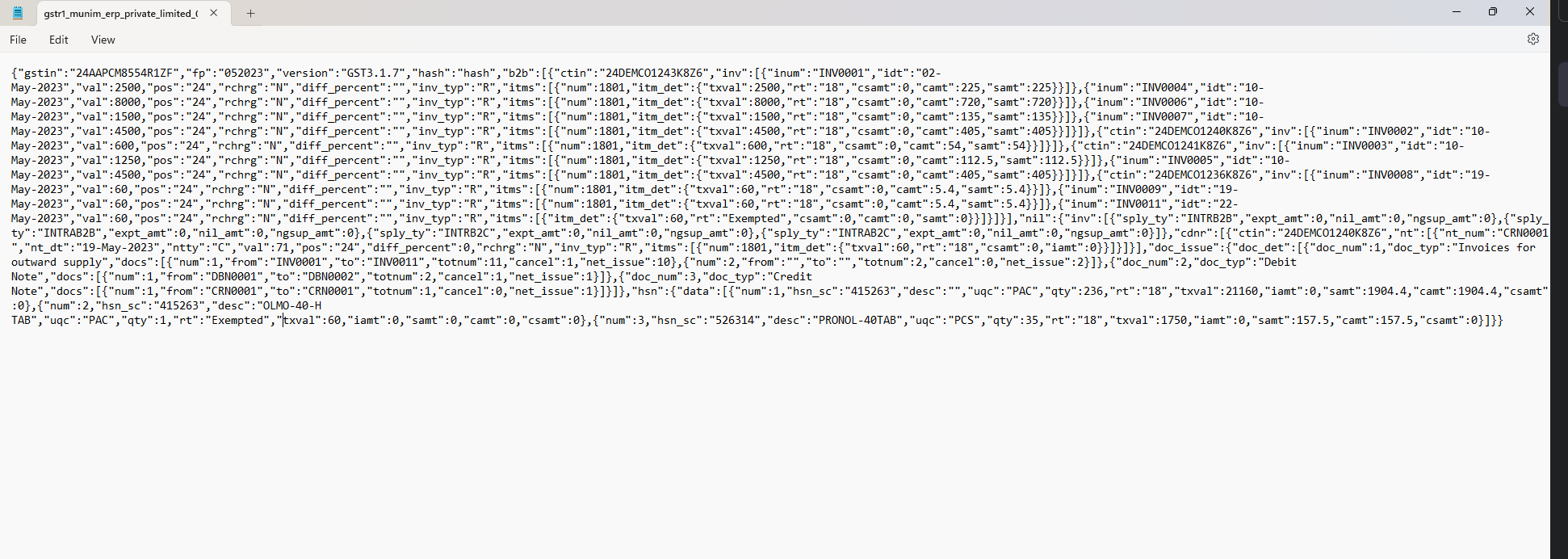
- The downloaded file will be saved to your system.
- You may refer to the samples below to see how the Excel and JSON files appear.
+−⟲
+−⟲
Need Help?
If you require further assistance, please feel free to contact our support team.


