
 6766 views
 Overview
To generate E-Invoices directly from Munim GST Software, you need to create an E-Invoice Portal API Username and Password from the E-Invoice portal. Once generated, these credentials can be configured in Munim for seamless E-Invoice generation.
Note: The taxpayer must already be registered on the E-Invoice portal before creating API credentials.
E-way Bill: For the E-way Bill API creation, please check the helpdesk for the E-way bill portal API user creation process.
To generate your e-invoice portal API username and password, you need to perform the following steps:
Step 1. : Visit the E-Invoice portal website.
- Access to the https://einvoice1.gst.gov.in/ for the E-Invoice Portal.
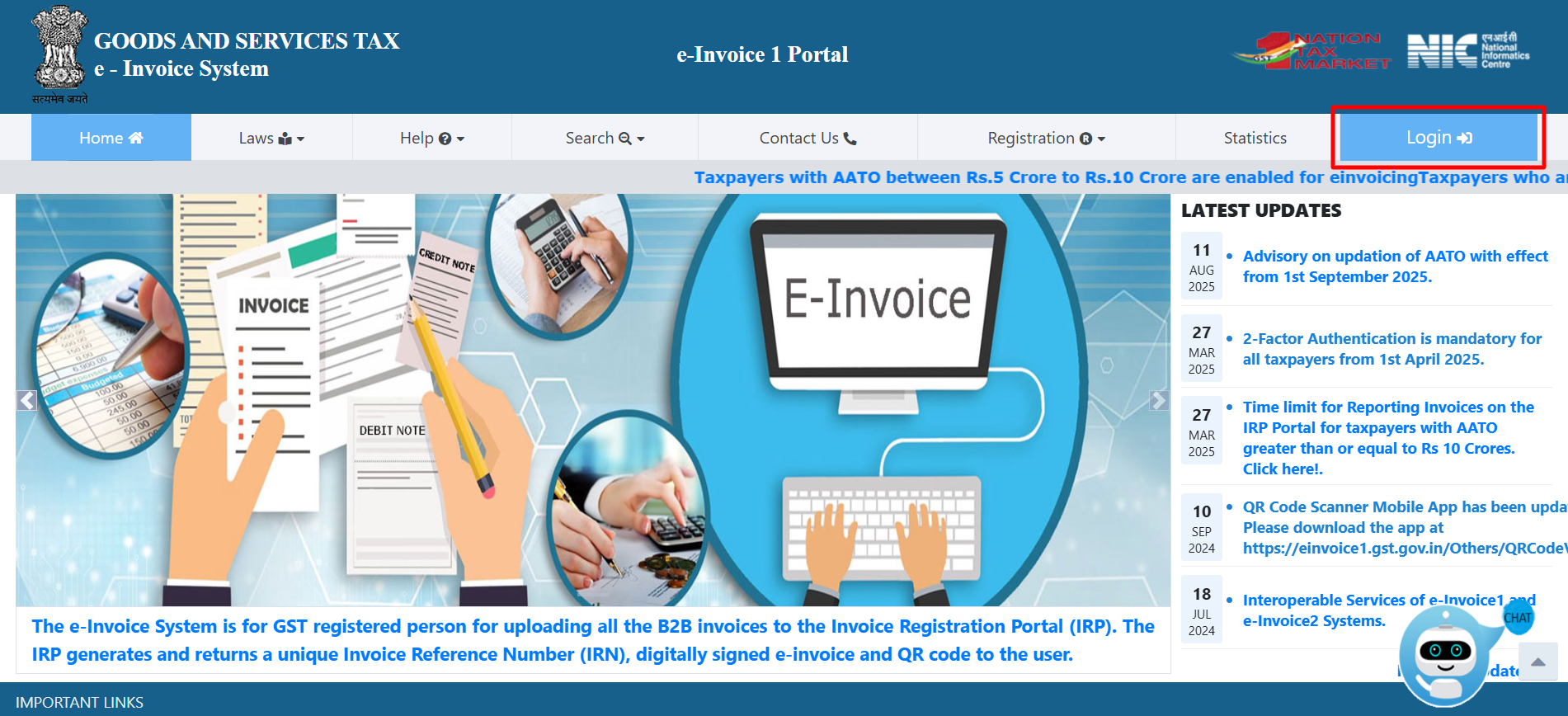
Step 2. : Log in option
- Click on the “Login” option available in the top right corner of the website to open the login pop-up.
- Users must already be registered with the E-Invoice portal prior to logging in.
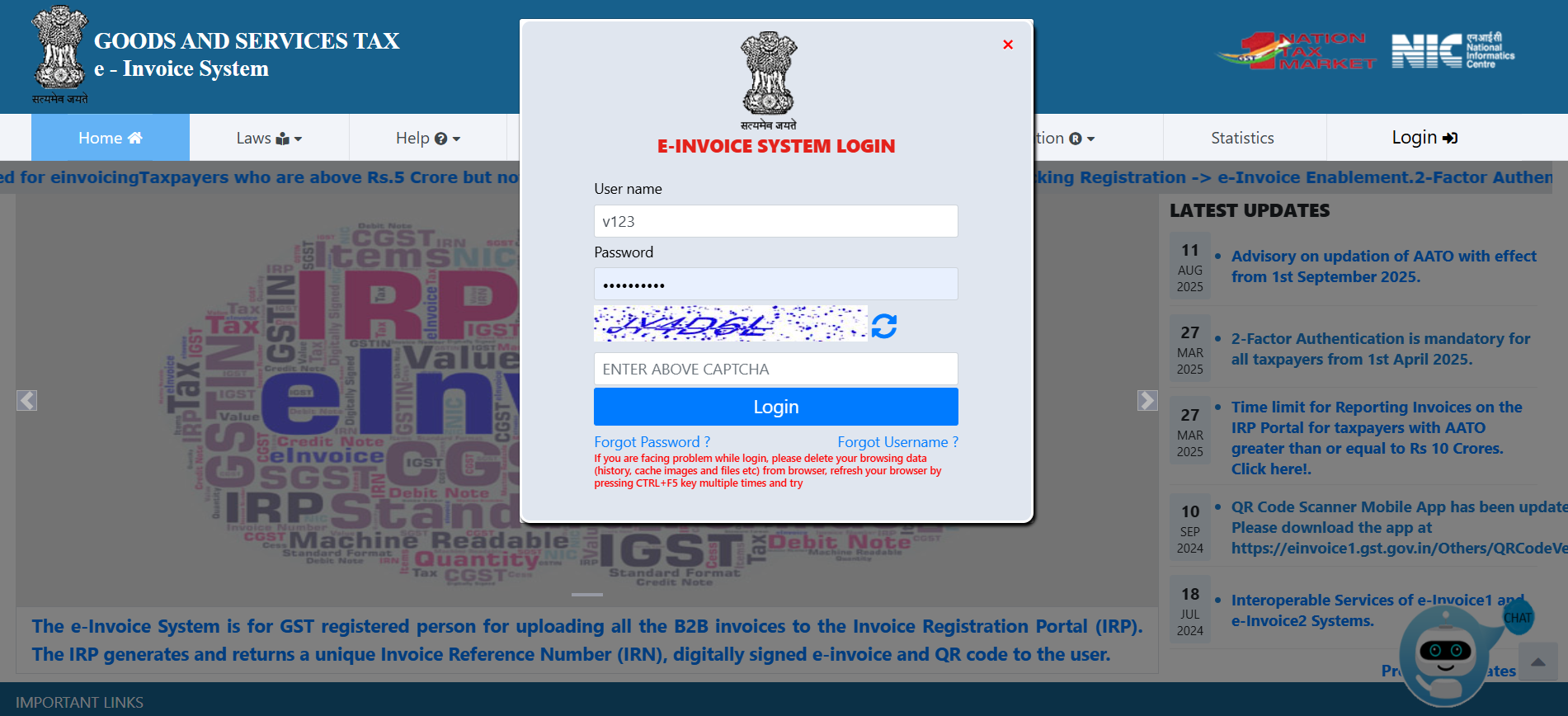
- Enter your “User name” and “Password“.
- Enter the CAPTCHA correctly and Click on the “Login” button.
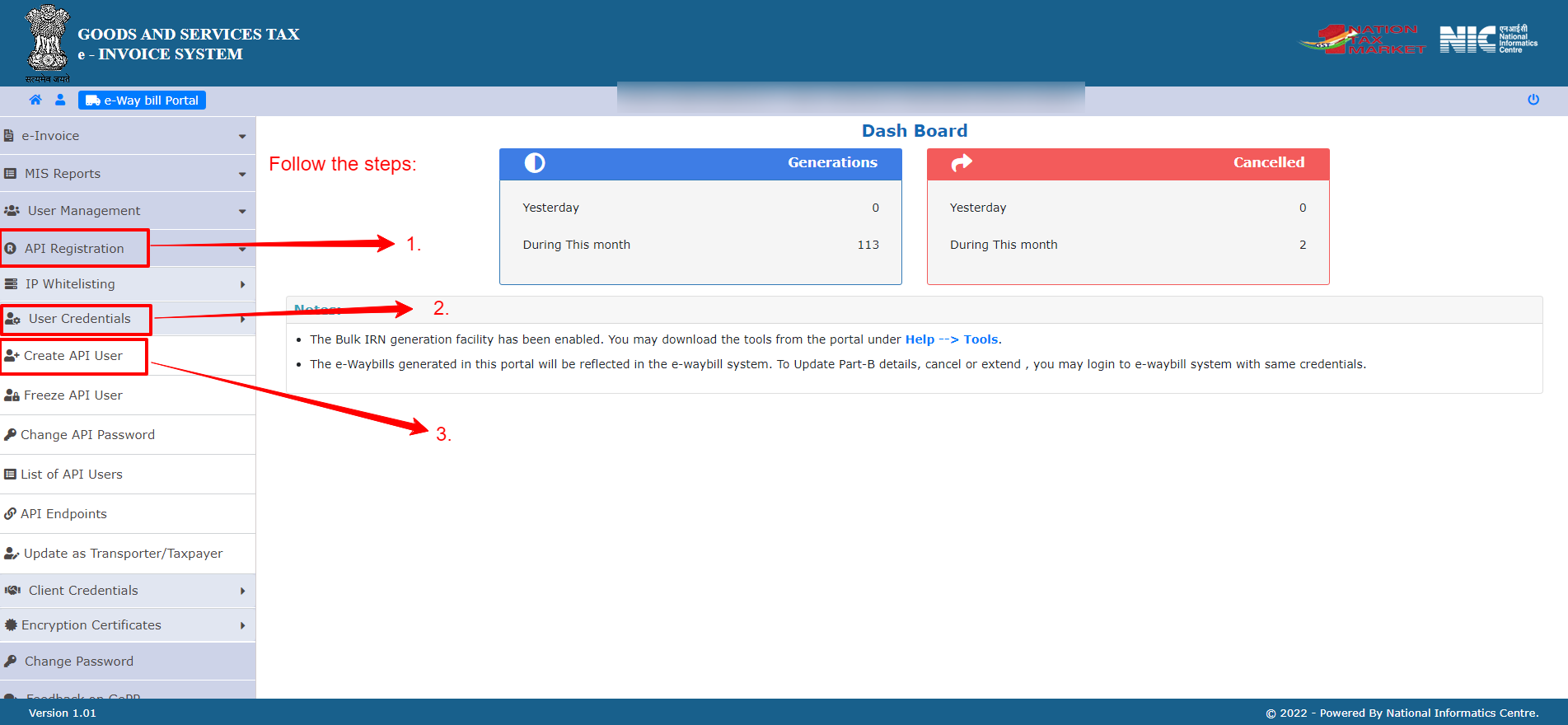
Step 3. : Create API User option
- After successful Login, you will be redirected to Dash Board page.
- On the dashboard, navigate to the left main menu. First, select “API Registration“. Subsequently, click on “User Credentials“. Finally, click the “Create API User” option.
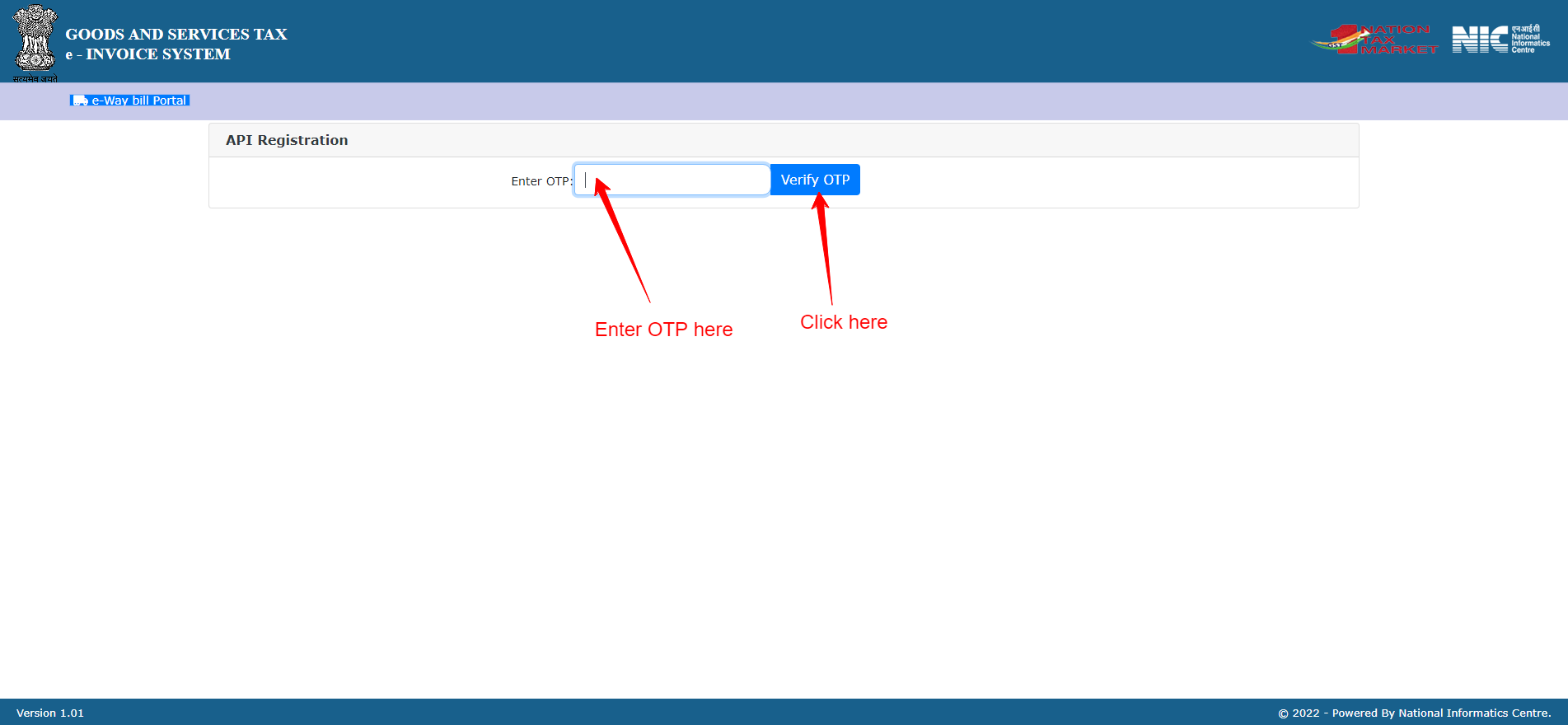
Step 4. : OTP verification process
- After clicking the “Create API User” button, you will be redirected to the OTP verification form.
- Enter OTP in the box. After entering the OTP, click on the “Verify OTP” button.
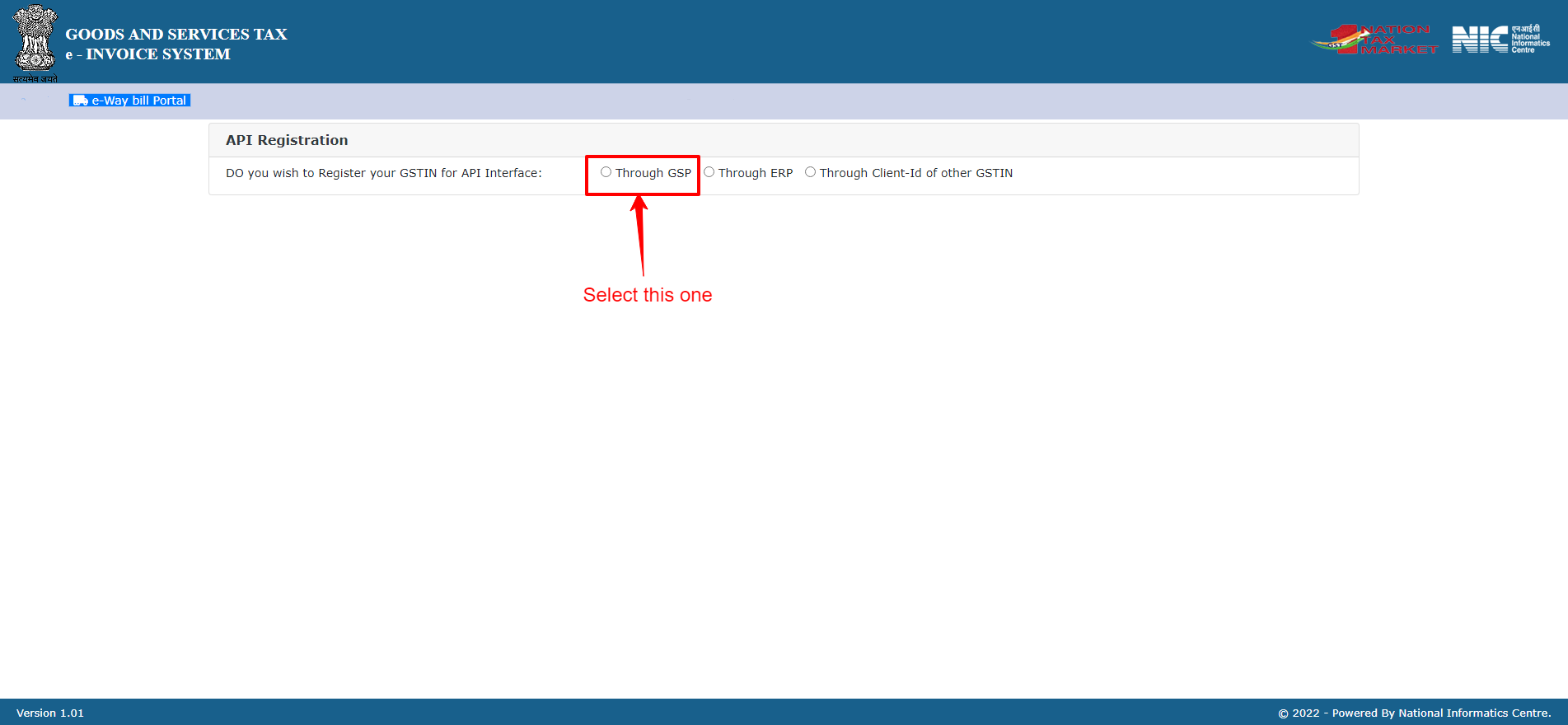
Step 5. : Select API interface type
- Select the “Through GSP” option here as the Interface type.
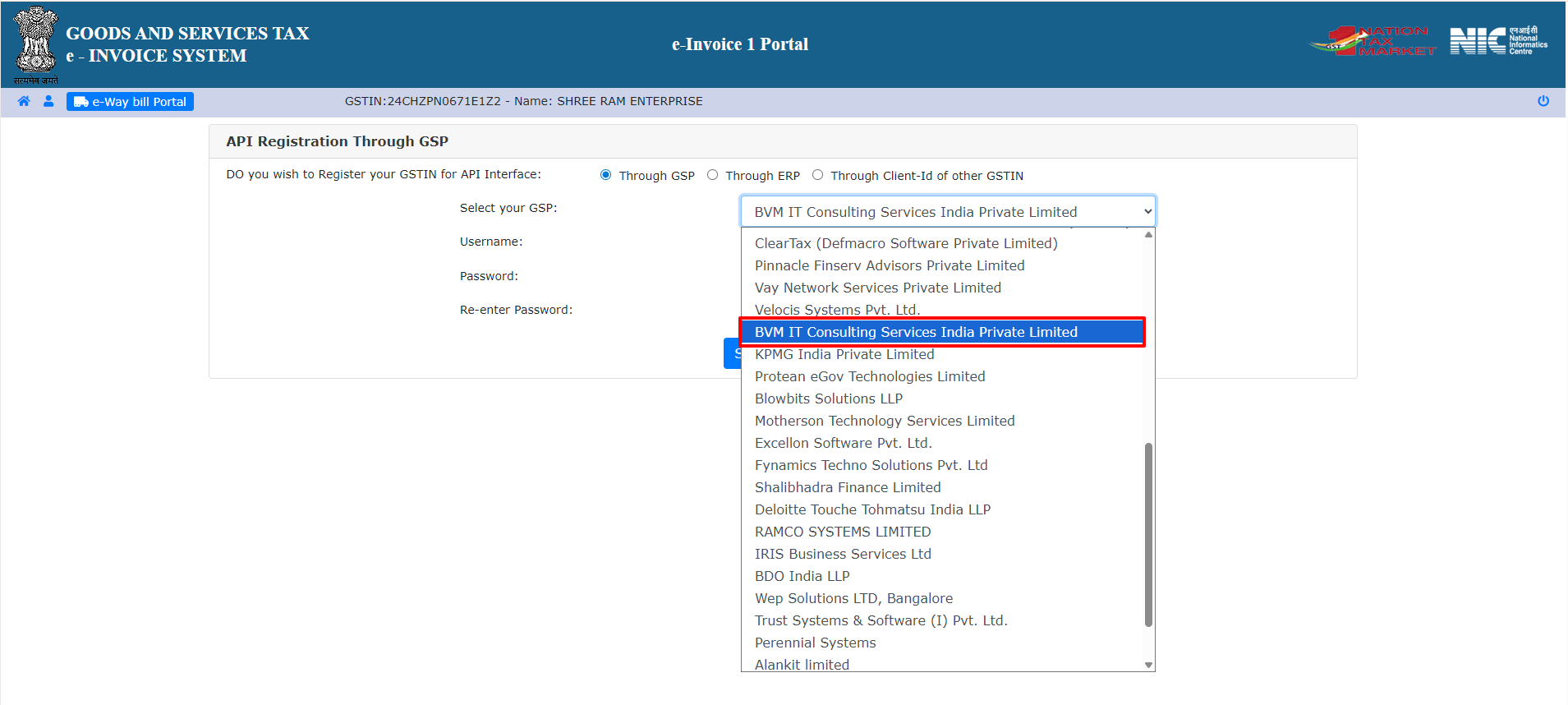
Step 6. : Select GSP option
- Select “BVM IT Consulting Services India Private Limited” as your GSP from the list.
Step 7. : Add credentials to create an API user
- Here, write your API_Username and Password, then click on the “Submit” button.
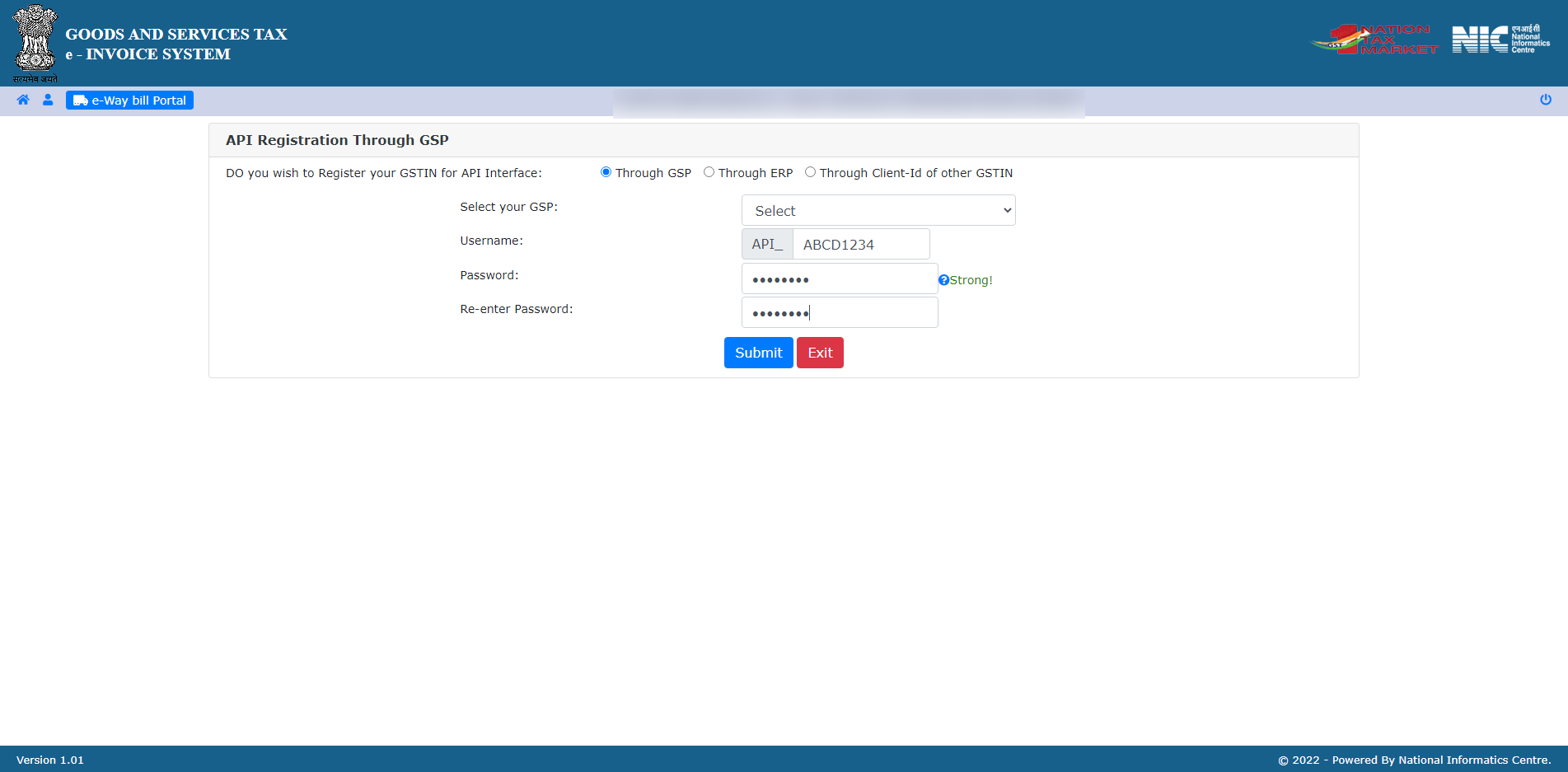
- After successfully creating the API user, input the credentials, including the username and password, into Munim Accounting to generate e-invoices.
Important Note
- Keep your API Username and Password secure.
- Do not share the credentials with unauthorised users.
- If you forget the credentials, you can regenerate them from the E-Invoice portal.
- Ensure that BVM IT Consulting Services India Private Limited is selected as the GSP while creating the API user.
Result
The E-Invoice Portal API Username and Password will be created successfully. You can now configure these credentials in Munim GST Software to generate E-Invoices directly from the software.
Need Assistance?
If you face any issues while generating the API Username and Password or configuring them in Munim GST Software, please contact the Munim Support Team.


