
 3021 views
 Overview
The LUT Bond Details & History feature helps businesses manage Letter of Undertaking (LUT) records used for export transactions without payment of IGST. It allows users to maintain LUT numbers, validity periods, and historical records in one place while ensuring the correct LUT details appear on export invoices.
Benefits
- Compliance Ready – Create export invoices with valid LUT details and comply with GST regulations for exports without IGST payment.
- Easy Record Management – Maintain current and historical LUT records from a single location.
- Track Validity Periods – Monitor LUT expiry and renewal dates easily.
- Quick Reference – View previously submitted LUT records whenever required.
- Invoice Printing – Applicable LUT details are displayed on export invoice print formats.
Configure LUT/Bond Details
Steps
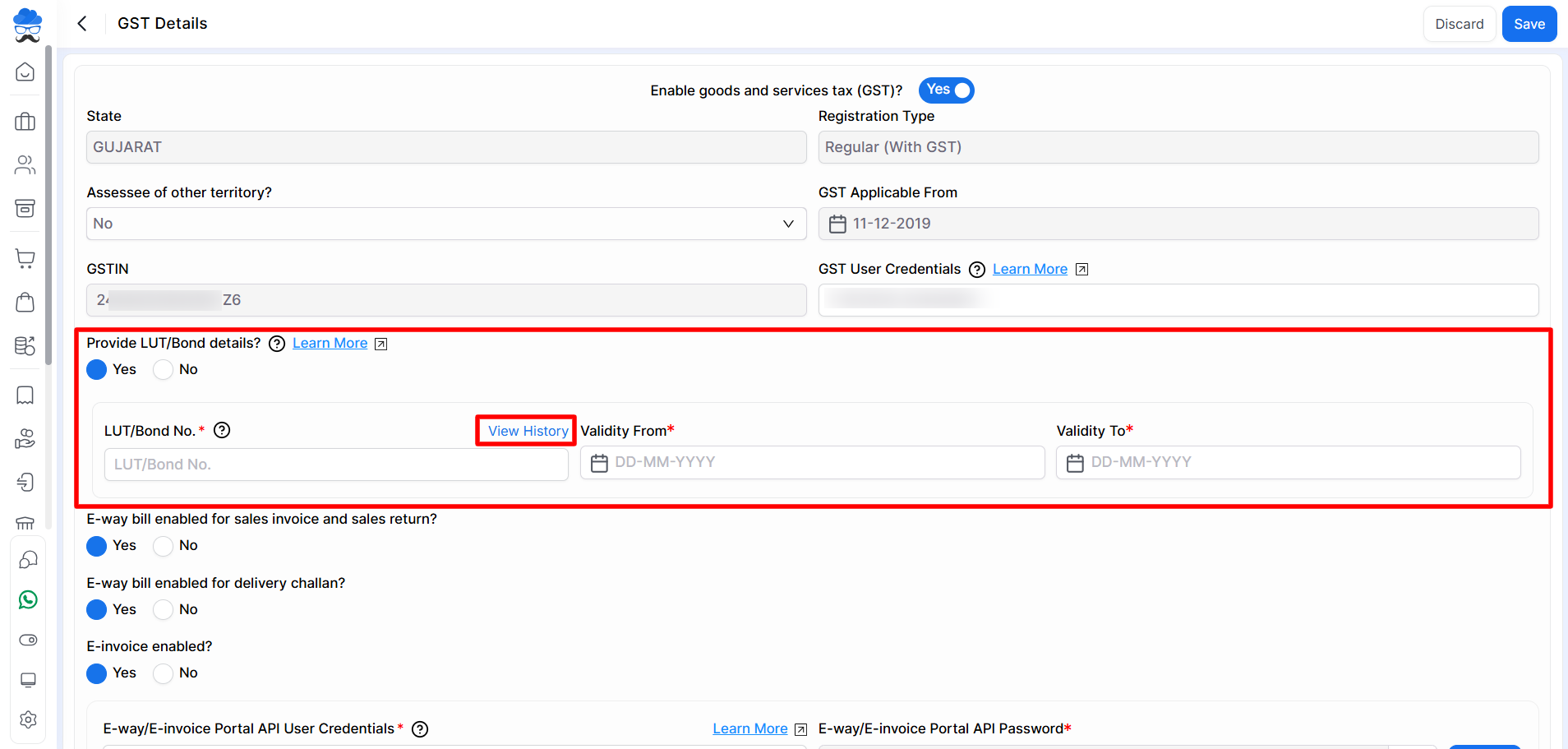
- Go to Settings → Statutory Information → GST Details.
- Enable Provide LUT/Bond Details.
- Enter the following information:
- LUT/Bond No.
- Validity From
- Validity To
- Click Save.
View LUT/Bond History
Steps
- Open Settings → Statutory Information → GST Details.
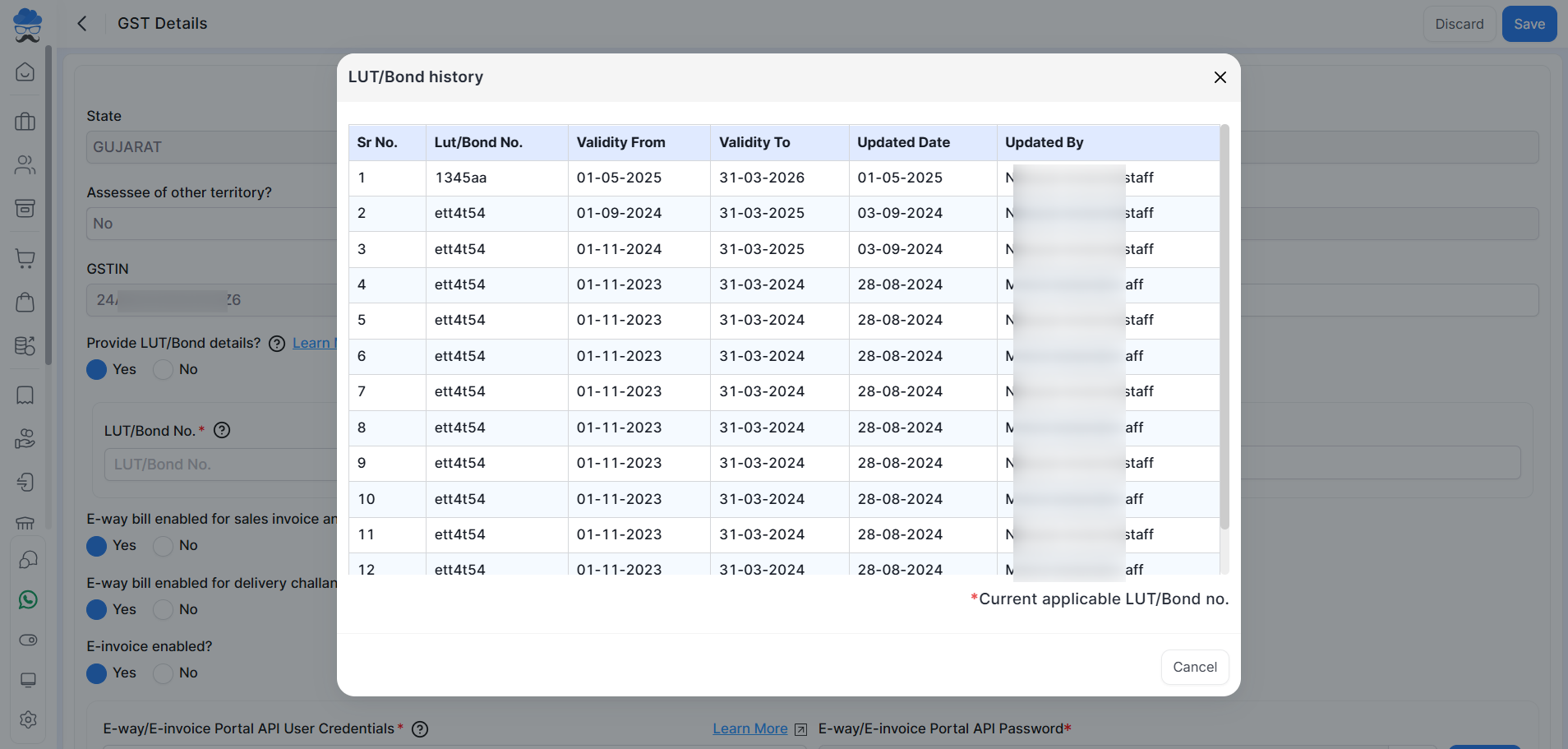
- Click View History.
- Review previously added LUT records.
The history window displays:
- LUT/Bond Number
- Validity From Date
- Validity To Date
- Updated Date
- Updated By
- Current applicable LUT/Bond record
Use LUT in Export Sales Invoices
Before creating an export invoice, ensure a valid LUT/Bond record is available for the invoice date.
Steps
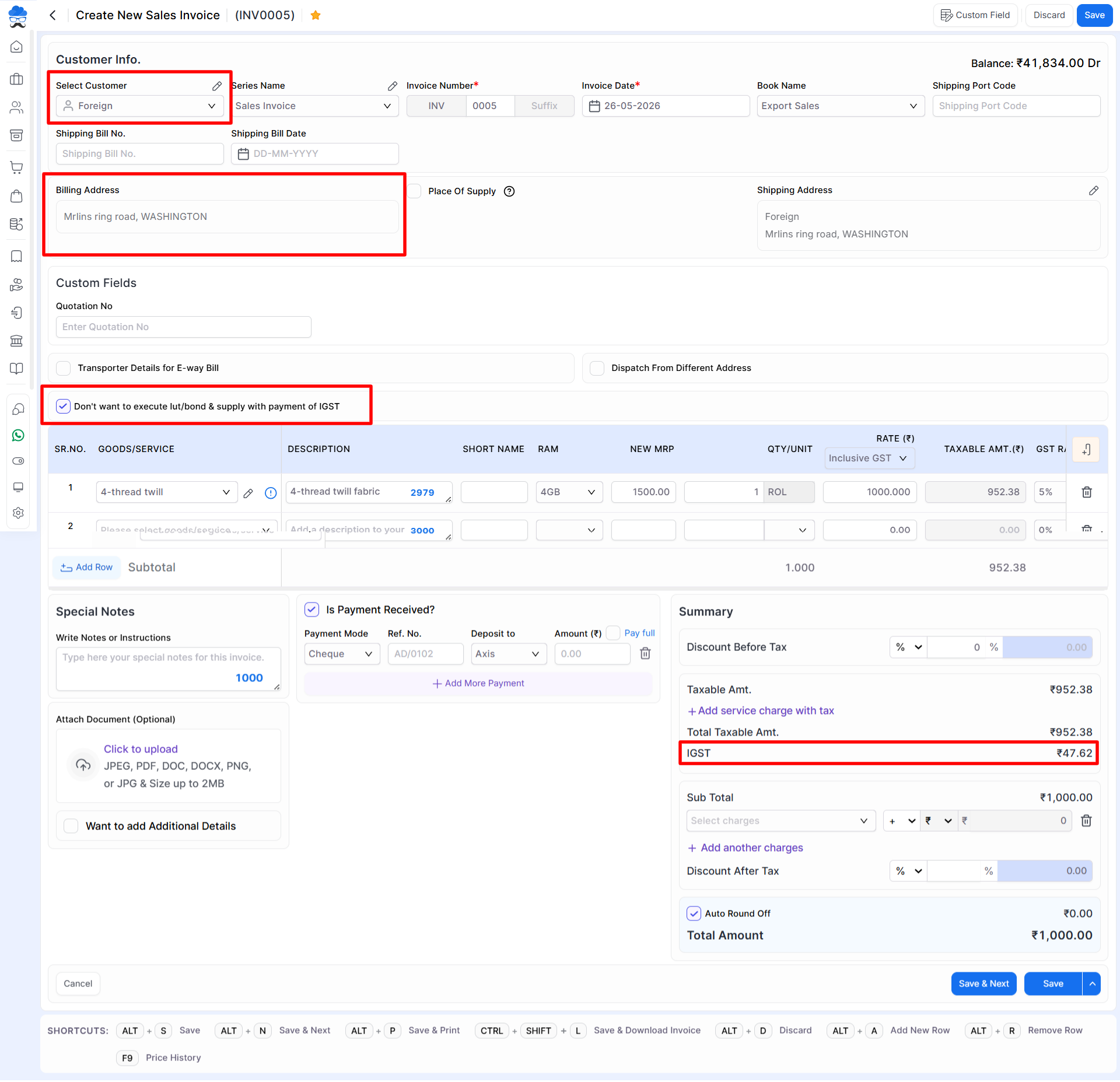
- Create a new Sales Invoice for a foreign customer.
- Enter the required customer and invoice details.
- If GST needs to be charged on the export transaction, enable Don’t want to execute LUT/Bond & supply with payment of IGST.
- Save the invoice.
LUT Details in Invoice Print
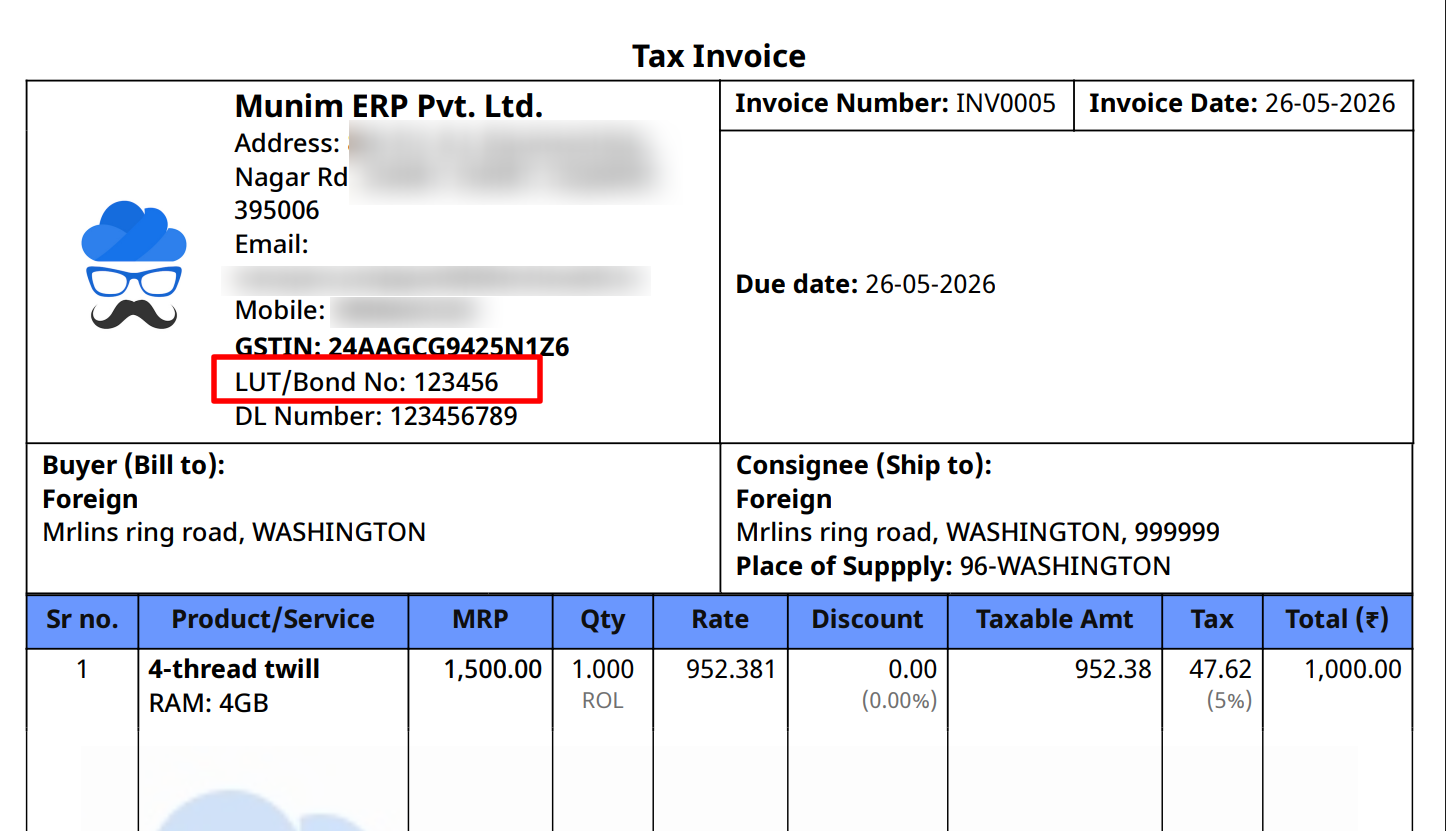
After creating the export sales invoice, the applicable LUT/Bond Number is automatically displayed in the invoice print format.
This helps provide the required LUT information to customers and supports export documentation requirements.
Important Notes
- Maintain accurate validity dates while adding LUT records.
- Add a new LUT record whenever a new LUT is issued.
- Historical LUT records remain available through the View History option.
- The system applies the LUT record based on the invoice date and validity period.
- The Don’t want to execute LUT/Bond & supply with payment of IGST option should be used only when IGST is required on the export transaction.
Result
- The applicable LUT/Bond Number is automatically linked to export invoices.
- Historical LUT records can be viewed anytime from the LUT History screen.
- LUT details are printed on export invoice formats for compliance and documentation purposes.
Need Assistance?
If you need help configuring LUT details or export invoice settings, please contact the support team.


