
 827 views
 The All Party Report in Munim Accounting provides a consolidated view of all customers and vendors in one place. It helps you quickly analyse party-wise balances, status, and essential details without opening individual ledgers.
This report is especially useful for getting a complete overview of receivables and payables together.
Follow these steps to access and check the All Party Report:
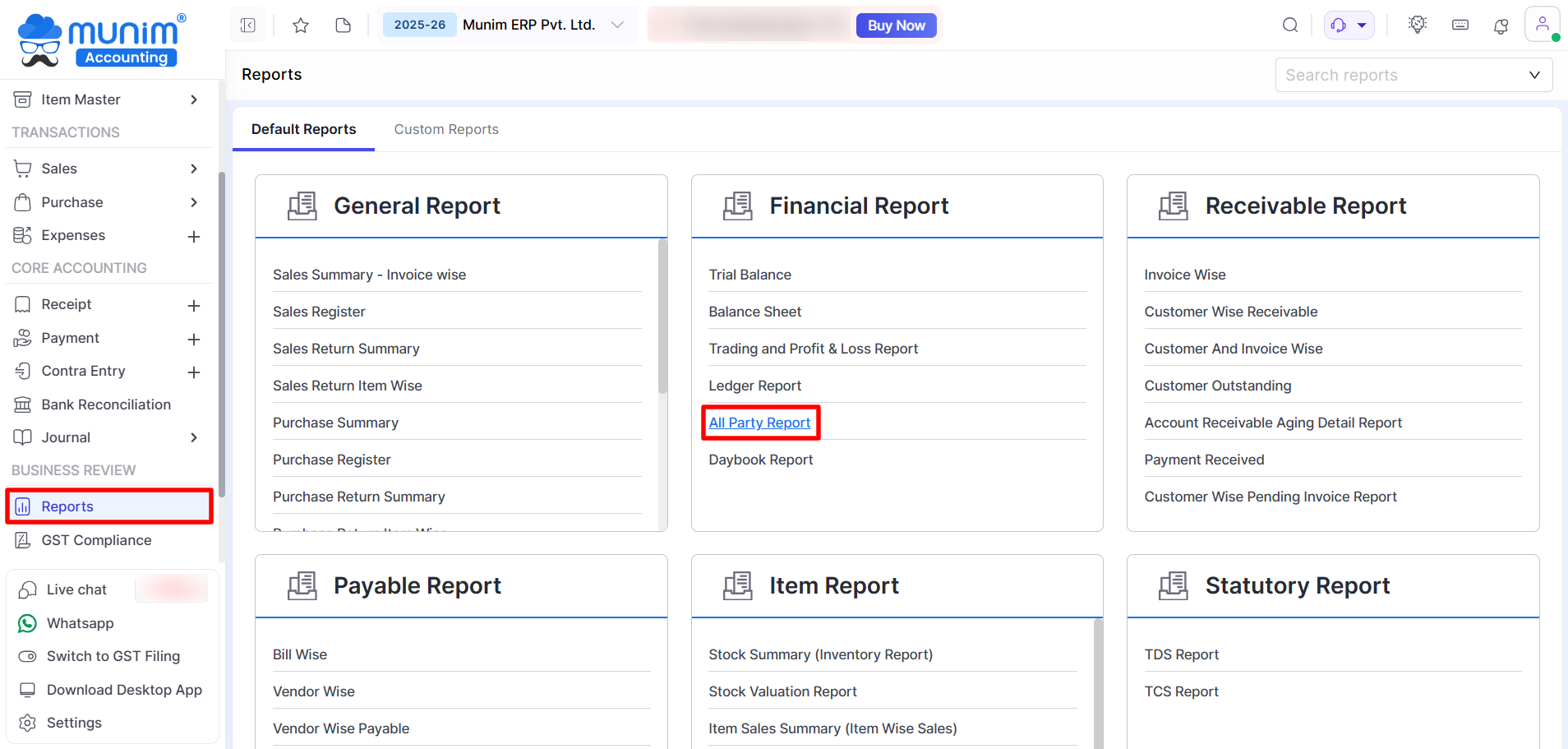
Navigate to the Report:
- Go to the Reports section on the left.
- On the Financial Report section,
- Click on All Party Report.
Understanding the Report
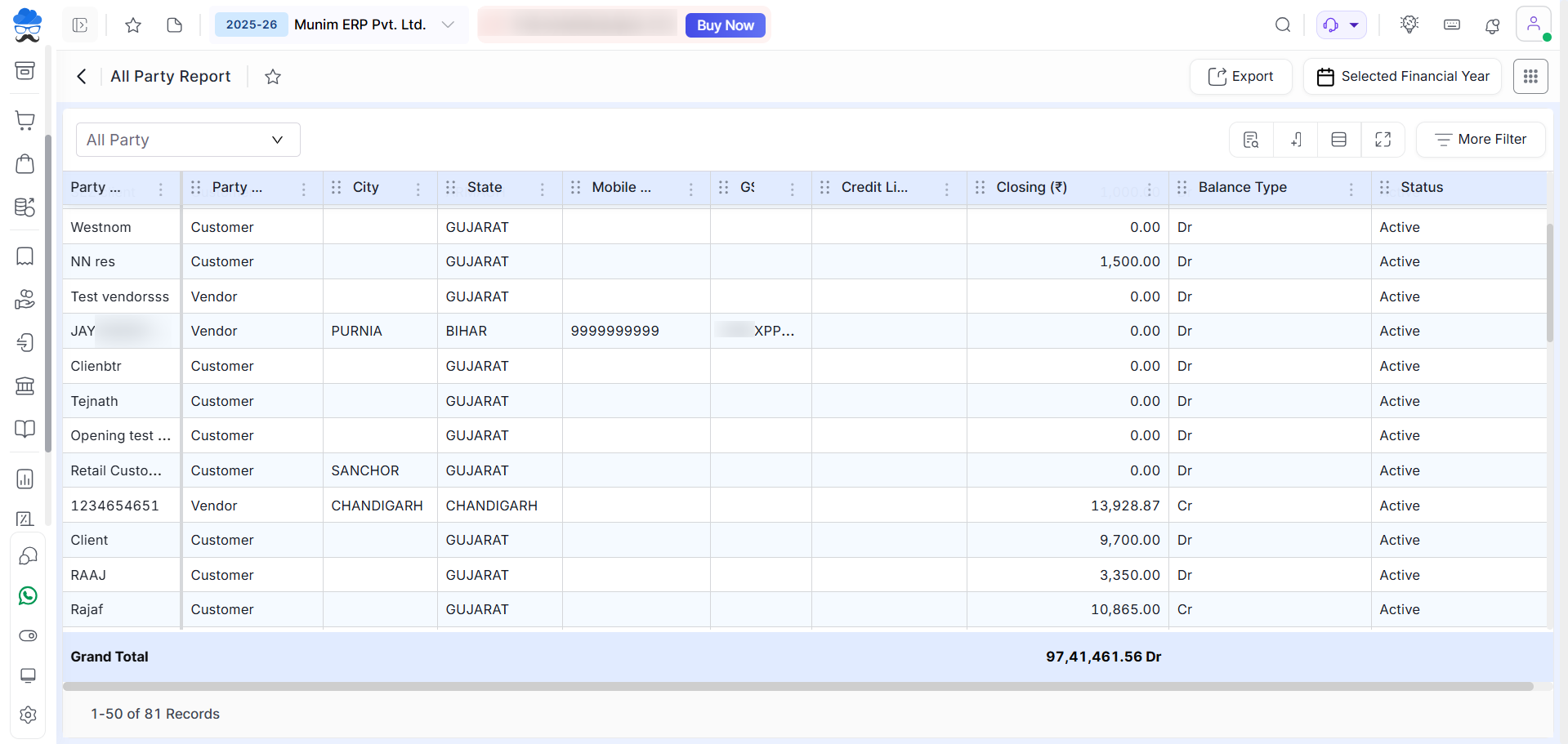
The report displays a detailed list of all parties with key information such as:
- Party Name, Party Type (Customer/Vendor), City & State, Contact Details (Mobile/Email), GSTIN, Credit Limit, Closing Balance, Balance Type (Dr/Cr), Status (Active/Inactive), etc.
At the bottom, you will also find the Grand Total of all balances.
Using Filters and Options
At the top of the report, you will find:
- Party Type Filter: The options “All,” “Party,” and “Customer” are available to filter the data.
- Financial Year Selection: to facilitate the selection of the desired date range for the report.
- Search & Show/Hide Option: to enable search fields for all columns and enable/disable columns.
- More Filter: option for advanced filtering.
Note: If both (Customer + Vendor) are selected in the Party Type Filter, Custom Fields will not be displayed in the report.
Export Action
- Use the Export option at the top right to Download or Mail the report in Excel and PDF formats.
By using the All Party Report, you can easily monitor all your customers and vendors in one place, track balances, and make better financial decisions.
For any issues or further support, feel free to reach out via Live Chat or explore other articles in our Help Center.


