
 4222 views
 Overview
The Series Configuration feature allows you to create and manage multiple document numbering series for different voucher types. Each series can have its own prefix, suffix, starting number, and numbering format, making it easy to organize transactions based on branches, financial years, or business requirements.
Benefits
- Maintain separate numbering for different voucher types.
- Add prefixes and suffixes to document numbers.
- Configure automatic numbering.
- Create multiple invoice or voucher series for different business needs.
Access Series Configuration
- Go to: Settings → Series Configuration
+−⟲
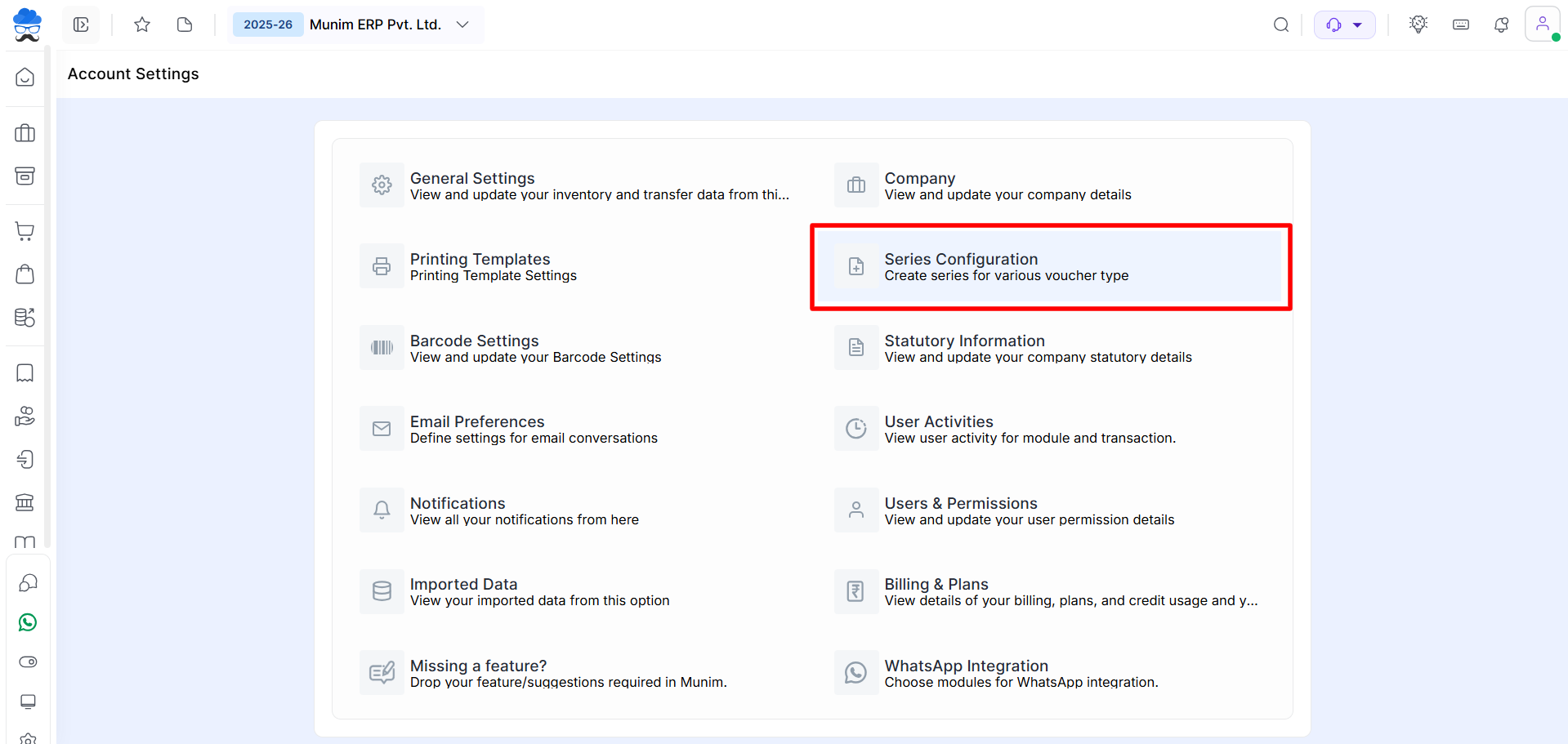
Create a New Series
- Click Create Series at the top right of the Series Configuration page.
- Fill in the required details and click Save.
+−⟲
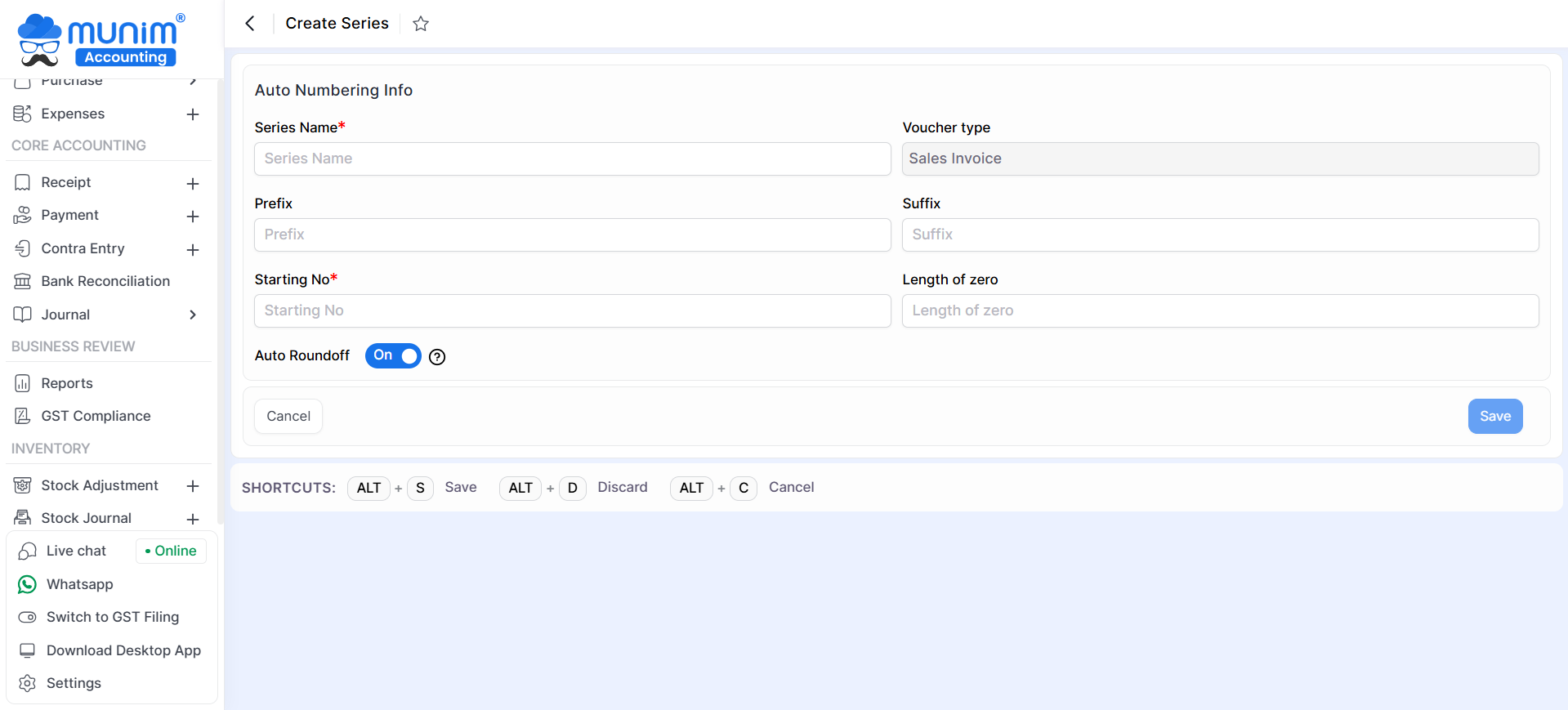
Series Configuration Fields
| Field | Description |
|---|---|
| Series Name | Enter a unique name for the series. |
| Voucher Type | Voucher/module for which the series will be used (Only Sales Invoice is available). |
| Prefix | Add text before the document number (e.g., INV, SI, GST). |
| Suffix | Add text after the document number if required. |
| Starting No. | Specify the first number of the series. |
| Length of Zero | Define the number of leading zeros (e.g., 4 = 0001). |
| Auto Increment | Enable automatic numbering for every new transaction. |
Use the Series in Transactions
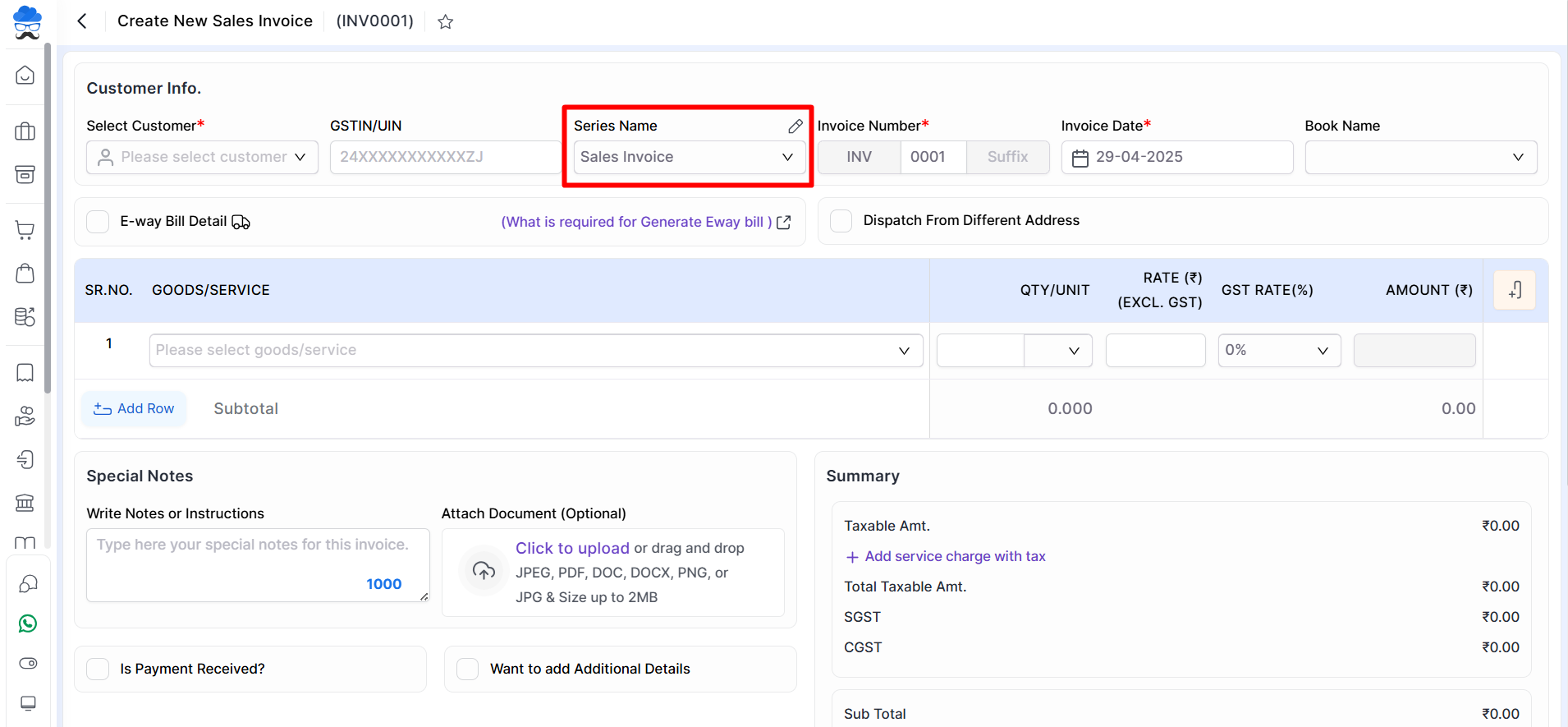
- After creating a series, it becomes available in the corresponding voucher module.
- For example, while creating a Sales Invoice, select the required Series Name from the dropdown. Munim automatically generates the invoice number based on the selected series configuration.
+−⟲
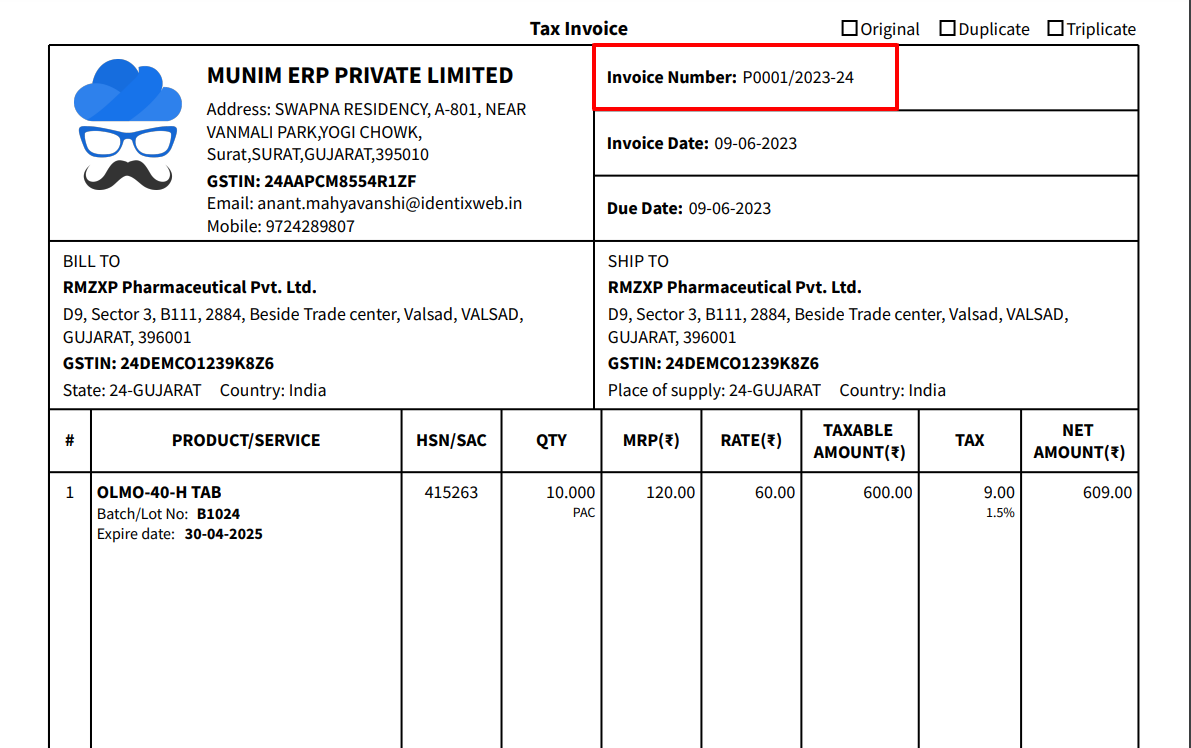
Verify the Generated Document Number
- Once the invoice is saved, the configured prefix, suffix, and numbering format appear on the printed document.
+−⟲
Manage Series
From the Series Configuration list, you can:
- Create new series (Sales Invoice only).
- Edit existing series.
- Maintain separate numbering for different voucher types.
Important Notes
- Each voucher type can have multiple numbering series.
- Automatic numbering follows the configured starting number and zero length.
- Editing an existing series affects future transactions only and does not change previously generated document numbers.
Need Assistance?
If you need help creating or managing document series, contact the Munim Support Team.


