
 3149 views
 Overview
The Purchase Bill Series feature lets you create and manage customised numbering formats for purchase bills. You can configure prefixes, suffixes, starting numbers, and zero padding to maintain a consistent and organised bill numbering system.
Benefits
- Create customised purchase bill numbering.
- Use prefixes and suffixes based on your business requirements.
- Start numbering from any desired value.
- Maintain automatic sequential bill numbers.
Configure Purchase Bill Series
Go to Settings → Series Configuration.
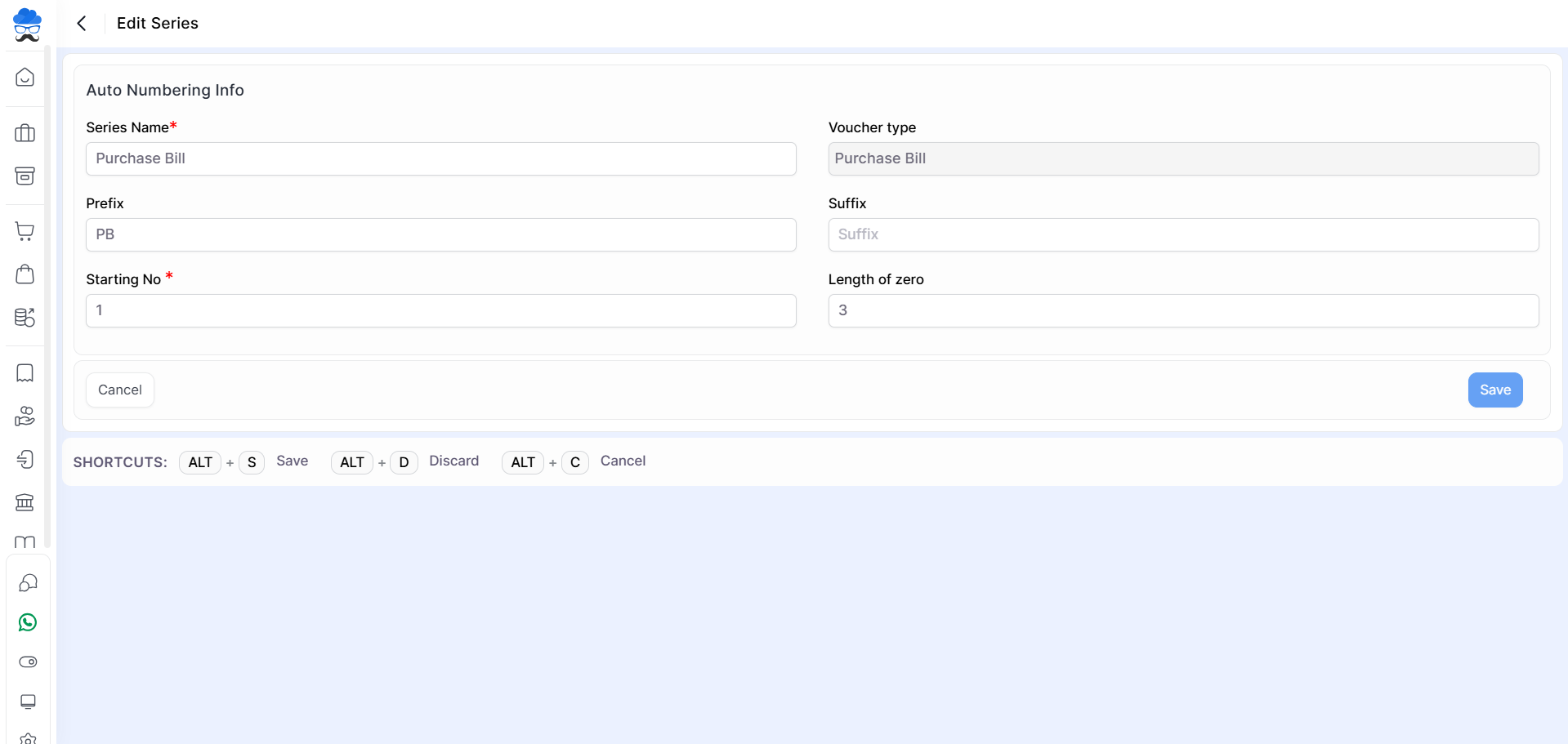
Select the Purchase Bill series or create a new one, then configure:
- Series Name
- Prefix
- Suffix
- Starting Number
- Length of Zero
Click Save to apply the configuration.
+−⟲
Use the Series in Purchase Bills
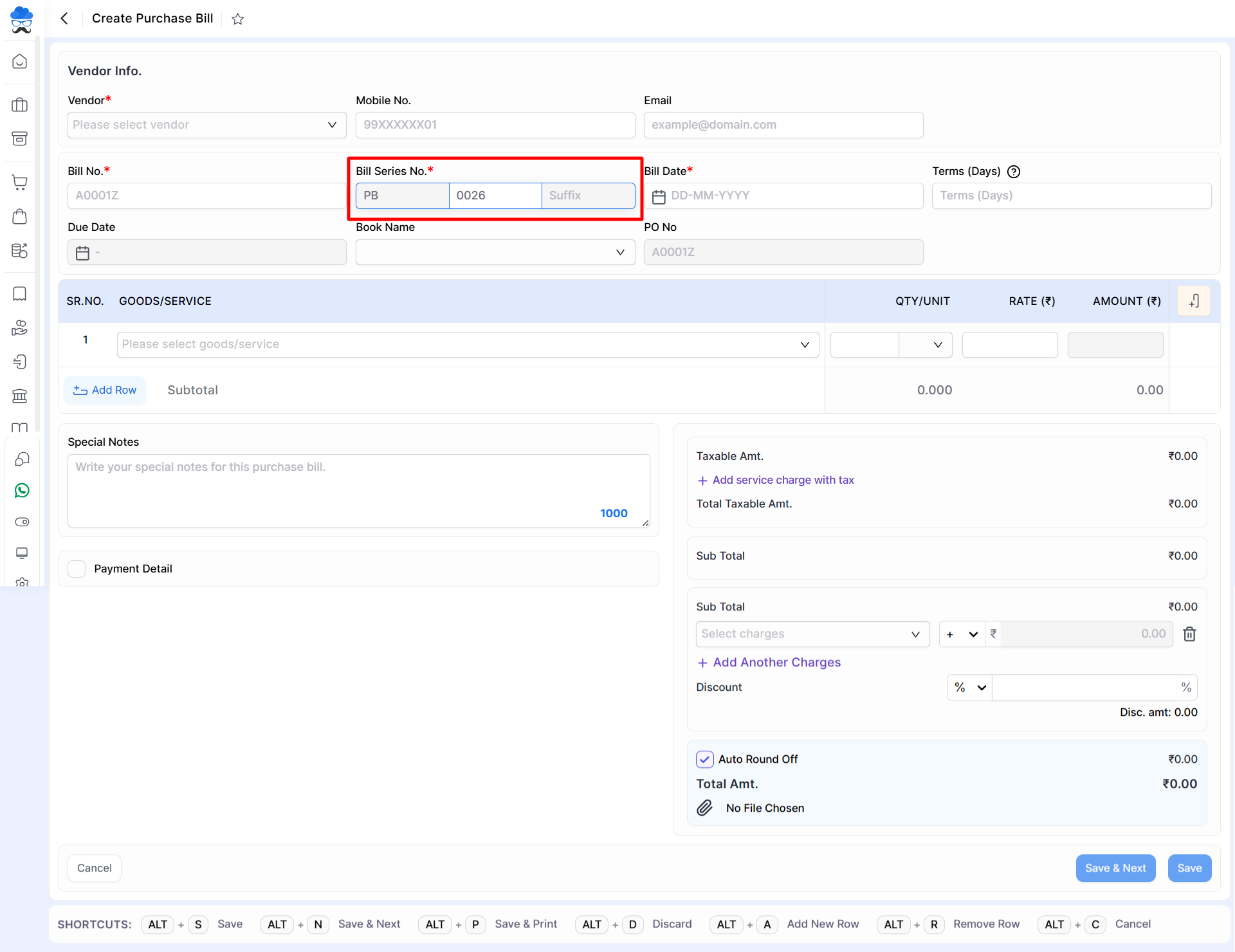
While creating a Purchase Bill, select the required Bill Series. Munim automatically generates the next bill number according to the configured series.
+−⟲
Important Notes
- Bill numbers are generated sequentially based on the configured starting number.
- Each series maintains its own independent numbering sequence.
- The selected series is displayed along with the generated bill number while creating a purchase bill.
- You can create multiple purchase bill series for different branches, financial years, or business requirements.
Need Assistance?
If the purchase bill series is not appearing while creating a purchase bill, verify that the series has been created in Series Configuration and is configured for the Purchase Bill voucher type.


