
 3860 views
 Overview
To generate E-Way Bills directly from Munim, you need to create an E-Way Bill Portal API Username and Password from the E-Way Bill portal. These credentials are required to connect Munim with the E-Way Bill system and generate E-Way Bills seamlessly.
Prerequisite: You must already be registered on the E-Way Bill portal.
To generate your e-way portal API username and password, you need to perform the following steps:
Step 1: Log in to the E-way Bill portal
- Log in to the e-Way bill portal through the link: https://ewaybillgst.gov.in/login.aspx
- Enter your login credentials and sign in.
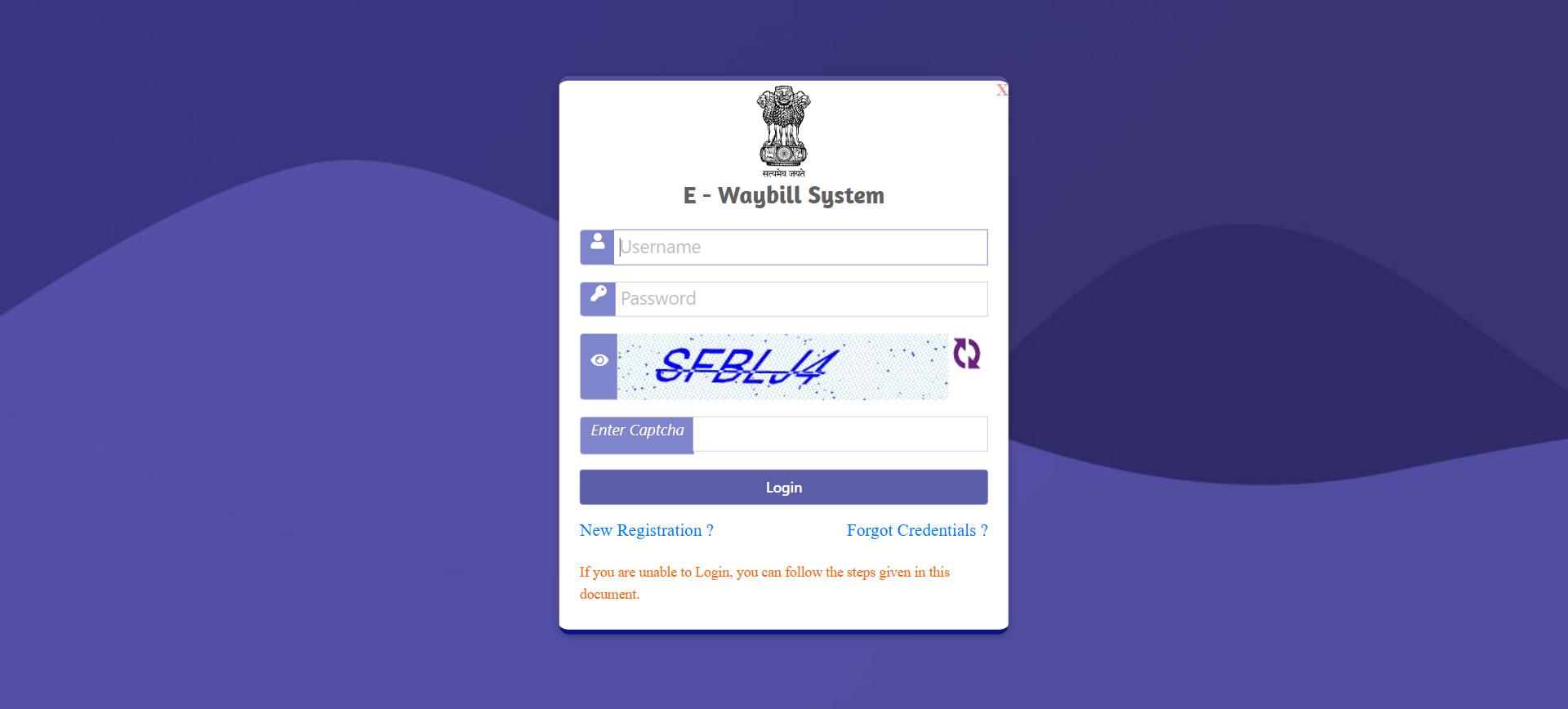
Step 2: Registration option in the Menu
- After logging into the E-WayBill portal, click on the Registration option from the left side main menu on the page.
Step 3: Select the GSP option
- Select the For GSP option from the list to continue.

Step 4: OTP Verification
- Validate OTP by clicking the Send OTP button, and verify to continue.
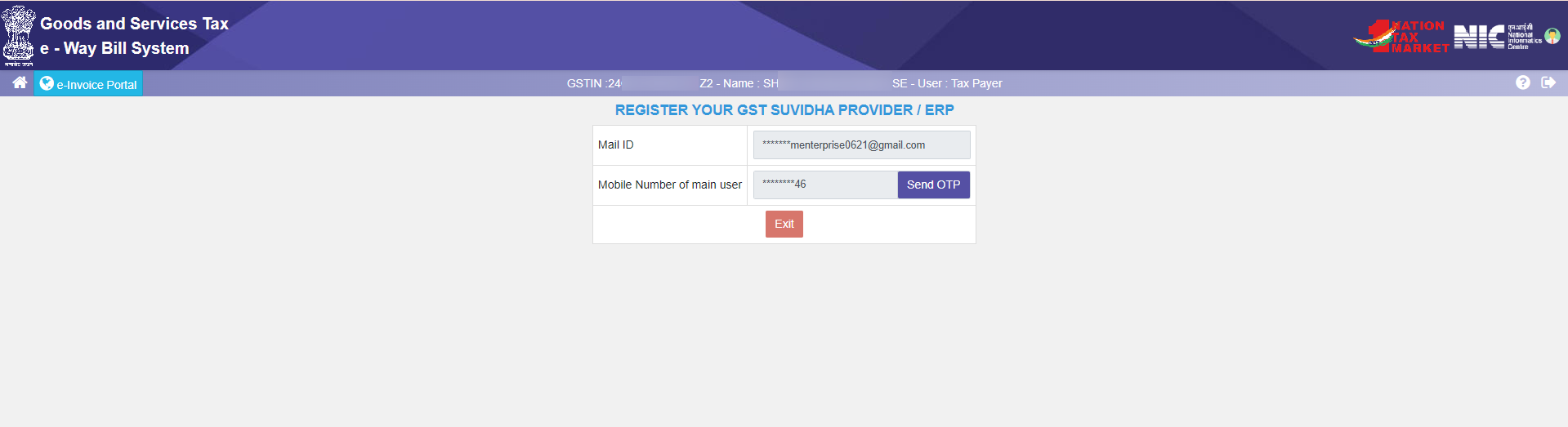
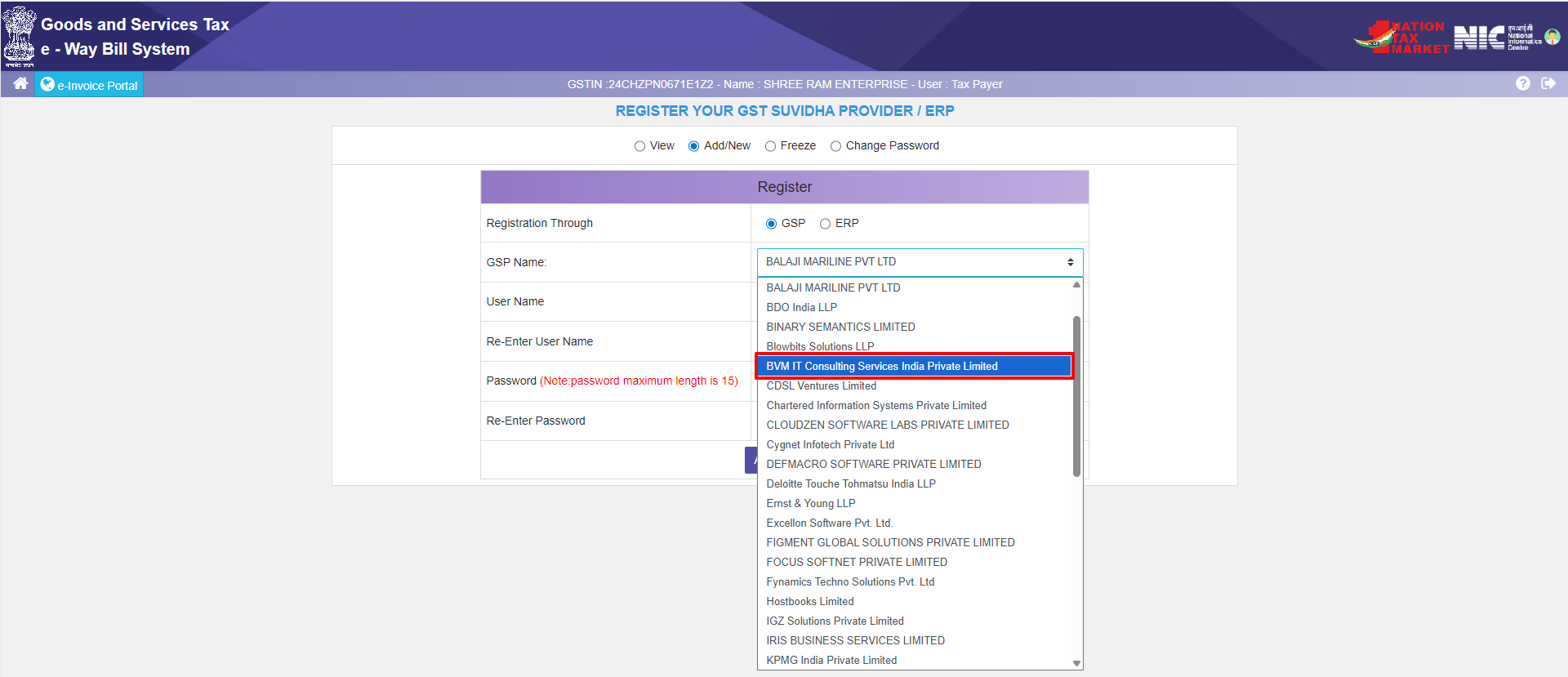
Step 5: Select GSP
- After validating the OTP, please select the GSP from the dropdown as “BVM IT Consulting Services India Private Limited” and proceed.
Step 6: Create Username and Password
- Create a Username and password and save these credentials to use them in Munim.
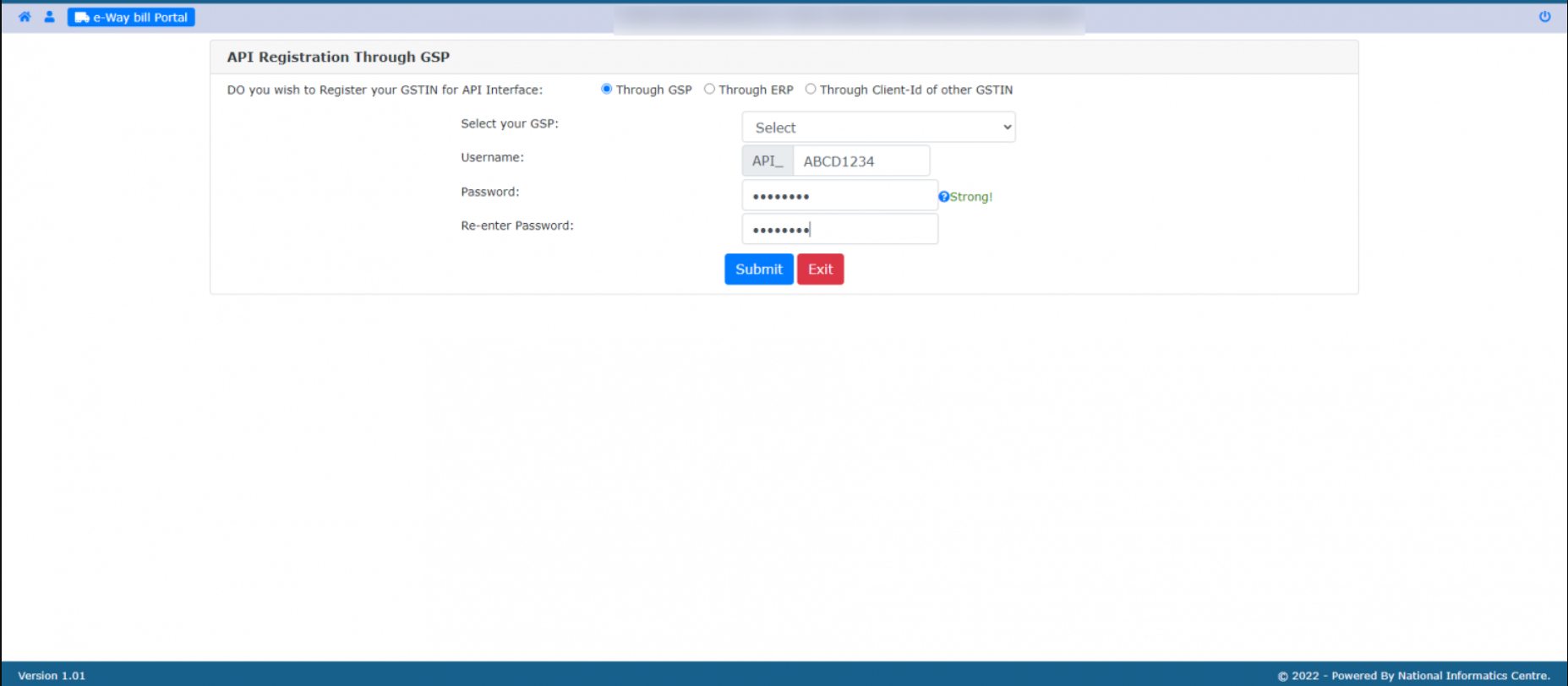
Step 7: Use credentials in Munim
- After successfully submitting the username and password, use them in Munim Accounting to generate the e-way bill.
Important Note
- Keep the API Username and Password secure.
- Always select BVM IT Consulting Services India Private Limited as the GSP during registration.
- If the credentials are forgotten, they can be regenerated from the E-Way Bill portal.
- Ensure the credentials entered in Munim are correct to avoid E-Way Bill generation failures.
Result
The E-Way Bill Portal API Username and Password have been created successfully and can now be used in Munim for E-Way Bill generation.
Need Assistance?
If you face any issues while generating or configuring the E-Way Bill API credentials, please contact the Munim Support Team.


