
 6809 views
 Overview
If you’ve forgotten your GST Portal username, you can retrieve it online using your registered email address, mobile number, and security questions. Follow the steps below to recover your username.
Why Use This Feature?
- Recover a forgotten GST username.
- Verify your identity securely using OTP and security questions.
- Continue accessing GST services without creating a new account.
Retrieve Your GST Username
Step 1: Open the GST Portal
- Visit the GST Portal at www.gst.gov.in.
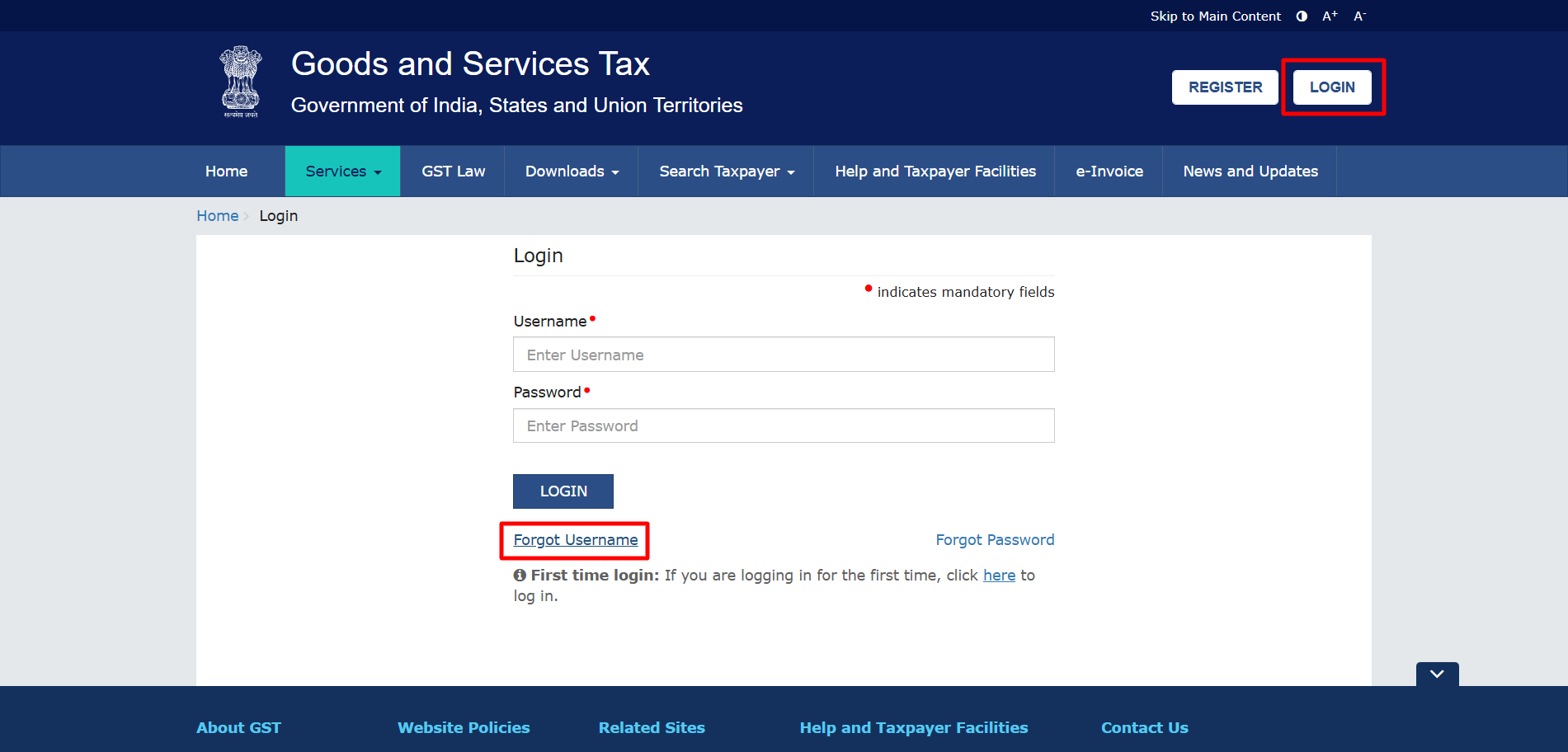
- Click the Login button at the top right.
Step 2: Select Forgot Username
- On the login page, click Forgot Username.
+−⟲
Step 3: Enter Provisional ID and Captcha
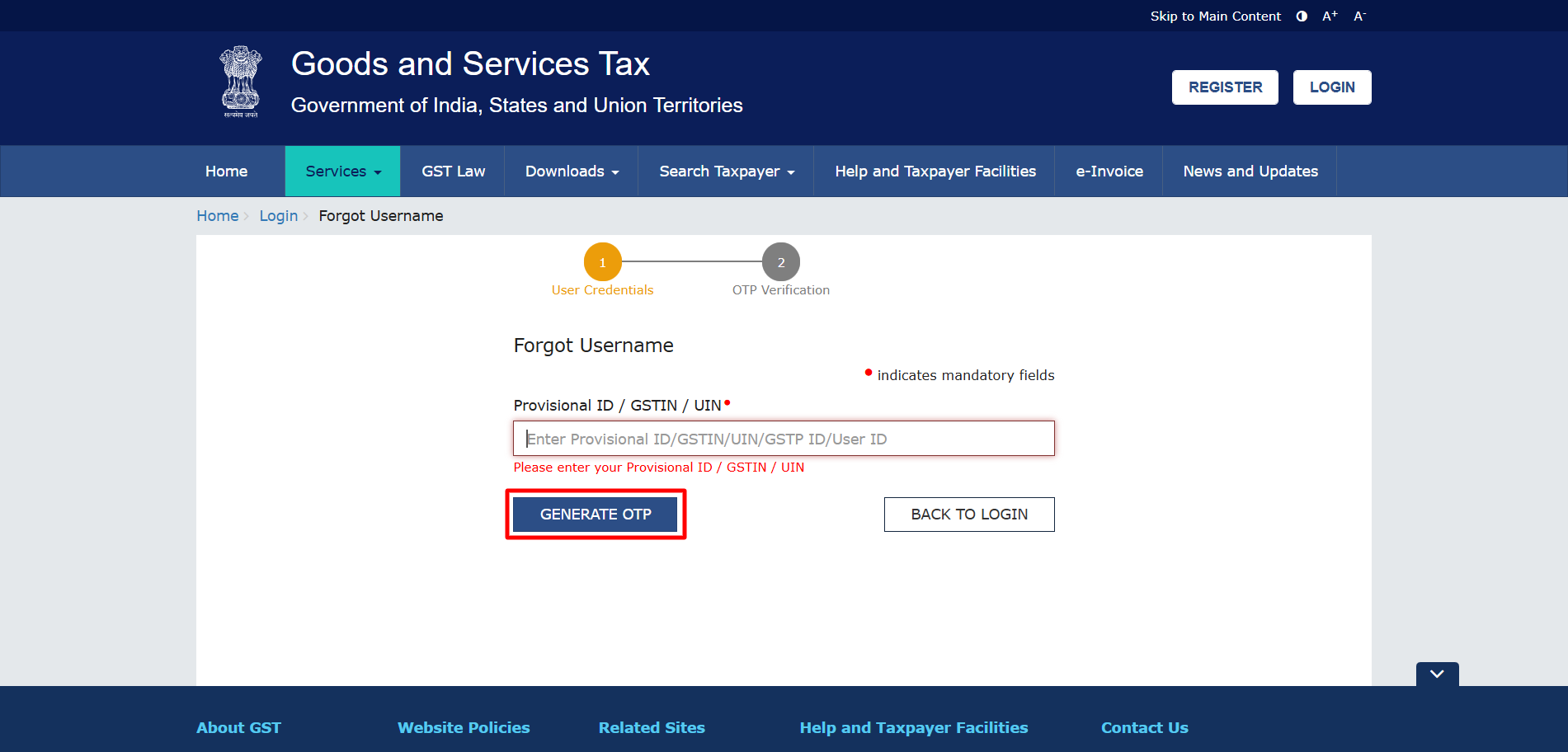
- Enter your Provisional ID, GST number or UIN.
- Type the Captcha displayed on the screen.
- Click GENERATE OTP.
The OTP will be sent to your registered email address and mobile number.
+−⟲
Step 4: Verify OTP
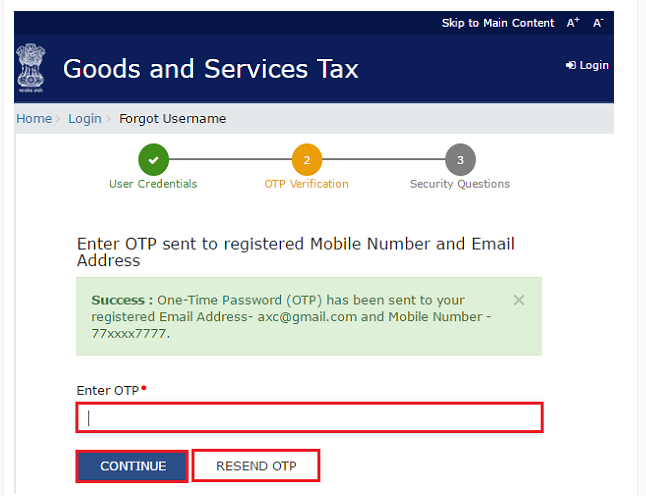
- Enter the OTP received on your registered email address and mobile number.
- Click CONTINUE.
+−⟲
Step 5: Answer Security Questions
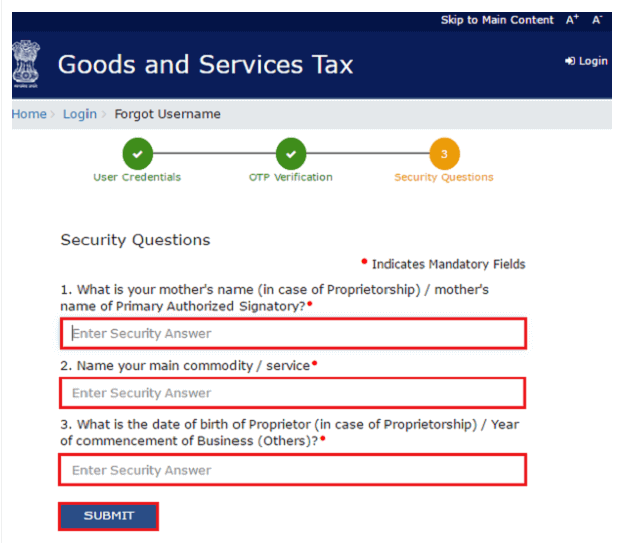
- Enter the answers to your registered security questions.
- Click SUBMIT.
+−⟲
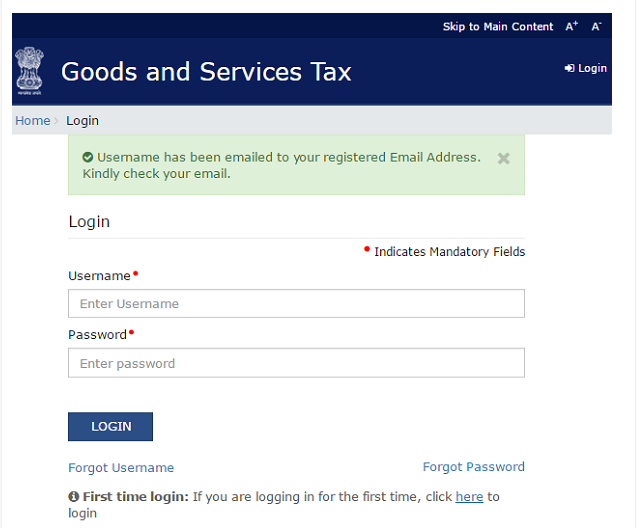
Step 6: Receive Your Username
- After successful verification, your GST username will be sent to your registered email address.
+−⟲
Important Notes
- Keep your registered email address and mobile number accessible to receive the OTP.
- Ensure you answer the security questions exactly as they were set during GST registration.
- If you’re unable to retrieve your username, verify that your registered contact details are correct.
Need Assistance?
If you’re facing any issues while retrieving your GST username, please contact the Munim Support Team for assistance.


