

 577 views
 The Sales Order Item Wise Report in Munim Accounting Software provides a detailed item-wise view of all sales orders recorded in the system. This report helps users analyze ordered quantities, pending quantities, item-wise sales demand, and order status for better inventory and sales planning.
Using this report, users can:
- View sales orders item-wise.
- Track ordered and pending quantities.
- Analyze item demand across multiple sales orders.
- Monitor sales order fulfillment status.
- Filter records based on specific items and date ranges.
- Export the report for further analysis and reporting.
How to Access the Sales Order Item Wise Report
- Go to the Reports section from the left menu.
- Under the relevant report category, select Sales Order Item Wise Report.
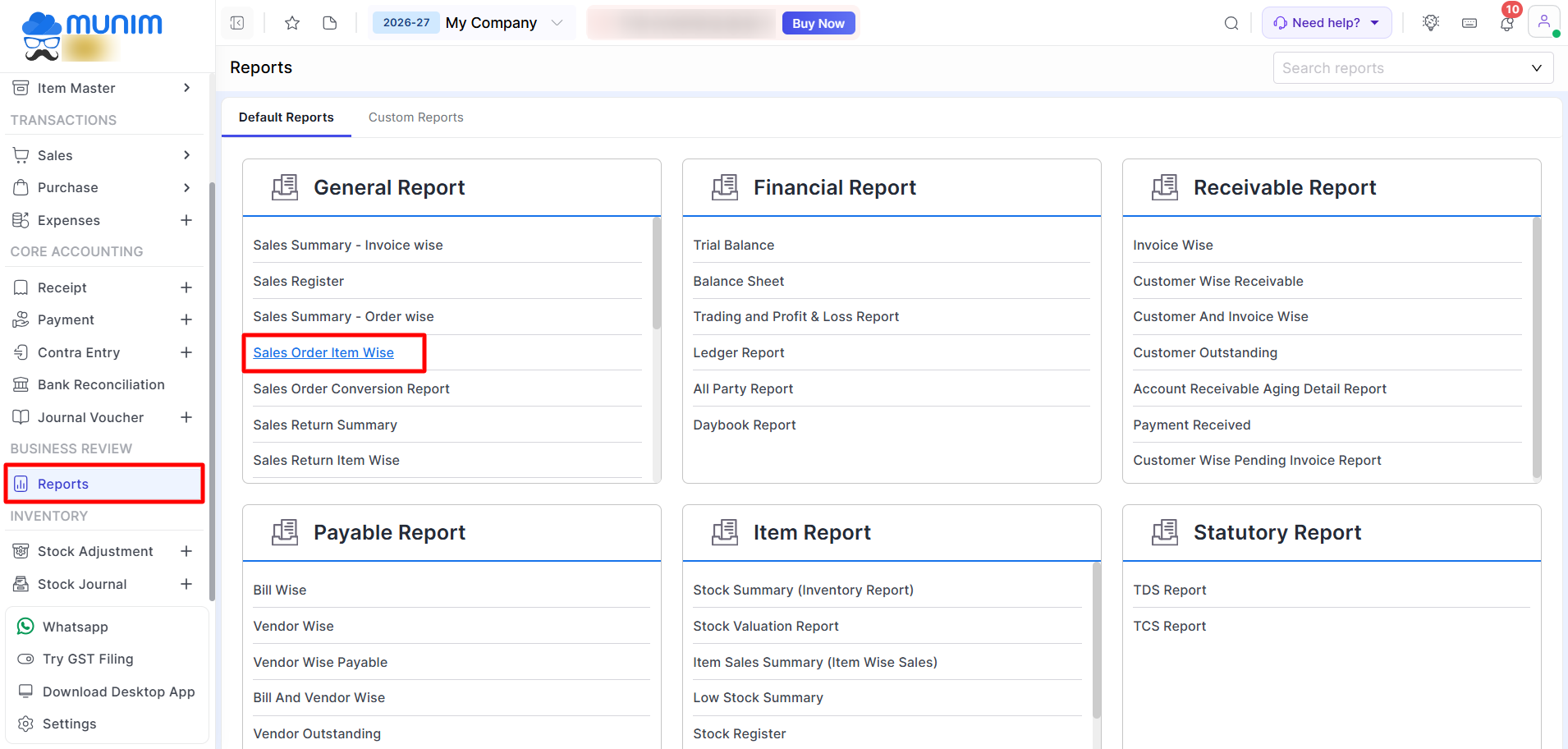
Using the Sales Order Item Wise Report
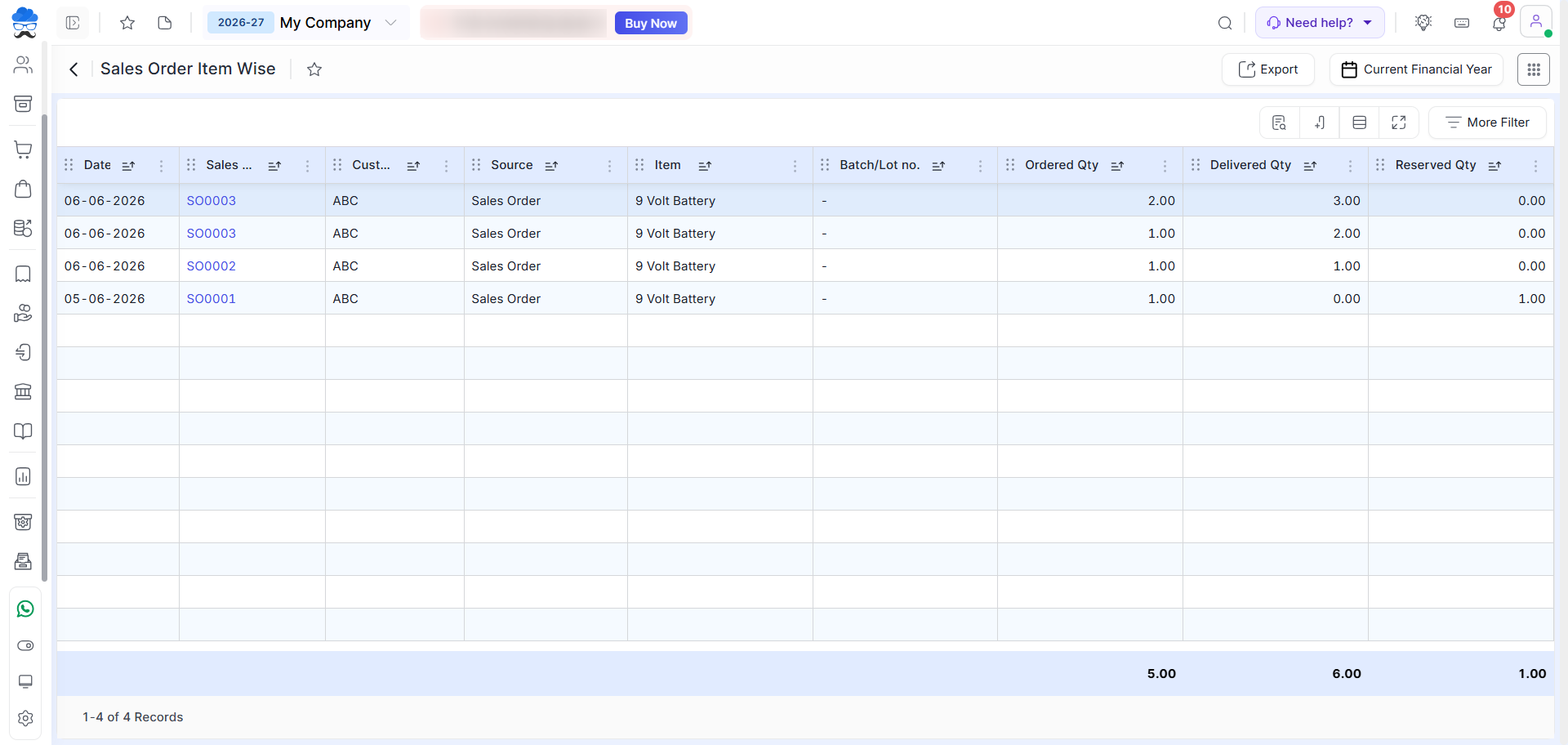
After opening the report, the system displays sales order transactions grouped item-wise.
You can use the available filters to narrow down the report based on specific items, customers, dates, or other criteria as required.
Understanding the Report
The report helps you review:
- Item-wise sales order details.
- Ordered quantities for each item.
- Delivered quantities for each item.
- Reserved quantities awaiting fulfilment.
- Customer-wise order information.
- Sales order references and dates.
This information helps businesses monitor demand, plan inventory purchases, and track pending customer commitments efficiently.
Exporting the Report
Click the Export button available at the top-right corner to download the report for further analysis or record keeping.
Need Assistance?
For any inquiries or assistance, please contact our support team.


