

 557 views
 The Sales Order Conversion Report in Munim Accounting Software provides a detailed overview of how sales orders have been converted into subsequent transactions. This report helps users track order fulfillment, identify pending conversions, and monitor the overall sales order execution process.
Using this report, users can:
- View converted and pending sales orders.
- Track the conversion of sales orders into invoices or delivery transactions.
- Monitor order fulfillment progress.
- Identify partially converted orders.
- Analyze conversion status item-wise and order-wise.
- Export the report for further analysis and record keeping.
How to Access the Sales Order Conversion Report
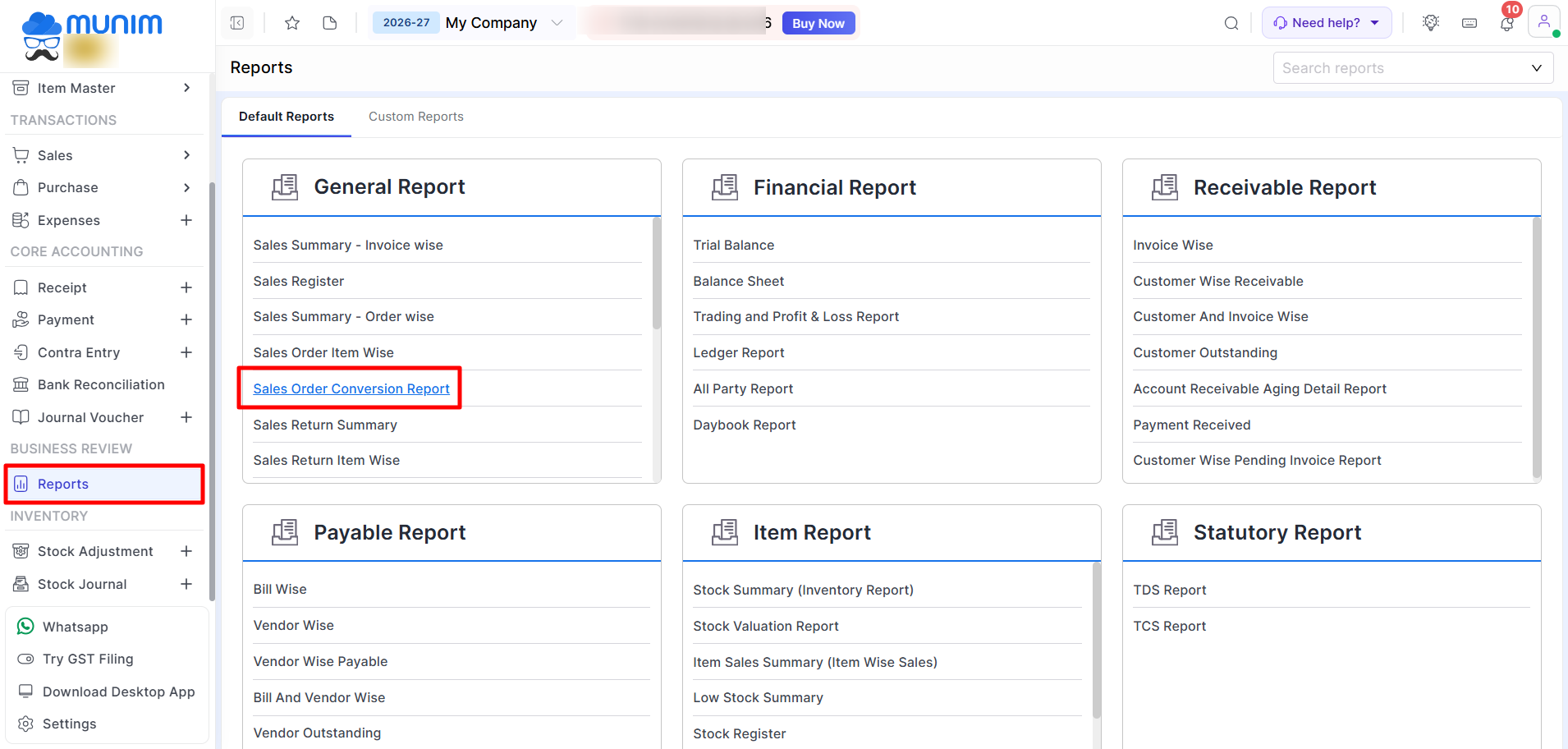
- Go to the Reports section from the left menu.
- Under the relevant report category, select Sales Order Conversion Report.
Using the Sales Order Conversion Report
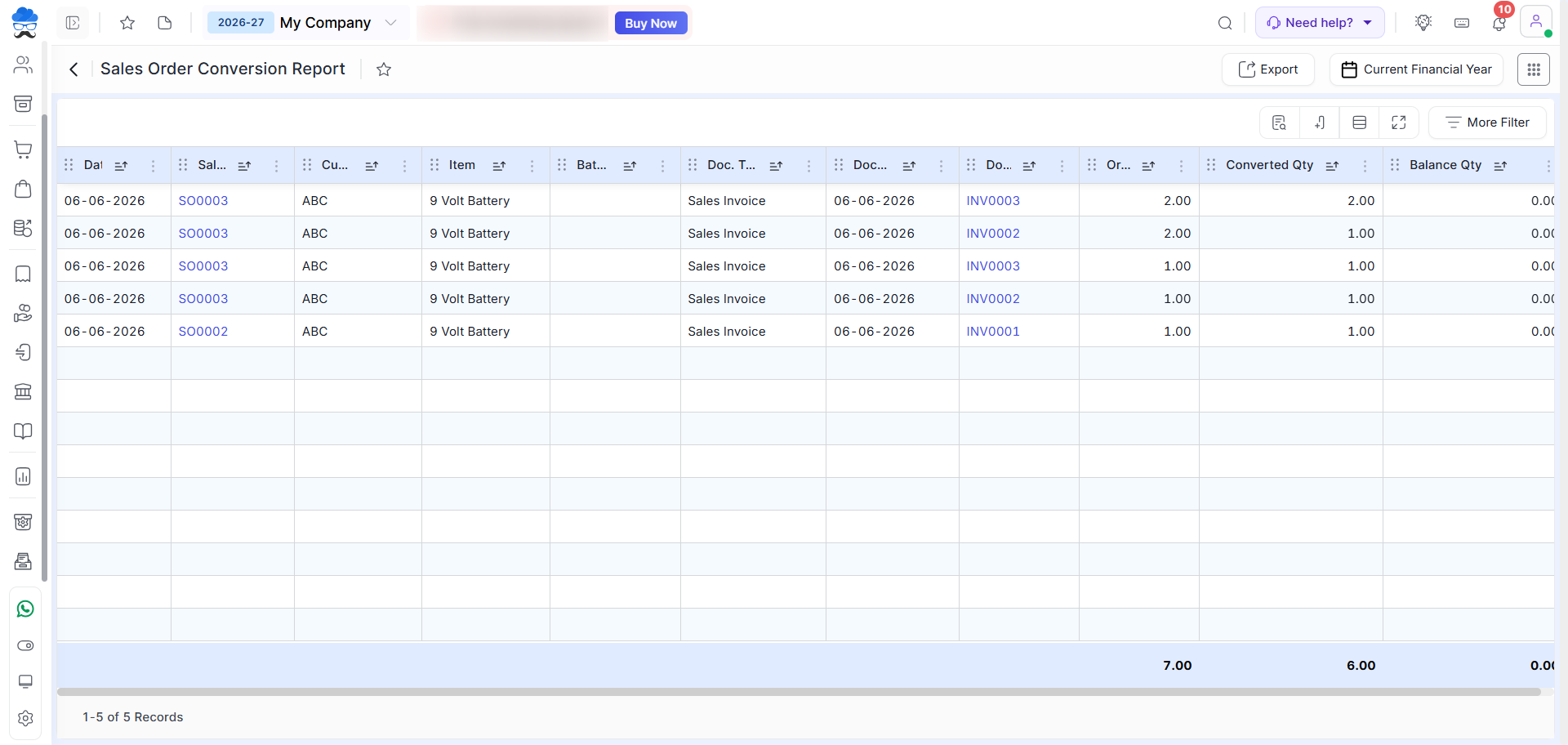
After opening the report, the system displays sales orders along with their conversion details.
You can use the available filters to narrow down the report based on date range, customer, item, status, or other applicable criteria.
Understanding the Report
The report helps you review:
- Sales order details.
- Customer and Item information.
- Converted Doc. details.
- Ordered quantity.
- Converted quantity.
- Balance quantity.
- Related Batch.Lot No. references.
This information helps businesses track pending commitments, evaluate order fulfilment efficiency, and ensure that all sales orders are properly processed.
Exporting the Report
Click the Export button available at the top-right corner to download the report for further analysis or record keeping.
Need Assistance?
For any inquiries or assistance, please contact our support team.


