
 3803 views
 Overview
The Printing Templates for Sales Return (Credit Note) feature allows you to customise the print layout of Sales Return documents. You can choose different layouts, control the information displayed, and configure labels to match your business requirements.
Why Use This Feature?
- Customise the Sales Return (Credit Note) print layout.
- Choose from multiple print templates.
- Show or hide specific invoice details.
- Rename header, detail, and footer labels.
- Preview changes before printing.
Open Sales Return Printing Templates
You can access the print settings using either of the following methods.
Method 1: From Settings
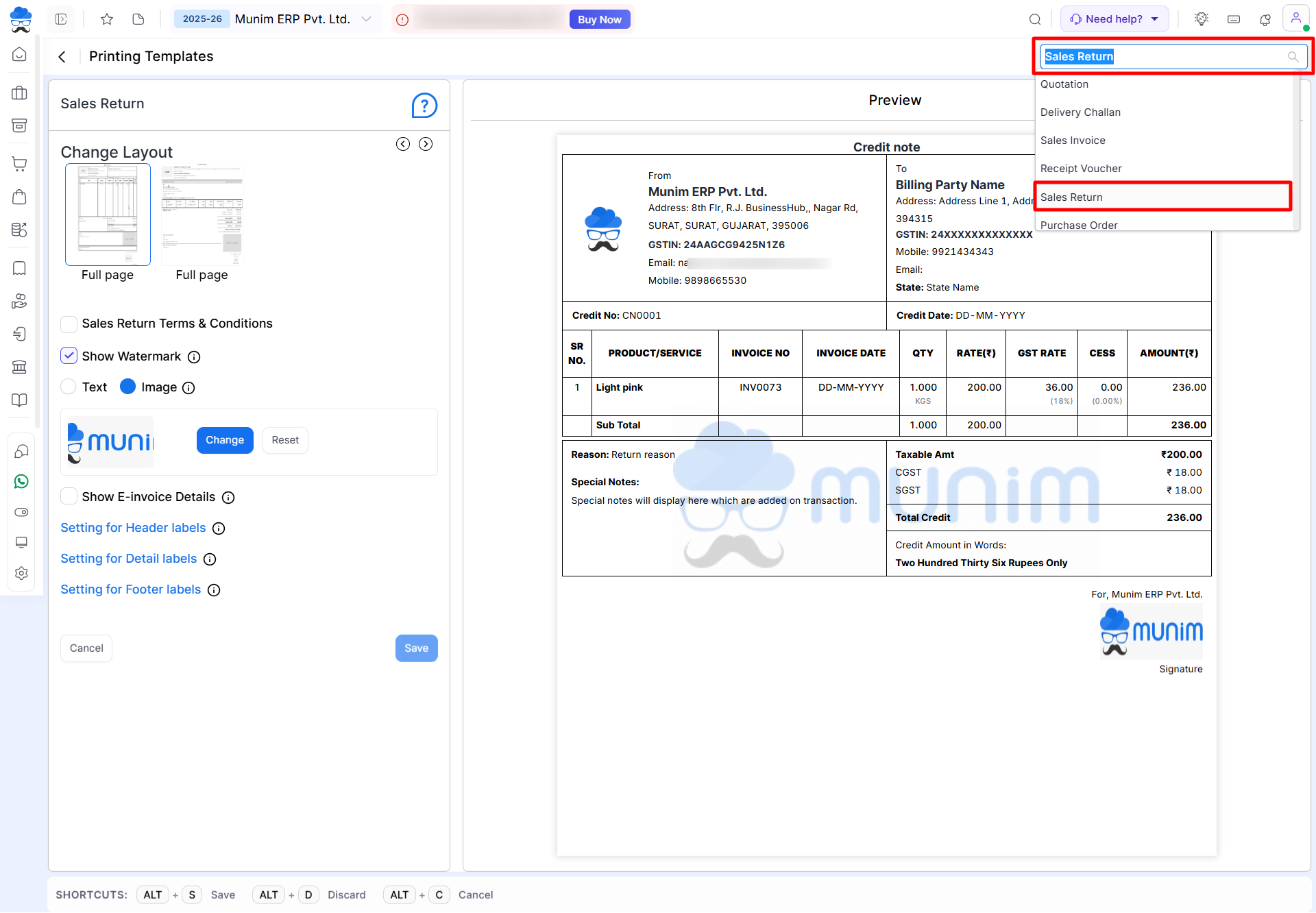
- Go to Settings. Click Printing Templates.
- Select Sales Return from the module dropdown at top right.
+−⟲
Method 2: From Sales Return Module
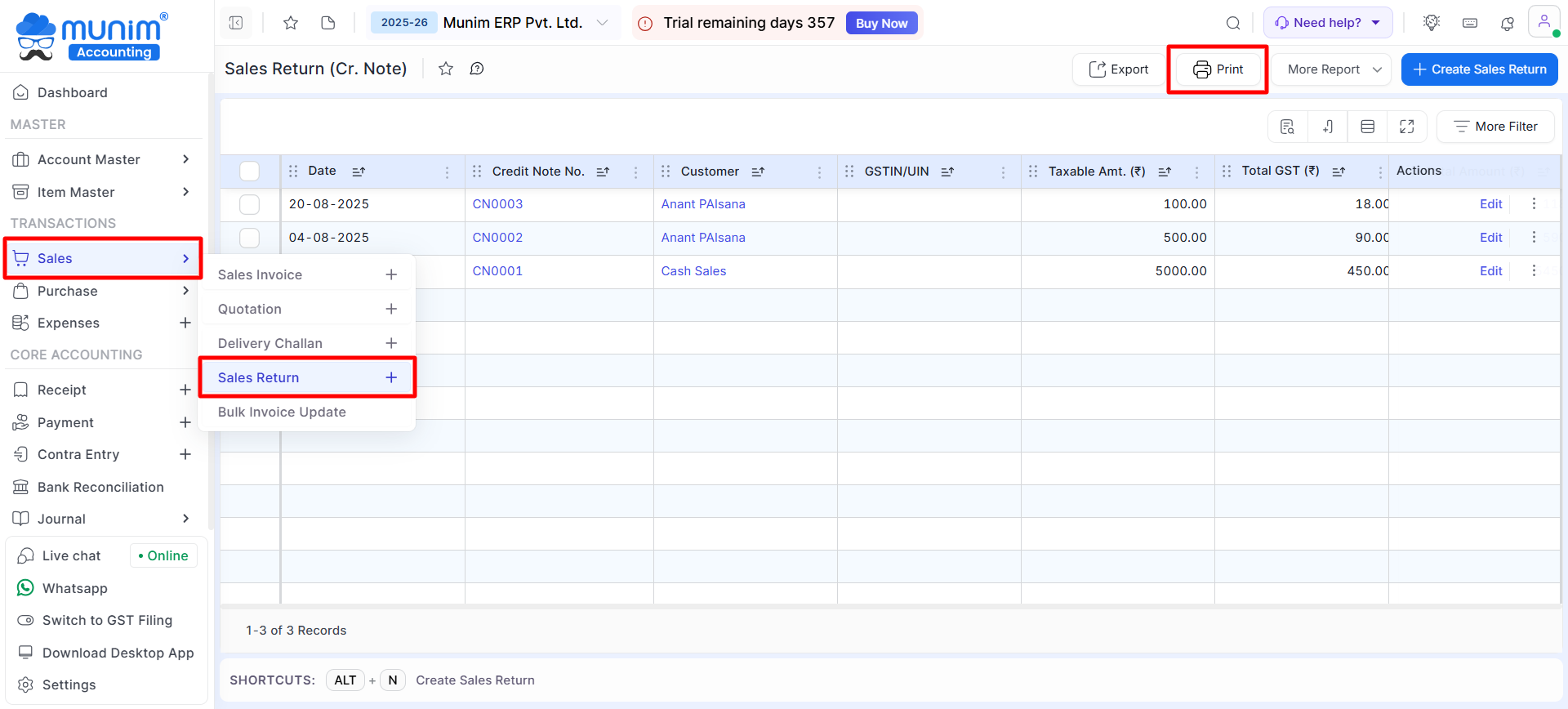
- Go to Sales > Sales Return.
- Click the Print icon.
- The Sales Return Printing Templates page will open.
+−⟲
Available Printing Template Options
+−⟲
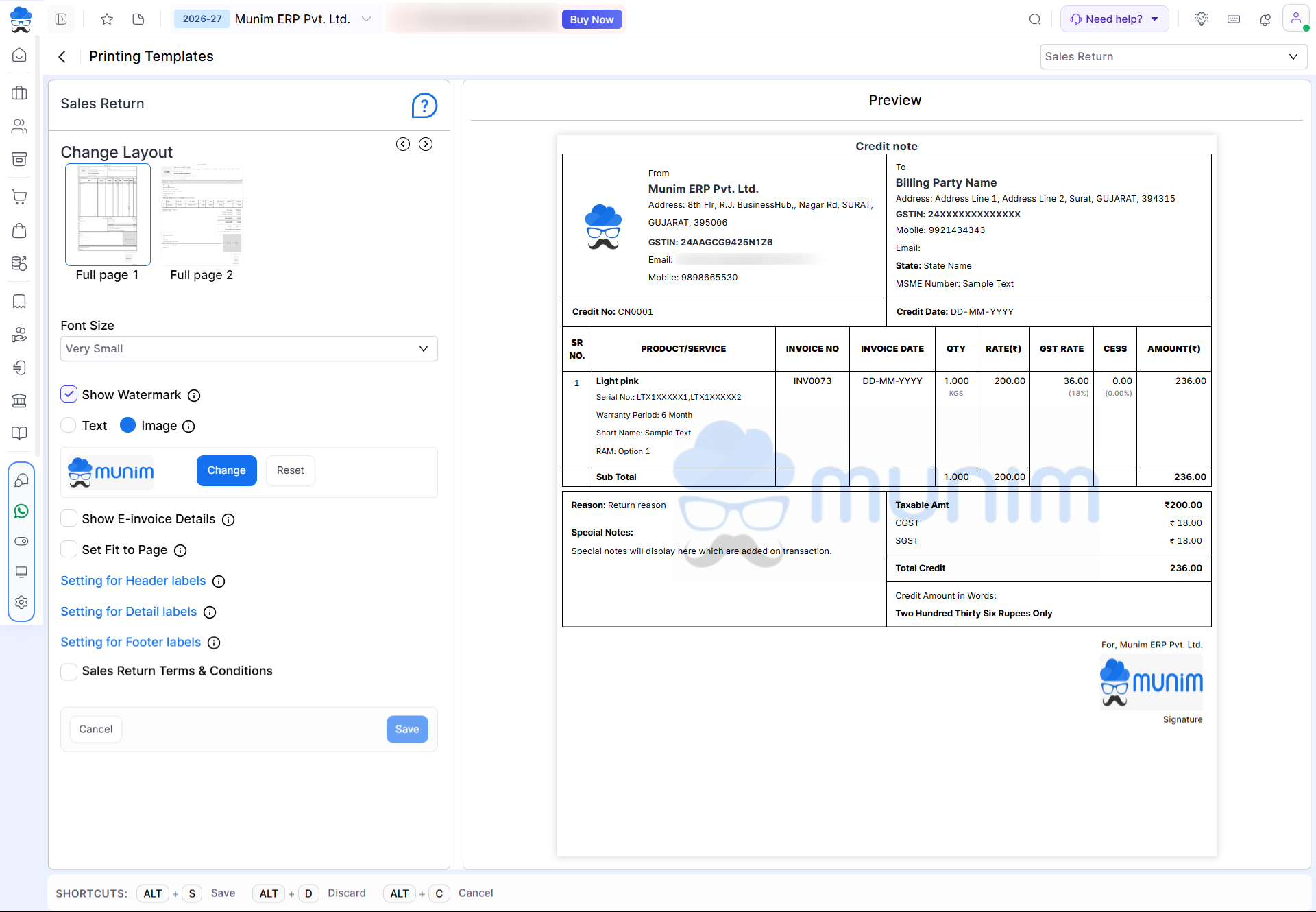
The Sales Return Printing Templates page provides the following customisation options:
| Setting | Description |
|---|---|
| Change Layout | Select the preferred print layout. |
| Font Size | Adjust the font size by selecting an option ranging from Very Small to Extra Large. |
| Show Watermark | Show or hide a watermark on the print. |
| Show E-Invoice Details | Display e-invoice information, if applicable. |
| Set Fit to Page | Select this option to adjust the data to fit within the page margins. |
| Setting for Header Labels | Show, hide, or rename header labels. |
| Setting for Detail Labels | Customise labels used in the item table. |
| Setting for Footer Labels | Show, hide, or rename footer labels. |
| Sales Return Terms & Conditions | Display terms and conditions on the printed document. |
Important Notes
- Changes apply only to Sales Return (Credit Note) print templates.
- Use the Preview panel to verify the layout before printing.
- Saved settings will be used for future Sales Return prints until modified.
Need Assistance?
If you need help configuring Sales Return Printing Templates, contact the Munim Support Team.


