
 1136 views
 Overview
We are upgrading our E-Way Bill/E-Invoice API integration by changing our GSP (GST Suvidha Provider) from Tera Software Limited to BVM IT Consulting India Private Limited.
To continue generating E-Way Bills/E-Invoice seamlessly from Munim Accounting Software, you must freeze your old Tera API user and create a new API username and password for BVM on the E-Way Bill/E-Invoice portal.
Prerequisites
- You must be registered on the E-Way Bill/E-Invoice portal
- You must have portal login credentials
- Mobile number linked with GSTIN must be active for OTP verification
Log in to the E-Way Bill/E-Invoice Portal
- Visit: https://ewaybillgst.gov.in/login.aspx -For Eway bill Portal or https://einvoice1.gst.gov.in/ -For E-Invoice Portal
- Log in using your E-Way Bill/E-Invoice portal credentials
Access to Software API User List
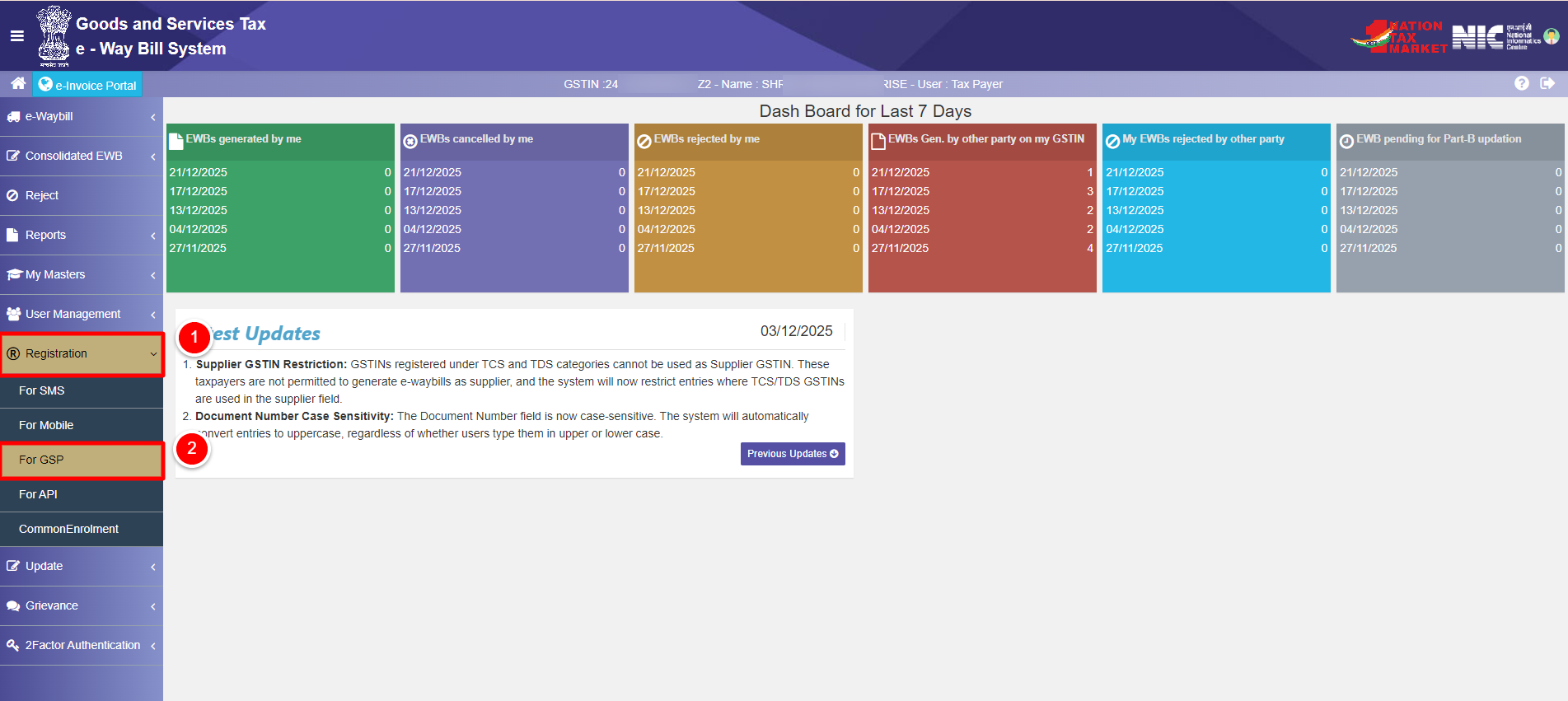
- After login, go to Registration from the left-side main menu
- Click on For GSP if you are on E-way Bill portal.
- Or
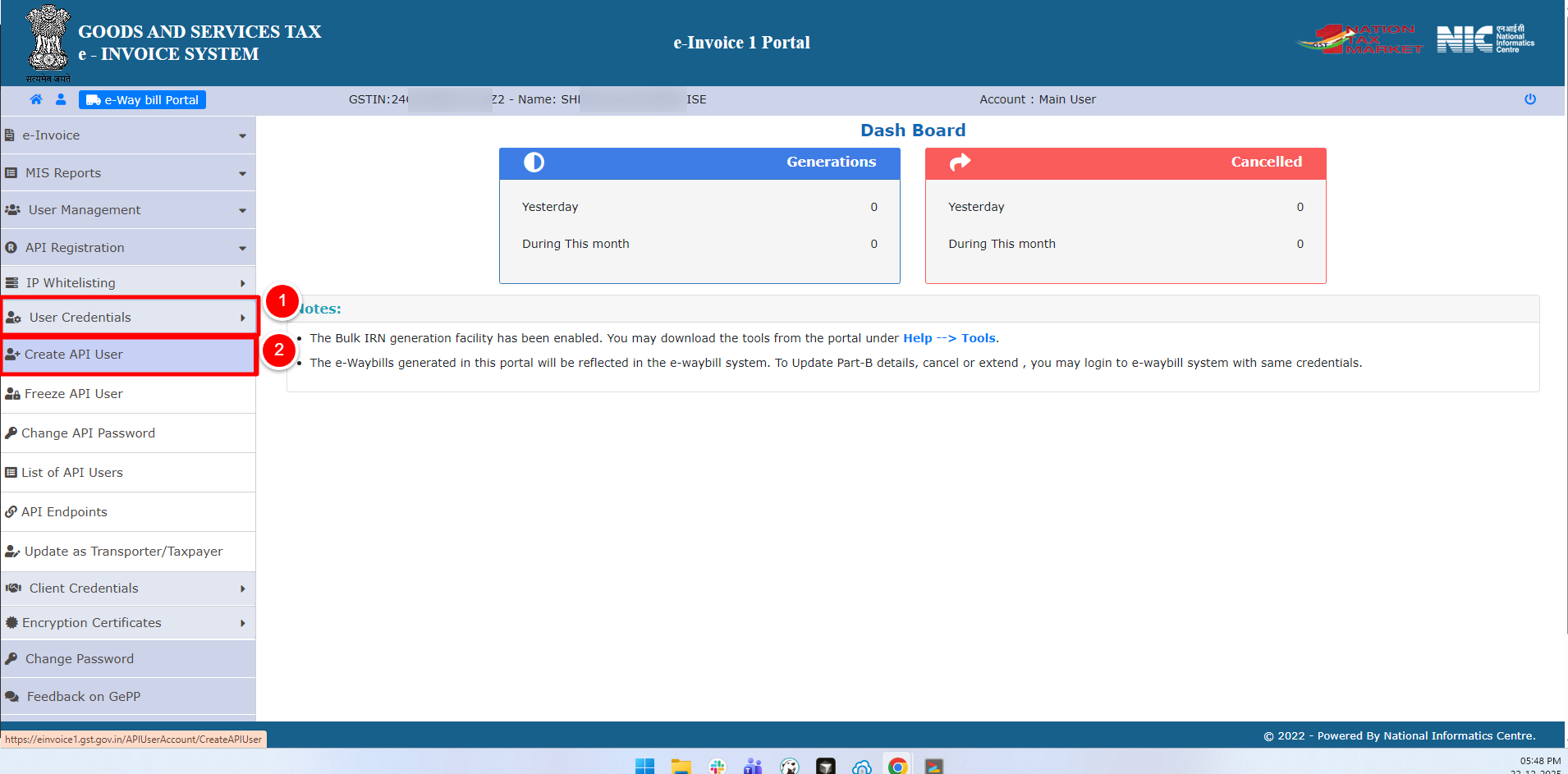
- If you are on E-Invoice Bill portal. go to User Credentials from the left-side main menu
- Click on User Credentials then Create API User.
- Upon selecting the option, you will be redirected to the login page, where you will then need to request an OTP.
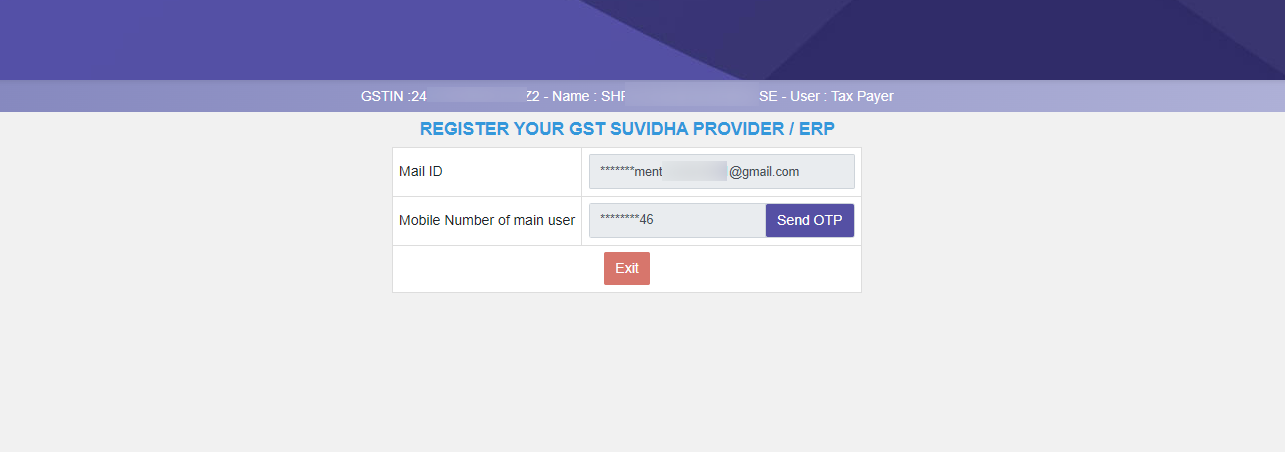
- Enter the OTP received on your registered mobile number
- Verify to proceed
Select New GSP – BVM IT Consulting India Private Limited for new API user
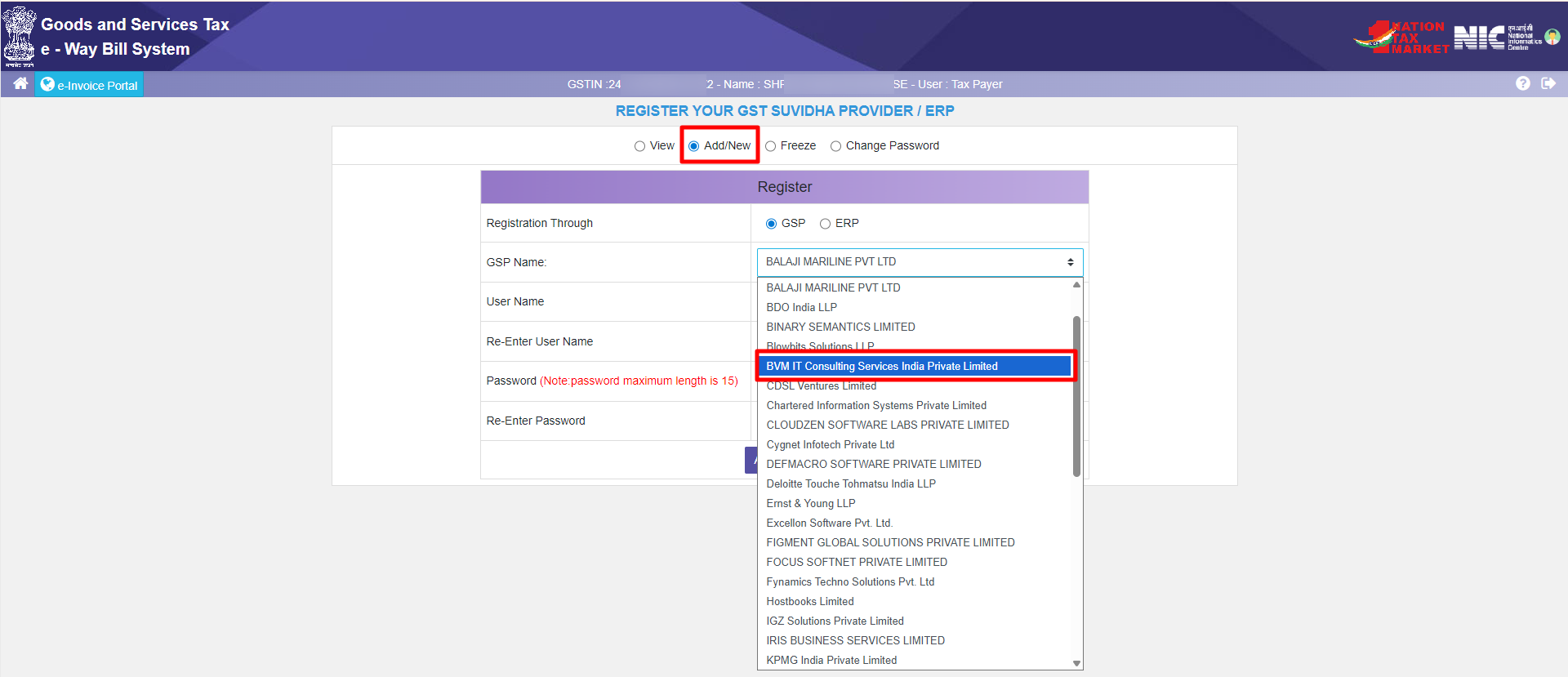
- After OTP verification, select For GSP registration again
- From the GSP dropdown, select:
BVM IT Consulting India Private Limited - Proceed to the next step
Create New API Username and Password
- Create a new API Username and a new API Password
- Fill Re-enter fields also for verification.
- Save these credentials securely by copying.
(These will be required in Munim)
Freeze (Disable) Old Tera Software API User
This step is mandatory to freeze old and creating a new API user with another GSP.
- The list of registered GSP API users will appear
- Locate the API user created under Tera Software Limited
- Click on the Freeze option for that user
- Confirm the action from the pop-up on top.
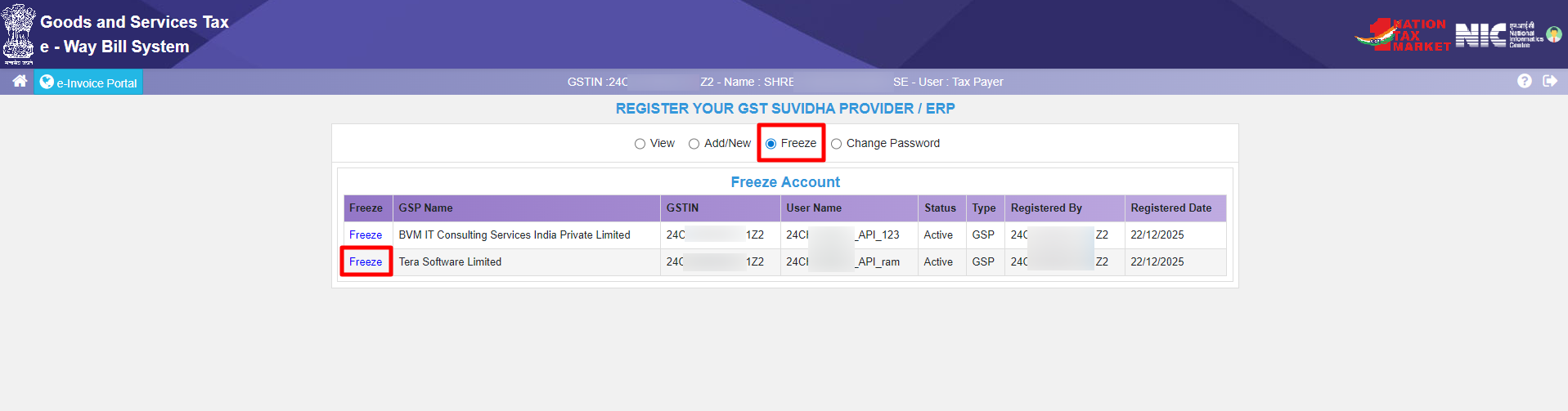
Your old Tera Software API user will now be frozen and cannot be used further.
Use New API Credentials in Munim
- Log in to Munim Accounting & Billing Software
- Go to Settings → Statutory Information → GST Details
- Enter new E-way/E-invoice Portal API User Credentials and Password by clicking the Change button.
- Save the settings
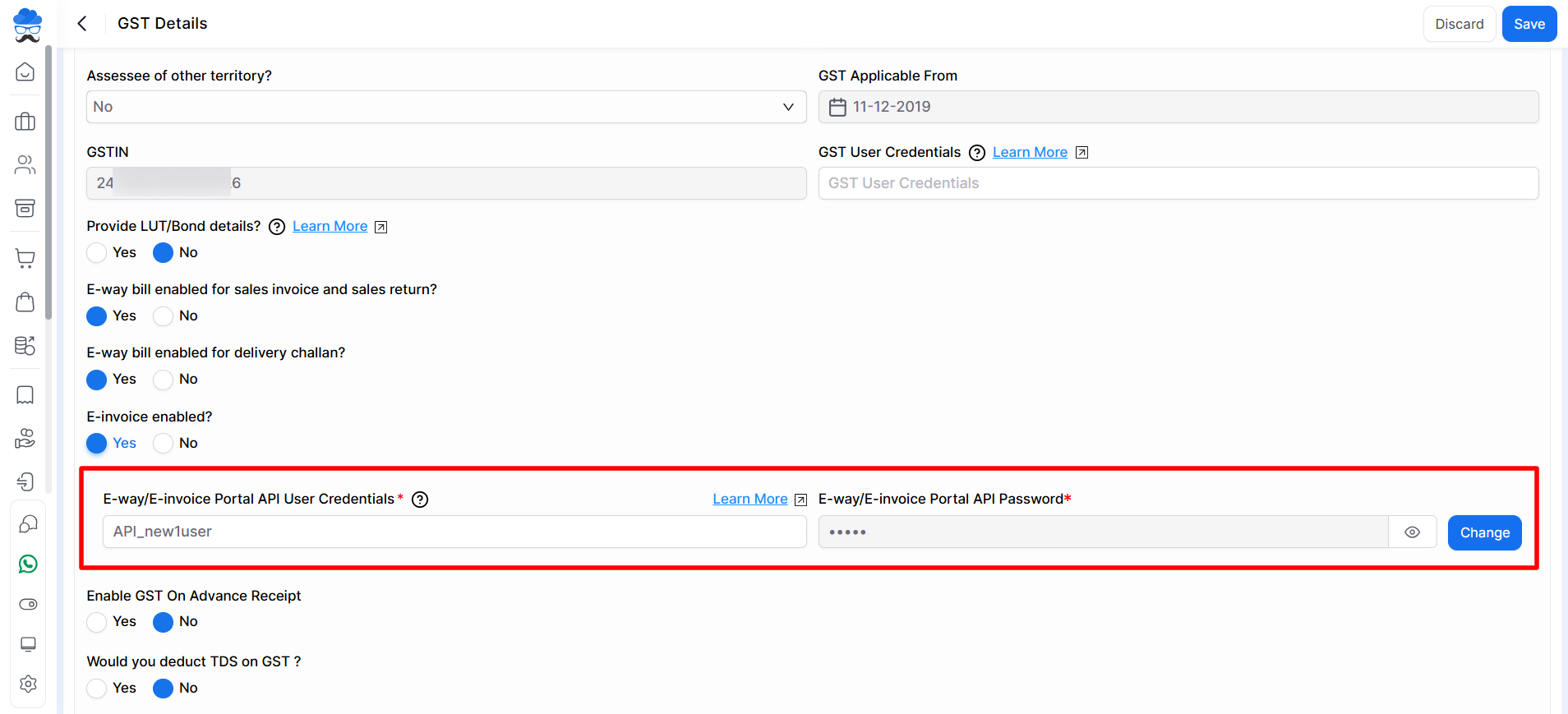
You can now generate E-Way Bills/E-Invoice directly from Munim using the new BVM GSP integration.
Important Notes
- Old Tera Software API credentials will stop working once frozen
- Do not reuse old API usernames
- Always use the latest GSP credentials to avoid E-Way Bill generation errors
- This migration is one-time only
Need Assistance?
If you face any difficulty during migration or E-Way/E-Invoice generation, please contact our support team.
We’re here to help you at every step.


