
 880 views
 Overview
The Party Balance Confirmation Report helps you generate balance confirmation statements for customers and vendors directly from the Party Master. This report is useful for verifying outstanding balances, obtaining confirmation from parties, and supporting reconciliation and audit processes.
Benefits
- Generate balance confirmation statements for customers and vendors.
- Simplify account reconciliation activities.
- Support audit and compliance requirements.
- Obtain documented confirmation of outstanding balances.
- Print and share confirmation reports with parties easily.
How to Access the Party Balance Confirmation Report
- On the My Company page, go to the Party Master section.
- Open either the Customer or Vendor list page.
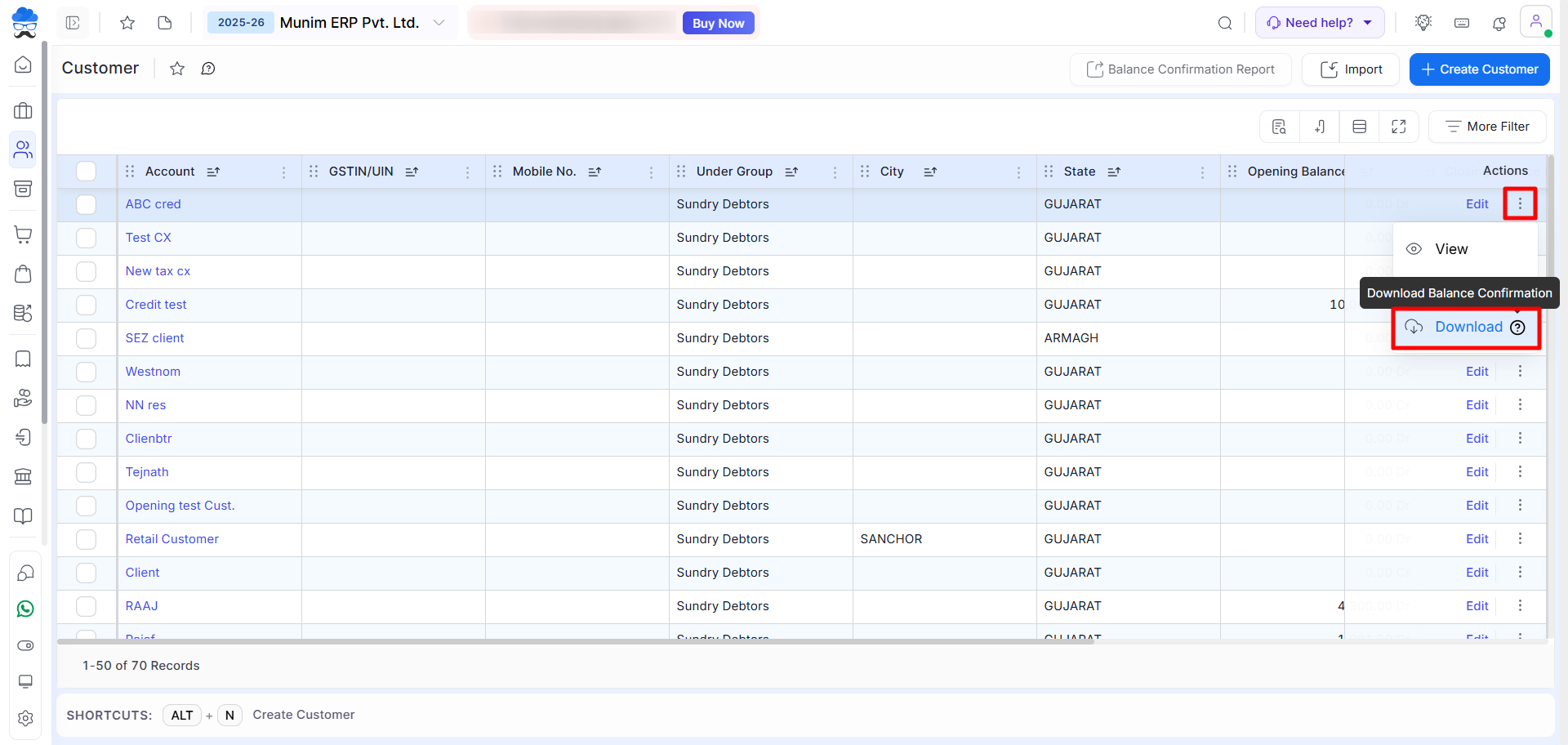
- Here, you may select the “Action” menu for any account and then choose the “Download” option from the dropdown.
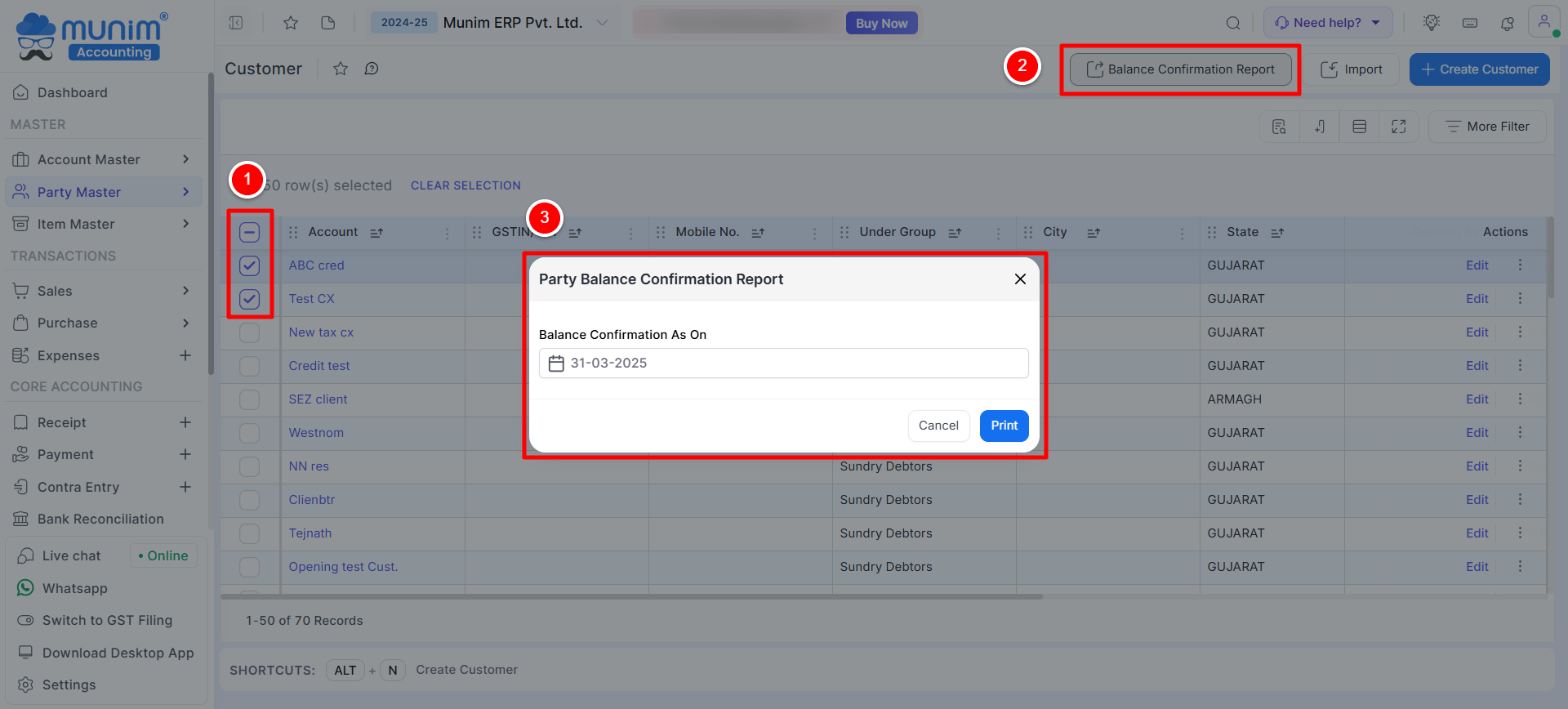
- Alternatively, select multiple parties by ticking the corresponding checkbox.
- Click on the Balance Confirmation Report button available at the top.
Generate the Report
- After clicking the Balance Confirmation Report button, a pop-up window will appear.
- Enter the Balance Confirmation As On date.
- Click on the Print button to generate the report.
Report Format & Details
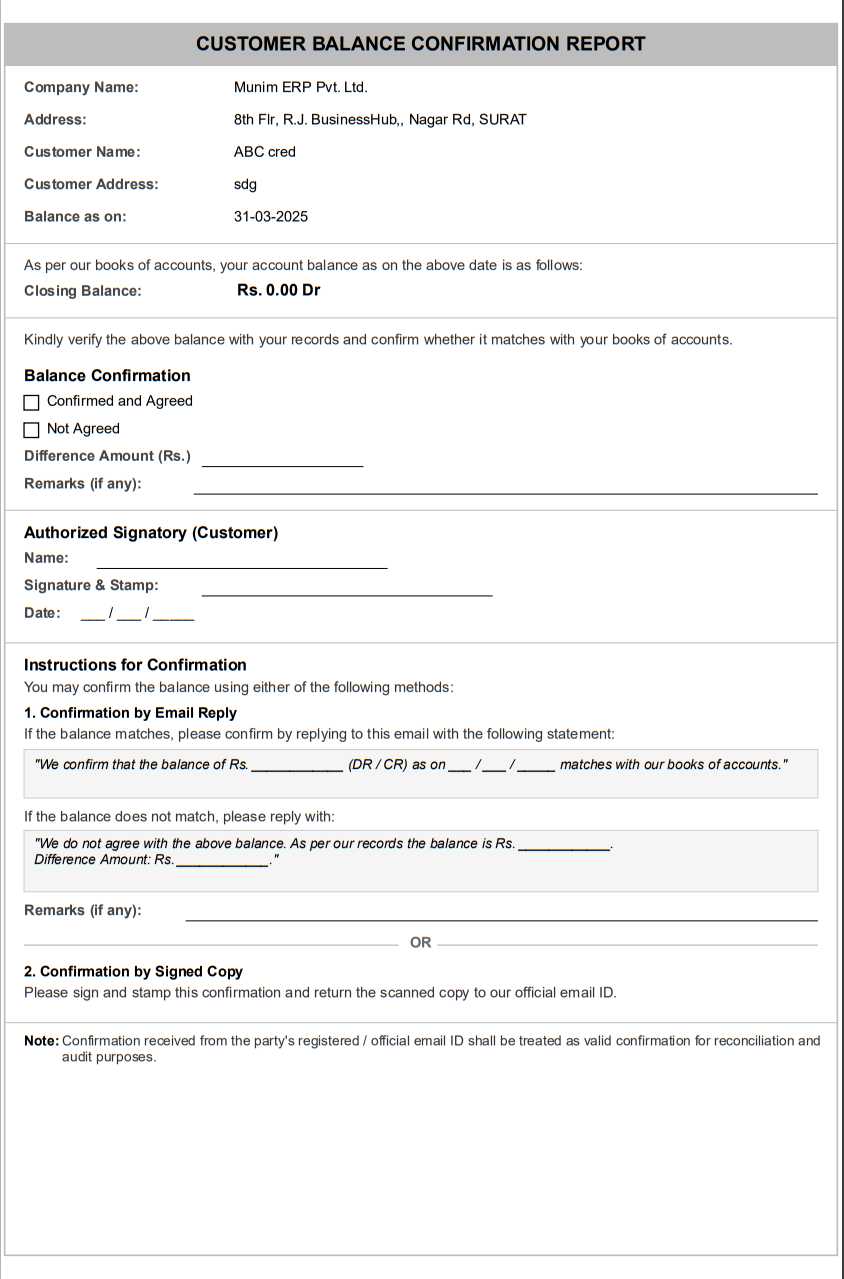
The generated report includes the following information:
- Company Name and Address, Customer/Vendor Name and Address
- Balance as on selected date, Closing Balance (Dr/Cr)
- Confirmation section (Confirmed / Not Agreed)
- Difference amount field if not agreed
- Remarks section and Authorised Signatory details
Confirmation Methods
The balance can be confirmed using any of the following methods available in the Instructions for Confirmation section:
1. Confirmation by Email Reply
- The party can confirm the balance by replying to the email with the prescribed confirmation statement.
- If the balance matches, they can confirm agreement.
- If not, they can mention the correct balance along with the difference amount and remarks.
2. Confirmation by Signed Copy
- The party can print the report, sign and stamp it, and share the scanned copy as confirmation.
Important Notes
- Ensure the selected balance confirmation date is correct before generating the report.
- Balance figures are generated based on ledger transactions available up to the selected date.
- The report can be generated for both customers and vendors.
- Confirmation responses can be used as supporting documents during audits and account reconciliation.
Result
A professionally formatted Balance Confirmation Report is generated containing account balance details, confirmation options, and signatory sections that can be shared with customers or vendors for verification and reconciliation.
Need Assistance?
If you have any questions or need further assistance, please contact our support team. We’re here to help!


