
 210 views
 Overview
The Wholesale Price feature allows you to configure quantity-based discounts slabwise on MRP. Different discounts can be defined for different quantity ranges, and the applicable discount is automatically considered during sales transactions.
Why Use This Feature?
- Offer quantity-based discounts to customers.
- Automate wholesale pricing.
- Encourage bulk purchases.
- Eliminate manual MRP discount calculations.
Enable the Feature
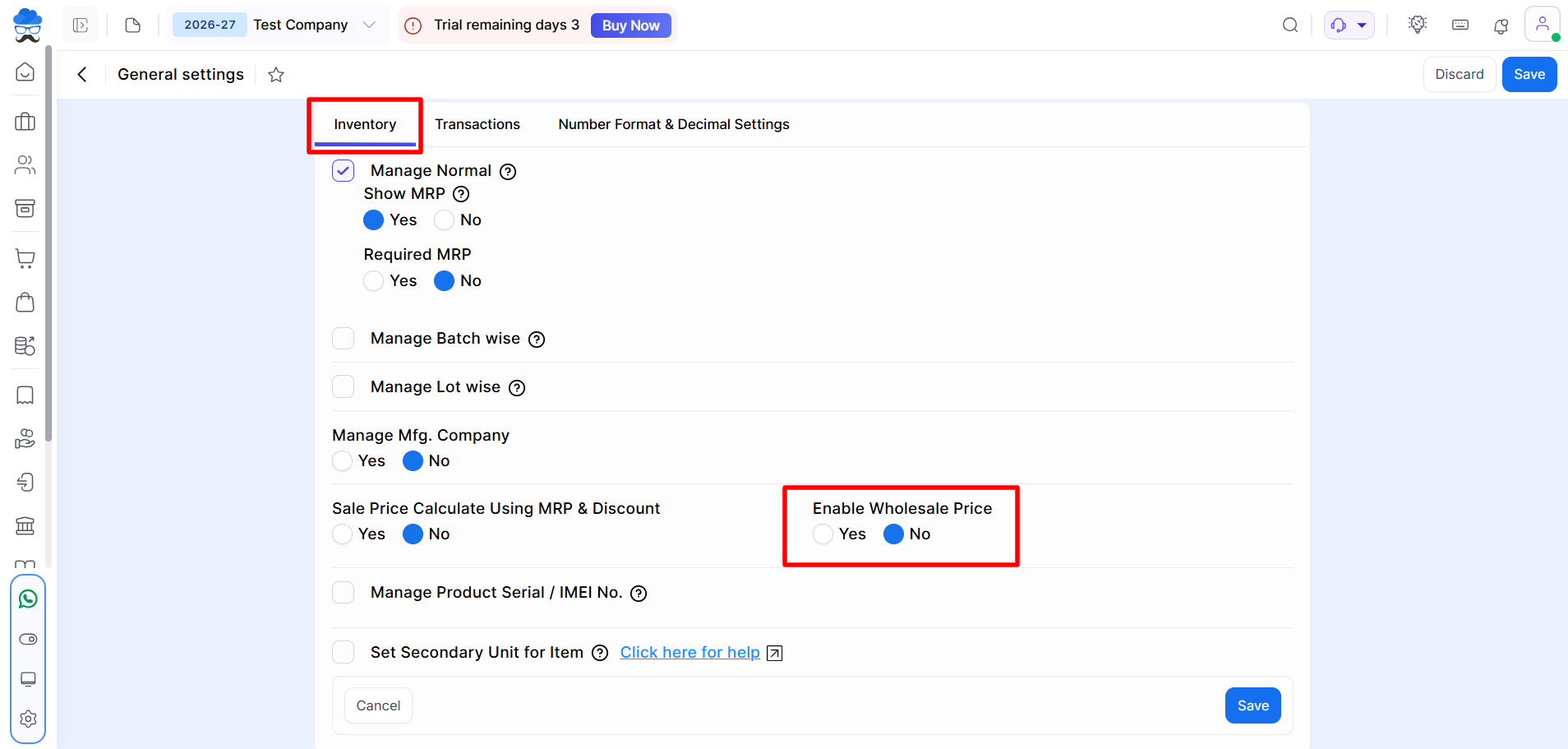
Navigate to: Settings → General Settings → Inventory
Set: Enable Wholesale Price = Yes
Click Save.
Configure Wholesale Slabs
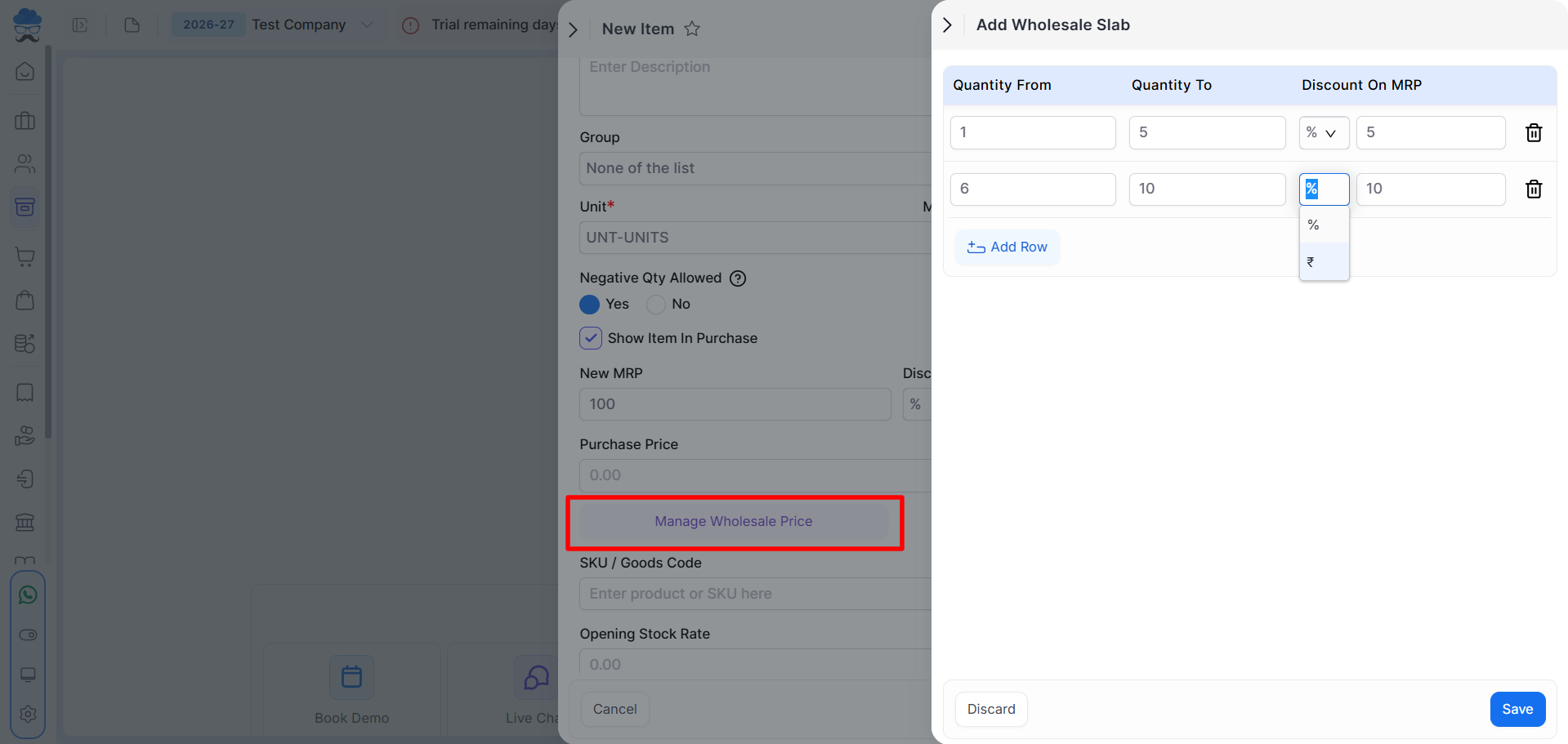
Navigate to: Item Master → Create Item or Edit Item.
Click: Manage Wholesale Price
The Add Wholesale Slab window will open.
Add Wholesale Price Slabs
Enter the following details:
- Quantity From, Quantity To, Discount Type and Discount On MRP
The discount can be configured in:
- Percentage (%), Amount (₹)
Click Add Row to create multiple slabs.
Click Save after configuring all slabs.
Example
| Quantity From | Quantity To | Discount On MRP |
|---|---|---|
| 1 | 5 | 5% |
| 6 | 10 | 10% |
| 11 | 20 | ₹100 |
How It Works
When an item is added to a Sales Invoice, the system checks the entered quantity and automatically applies the discount configured for the matching slab.
Example
| Quantity Sold | Applied Discount |
|---|---|
| 4 Qty | 5% |
| 8 Qty | 10% |
| 15 Qty | ₹100 |
Important Notes
- Wholesale Price must be enabled before configuring slabs.
- Quantity ranges should not overlap.
- The discount is calculated based on the MRP to determine the final sale price.
- Both percentage (%) and amount (₹) based discounts are supported.
- Discounts are applied automatically based on the quantity entered in the transaction.
Need Assistance?
If you face any issues while using the Wholesale Price feature, contact the Munim Support Team.


